
Flux 3 Image: Kontrolliere jeden Pixel
Verwandle Ideen in sorgfältig komponierte Visuals.
Erstelle Produktszenen, redaktionelle Layouts, Kampagnenvisuals und Charakterkompositionen mit den verfügbaren Bildmodellen. Featured-Quellbilder: Black Forest Labs.

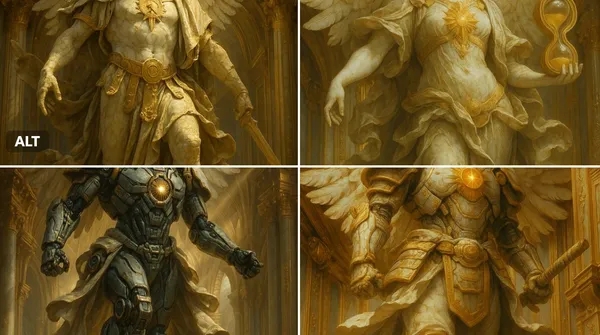
Verifizierter Prompt
ssal marble statue of [INSERT OBJECT OR CHARACTER HERE], wings (if applicable) spread in divine majesty, adorned with ornate golden armor and flowing baroque robes, cracked marble textures with soft patina, glowing sacred emblem on chest, standing within a celestial golden dome, surrounded by divine architecture, dramatic god rays from above, dynamic mid-action pose, ultra-detailed renaissance sculpture style, cinematic lighting, majestic and sacred atmosphere, 8k resolution
ssal marble statue of [INSERT OBJECT OR CHARACTER HERE], wings (if applicable) spread in divine majesty, adorned with ornate golden armor and flowing baroque robes, cracked marble textures with soft patina, glowing sacred emblem on chest, standing within a celestial golden dome, surrounded by divine architecture, dramatic god rays from above, dynamic mid-action pose, ultra-detailed renaissance sculpture style, cinematic lighting, majestic and sacred atmosphere, 8k resolution
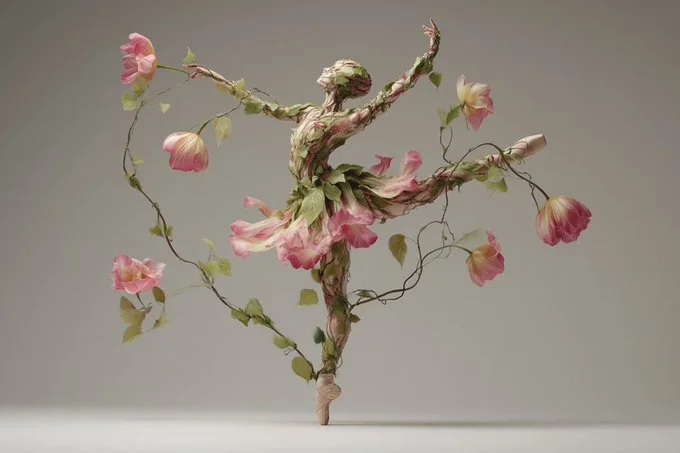
Verifizierter Prompt
The [subject] appears as if organically grown from intertwining plants, flowers, and vines. Leaf-like textures and blooming forms fuse seamlessly with anatomical or structural details, creating a surreal hybrid of nature and design. The composition feels ethereal, with natural asymmetry and dreamlike flow.
The [subject] appears as if organically grown from intertwining plants, flowers, and vines. Leaf-like textures and blooming forms fuse seamlessly with anatomical or structural details, creating a surreal hybrid of nature and design. The composition feels ethereal, with natural asymmetry and dreamlike flow.
Verifizierter Prompt
Verifizierter Prompt
Verifizierter Prompt
Verifizierter Prompt
Verifizierter Prompt
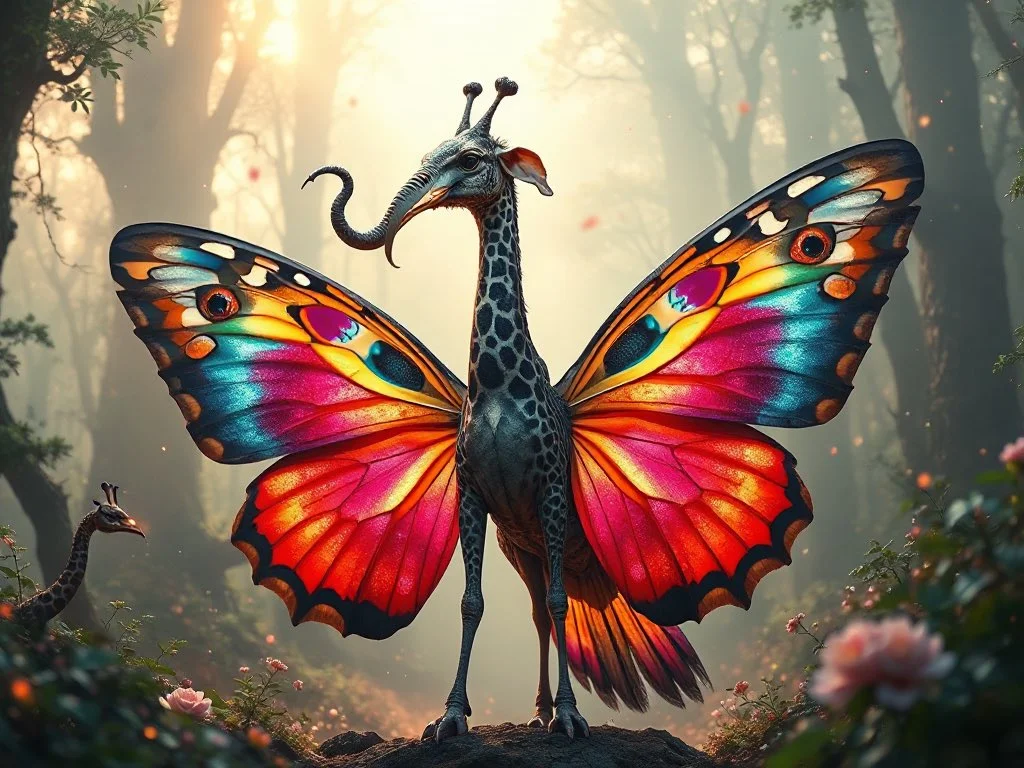
A highly detailed and surreal depiction of a mythical bird creature. It has the elegant, colorful body of a butterfly, with vibrant symmetrical wing patterns. Its head is that of a majestic elephant, complete with large ears, a long curling trunk, and ivory tusks, giving it a powerful and ancient aura. A long, spotted giraffe neck connects the body and the head, rising high with grace. The wings are enormous eagle wings, fully extended with dramatic feathers in motion. Its tail is an iridescent peacock tail, fanned out in full display like royal plumage. The creature stands in an enchanted misty forest, bathed in ethereal light and surrounded by glowing particles. Ultra-realistic, cinematic lighting, fantasy atmosphere, hyper-detailed concept art
A highly detailed and surreal depiction of a mythical bird creature. It has the elegant, colorful body of a butterfly, with vibrant symmetrical wing patterns. Its head is that of a majestic elephant, complete with large ears, a long curling trunk, and ivory tusks, giving it a powerful and ancient aura. A long, spotted giraffe neck connects the body and the head, rising high with grace. The wings are enormous eagle wings, fully extended with dramatic feathers in motion. Its tail is an iridescent peacock tail, fanned out in full display like royal plumage. The creature stands in an enchanted misty forest, bathed in ethereal light and surrounded by glowing particles. Ultra-realistic, cinematic lighting, fantasy atmosphere, hyper-detailed concept art
Verifizierter Prompt
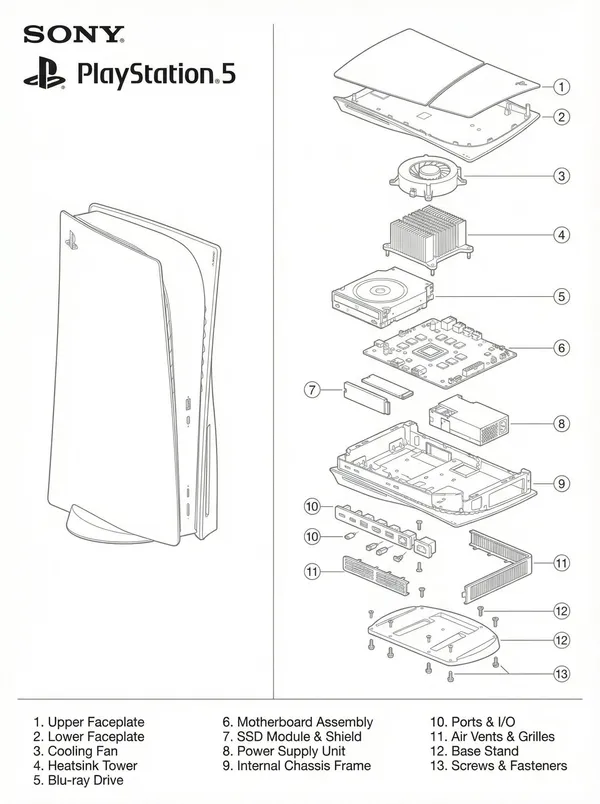
o-panel technical blueprint diagram in clean monochrome line-art, matching the exact layout of the provided PlayStation 1 schematic. On the left side, draw a full, intact Sony PlayStation 5 console in precise thin line-art on a white background. On the right side, draw a highly detailed, vertically exploded-view diagram of the PS5 showing each internal component separated into layers: outer shell panels, faceplates, cooling fan, heatsink tower, Blu-ray drive, motherboard, SSD module, power supply, internal frame, ports, vents, base stand, screws. Use consistent thin grey line-weight with no shading. Add numbered circular labels around each part, and include a matching numbered parts list at the bottom just like the reference blueprint. Place the SONY logo, PlayStation logo, and “PlayStation 5” text in the top left in the exact same position and style as the uploaded reference image. The entire artwork should mirror the composition, spacing, typography, and minimalist engineering-ma
o-panel technical blueprint diagram in clean monochrome line-art, matching the exact layout of the provided PlayStation 1 schematic. On the left side, draw a full, intact Sony PlayStation 5 console in precise thin line-art on a white background. On the right side, draw a highly detailed, vertically exploded-view diagram of the PS5 showing each internal component separated into layers: outer shell panels, faceplates, cooling fan, heatsink tower, Blu-ray drive, motherboard, SSD module, power supply, internal frame, ports, vents, base stand, screws. Use consistent thin grey line-weight with no shading. Add numbered circular labels around each part, and include a matching numbered parts list at the bottom just like the reference blueprint. Place the SONY logo, PlayStation logo, and “PlayStation 5” text in the top left in the exact same position and style as the uploaded reference image. The entire artwork should mirror the composition, spacing, typography, and minimalist engineering-ma
Verifizierter Prompt
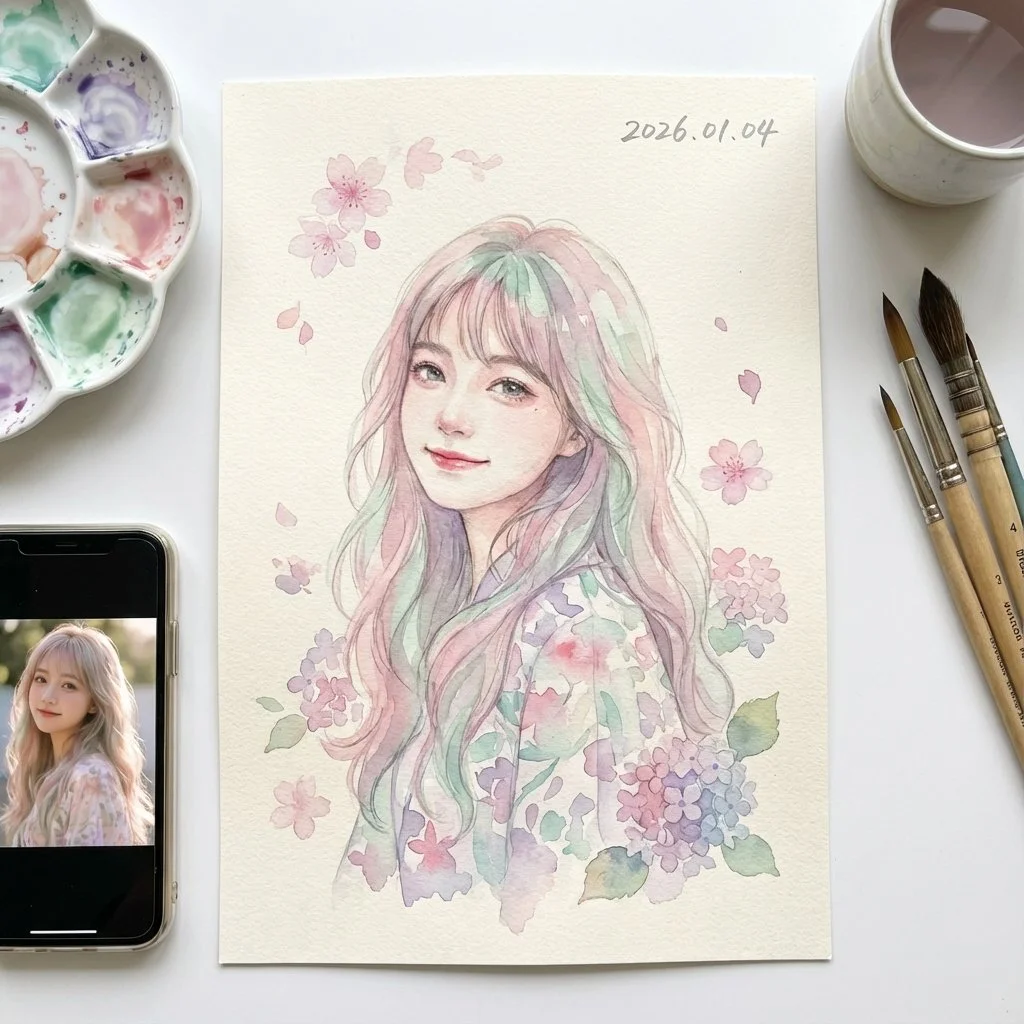
Perfect composition, highest quality, 8K resolution, soft atmosphere, professional level, award-winning style, delicate artistry. Create an extremely detailed Japanese watercolor illustration depicting a Chinese idol girl with gentle, dreamy aesthetic. Soft transparent color washes with visible water blooms, delicate color bleeding and gradients (wet-on-wet technique), pastel color palette (soft pinks, mint greens, lavender, peachy tones), light and airy feeling with plenty of white paper showing through. High-quality cold-pressed watercolor paper (300gsm texture visible), with natural paper buckling, authentic watercolor medium characteristics including backruns, cauliflower effects, and granulation. Delicate cherry blossoms and hydrangeas scattered around painted in transparent washes. Date '2026.01.04' in soft gray watercolor calligraphy. Watercolor painting on clean white surface with supplies nearby. iPhone displays reference photograph with soft reflections. Facial features perfectly identical to photo. Romantic, gentle, fresh atmosphere with Japanese aesthetic sensibility. 3:4 portrait orientation.
Perfect composition, highest quality, 8K resolution, soft atmosphere, professional level, award-winning style, delicate artistry. Create an extremely detailed Japanese watercolor illustration depicting a Chinese idol girl with gentle, dreamy aesthetic. Soft transparent color washes with visible water blooms, delicate color bleeding and gradients (wet-on-wet technique), pastel color palette (soft pinks, mint greens, lavender, peachy tones), light and airy feeling with plenty of white paper showing through. High-quality cold-pressed watercolor paper (300gsm texture visible), with natural paper buckling, authentic watercolor medium characteristics including backruns, cauliflower effects, and granulation. Delicate cherry blossoms and hydrangeas scattered around painted in transparent washes. Date '2026.01.04' in soft gray watercolor calligraphy. Watercolor painting on clean white surface with supplies nearby. iPhone displays reference photograph with soft reflections. Facial features perfectly identical to photo. Romantic, gentle, fresh atmosphere with Japanese aesthetic sensibility. 3:4 portrait orientation.
Verifizierter Prompt
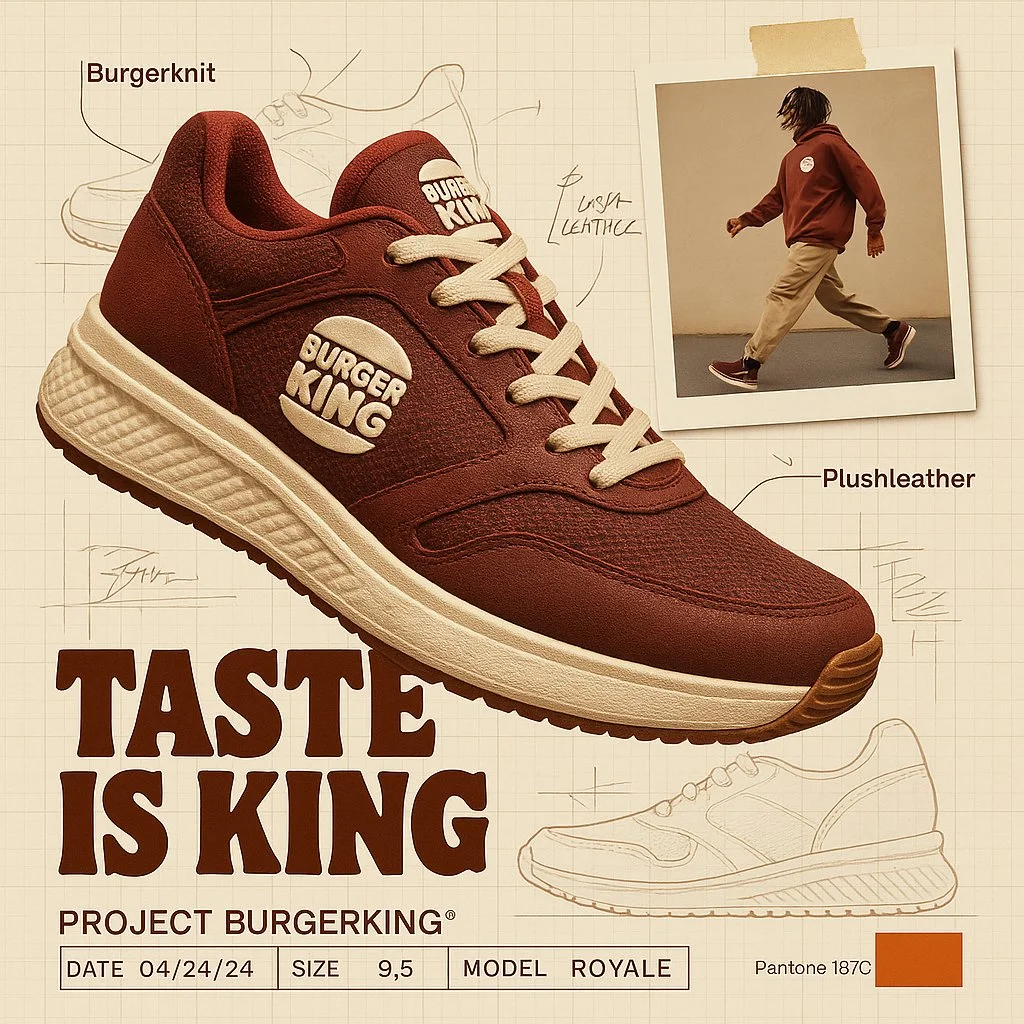
create image with 1:1 ratio A branded footwear ad for [Brand], showcasing the high-end Brand shoe using brand technology and texture.(fiction a technology and texture based on brand DNA). The shoe is shown in dynamic floating perspective over a graph paper background layout with technical sketches and handwritten notes. A random lifestyle authentic photo featuring brand clothing in motion is taped in the corner, styled with street wear fashion. Emphasize the product's slogan with bold typography. Layout features include product spec labels like Project a fiction brand title, Date, Size, and fiction model name in engineering style. The background reference with brand pantone color palettes with code number
create image with 1:1 ratio A branded footwear ad for [Brand], showcasing the high-end Brand shoe using brand technology and texture.(fiction a technology and texture based on brand DNA). The shoe is shown in dynamic floating perspective over a graph paper background layout with technical sketches and handwritten notes. A random lifestyle authentic photo featuring brand clothing in motion is taped in the corner, styled with street wear fashion. Emphasize the product's slogan with bold typography. Layout features include product spec labels like Project a fiction brand title, Date, Size, and fiction model name in engineering style. The background reference with brand pantone color palettes with code number
Verifizierter Prompt
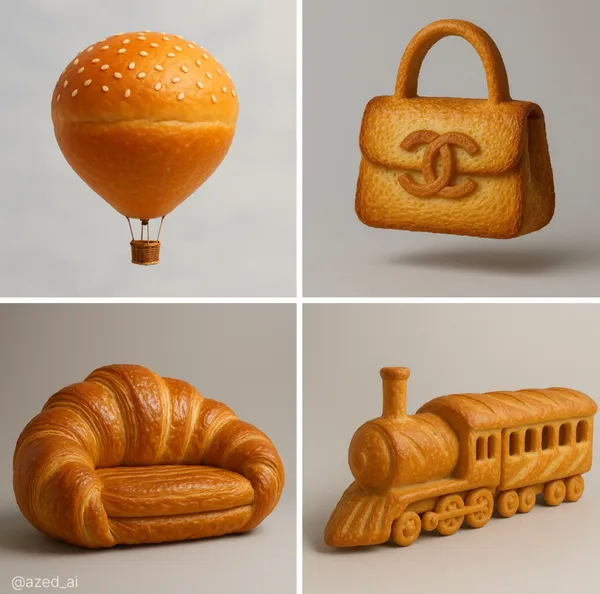
ghly realistic sculpture of a [object], made entirely from [bread type] with ultra-detailed texture and color. The surface shows the natural properties of the bread, golden-brown, glossy, flaky or crusty, with visible layers or seeds where appropriate, studio lighting, soft
ghly realistic sculpture of a [object], made entirely from [bread type] with ultra-detailed texture and color. The surface shows the natural properties of the bread, golden-brown, glossy, flaky or crusty, with visible layers or seeds where appropriate, studio lighting, soft
Verifizierter Prompt
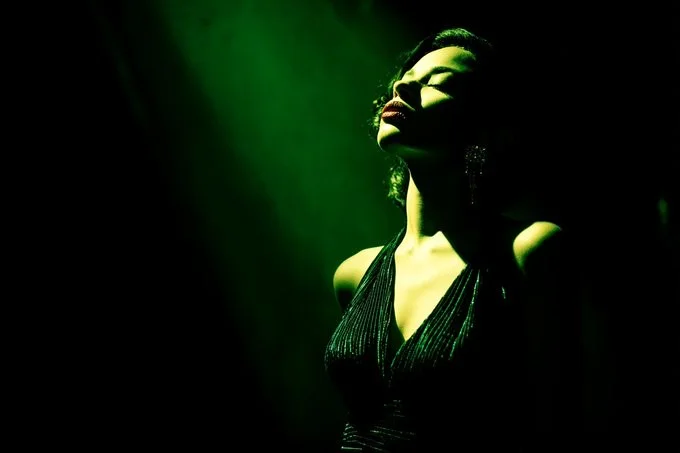
[SUBJECT] caught in a Film Noir Spotlight. The scene is dominated by shadows, with a single, harsh light source revealing only a portion of the subject. Use [COLOR1] and [COLOR2] to tint the light, adding a touch of drama and intrigue.
[SUBJECT] caught in a Film Noir Spotlight. The scene is dominated by shadows, with a single, harsh light source revealing only a portion of the subject. Use [COLOR1] and [COLOR2] to tint the light, adding a touch of drama and intrigue.
Erkunde Workflows zur Bilderstellung
Beginne mit einem visuellen Briefing, bearbeite ein Bild mit einem unterstützten Modell oder durchstöbere die Prompt-Showcase für Ideen.

Ein Bild-Workspace für dein nächstes kreatives Briefing
Flux 3 Image vereint Bildgenerierung, unterstützte Bildbearbeitung und Prompt-Beispiele in einem kreativen Workspace für Designer, E-Commerce-Teams und Marketer.
Beschreibe das Motiv, die Komposition, die Beleuchtung und den Stil. Wähle ein verfügbares Modell, prüfe die Credit-Kosten und untersuche dein Ergebnis im Verlauf.
Ein Bild erstellenVier Wege, eine visuelle Idee zu formen

Kampagnenvisuals mit klarer Komposition
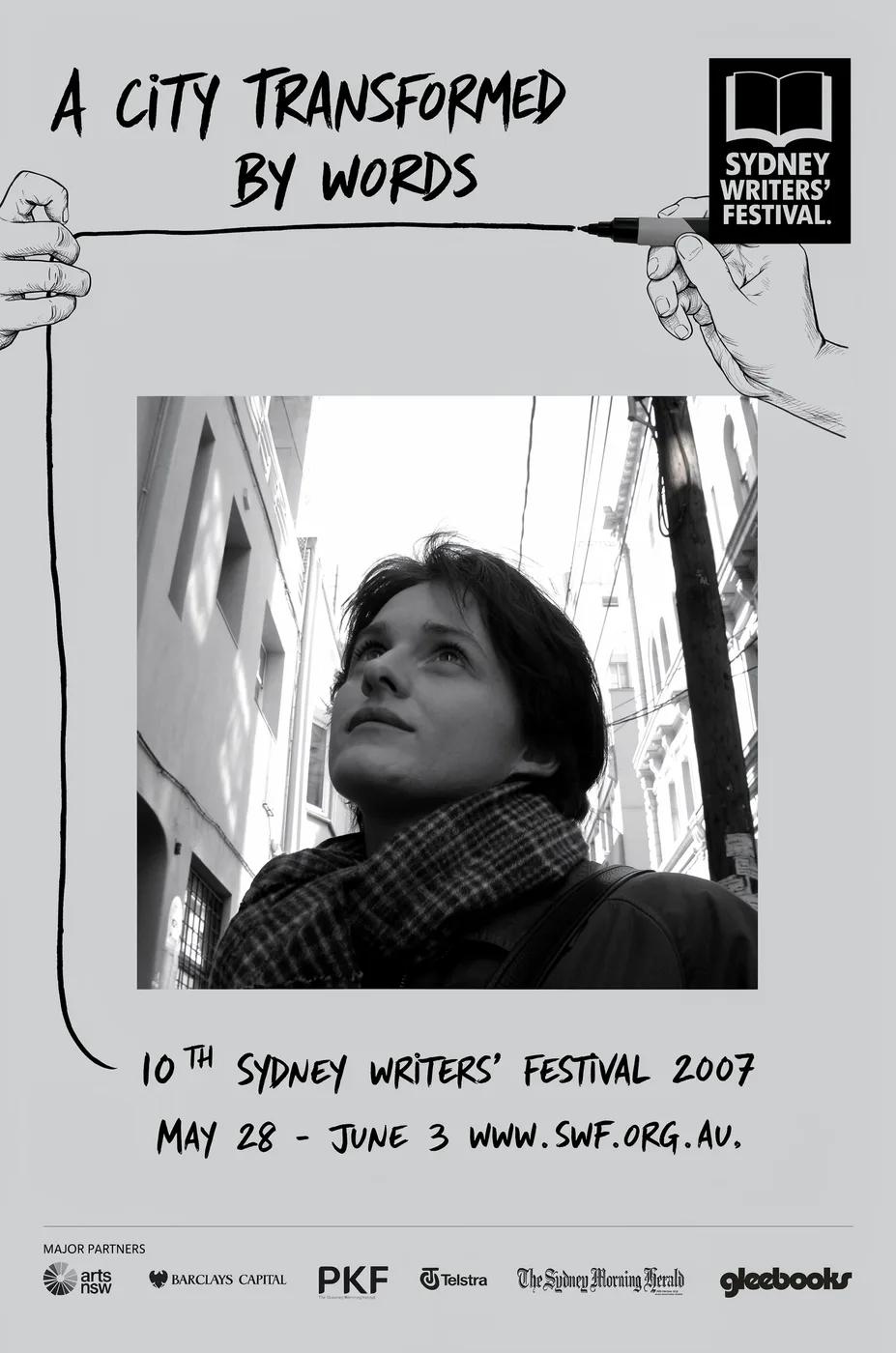
Untersuche das Festivalplakat hinsichtlich seiner Anordnung von Bild, Farbe und Typografie. Definiere für deine eigene Kampagne den Fokuspunkt und lasse Platz für den finalen Text. Quellbeispiel: Black Forest Labs; dieses Bild wurde nicht auf dieser Website generiert.
Ein praktischer Workflow für Bildgenerierung und -bearbeitung
Erstelle ein fokussiertes Bild-Briefing und nutze die Steuerelemente, die dein ausgewähltes Modell bietet. Vergleiche das fertige Bild mit deiner beabsichtigten Komposition, bevor du entscheidest, was geändert werden soll.
Beschreibe das Bild, das du möchtest
Beginne mit einem Motiv, einer Umgebung, Beleuchtung, einem Kamerablickwinkel und einem Stil. Füge Layout-Anweisungen für eine Produktszene, ein Poster oder ein redaktionelles Bild hinzu, wenn sie wichtig sind.

Eine Referenz mitbringen, wenn unterstützt
Wähle ein bearbeitungsfähiges Modell und lade eine Referenz hoch, für die du die Berechtigung hast. Akzeptierte Dateitypen, Referenzlimits und Bearbeitungssteuerungen werden im Generator angezeigt.

Einstellungen und Credit-Kosten prüfen
Wähle ein verfügbares Seitenverhältnis und eine Auflösung. Prüfe die erforderlichen Credits vor dem Absenden; unterstützte Einstellungen und Kosten variieren je nach Modell.
Prompt-Ideen und veröffentlichte Beispiele entdecken
Durchsuche veröffentlichte Fälle in der Prompt-Showcase. Jeder Fall zeigt sein tatsächliches Modell und seinen Prompt, damit du das Ergebnis im Kontext studieren kannst.
Beschreiben, generieren, prüfen und verfeinern
Gehe von einem fokussierten Briefing zu einem geprüften Ergebnis über. Bewahre nützliche Versionen im Verlauf auf und passe jeweils eine Anweisung an.
Beschreibe dein visuelles Briefing
Schreibe Motiv, Umgebung, Komposition, Beleuchtung und Stil. Beschreibe für Überarbeitungen die Änderung und die Details, die du beibehalten möchtest.
Ein Modell wählen und generieren
Wähle aus den verfügbaren Bildmodellen, wähle unterstützte Einstellungen und prüfe die erforderlichen Credits. Füge Referenzen hinzu, wenn das Modell Bildbearbeitung unterstützt.
Dein Bild prüfen und herunterladen
Prüfe das fertige Bild im Verlauf. Kontrolliere Gesichter, Text, Produktdetails und die Gesamtkomposition, bevor du es herunterlädst oder veröffentlichst.
Die nächste Version verfeinern
Ändere einen Teil deines Prompts oder nutze unterstützte Bildbearbeitung. Vergleiche Versionen, damit du siehst, welche Richtung dein Briefing verbessert.
Bildideen für Designer, E-Commerce-Teams und Marketer
Verwandle eine konkrete visuelle Idee in Material für eine Kampagne, ein Produktkonzept, ein redaktionelles Layout oder eine kreative Präsentation. Prüfe jedes Ergebnis für den vorgesehenen Verwendungszweck.
Produktszenen
Beschreibe ein Produkt, seine Umgebung und Beleuchtung. Prüfe die generierte Form, Beschriftungen und Materialien gegen den realen Artikel, bevor du es in einem Listing verwendest.
Kampagnen-Visuals
Baue ein Kampagnenkonzept rund um eine Botschaft und einen klaren Blickpunkt auf. Lass Platz für die finale Typografie und prüfe Werbeaussagen vor der Veröffentlichung.
Redaktionelle Layouts
Erkunde Bildanordnungen für ein Cover, einen Artikel oder eine Präsentation. Gib Komposition und visuelle Hierarchie an; prüfe generierten Text separat.
Kreative Präsentationen
Nutze ein visuelles Konzept, um deinem Team eine Richtung zu vermitteln. Vergleiche Bildausschnitt, Farbpalette und Beleuchtung über Versionen hinweg.
Charakter-Kompositionen
Beschreibe einen Charakter, Kleidung, Ausdruck und Umgebung. Referenzverarbeitung und Konsistenz hängen vom Modell und den unterstützten Eingaben ab.
Bildüberarbeitungen
Nutze ein unterstütztes Bearbeitungsmodell für Änderungen an Farbe, Umgebung oder Details. Prüfe das gesamte Bild, um zu sehen, ob unbeabsichtigte Elemente geändert wurden.
Kreative Notizen für dein nächstes Bild
Gib dem Bild ein klares Motiv. Beschreibe die Umgebung und die Details, die das Briefing erkennbar machen.

Flux 3 Image: Fragen und Antworten
Das Generator-Menü zeigt die derzeit auf dieser Website verfügbaren Bildmodelle, einschließlich unterstützter Modelle der FLUX-Familie. Die Marke Flux 3 Image und hervorgehobene BFL-Quellbeispiele bedeuten nicht, dass eine FLUX.3-Generierung angeboten wird. Wähle das tatsächliche Modell, das im Menü angezeigt wird.
Die Generierung verbraucht Credits. Wähle ein Modell und unterstützte Einstellungen, um die erforderlichen Credits vor dem Absenden zu sehen. Besuche die Preisgestaltung für monatliche, jährliche und einmalige Optionen.
Verwende flux3 image in einem Desktop- oder Mobilbrowser, um Prompts zu schreiben, unterstützte Referenzen hinzuzufügen, den Verlauf zu prüfen und fertige Bilder herunterzuladen.
Beschreibe Motiv, Umgebung, Komposition, Beleuchtung und Stil. Füge präzise Details für Produktmaterialien, Kleidung oder Layout hinzu, wenn sie wichtig sind. Beschreibe für Bearbeitungen, was geändert werden soll.
Prompts, Referenzen und Ergebnisse können gespeichert werden, um Anfragen zu bearbeiten und den Verlauf bereitzustellen. Öffentliche Medienlinks können von anderen angesehen und geteilt werden. Lies die Datenschutzrichtlinie, bevor du sensibles Material hochlädst.
Das ausgewählte Modell bestimmt die Auflösungen, Seitenverhältnisse, Referenzlimits und Bearbeitungssteuerungen, die der Generator bietet. Verwende diese Steuerelemente; die Spezifikationen eines hervorgehobenen Quellbilds beschreiben nicht jedes verfügbare Modell.
Wähle ein bearbeitungsfähiges Modell, lade ein unterstütztes Bild hoch, für das du die Berechtigung hast, und beschreibe die Überarbeitung. Prüfe das Ergebnis, um sowohl deine angeforderte Änderung als auch die umliegenden Details zu kontrollieren.
Prüfe die geltenden Plattform- und Modellbedingungen für deinen vorgesehenen Verwendungszweck. Du bist verantwortlich für die Rechte an hochgeladenem Material, identifizierbaren Personen, Logos und anderen Inhalten Dritter.
Die Verarbeitungszeit variiert je nach Modell, Einstellungen, Anfrage und Serviceauslastung. Verfolge den Anfragestatus im Verlauf.
Nein. flux3 image ist ein unabhängiger Drittanbieter-Arbeitsbereich. Hervorgehobene Homepage-Bilder werden Black Forest Labs zugeschrieben und sind getrennt von nutzergenerierten Ergebnissen in der Prompt-Showcase. Original-Prompts werden nur aufgenommen, wenn sie verifiziert sind.
Weitere Artikel
Leitfäden zur Bilderstellung
Erstelle dein nächstes Bild
Beschreibe deine Idee, wähle ein verfügbares Bildmodell und prüfe die erforderlichen Credits. Prüfe und lade fertige Ergebnisse aus dem Verlauf herunter.