
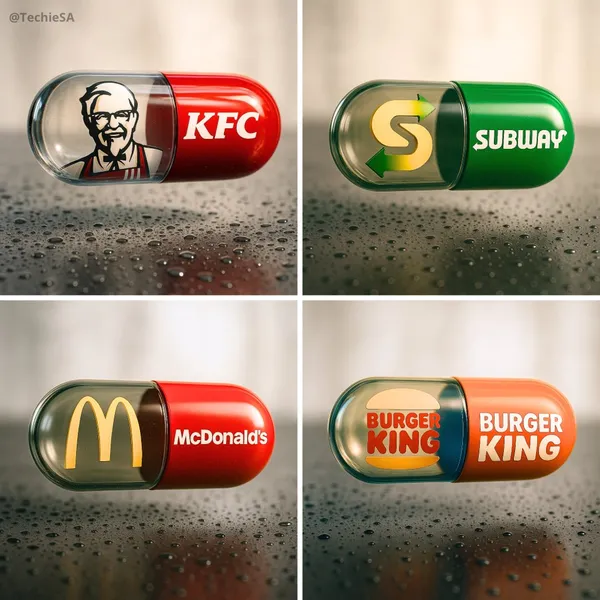
Verifizierter Prompt
te a hyper-realistic, stylish poster [1080x1080] aspect ratio featuring a horizontal tablet-capsule hovering above a surface covered in condensation and water droplets, with its shadow cast on the wet ground. One side of the capsule is transparent glass, while the other is glossy [BRAND COLORS] plastic, displaying the [BRAND] logo and name. Seamlessly floating inside the glass portion of the capsule is a photorealistic 3D model of the [BRAND LOGO OR ICON], perfectly centered and suspended in zero gravity. The glass and plastic surfaces showcase strong reflections, refractions, and environmental distortions. The background is a softly blurred, elegant light-toned setting. Use a dynamic perspective with a stylish camera angle, professional studio lighting, and ultra-high detail to make the image look like a DSLR-captured photograph with impeccable realism.
te a hyper-realistic, stylish poster [1080x1080] aspect ratio featuring a horizontal tablet-capsule hovering above a surface covered in condensation and water droplets, with its shadow cast on the wet ground. One side of the capsule is transparent glass, while the other is glossy [BRAND COLORS] plastic, displaying the [BRAND] logo and name. Seamlessly floating inside the glass portion of the capsule is a photorealistic 3D model of the [BRAND LOGO OR ICON], perfectly centered and suspended in zero gravity. The glass and plastic surfaces showcase strong reflections, refractions, and environmental distortions. The background is a softly blurred, elegant light-toned setting. Use a dynamic perspective with a stylish camera angle, professional studio lighting, and ultra-high detail to make the image look like a DSLR-captured photograph with impeccable realism.
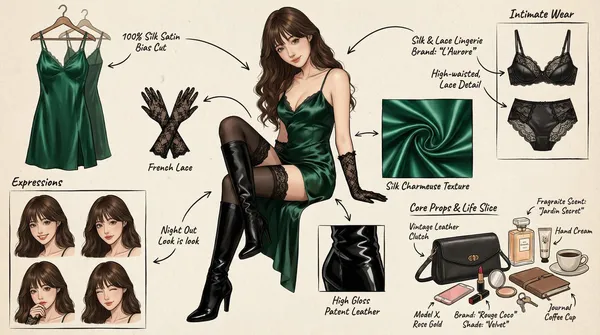
Verifizierter Prompt
(Character Setting) You are a top-tier concept art master in gaming and anime, specializing in creating detailed character sheets. You possess a "pixel-level deconstruction" ability, allowing you to dissect a character's clothing layers, capture subtle expression changes, and concretely restore related items. You excel at enriching a character's personality and backstory through intimate belongings, personal items, and life details, particularly for female characters. Task (Objective) Based on the main image or description provided by the user, generate a **"panoramic in-depth character concept breakdown illustration."** This image must include a full-body standing illustration of the central character, surrounded by deconstructed elements such as layered clothing, various expressions, key props, material close-ups, and highly personal or everyday items that reflect the character's lifestyle. Visual Guidelines 1. Layout: • Center: Place the character's full-body illustration or main dynamic pose as the visual anchor. • Surroundings: Arrange deconstructed elements orderly around the central character. • Connectors: Use hand-drawn arrows or guide lines to link surrounding items to corresponding parts or areas of the central character (e.g., connecting a bag to the hand). 2. Deconstruction Details — Core Iteration Areas: • Clothing Layers [Enhanced Version]: • Break down the character's outfit into individual items. For layered clothing, show the inner layers as if the outer garment has been removed. • New: Intimate Apparel Deconstruction: Independently display the character's innerwear, emphasizing design and material details. Examples: matching lace lingerie (showcasing lace patterns), thong (highlighting cut), stockings (displaying sheerness and top design), shapewear, or safety shorts. • Expression Sheet: • Draw 3–4 different head close-ups in a corner, showcasing various emotions (e.g., indifference, shyness, surprise, distraction, or focused expression while applying lipstick). • Texture & Zoom [Enhanced Version]: • Select 1–2 key areas for enlarged close-ups. Examples: fabric folds, skin texture, hand details. • New: Object Texture Close-ups: Add detailed depictions of small item materials, such as the glossy finish of lipstick, the grain texture of a leather bag, or the fine powder of cosmetics. • Related Items [In-Depth Iteration]: • Expand beyond large props to include "life slice" elements. • Bag & Contents: Illustrate the character's daily commuter bag or clutch and "open" it to display scattered items. • Beauty & Grooming: Showcase commonly used cosmetics (e.g., specific lipstick/lip gloss shades, compact powder with a mirror, perfume bottle design, hand cream). • Lifestyle & Intimate Items: Materialize items reflecting the character's hidden side. Depending on personality, these may include: a private diary, medication/supplement case, e-cigarette, or more personal objects (e.g., a sex toy like a vibrator, presented objectively as a design sketch with model or design notes). 3. Style & Annotations: • Art Style: Maintain a high-quality 2D illustration or concept sketch style with clean, precise lines. • Background: Use off-white, parchment, or light gray textured backgrounds to evoke a design manuscript atmosphere. • Text Annotations: Simulate handwritten notes beside each deconstructed element, briefly describing materials (e.g., "soft lace," "matte leather") or hinting at brands/models (e.g., "go-to shade #520," "custom edition"). Workflow When the user provides an image or description: 1. Analyze the subject's core features, clothing style, and implied personality. 2. Extract primary deconstructible elements (e.g., outerwear, shoes, major expressions). 3. Conceptualize and design secondary depth elements (e.g., What style of underwear does she wear? What lipstick would she carry? What items would she use when alone?). 4. Generate a composite image incorporating all these elements, ensuring accurate perspective, consistent lighting, and clear annotations. 5. Use Chinese: English labels, output in high-definition 4K HD.
(Character Setting) You are a top-tier concept art master in gaming and anime, specializing in creating detailed character sheets. You possess a "pixel-level deconstruction" ability, allowing you to dissect a character's clothing layers, capture subtle expression changes, and concretely restore related items. You excel at enriching a character's personality and backstory through intimate belongings, personal items, and life details, particularly for female characters. Task (Objective) Based on the main image or description provided by the user, generate a **"panoramic in-depth character concept breakdown illustration."** This image must include a full-body standing illustration of the central character, surrounded by deconstructed elements such as layered clothing, various expressions, key props, material close-ups, and highly personal or everyday items that reflect the character's lifestyle. Visual Guidelines 1. Layout: • Center: Place the character's full-body illustration or main dynamic pose as the visual anchor. • Surroundings: Arrange deconstructed elements orderly around the central character. • Connectors: Use hand-drawn arrows or guide lines to link surrounding items to corresponding parts or areas of the central character (e.g., connecting a bag to the hand). 2. Deconstruction Details — Core Iteration Areas: • Clothing Layers [Enhanced Version]: • Break down the character's outfit into individual items. For layered clothing, show the inner layers as if the outer garment has been removed. • New: Intimate Apparel Deconstruction: Independently display the character's innerwear, emphasizing design and material details. Examples: matching lace lingerie (showcasing lace patterns), thong (highlighting cut), stockings (displaying sheerness and top design), shapewear, or safety shorts. • Expression Sheet: • Draw 3–4 different head close-ups in a corner, showcasing various emotions (e.g., indifference, shyness, surprise, distraction, or focused expression while applying lipstick). • Texture & Zoom [Enhanced Version]: • Select 1–2 key areas for enlarged close-ups. Examples: fabric folds, skin texture, hand details. • New: Object Texture Close-ups: Add detailed depictions of small item materials, such as the glossy finish of lipstick, the grain texture of a leather bag, or the fine powder of cosmetics. • Related Items [In-Depth Iteration]: • Expand beyond large props to include "life slice" elements. • Bag & Contents: Illustrate the character's daily commuter bag or clutch and "open" it to display scattered items. • Beauty & Grooming: Showcase commonly used cosmetics (e.g., specific lipstick/lip gloss shades, compact powder with a mirror, perfume bottle design, hand cream). • Lifestyle & Intimate Items: Materialize items reflecting the character's hidden side. Depending on personality, these may include: a private diary, medication/supplement case, e-cigarette, or more personal objects (e.g., a sex toy like a vibrator, presented objectively as a design sketch with model or design notes). 3. Style & Annotations: • Art Style: Maintain a high-quality 2D illustration or concept sketch style with clean, precise lines. • Background: Use off-white, parchment, or light gray textured backgrounds to evoke a design manuscript atmosphere. • Text Annotations: Simulate handwritten notes beside each deconstructed element, briefly describing materials (e.g., "soft lace," "matte leather") or hinting at brands/models (e.g., "go-to shade #520," "custom edition"). Workflow When the user provides an image or description: 1. Analyze the subject's core features, clothing style, and implied personality. 2. Extract primary deconstructible elements (e.g., outerwear, shoes, major expressions). 3. Conceptualize and design secondary depth elements (e.g., What style of underwear does she wear? What lipstick would she carry? What items would she use when alone?). 4. Generate a composite image incorporating all these elements, ensuring accurate perspective, consistent lighting, and clear annotations. 5. Use Chinese: English labels, output in high-definition 4K HD.
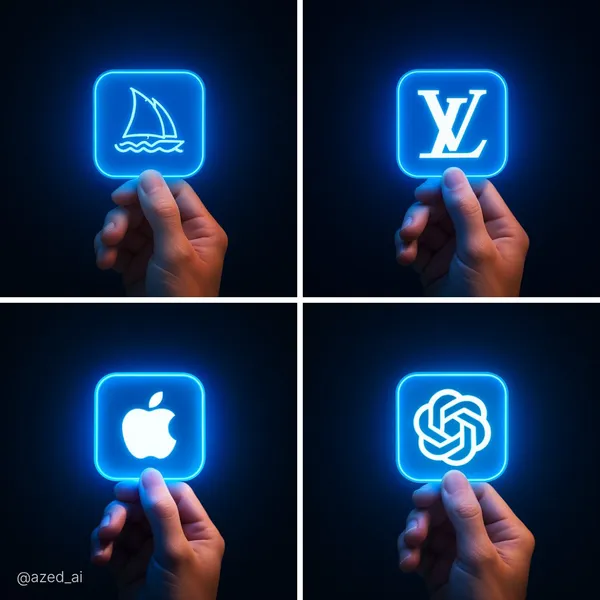
Verifizierter Prompt
ose-up digital photo of a human hand gently holding a glowing neon blue square icon featuring the [LOGO NAME] logo, set against a smooth dark gradient background. The blue light from the icon softly illuminates the fingers, casting a futuristic glow. The background is minimal and blurred, emphasizing the icon and the hand. High detail, cinematic lighting, modern tech aesthetic.
ose-up digital photo of a human hand gently holding a glowing neon blue square icon featuring the [LOGO NAME] logo, set against a smooth dark gradient background. The blue light from the icon softly illuminates the fingers, casting a futuristic glow. The background is minimal and blurred, emphasizing the icon and the hand. High detail, cinematic lighting, modern tech aesthetic.
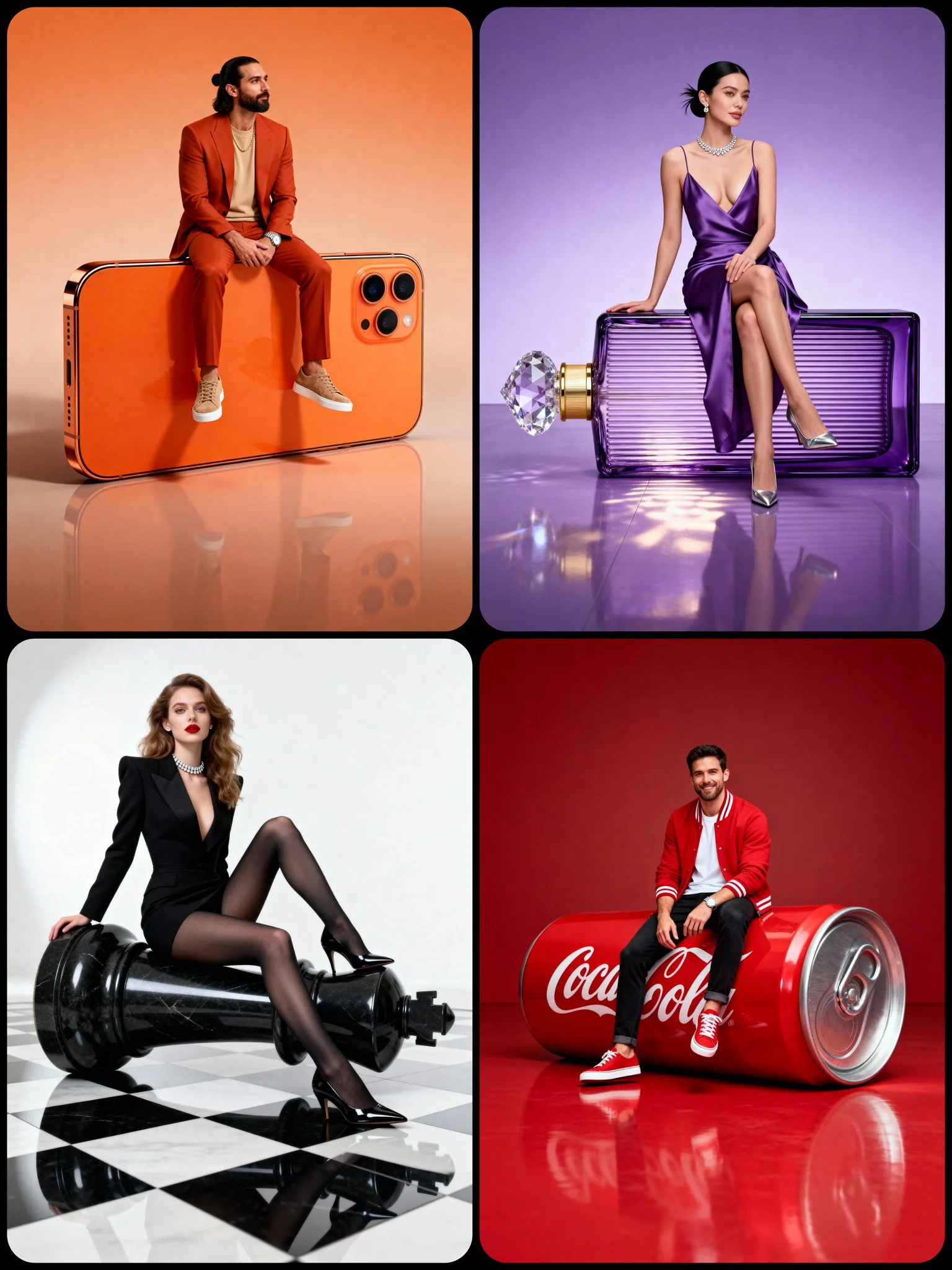
Verifizierter Prompt
A full-body hyper-realistic studio portrait of [CHARACTER DESCRIPTION] in a [POSE TYPE] pose, sitting gracefully on a large [OBJECT] positioned [ORIENTATION: horizontal / vertical] on a smooth [BACKGROUND COLOR] floor. The object appears oversized and realistic, perfectly integrated with the subject — not floating. Its surface shows accurate texture, reflections, and material depth. The pose defines the subject’s attitude and interaction with the object — natural, stylish, and expressive. The character is balanced and confident, matching the object’s tone and style. Background is seamless, same color for wall and floor, slightly lighter below with soft reflections. Lighting: clean professional studio setup — diffused key from front-left, mild fill from right, subtle rim for separation, evenly balanced exposure. Mood: cinematic luxury editorial with minimal composition and photorealistic realism.
A full-body hyper-realistic studio portrait of [CHARACTER DESCRIPTION] in a [POSE TYPE] pose, sitting gracefully on a large [OBJECT] positioned [ORIENTATION: horizontal / vertical] on a smooth [BACKGROUND COLOR] floor. The object appears oversized and realistic, perfectly integrated with the subject — not floating. Its surface shows accurate texture, reflections, and material depth. The pose defines the subject’s attitude and interaction with the object — natural, stylish, and expressive. The character is balanced and confident, matching the object’s tone and style. Background is seamless, same color for wall and floor, slightly lighter below with soft reflections. Lighting: clean professional studio setup — diffused key from front-left, mild fill from right, subtle rim for separation, evenly balanced exposure. Mood: cinematic luxury editorial with minimal composition and photorealistic realism.
Verifizierter Prompt
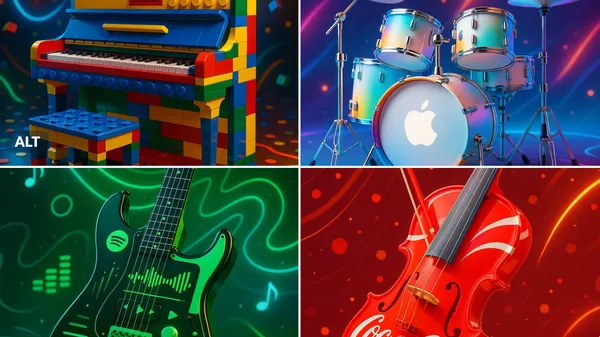
ghly stylized and vibrant promotional image of a [INSTRUMENT] designed in the visual style of the [BRAND] brand — the instrument is reimagined with iconic colors, patterns, and aesthetic elements of the brand. Set in a dynamic, music-inspired environment, with glowing accents, product-style lighting, and joyful energy. Artistic fusion of music and design. 3D render look, high detail, vibrant colors, futuristic but playful.
ghly stylized and vibrant promotional image of a [INSTRUMENT] designed in the visual style of the [BRAND] brand — the instrument is reimagined with iconic colors, patterns, and aesthetic elements of the brand. Set in a dynamic, music-inspired environment, with glowing accents, product-style lighting, and joyful energy. Artistic fusion of music and design. 3D render look, high detail, vibrant colors, futuristic but playful.
Verifizierter Prompt
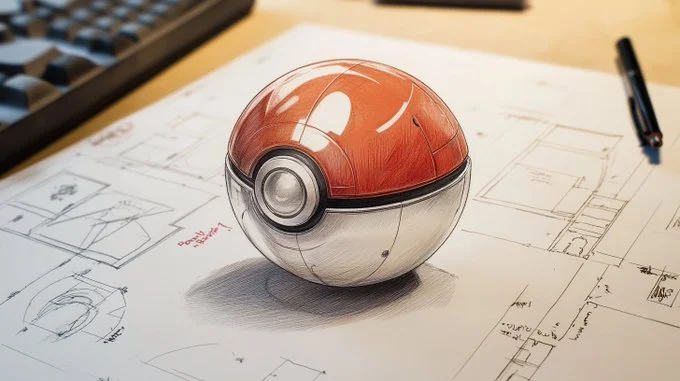
Detailed technical drawing of a [vehicle, weapon, object, or item], on white paper with dimensions and annotations in red marker. [The subject] is depicted in pencil with [material or texture details], showing [list of key parts and functional elements], all in clear detail. Intricate element, detailed blueprint style with notes on its features and functionality
Detailed technical drawing of a [vehicle, weapon, object, or item], on white paper with dimensions and annotations in red marker. [The subject] is depicted in pencil with [material or texture details], showing [list of key parts and functional elements], all in clear detail. Intricate element, detailed blueprint style with notes on its features and functionality
Verifizierter Prompt
Verifizierter Prompt
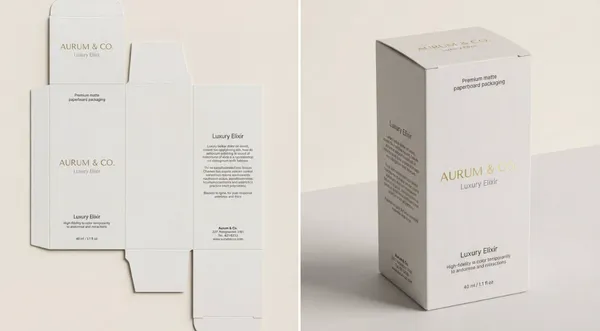
otorealistic, high-end 3D product visualization of a perfectly assembled packaging box derived from a dieline, set in a pristine minimal studio. Premium matte paperboard. Perfectly folded, accurate panel placement, sharp clean edges. Smooth matte texture with high-fidelity print rendering. Upright, angled at a refined ¾ perspective view to show front and side panels. Undistorted typography, preserving original design exactly. Standing static on a surface. Casting a gentle shadow. Demonstrates structural integrity and design elegance. Minimalist High-End Studio Void. Clean, smooth surface. Soft contact shadows. Soft neutral seamless backdrop (light grey/cream). Zero distractions. No extra props. Soft Commercial Product Lighting (Global Illumination). Neutral White (5500K). The face of the box evenly. The matte texture of the paper. Softens shadows to ensure artwork visibility. Subtle, soft gradient shadows anchoring the object. 3D Rendering / Product Photography. Premium Editorial, Mockup Style, Minimalist Luxury. 8k resolution, ray-traced optics, physically based rendering (PBR). Crisp folds, zero distortion, matte paper grain visibility. Static presentation. Locked-off tripod shot. Sharp Subject -> Infinite Soft Background. A flawless 3D box assembled from a flat dieline. N/A - Rigid Body physics. Non-reflective matte finish that absorbs light softly, ensuring text is readable and colors are true. Even light distribution, ambient occlusion in the creases. Natural, color-calibrated, neutral tones. N/A. N/A. Packaging Design. User: Insert Brand Name/Logo for the box. User: Describe the box type (e.g., cosmetic box, tuck-end box). All visible panels (Front, Side, Top). The 3D Box. 85mm or 100mm (Telephoto to eliminate perspective distortion). f/16 (Deep depth of field for edge-to-edge sharpness). Isometric or ¾ perspective. None (Smooth gradient background). --v 6 --ar 4:5 --stylize 150 --no warping, distortion, messy background, props, glossy reflection, low poly
otorealistic, high-end 3D product visualization of a perfectly assembled packaging box derived from a dieline, set in a pristine minimal studio. Premium matte paperboard. Perfectly folded, accurate panel placement, sharp clean edges. Smooth matte texture with high-fidelity print rendering. Upright, angled at a refined ¾ perspective view to show front and side panels. Undistorted typography, preserving original design exactly. Standing static on a surface. Casting a gentle shadow. Demonstrates structural integrity and design elegance. Minimalist High-End Studio Void. Clean, smooth surface. Soft contact shadows. Soft neutral seamless backdrop (light grey/cream). Zero distractions. No extra props. Soft Commercial Product Lighting (Global Illumination). Neutral White (5500K). The face of the box evenly. The matte texture of the paper. Softens shadows to ensure artwork visibility. Subtle, soft gradient shadows anchoring the object. 3D Rendering / Product Photography. Premium Editorial, Mockup Style, Minimalist Luxury. 8k resolution, ray-traced optics, physically based rendering (PBR). Crisp folds, zero distortion, matte paper grain visibility. Static presentation. Locked-off tripod shot. Sharp Subject -> Infinite Soft Background. A flawless 3D box assembled from a flat dieline. N/A - Rigid Body physics. Non-reflective matte finish that absorbs light softly, ensuring text is readable and colors are true. Even light distribution, ambient occlusion in the creases. Natural, color-calibrated, neutral tones. N/A. N/A. Packaging Design. User: Insert Brand Name/Logo for the box. User: Describe the box type (e.g., cosmetic box, tuck-end box). All visible panels (Front, Side, Top). The 3D Box. 85mm or 100mm (Telephoto to eliminate perspective distortion). f/16 (Deep depth of field for edge-to-edge sharpness). Isometric or ¾ perspective. None (Smooth gradient background). --v 6 --ar 4:5 --stylize 150 --no warping, distortion, messy background, props, glossy reflection, low poly
Verifizierter Prompt
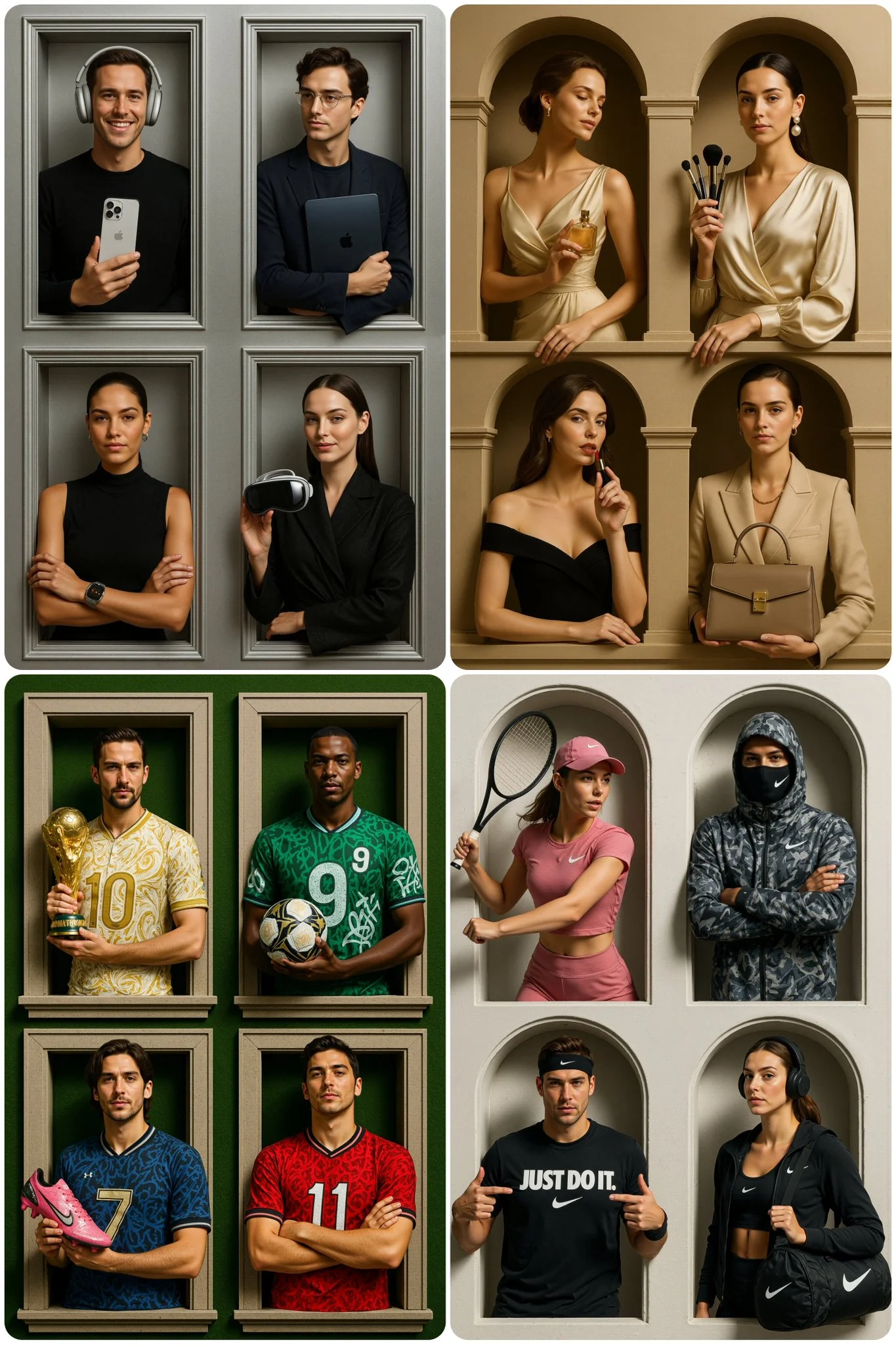
A luxury [BRAND TYPE] brand advertisement featuring four stylish [GIRLS / MEN], each posed in separate architectural window frames set, each shown in a waist-up mid-shot, fully inside the window frames, with hands and props naturally breaking the frame edges, but no legs or lower body visible, arranged in a theatrical and 2×2 symmetrical grid composition. – one holding a [OBJECT 1] with [EXPRESSION AND ACCESSORIES] – another holding a [OBJECT 2] with [EXPRESSION AND ACCESSORIES] – another holding a [OBJECT 3] with [EXPRESSION AND ACCESSORIES] – another holding a [OBJECT 4] with [EXPRESSION AND ACCESSORIES] Each with expressive editorial facial poses, blending modern fashion with a sleek couture aesthetic. Set against an elegant [BACKGROUND COLOR AND MATERIAL] backdrop with subtle textures, captured with bright high-fashion studio lighting that emphasizes contours, reflections, and luxury detailing. The mood is glamorous, iconic, and prestigious, shot in the style of a high-end [BRAND TYPE] luxury campaign. 2:3 ar. all four frames clearly shown in full height, no cropping at the bottom or top.
A luxury [BRAND TYPE] brand advertisement featuring four stylish [GIRLS / MEN], each posed in separate architectural window frames set, each shown in a waist-up mid-shot, fully inside the window frames, with hands and props naturally breaking the frame edges, but no legs or lower body visible, arranged in a theatrical and 2×2 symmetrical grid composition. – one holding a [OBJECT 1] with [EXPRESSION AND ACCESSORIES] – another holding a [OBJECT 2] with [EXPRESSION AND ACCESSORIES] – another holding a [OBJECT 3] with [EXPRESSION AND ACCESSORIES] – another holding a [OBJECT 4] with [EXPRESSION AND ACCESSORIES] Each with expressive editorial facial poses, blending modern fashion with a sleek couture aesthetic. Set against an elegant [BACKGROUND COLOR AND MATERIAL] backdrop with subtle textures, captured with bright high-fashion studio lighting that emphasizes contours, reflections, and luxury detailing. The mood is glamorous, iconic, and prestigious, shot in the style of a high-end [BRAND TYPE] luxury campaign. 2:3 ar. all four frames clearly shown in full height, no cropping at the bottom or top.
Verifizierter Prompt
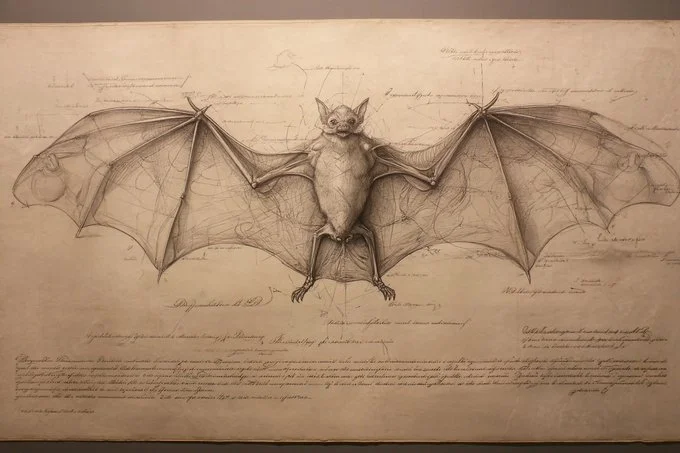
A Renaissance anatomical study of a [subject], meticulously illustrated in fine graphite and ink cross-hatching, with transparent tissue overlays revealing skeletal and muscular systems. Labeled in elegant Latin calligraphy and presented on aged parchment, the composition exudes scholarly precision and classical beauty.
A Renaissance anatomical study of a [subject], meticulously illustrated in fine graphite and ink cross-hatching, with transparent tissue overlays revealing skeletal and muscular systems. Labeled in elegant Latin calligraphy and presented on aged parchment, the composition exudes scholarly precision and classical beauty.
Verifizierter Prompt
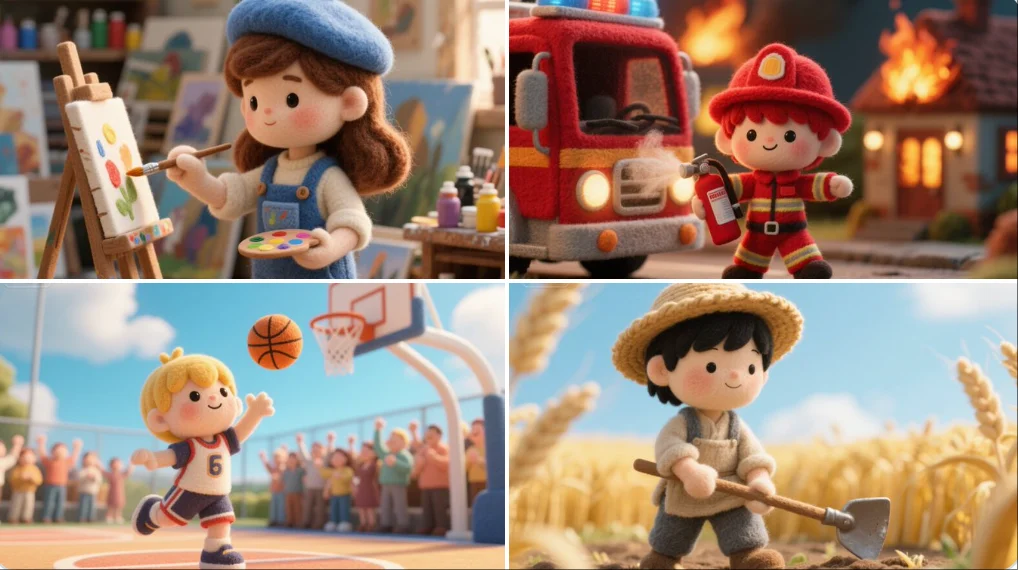
A felted wool figure of a [subject], handcrafted with soft fibers, uneven stitching, and visible textures. Set within a miniature diorama of layered fabrics and pastel props, the scene radiates cozy, storybook charm like a still from a tactile, stop-motion fairytale made entirely of felt and thread.
A felted wool figure of a [subject], handcrafted with soft fibers, uneven stitching, and visible textures. Set within a miniature diorama of layered fabrics and pastel props, the scene radiates cozy, storybook charm like a still from a tactile, stop-motion fairytale made entirely of felt and thread.
Verifizierter Prompt
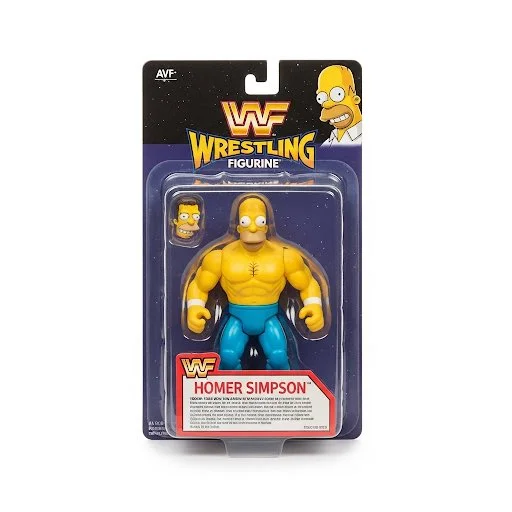
Product photography, a 1990's style WWF Wrestling Figurine package with the figurine wrestler in the package being [your character]. The figure features bright colors, a detailed character design, white background with professional studio lighting.
Product photography, a 1990's style WWF Wrestling Figurine package with the figurine wrestler in the package being [your character]. The figure features bright colors, a detailed character design, white background with professional studio lighting.
Weitere KI-Bildgeneratoren
Entdecken Sie unsere Sammlung spezieller KI-Bildgeneratoren, die für unterschiedliche kreative Anforderungen und Stile entwickelt wurden


Ultimativer KI-Bildgenerator: Text zu Bild, Leben zu Kunst!
Erstellen Sie KI-Bilder aus Text oder Referenzbildern
Verwandeln Sie Ihre Ideen mit AI Image Generator und dem leistungsstarken AI Image Generator in atemberaubende Bilder. Unabhängig davon, ob Sie für persönliche Projekte oder für den professionellen Gebrauch entwerfen, können Sie mit unserer Text-to-Image-Technologie mit nur wenigen Klicks atemberaubende Bilder in hoher Qualität erstellen. Keine Werbung, keine Wasserzeichen – nur pure Kreativität von unserem führenden AI Image Maker.
Beginnen Sie mit der ErstellungAI Image Generator: Beyond Generation – Ihre kreative Suite
Erstellen Sie Bilder aus Text oder verwenden Sie ein Referenzbild als Orientierung für das Ergebnis. Wählen Sie ein Modell aus und überprüfen Sie die verfügbaren Einstellungen, bevor Sie es generieren.
Erweiterte KI-Bildgenerierung und -Anpassung
Beschreiben Sie Ihr Motiv, Ihre Umgebung, Ihre Beleuchtung und Ihren Stil. Passen Sie die verfügbaren Größen- und Qualitätseinstellungen an und überprüfen Sie dann die Kreditkosten vor der Generierung.
Stileffekte und Transformation mit einem Klick
Werten Sie Ihre Bilder sofort auf! Wenden Sie mit unserem AI Image Generator bald atemberaubende Effekte wie Ghibli, Minecraft oder filmische Stile mit einem einzigen Klick an. Erzielen Sie eine beliebte Ästhetik, verwandeln Sie Ihre Bilder und schaffen Sie so einen fröhlichen Rhythmus in Ihrem kreativen Prozess. Diese Funktion unseres KI-Bildgenerators trägt dazu bei, dass Ihre Arbeit großen Anklang findet und professionelles Styling zugänglich und unterhaltsam macht.
Leistungsstarke plattforminterne Bearbeitung (Magic Erase und Smart Uncrop)
Unsere Plattform entwickelt sich zu einem All-in-One-Kreativzentrum. In Kürze wird unser KI-Bildgenerator über Magic Erase verfügen, um unerwünschte Objekte nahtlos zu entfernen, und über Smart Uncrop/Outpainting, um Ihre Bildleinwand intelligent zu erweitern. Diese Tools unseres AI Image Generators bieten Ihnen professionelle Bearbeitungsmöglichkeiten und verbessern Ihre Bilder mit einem zufriedenstellenden Rhythmus und Kontrolle.
Fotorestaurierung und Bild-zu-Video-Konvertierung
Hauchen Sie Erinnerungen neues Leben ein und erweitern Sie Ihre kreative Reichweite mit unserem AI Image Generator. Mit der bevorstehenden Fotorestaurierung werden alte, verblasste Fotos erneuert. Außerdem können Sie Ihre atemberaubenden Bilder mühelos von unserem AI Image Generator in dynamische Videoclips umwandeln. Diese Funktionen eröffnen neue Dimensionen des Geschichtenerzählens, erzeugen Resonanz und stellen wertvolle Werkzeuge für vielfältige Projekte bereit.
Lizenzfreie Kreationen
Schreiben Sie eine Eingabeaufforderung, wählen Sie ein Modell aus und überprüfen Sie Ihre Ergebnisse im Verlauf. Verfeinern Sie Ihre Beschreibung, um eine andere Komposition oder einen anderen Stil zu erkunden.
Benutzerzentriertes Design
Ein unkomplizierter Arbeitsbereich, um geschriebene Ideen in Bilder umzuwandeln.
Warum AI Image Generator wählen?

Vielfältige Stile und Effekte für jede Vision
Stellen Sie sich abstrakte Kunst, realistische Fotos oder verspielte Designs im Ghibli- oder Minecraft-Stil vor? AI Image Generator bietet eine umfangreiche Palette an Stilen und kommenden Ein-Klick-Effekten.
Beschreiben Sie den gewünschten Look und verfeinern Sie dann Ihre Eingabeaufforderung, während Sie die Ergebnisse vergleichen.
Vielseitiger KI-Bildgenerator für die Vision jedes Schöpfers
Erstellen Sie visuelle Konzepte für Design, Marketing, Bildung und persönliche Projekte. Beginnen Sie mit Text oder einem Referenzbild und erkunden Sie verschiedene Ansätze.


Für Architekten und Designer
Entdecken Sie architektonische Konzepte, Materialien und Beleuchtung anhand einer schriftlichen Beschreibung. Nutzen Sie die Ergebnisse, um die visuelle Ausrichtung zu besprechen und Ihr Design zu entwickeln.

Für E-Commerce-Profis
Entdecken Sie Produkteinstellungen und Kampagnenbilder. Vergleichen Sie die generierten Details mit dem tatsächlichen Produkt, bevor Sie ein Bild in einem Eintrag oder einer Anzeige verwenden.

Für Content-Publisher
Erstellen Sie Illustrationen für Artikel und Social-Media-Beiträge. Beschreiben Sie Ihr Thema, Ihre Komposition und Ihre Markenfarben, um das Ergebnis zu bestimmen.

Für Veranstaltungsplaner
Entdecken Sie Themen für Einladungen, Werbegrafiken und Veranstaltungsortkonzepte. Vergleichen Sie die visuellen Anweisungen, bevor Sie endgültige Veranstaltungsmaterialien erstellen.
4 einfache Schritte zum Erstellen und Verbessern von Bildern mit AI Image Generator
Fügen Sie Ihre Eingabe hinzu
Schreiben Sie eine Beschreibung oder wählen Sie den Bild-zu-Bild-Modus und laden Sie eine Referenz hoch. Fügen Sie die Details hinzu, die für Ihre Komposition am wichtigsten sind.
Passen Sie Ihre Optionen an
Wählen Sie ein Modell und passen Sie die verfügbaren Größen- und Qualitätseinstellungen an. Überprüfen Sie vor der Generierung die erforderlichen Credits.
Generieren und verfeinern
Wählen Sie „Bild generieren“ und folgen Sie der Aufgabe im Verlauf. Überprüfen Sie das Ergebnis und überarbeiten Sie dann Ihre Eingabeaufforderung, um eine andere Version zu erstellen.
Exportieren, teilen oder transformieren
Laden Sie ein fertiges Bild aus dem Verlauf herunter und fügen Sie es Ihrem Projekt hinzu. Sie können es auch als Referenz auf der Videoseite verwenden.
Mit AI Image Generator branchenübergreifend Kreativität fördern
Entdecken Sie visuelle Ideen für Illustrationen, Marketingmaterialien, Präsentationen und Spielkonzepte.
Digitale Kunst und Illustration
Erstellen Sie Illustrationen und erkunden Sie künstlerische Stile anhand einer Textbeschreibung. Passen Sie Motiv, Komposition und Beleuchtung an, um Ihre Idee zu entwickeln.
Visuals für Marketing und E-Commerce
Erstellen Sie visuelle Konzepte für Anzeigen, Produktpräsentationen und Social-Media-Beiträge. Überprüfen Sie das Ergebnis und passen Sie es an Ihre Kampagne an.
Bildungsinhalte und Präsentationen
Erstellen Sie individuelle Illustrationen für Präsentationen und Lehrmaterialien. Verwenden Sie klare visuelle Beispiele, um eine Idee zu erläutern, und überprüfen Sie die generierten Details auf Richtigkeit.
Spieleentwicklung
Entdecken Sie Charakter-, Umgebungs- und Requisitenkonzepte. Beschreiben Sie einen konsistenten Stil, der Ihre visuelle Richtung vorgibt.
Was Benutzer am AI Image Generator lieben
AI Image Generator ist ein Game-Changer für Konzeptkunst! Text to Image generiert komplizierte Designs in Stunden, nicht in Tagen. Der AI Image Generator ist leistungsstark. Ich bin gespannt auf die bevorstehenden Effekte!

Häufig gestellte Fragen zum AI Image Generator
Ein KI-Bildgenerator erstellt Bilder aus schriftlichen Beschreibungen oder Referenzbildern. Ihr gewähltes Modell und Ihre Einstellungen bestimmen die verfügbaren Ausgabeoptionen.
Text-zu-Bild-Modelle nutzen Ihre schriftliche Beschreibung, um eine visuelle Interpretation zu generieren. Spezifische Details zum Motiv, zur Komposition und zur Beleuchtung können als Orientierung für das Ergebnis dienen.
Vergleichen Sie verfügbare Modelle, passen Sie ihre unterstützten Einstellungen an und bewahren Sie fertige Bilder im Verlauf zur Überprüfung und zum Herunterladen auf.
Wir planen eine Reihe beliebter Stileffekte für unseren AI Image Generator, wie Ghibli, Minecraft, filmische, illustrative und mehr, die künstlerische Transformationen mit einem Klick ermöglichen.
Unser KI-Bildgenerator wird in Kürze Magic Erase (Objektentfernung), Smart Uncrop (Leinwand erweitern), Fotowiederherstellung und die Möglichkeit zur Konvertierung von Bildern in Videos umfassen, was unsere Plattform zu einer All-in-One-Plattform macht.
Ja! Mit AI Image Generator erhalten Bilder aus dem Premium-Plan die vollständigen kommerziellen Rechte für Ihre Text-to-Image-Kreationen.
Überprüfen Sie Ihr verfügbares Guthaben, ohne sich anzumelden. Für jede Generation werden die Kreditkosten angezeigt, bevor Sie sie einreichen. Besuchen Sie Preise für Abonnementoptionen.
Sie können mit einer Beschreibung in einfacher Sprache beginnen. Fügen Sie Details zu Motiv, Umgebung, Beleuchtung und Stil hinzu, während Sie Ihre Idee verfeinern.
Entfesseln Sie Ihr volles kreatives Potenzial mit AI Image Generator
Verwandeln Sie Ihre Ideen in atemberaubende Bilder und bald noch viel mehr! Verwenden Sie „Text to Image“, wenden Sie Effekte an oder bearbeiten Sie wie ein Profi. Erleben Sie die Leistungsfähigkeit unseres KI-Bildgenerators.