
Flux 3 Image:控制每一個像素
將想法轉化為精心構思的視覺。
使用可用的圖片模型創作產品場景、編輯版面、行銷活動視覺與角色構圖。精選來源圖像:Black Forest Labs。

已驗證提示詞
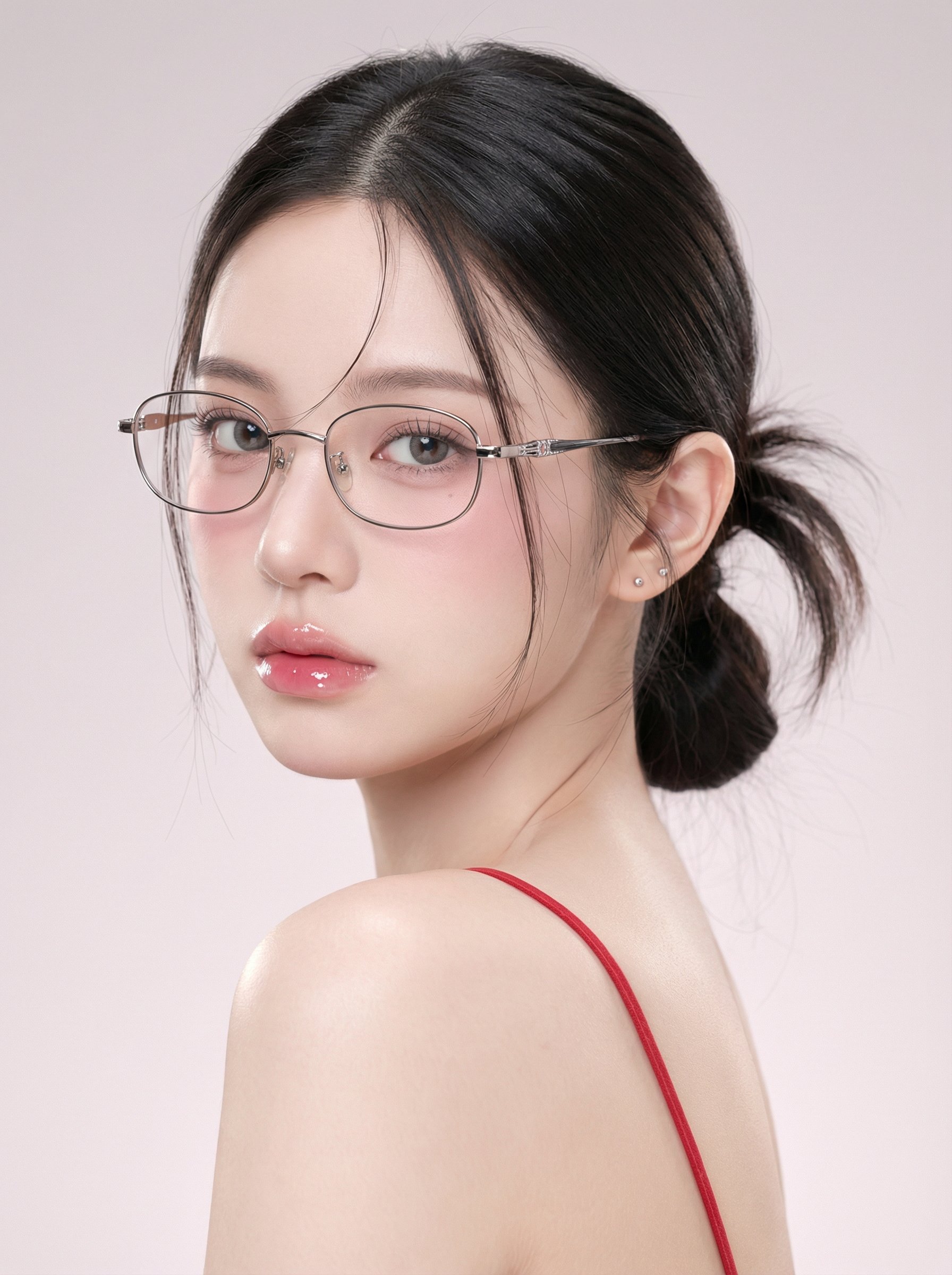
mage Theme 1. Character type: Young woman, single-person half-body close-up portrait 2. Pose and angle: Side profile looking back, shoulders and back facing outward from the camera, head slightly turned toward the lens 3. Framing range: Head to upper back and shoulders, subject dominates the frame with a small amount of background space 4. Aspect ratio: Vertical format, subject slightly left of center, eyes positioned near the upper third line II. Facial Features and Expression 1. Expression and demeanor: Cool and restrained, slightly distant, no teeth showing 2. Eye features: Large eye proportion, clear eyelashes, gaze focused on the lens, slight under-eye bags and soft shadows 3. Lip features: Full and moist, soft edges, with distinct highlights and a jelly-like texture 4. Skin texture: Extremely smooth and refined, minimized pores, overall fair and translucent III. Makeup Style 1. Base makeup: Combination of high coverage and soft matte finish, with natural highlights preserved in certain areas 2. Blush: Pink blush diffused from cheekbones to under the eyes, light but visible 3. Eye makeup: Fine upper eyeliner and natural deepening of the outer corners, light brown-gray gradient, overall clean look 4. Lip makeup: Gradient from pink-beige to light rose, layered with strong glossy effect IV. Hairstyle and Accessories 1. Hairstyle: Dark straight hair, low ponytail or low bun, with natural volume at the crown 2. Bangs: Center-parted, with fine strands falling on both sides close to the cheeks 3. Glasses: Metal thin-frame with transparent lenses, oval-to-square-shaped frames, metal decorations on the temples 4. Earrings: Small studs positioned on the earlobes, understated accents V. Clothing and Skin Details 1. Clothing: Red thin straps, backless design, straps clearly visible on the right side of the frame 2. Skin glow: Soft reflections on the shoulders and back, presenting a delicate creamy skin texture VI. Lighting and Tone 1. Main light direction: Soft light from the upper left front, wide coverage, very soft shadows 2. Fill light: Weak fill light from the front, reducing contrast, resulting in almost no hard shadows on the face 3. Highlight control: Small-area bright highlights on the bridge of the nose, upper lip, lower lip, and edges of the glasses 4. Overall tone: Low contrast, soft matte feel, subtle gradations, dark areas not overly black VII. Background and Environment 1. Background: Pure solid light pink-gray gradient wall, no texture or clutter 2. Depth of field: Strongly blurred background or inherently minimalist, making the subject's silhouette stand out 3. Atmosphere: Clean, tranquil, with a slight sweet-cool feel VIII. Lens and Image Texture Simulation 1. Focal length feel: Medium to long telephoto close-up compression, natural facial proportions without exaggeration 2. Depth of field performance: Eyes in sharp focus, ears and background noticeably blurred 3. Sharpness: Facial features clearly defined but not overly sharp, overall soft appearance 4. Noise: Almost no grain, presenting a clean commercial portrait texture IX. Post-Processing Key Points 1. Skin smoothing: Strong but natural, preserving some facial structure and shadow transitions 2. Color: Overall cool, fair skin tone; blush and lip color leaning pink; red straps saturated but not excessive 3. Glow: Slight soft light diffusion effect, making highlights more rounded 4. Consistency: Control contrast and sharpness to maintain a transparent, soft, and clean visual consistency X. Negative Prompt Words 1. Image issues: Over-sharpening, high contrast, hard shadows, cluttered background, noticeable noise or grain 2. Character issues: Exaggerated expressions, wide-open-mouth smiles, rough skin with visible pores, oily shine, facial distortion 3. Style deviations: Heavy stage makeup, strong retro color casts, complex clothing, exaggerated accessories, strong environmental light interference
mage Theme 1. Character type: Young woman, single-person half-body close-up portrait 2. Pose and angle: Side profile looking back, shoulders and back facing outward from the camera, head slightly turned toward the lens 3. Framing range: Head to upper back and shoulders, subject dominates the frame with a small amount of background space 4. Aspect ratio: Vertical format, subject slightly left of center, eyes positioned near the upper third line II. Facial Features and Expression 1. Expression and demeanor: Cool and restrained, slightly distant, no teeth showing 2. Eye features: Large eye proportion, clear eyelashes, gaze focused on the lens, slight under-eye bags and soft shadows 3. Lip features: Full and moist, soft edges, with distinct highlights and a jelly-like texture 4. Skin texture: Extremely smooth and refined, minimized pores, overall fair and translucent III. Makeup Style 1. Base makeup: Combination of high coverage and soft matte finish, with natural highlights preserved in certain areas 2. Blush: Pink blush diffused from cheekbones to under the eyes, light but visible 3. Eye makeup: Fine upper eyeliner and natural deepening of the outer corners, light brown-gray gradient, overall clean look 4. Lip makeup: Gradient from pink-beige to light rose, layered with strong glossy effect IV. Hairstyle and Accessories 1. Hairstyle: Dark straight hair, low ponytail or low bun, with natural volume at the crown 2. Bangs: Center-parted, with fine strands falling on both sides close to the cheeks 3. Glasses: Metal thin-frame with transparent lenses, oval-to-square-shaped frames, metal decorations on the temples 4. Earrings: Small studs positioned on the earlobes, understated accents V. Clothing and Skin Details 1. Clothing: Red thin straps, backless design, straps clearly visible on the right side of the frame 2. Skin glow: Soft reflections on the shoulders and back, presenting a delicate creamy skin texture VI. Lighting and Tone 1. Main light direction: Soft light from the upper left front, wide coverage, very soft shadows 2. Fill light: Weak fill light from the front, reducing contrast, resulting in almost no hard shadows on the face 3. Highlight control: Small-area bright highlights on the bridge of the nose, upper lip, lower lip, and edges of the glasses 4. Overall tone: Low contrast, soft matte feel, subtle gradations, dark areas not overly black VII. Background and Environment 1. Background: Pure solid light pink-gray gradient wall, no texture or clutter 2. Depth of field: Strongly blurred background or inherently minimalist, making the subject's silhouette stand out 3. Atmosphere: Clean, tranquil, with a slight sweet-cool feel VIII. Lens and Image Texture Simulation 1. Focal length feel: Medium to long telephoto close-up compression, natural facial proportions without exaggeration 2. Depth of field performance: Eyes in sharp focus, ears and background noticeably blurred 3. Sharpness: Facial features clearly defined but not overly sharp, overall soft appearance 4. Noise: Almost no grain, presenting a clean commercial portrait texture IX. Post-Processing Key Points 1. Skin smoothing: Strong but natural, preserving some facial structure and shadow transitions 2. Color: Overall cool, fair skin tone; blush and lip color leaning pink; red straps saturated but not excessive 3. Glow: Slight soft light diffusion effect, making highlights more rounded 4. Consistency: Control contrast and sharpness to maintain a transparent, soft, and clean visual consistency X. Negative Prompt Words 1. Image issues: Over-sharpening, high contrast, hard shadows, cluttered background, noticeable noise or grain 2. Character issues: Exaggerated expressions, wide-open-mouth smiles, rough skin with visible pores, oily shine, facial distortion 3. Style deviations: Heavy stage makeup, strong retro color casts, complex clothing, exaggerated accessories, strong environmental light interference
已驗證提示詞
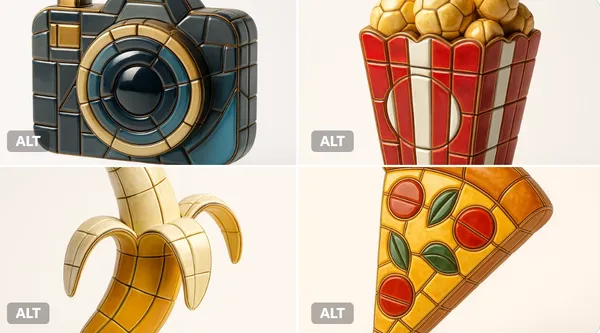
alize any selected emoji [] as an ultra-detailed, hyper-realistic 3D sculpture fully composed of luxurious enamel mosaic tiles. The emoji should retain its iconic silhouette and proportions, reinterpreted as a stylized 3D figure made entirely from curved, faceted, and geometrically interlocked enamel tiles in a radiant mosaic pattern. > Use high-gloss enamel tiles in varied shades derived from the emoji’s symbolic palette—integrating metallic accents, opalescent glazes, deep ceramic pigmentation, and subtle iridescence. Tile surfaces must exhibit gentle bevels, crisp joints, and tactile depth to emulate elite architectural mosaic work. > Ensure no visible support structures—the figure must appear freestanding and weightless, suspended mid-air at the exact center of the frame. > Background: pure white studio environment with soft ambient shadows directly beneath the sculpture to emphasize spatial presence and floating realism. > Lighting: cinematic, diffused from multiple angles to
alize any selected emoji [] as an ultra-detailed, hyper-realistic 3D sculpture fully composed of luxurious enamel mosaic tiles. The emoji should retain its iconic silhouette and proportions, reinterpreted as a stylized 3D figure made entirely from curved, faceted, and geometrically interlocked enamel tiles in a radiant mosaic pattern. > Use high-gloss enamel tiles in varied shades derived from the emoji’s symbolic palette—integrating metallic accents, opalescent glazes, deep ceramic pigmentation, and subtle iridescence. Tile surfaces must exhibit gentle bevels, crisp joints, and tactile depth to emulate elite architectural mosaic work. > Ensure no visible support structures—the figure must appear freestanding and weightless, suspended mid-air at the exact center of the frame. > Background: pure white studio environment with soft ambient shadows directly beneath the sculpture to emphasize spatial presence and floating realism. > Lighting: cinematic, diffused from multiple angles to
已驗證提示詞
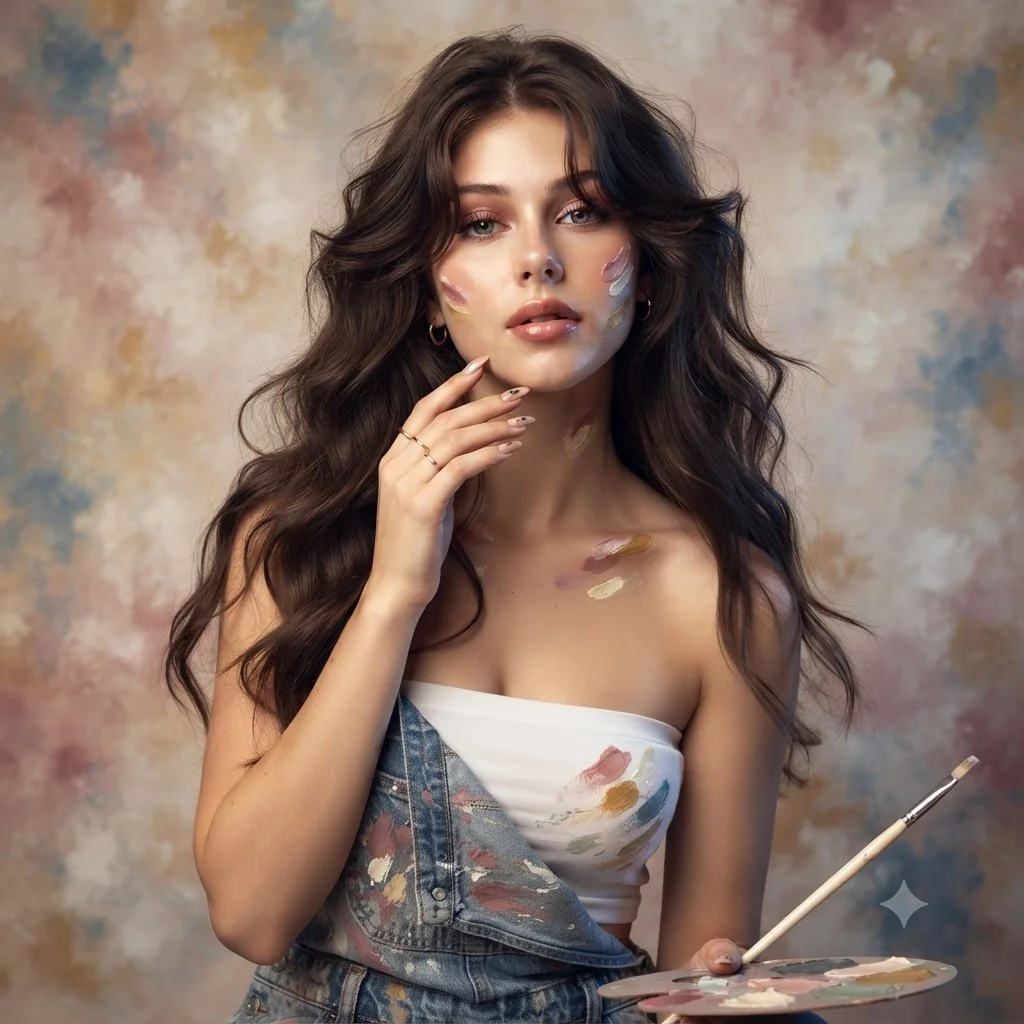
Use an uploaded adult portrait as the identity reference for an artist-inspired studio photograph. Dress the subject in denim overalls over a simple cream top, with a few restrained paint marks on the clothing and fingertips. Include a small palette and a thin brush near the lower frame. Let one hand rest lightly beside the face and keep the eyes unobstructed. Use softly waved hair, delicate jewelry and a mottled painted backdrop in ivory, rose and muted blue. Combine warm and cool soft light while preserving natural skin and facial proportions.
Use an uploaded adult portrait as the identity reference for an artist-inspired studio photograph. Dress the subject in denim overalls over a simple cream top, with a few restrained paint marks on the clothing and fingertips. Include a small palette and a thin brush near the lower frame. Let one hand rest lightly beside the face and keep the eyes unobstructed. Use softly waved hair, delicate jewelry and a mottled painted backdrop in ivory, rose and muted blue. Combine warm and cool soft light while preserving natural skin and facial proportions.
已驗證提示詞
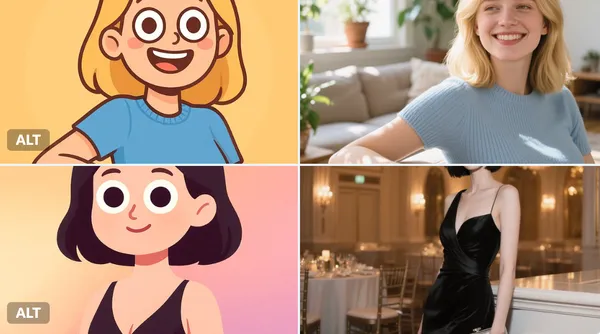
sform the character into a digital, half-body cartoon-style portrait. Use a playful, vector-friendly style with clean solid lines, rounded face, oversized googly eyes, and minimal facial details. Show the character from chest up, including shoulders and upper torso. Apply smooth gradient fills to both the character and background for a colorful, soft look. Square format.
sform the character into a digital, half-body cartoon-style portrait. Use a playful, vector-friendly style with clean solid lines, rounded face, oversized googly eyes, and minimal facial details. Show the character from chest up, including shoulders and upper torso. Apply smooth gradient fills to both the character and background for a colorful, soft look. Square format.
已驗證提示詞
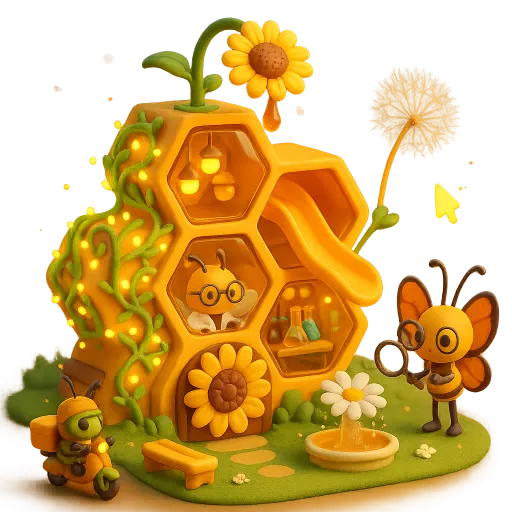
te a 3D chibi-mini style image of a honeycomb-structured sweet research base. The building is composed of stacked hexagonal transparent beeswax capsules, with a sunflower-shaped sprinkler suspended above dripping honey. The exterior walls are covered in glowing pollen vines. On the side, there are beeswax slides and dandelion parachutes extending outward, and the entrance features a rotating sunflower door. Through the honeycomb windows, one can see interior elements like test tube workstations, honey-drop chandeliers, and bee scientists in lab coats. In the garden, beetle couriers ride pollen motorcycles, and butterfly researchers hold magnifying glasses. The scene includes honeycomb benches, daisy sprinkler fountains, and dynamic firefly cursors. The entire setting is bathed in an amber glow, creating a whimsical and surreal ecosystem of an insect science city.
te a 3D chibi-mini style image of a honeycomb-structured sweet research base. The building is composed of stacked hexagonal transparent beeswax capsules, with a sunflower-shaped sprinkler suspended above dripping honey. The exterior walls are covered in glowing pollen vines. On the side, there are beeswax slides and dandelion parachutes extending outward, and the entrance features a rotating sunflower door. Through the honeycomb windows, one can see interior elements like test tube workstations, honey-drop chandeliers, and bee scientists in lab coats. In the garden, beetle couriers ride pollen motorcycles, and butterfly researchers hold magnifying glasses. The scene includes honeycomb benches, daisy sprinkler fountains, and dynamic firefly cursors. The entire setting is bathed in an amber glow, creating a whimsical and surreal ecosystem of an insect science city.
已驗證提示詞
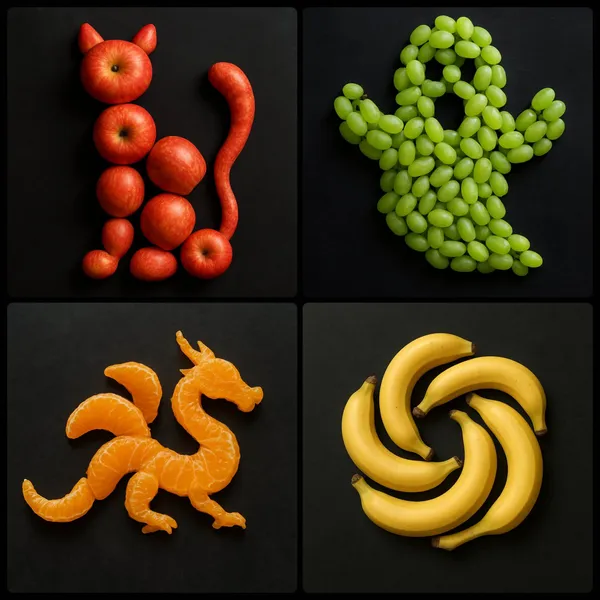
te an image by arranging [NUMBER/AGGREGATE] of [FRUIT] strategically on a dark surface to form the shape of [OBJECT/EMOJI/LOGO]
te an image by arranging [NUMBER/AGGREGATE] of [FRUIT] strategically on a dark surface to form the shape of [OBJECT/EMOJI/LOGO]
已驗證提示詞
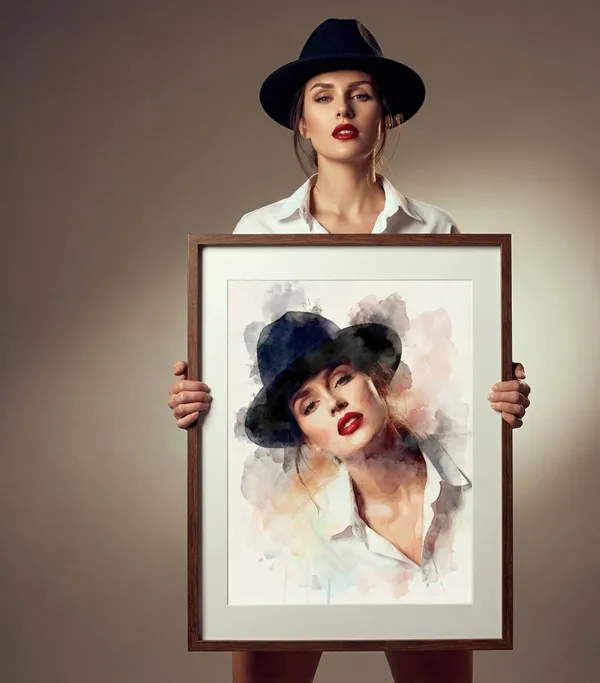
ylish woman wearing a black fedora and white shirt stands against a soft neutral studio background, holding a wooden frame. Inside the frame is a photo watercolor portrait of herself, painted with loose brushstrokes, soft ink bleeds, and expressive splashes. The watercolor version tilts slightly, with vivid red lips and delicate facial details. Google Gemini Cinematic studio lighting, shallow depth of field, elegant editorial fashion aesthetic, fine art photography blended with watercolor illustration, ultra-high resolution, minimal composition, calm and sophisticated mood.
ylish woman wearing a black fedora and white shirt stands against a soft neutral studio background, holding a wooden frame. Inside the frame is a photo watercolor portrait of herself, painted with loose brushstrokes, soft ink bleeds, and expressive splashes. The watercolor version tilts slightly, with vivid red lips and delicate facial details. Google Gemini Cinematic studio lighting, shallow depth of field, elegant editorial fashion aesthetic, fine art photography blended with watercolor illustration, ultra-high resolution, minimal composition, calm and sophisticated mood.
已驗證提示詞
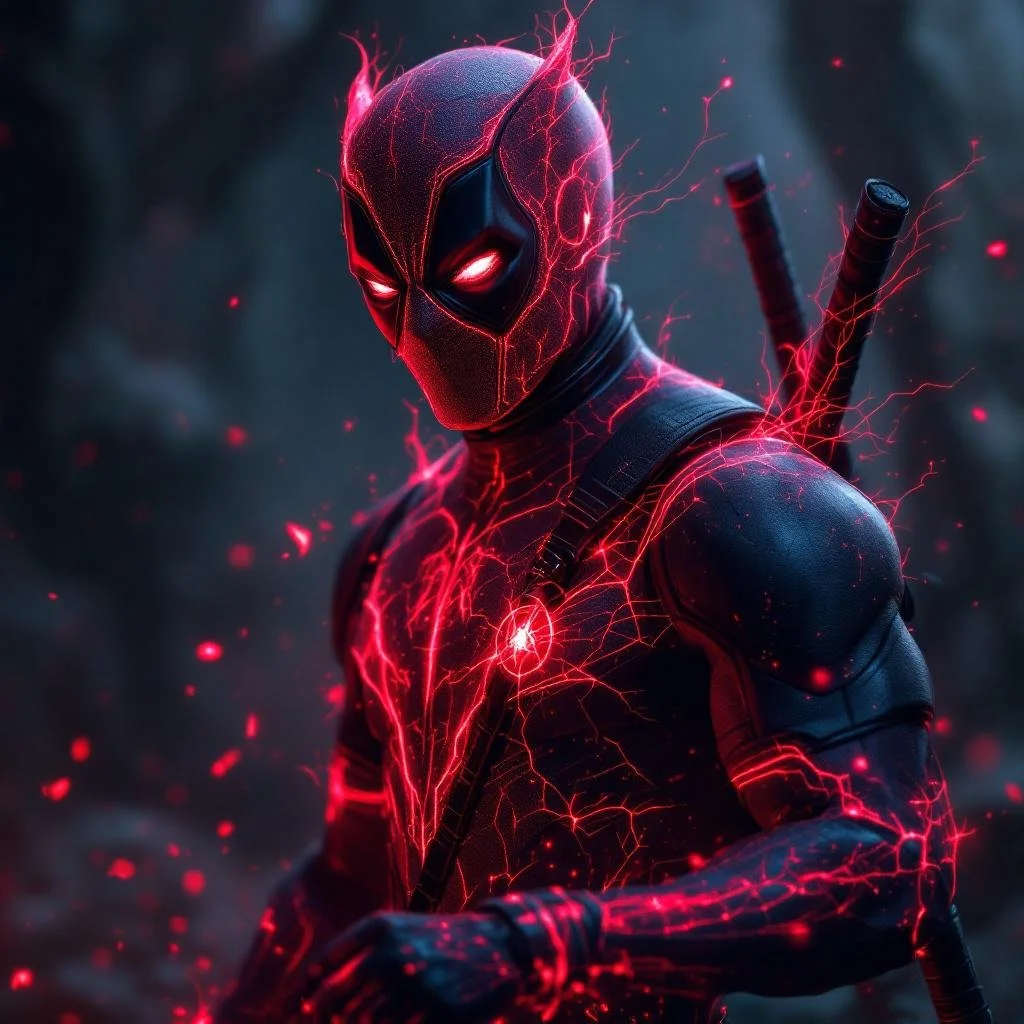
[SUBJECT] depicted as a Mythical Creature Luminescence, with glowing edges that accentuate the fantastical and legendary aspects. Utilize [COLOR1] and [COLOR2] to enhance the mythical and enchanting qualities.
[SUBJECT] depicted as a Mythical Creature Luminescence, with glowing edges that accentuate the fantastical and legendary aspects. Utilize [COLOR1] and [COLOR2] to enhance the mythical and enchanting qualities.

已驗證提示詞
a young cartoon boy with big goggles and scarf driving a tiny makeshift vehicle in the desert, cute post-apocalyptic vibe, indie animation style, soft colors, emotional and adventurous --ar 3:4 --raw --p
a young cartoon boy with big goggles and scarf driving a tiny makeshift vehicle in the desert, cute post-apocalyptic vibe, indie animation style, soft colors, emotional and adventurous --ar 3:4 --raw --p
已驗證提示詞
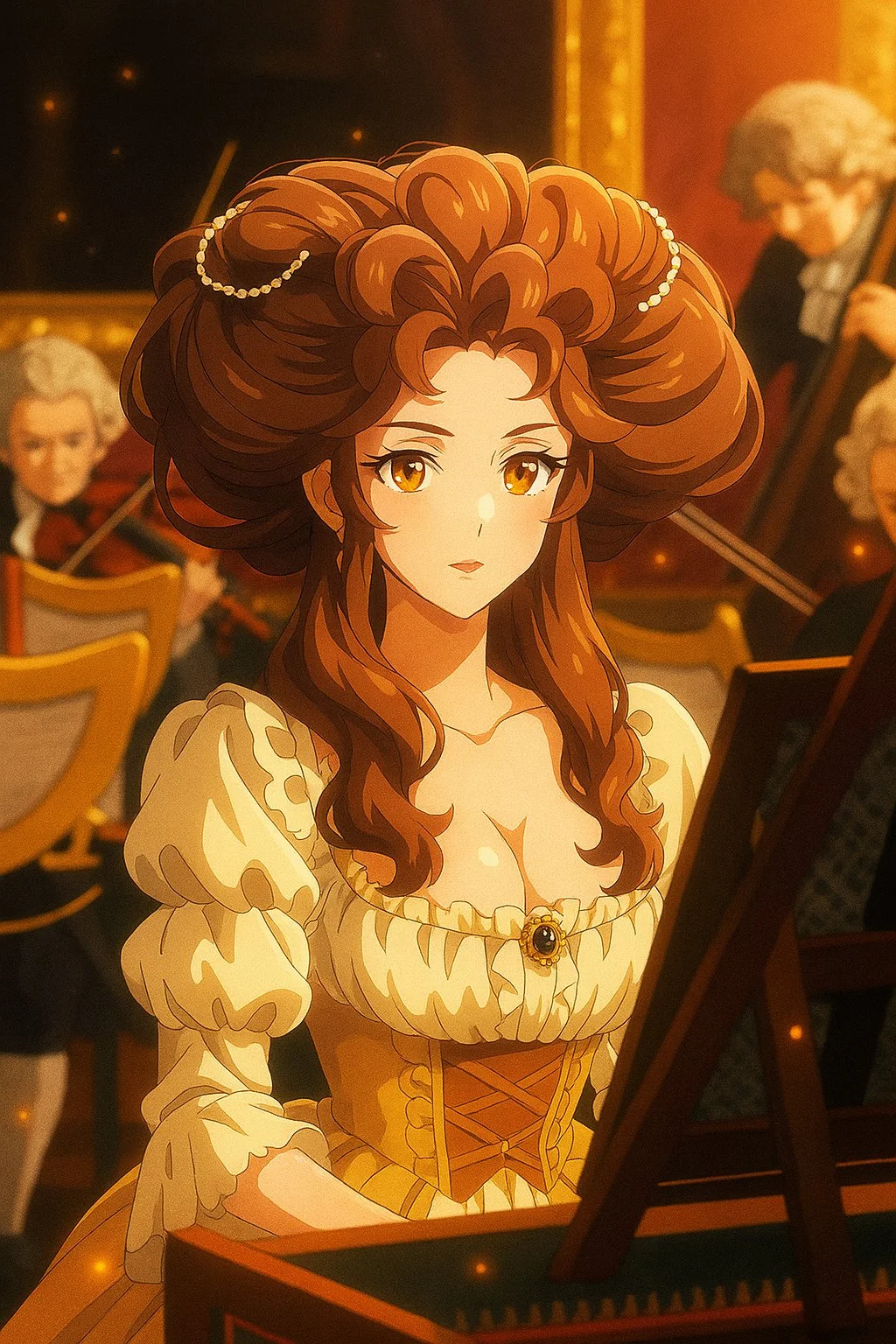
Transform this image into a modern digital anime TV style. Use clean and sharp outlines, vivid and high-contrast colors, and digital cel shading with subtle gradients. Add visual effects like glows, particles, or light flares if appropriate. The character design should follow modern anime proportions, with detailed hair and expressive eyes. The background can be softly blurred or cinematic. The image should look like a frame from a high-quality anime series currently airing.
Transform this image into a modern digital anime TV style. Use clean and sharp outlines, vivid and high-contrast colors, and digital cel shading with subtle gradients. Add visual effects like glows, particles, or light flares if appropriate. The character design should follow modern anime proportions, with detailed hair and expressive eyes. The background can be softly blurred or cinematic. The image should look like a frame from a high-quality anime series currently airing.
已驗證提示詞
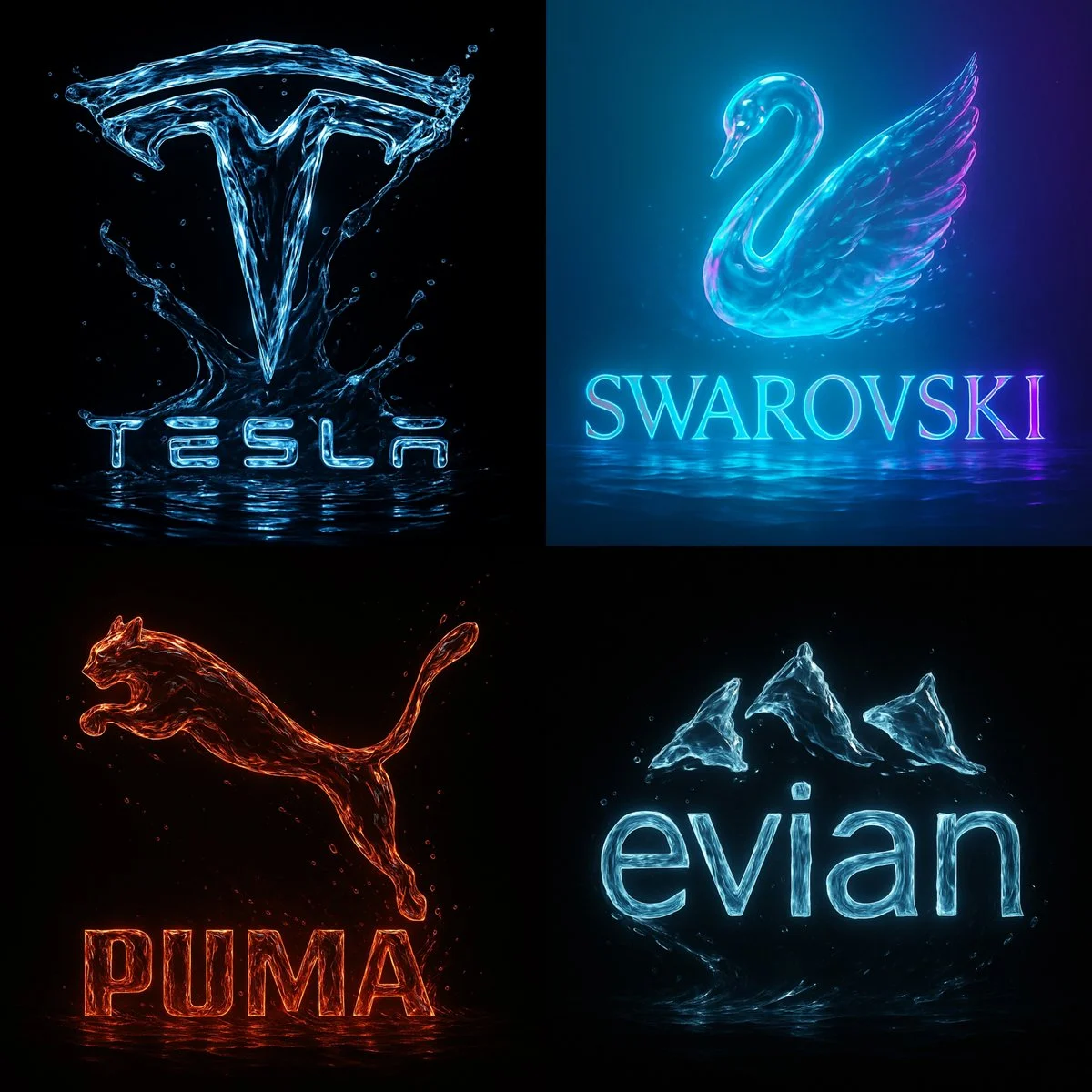
An ultra-high resolution 8K cinematic render of the [Brand Name] logo, sculpted entirely from flowing crystal-clear water. The liquid forms every curve and edge of the brand’s logo with fluid precision, highlighted by vibrant neon accents inspired by [Brand Name]’s color identity. The background is pitch black, creating sharp contrast and drama. The lighting is dynamic, revealing sharp reflections, glowing edges, and the motion of water as it ripples and splashes. Droplets, shine, and soft glass-like textures give the logo a surreal, luxurious, and futuristic appearance — poster-quality, 1:1 format.
An ultra-high resolution 8K cinematic render of the [Brand Name] logo, sculpted entirely from flowing crystal-clear water. The liquid forms every curve and edge of the brand’s logo with fluid precision, highlighted by vibrant neon accents inspired by [Brand Name]’s color identity. The background is pitch black, creating sharp contrast and drama. The lighting is dynamic, revealing sharp reflections, glowing edges, and the motion of water as it ripples and splashes. Droplets, shine, and soft glass-like textures give the logo a surreal, luxurious, and futuristic appearance — poster-quality, 1:1 format.
已驗證提示詞
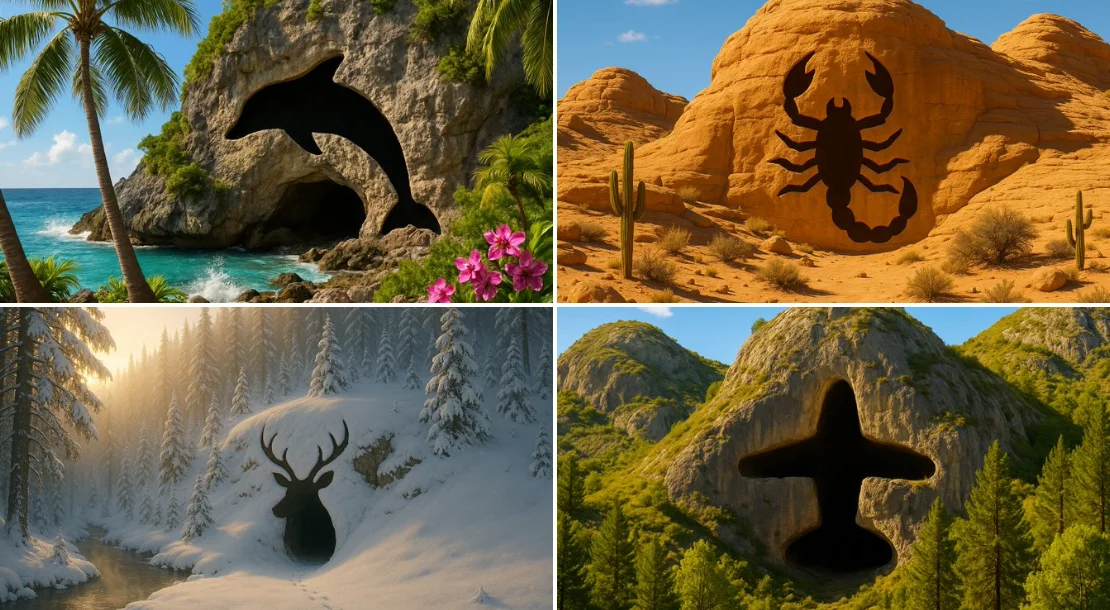
Prompt: An image of a [TYPE] landscape, featuring a cave entrance that is shaped exactly like the outline of a [SHAPE]. The cave should blend naturally into the rugged terrain of the mountain, with the entrance forming a clear and unmistakable [SHAPE] shape. This [SHAPE] shape should be simple and defined, without intricate details, emphasizing just the overall [SHAPE] outline. The surrounding environment should include [DETAILS], but these elements should not distract from the cave's [SHAPE]-shaped entrance. The lighting in the scene should enhance the visibility and distinctiveness of the [SHAPE]-shaped cave entrance.
Prompt: An image of a [TYPE] landscape, featuring a cave entrance that is shaped exactly like the outline of a [SHAPE]. The cave should blend naturally into the rugged terrain of the mountain, with the entrance forming a clear and unmistakable [SHAPE] shape. This [SHAPE] shape should be simple and defined, without intricate details, emphasizing just the overall [SHAPE] outline. The surrounding environment should include [DETAILS], but these elements should not distract from the cave's [SHAPE]-shaped entrance. The lighting in the scene should enhance the visibility and distinctiveness of the [SHAPE]-shaped cave entrance.

為你的下一個創意簡報打造的圖片工作區
Flux 3 Image 將圖片生成、支援的圖片編輯與提示詞範例整合到同一個創意工作區,供設計師、電子商務團隊與行銷人員使用。
描述主體、構圖、光線與風格。選擇可用模型、檢視點數成本,並在 History 中檢查你的結果。
建立圖片塑造視覺構想的四種方式

圖片生成與編輯的實用工作流程
建立聚焦的圖片簡報,並使用所選模型提供的控制選項。在決定要修改什麼之前,先將完成的圖片與你預期的構圖進行比較。
描述你想要的圖片
從主體、場景、光線、相機視角與風格開始。若產品場景、海報或編輯圖片的版面配置很重要,請一併加入說明。

在支援時加入參考圖
選擇支援編輯的模型,並上傳你有權使用的參考圖。接受的檔案類型、參考圖限制與編輯控制選項會顯示在生成器中。

檢視設定與點數費用
選擇可用的長寬比與解析度。提交前請檢視所需點數;支援的設定與費用因模型而異。
探索提示詞靈感與已發布範例
瀏覽提示詞展示區中已發布的案例。每個案例都會顯示實際使用的模型與提示詞,讓你可以在情境中研究結果。
描述、生成、檢視與調整
從聚焦的簡報邁向經過檢視的成果。將有用的版本保存在歷史記錄中,並一次調整一項指令。
描述你的視覺簡報
寫下主體、場景、構圖、光線與風格。若要修改,請描述變更內容及你想保留的細節。
選擇模型並生成
從可用的圖片模型中選擇,選取支援的設定,並檢視所需點數。當模型支援圖片編輯時,可加入參考圖。
檢視並下載你的圖片
在歷史記錄中檢查完成的圖片。下載或發布前,請檢查臉部、文字、產品細節與整體構圖。
調整下一個版本
更改提示詞的其中一個部分,或使用支援的圖片編輯功能。比較各版本,了解哪個方向能改善你的簡報。
為設計師、電商團隊與行銷人員提供的圖片靈感
將具體的視覺構想轉化為廣告活動、產品概念、編輯版面或創意簡報的素材。請針對每個結果的預期用途進行檢視。
產品場景
描述產品、其環境與光線。在使用於商品頁面之前,請將生成的形狀、標籤與材質與實際物品進行比對。
廣告視覺
圍繞單一訊息與明確焦點建立廣告概念。預留最終字體排版的空間,並在發布前檢查廣告宣稱。
編輯版面
探索封面、文章或簡報的圖片編排。指定構圖與視覺層級;請另行檢查任何生成的文字。
創意簡報
運用視覺概念向團隊傳達方向。比較各版本的取景、色調與光線。
角色構圖
描述角色、服裝、表情與環境。參考圖的處理方式與一致性取決於模型及支援的輸入。
圖片修改
使用支援編輯的模型來變更顏色、場景或細節。檢查整張圖片,確認是否有非預期的元素被改變。
下一張圖片的創意筆記
給圖片一個明確的主體。描述場景以及讓簡報易於辨識的細節。

Flux 3 Image:問與答
生成器選單會顯示本站目前可用的圖片模型,包括支援的 FLUX 系列模型。Flux 3 Image 品牌及精選的 BFL 來源範例,並不代表本站提供 FLUX.3 生成功能。請選擇選單中實際顯示的模型。
生成會使用點數。選擇模型與支援的設定後,即可在提交前看到所需點數。前往定價頁面查看月繳、年繳與單次選項。
你可以在桌面或行動瀏覽器中使用 flux3 image 來撰寫提示詞、加入支援的參考圖、檢視歷史記錄及下載完成的圖片。
描述主體、場景、構圖、光線與風格。若產品材質、服裝或版面配置很重要,請加入精確的細節。若要編輯,請描述應該更改的內容。
提示詞、參考圖與結果可能會被儲存,以處理請求並提供歷史記錄。公開媒體連結可被他人檢視與分享。上傳敏感內容前,請閱讀隱私權政策。
所選模型決定生成器提供的解析度、長寬比、參考圖限制與編輯控制選項。請使用這些控制選項;精選來源圖片的規格並不代表所有可用模型。
選擇支援編輯的模型,上傳你有權使用的支援圖片,並描述修改內容。檢查結果,以確認你要求的變更及周圍細節。
請針對你的預期用途檢視適用的平台與模型條款。你有責任取得上傳內容、可辨識人物、標誌及其他第三方內容的權利。
處理時間因模型、設定、請求與服務負載而異。請在歷史記錄中查看請求狀態。
不是。flux3 image 是獨立的第三方工作空間。首頁精選圖片的來源標註為 Black Forest Labs,與提示詞展示區中的使用者生成結果各自獨立。原始提示詞僅在經過驗證時才會附上。
更多文章
圖片創作指南