
Flux 3 Image: Controla cada píxel
Convierte ideas en visuales cuidadosamente compuestos.
Crea escenas de producto, diseños editoriales, visuales de campaña y composiciones de personajes con los modelos de imagen disponibles. Imágenes de origen destacadas: Black Forest Labs.

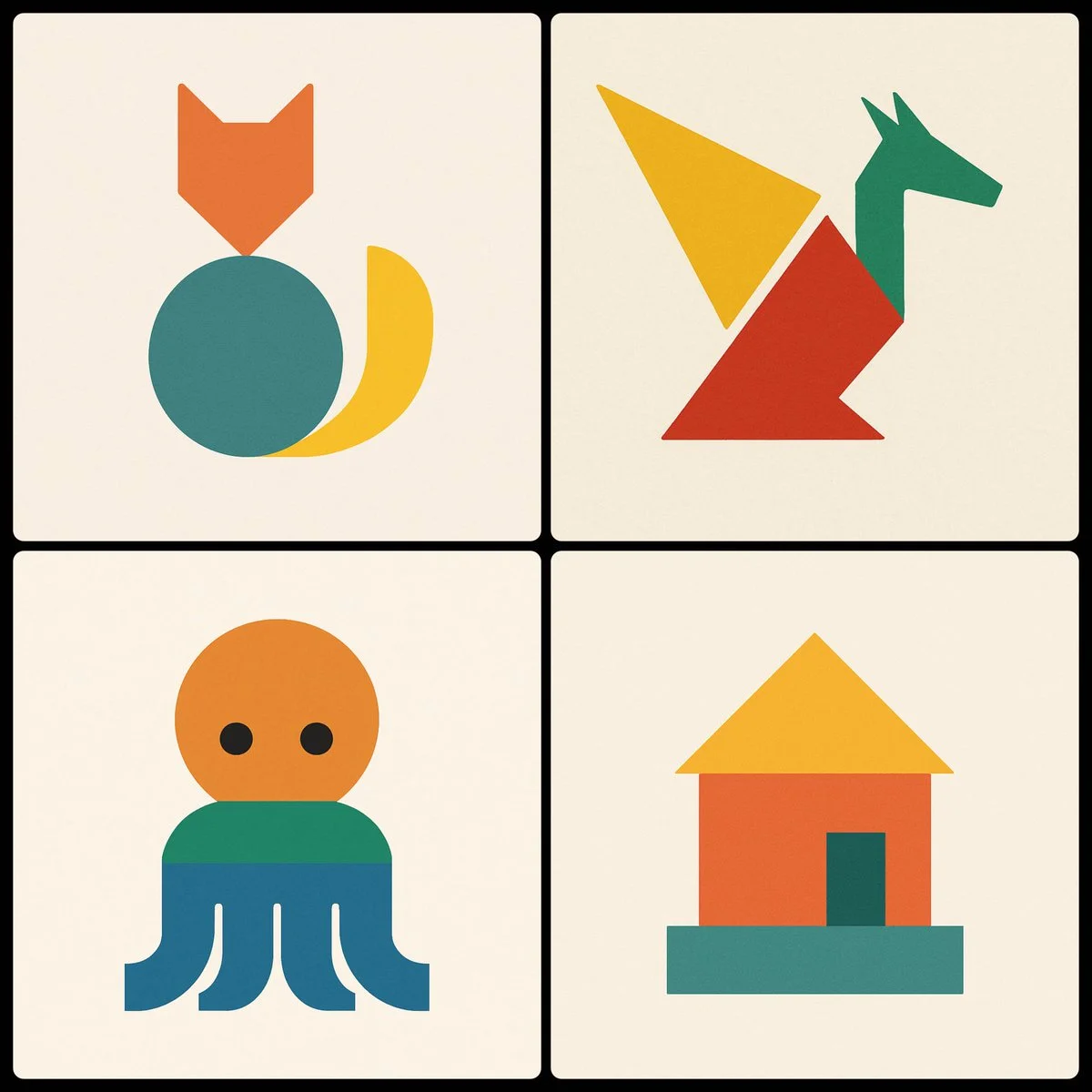
Prompt verificado
Create a minimalist image of a [SUBJECT] using three geometric shapes, using a different color in each shape
Create a minimalist image of a [SUBJECT] using three geometric shapes, using a different color in each shape
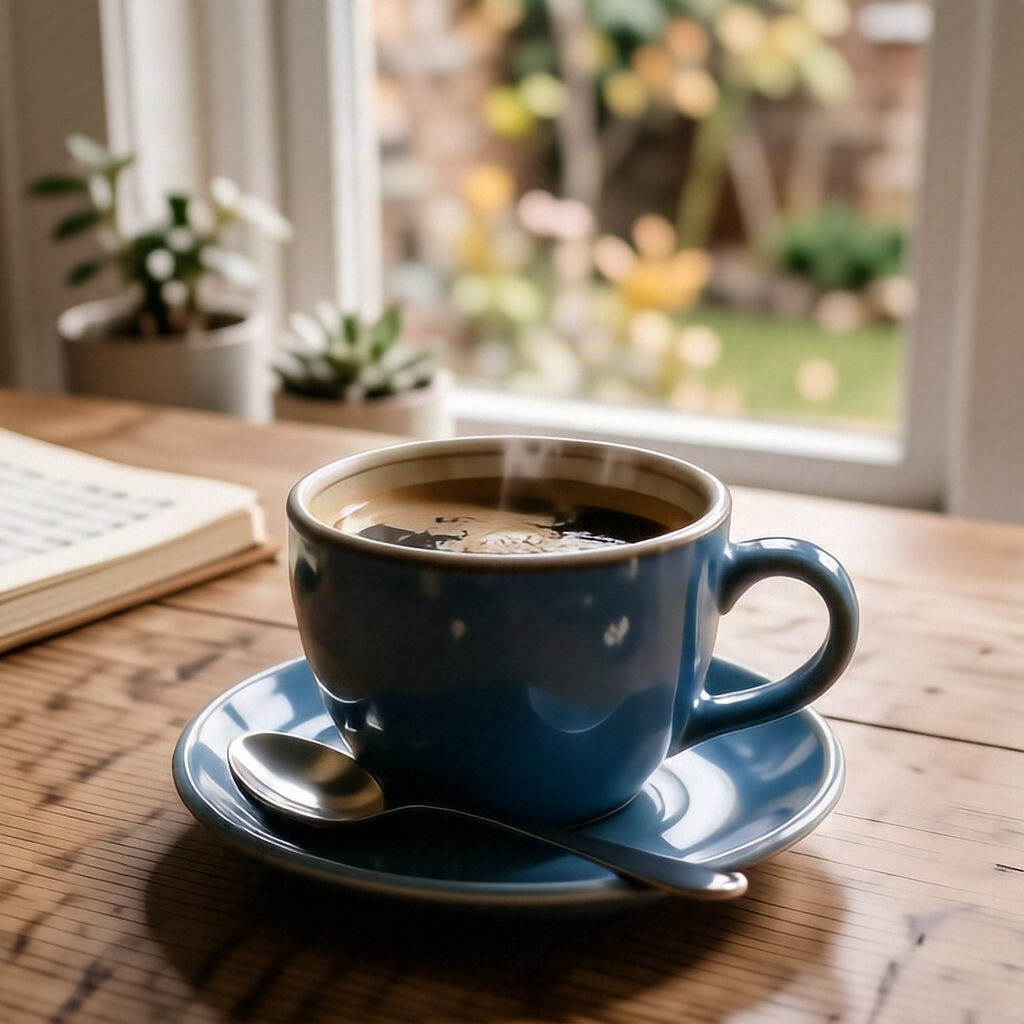
Prompt verificado
A blue ceramic coffee cup on a wooden table, soft morning light, realistic product photography, no text or logos.
A blue ceramic coffee cup on a wooden table, soft morning light, realistic product photography, no text or logos.
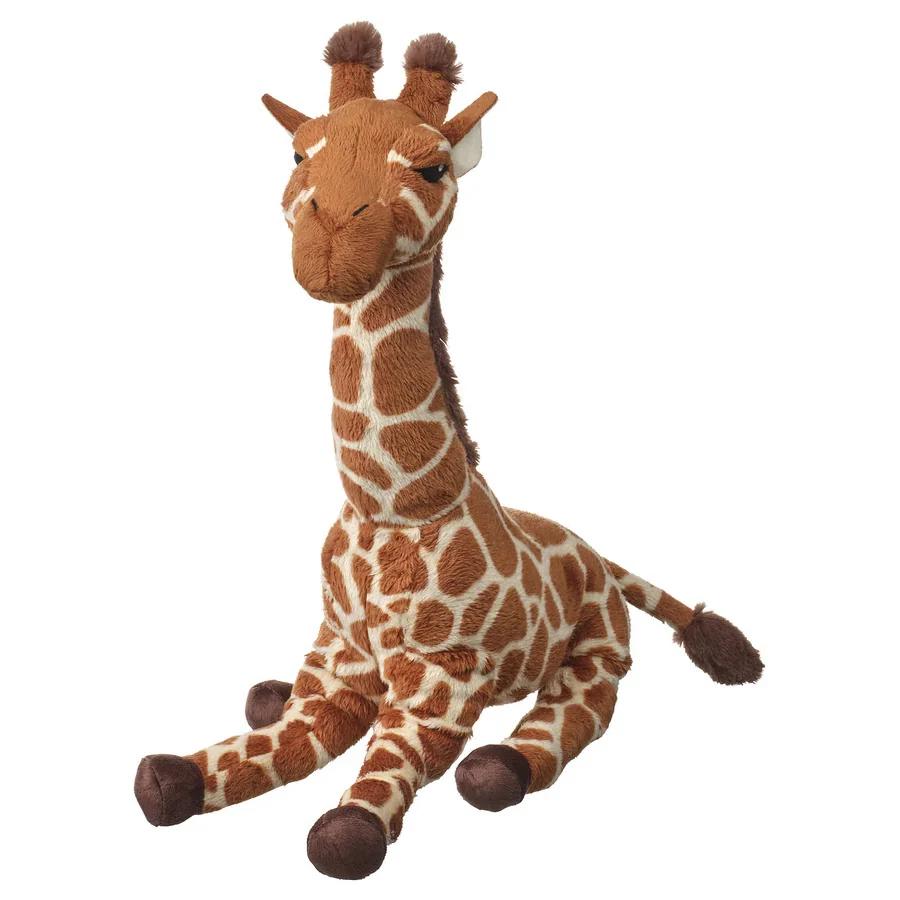
Prompt verificado
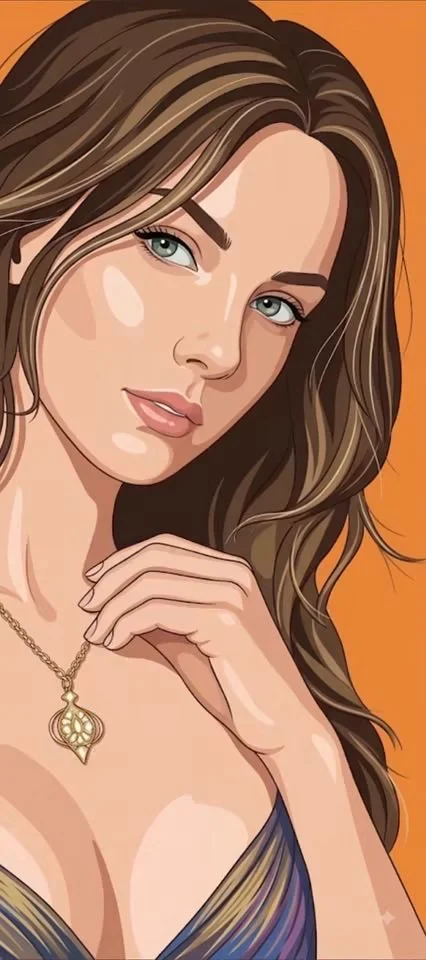
Prompt verificado
Using an uploaded portrait as the subject reference, create a vertical 9:16 image. Create a clean flat editorial illustration of the subject against a completely solid orange background. Preserve the expression and recognizable proportions while simplifying the face into controlled color planes with restrained shadows. Use confident contours, layered graphic hair shapes and only a few fine strands for emphasis. Keep clothing folds minimal and render accessories with simple clear shapes. Avoid paper grain, painted texture, scenic backgrounds or heavy gradients. Aim for a polished fashion illustration that feels dimensional through precise shape design rather than photographic shading.
Using an uploaded portrait as the subject reference, create a vertical 9:16 image. Create a clean flat editorial illustration of the subject against a completely solid orange background. Preserve the expression and recognizable proportions while simplifying the face into controlled color planes with restrained shadows. Use confident contours, layered graphic hair shapes and only a few fine strands for emphasis. Keep clothing folds minimal and render accessories with simple clear shapes. Avoid paper grain, painted texture, scenic backgrounds or heavy gradients. Aim for a polished fashion illustration that feels dimensional through precise shape design rather than photographic shading.
Prompt verificado
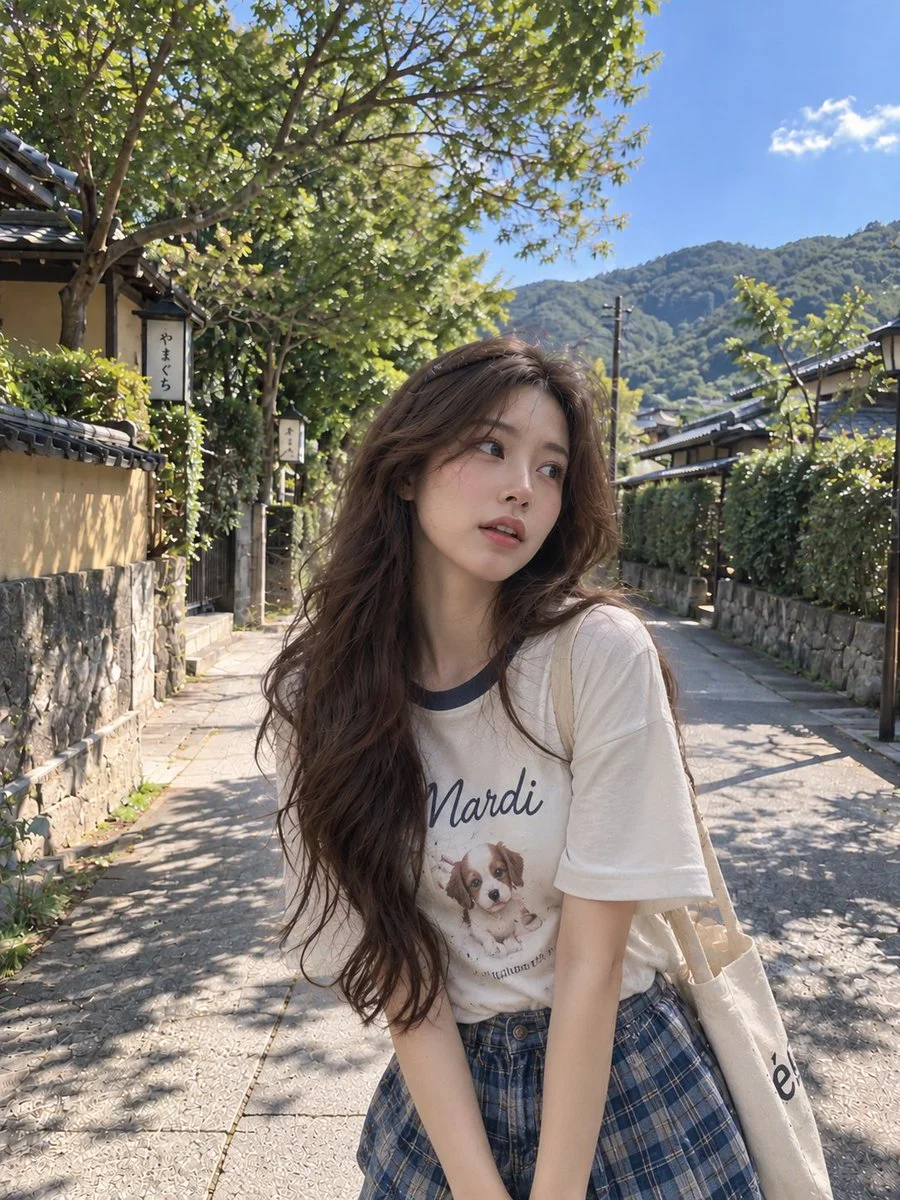
Using an uploaded adult portrait as a facial reference, create a candid travel photograph on a quiet Japanese neighborhood path. Dress the subject in a casual white graphic T-shirt and a muted plaid skirt. Let her stand at a slight angle, looking off to one side with a relaxed expression and loose dark hair. Include stone walls, traditional houses, leafy trees and distant hills beneath a clear sky. Use natural afternoon sunlight, believable shadows and a lightly imperfect smartphone composition. Preserve recognizable facial details without smoothing the skin into an artificial finish.
Using an uploaded adult portrait as a facial reference, create a candid travel photograph on a quiet Japanese neighborhood path. Dress the subject in a casual white graphic T-shirt and a muted plaid skirt. Let her stand at a slight angle, looking off to one side with a relaxed expression and loose dark hair. Include stone walls, traditional houses, leafy trees and distant hills beneath a clear sky. Use natural afternoon sunlight, believable shadows and a lightly imperfect smartphone composition. Preserve recognizable facial details without smoothing the skin into an artificial finish.
Prompt verificado
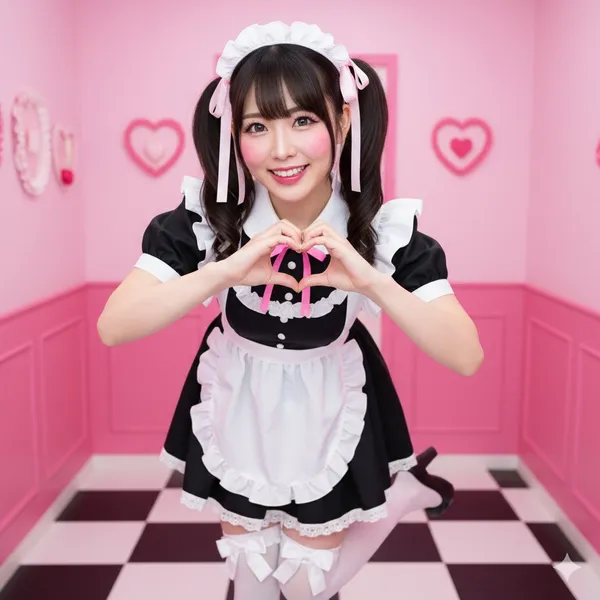
ed 'Maid Cafe' interior, focused and clean. background. Bright pink walls, checkered floor, subtle hearts and ruffle decorations (soft focus, no distracting elements). description. Realistic East Asian woman, dark hair in high twin-tails with ribbons, sparkling, energetic eyes. Classic black maid dress with a short skirt, pristine white frilly apron, knee-high white socks with bows. accessories. Frilly maid headband, ribbons in hair. Full body, dynamic 'moe moe kyun' pose; both hands making a heart gesture, one foot popped, slight bow. expression. Extremely energetic, wide-eyed 'kawaii' smile, 'genki' (energetic) personality. Direct to camera, engaging and cheerful. body_notes. realistic adult proportions; natural skin texture. full_frame. focal_length_mm. aperture_f. Full body shot, slightly low angle to enhance cuteness and energy. eye_detect_AF on nearest eye. Bright, even, slightly flat studio lighting (simulating cafe interior). Large softboxes from both sides to eliminate shadows. Top-down rim light to separate hair. catchlights. Multiple, large, bright catchlights. Very bright, 'pop' lighting, high-key. color_grade. Akihabara-pop, vibrant. Bright pink, black, white; clear, bright skin. Medium, very clean and crisp. saturation. High saturation. Emphasized 'anime' eyes, prominent aegyo-sal, long upper and lower lashes. Bright pink, circular blush. High-gloss pink or red lip tint. postprocess. Clean skin retouching, . High clarity on eyes, apron ruffles, and hair. dodge_burn. Dodge on eyes to make them sparkle. art_direction. Energetic, cheerful, adorable, welcoming. twin-tails. heart gesture. negative_prompts. underage look. text or logos. plastic doll skin. warped hands or extra fingers. deformed limbs. dark or moody. French maid (Victorian). sad expression. cluttered background. photography equipment. lighting equipment
ed 'Maid Cafe' interior, focused and clean. background. Bright pink walls, checkered floor, subtle hearts and ruffle decorations (soft focus, no distracting elements). description. Realistic East Asian woman, dark hair in high twin-tails with ribbons, sparkling, energetic eyes. Classic black maid dress with a short skirt, pristine white frilly apron, knee-high white socks with bows. accessories. Frilly maid headband, ribbons in hair. Full body, dynamic 'moe moe kyun' pose; both hands making a heart gesture, one foot popped, slight bow. expression. Extremely energetic, wide-eyed 'kawaii' smile, 'genki' (energetic) personality. Direct to camera, engaging and cheerful. body_notes. realistic adult proportions; natural skin texture. full_frame. focal_length_mm. aperture_f. Full body shot, slightly low angle to enhance cuteness and energy. eye_detect_AF on nearest eye. Bright, even, slightly flat studio lighting (simulating cafe interior). Large softboxes from both sides to eliminate shadows. Top-down rim light to separate hair. catchlights. Multiple, large, bright catchlights. Very bright, 'pop' lighting, high-key. color_grade. Akihabara-pop, vibrant. Bright pink, black, white; clear, bright skin. Medium, very clean and crisp. saturation. High saturation. Emphasized 'anime' eyes, prominent aegyo-sal, long upper and lower lashes. Bright pink, circular blush. High-gloss pink or red lip tint. postprocess. Clean skin retouching, . High clarity on eyes, apron ruffles, and hair. dodge_burn. Dodge on eyes to make them sparkle. art_direction. Energetic, cheerful, adorable, welcoming. twin-tails. heart gesture. negative_prompts. underage look. text or logos. plastic doll skin. warped hands or extra fingers. deformed limbs. dark or moody. French maid (Victorian). sad expression. cluttered background. photography equipment. lighting equipment
Prompt verificado
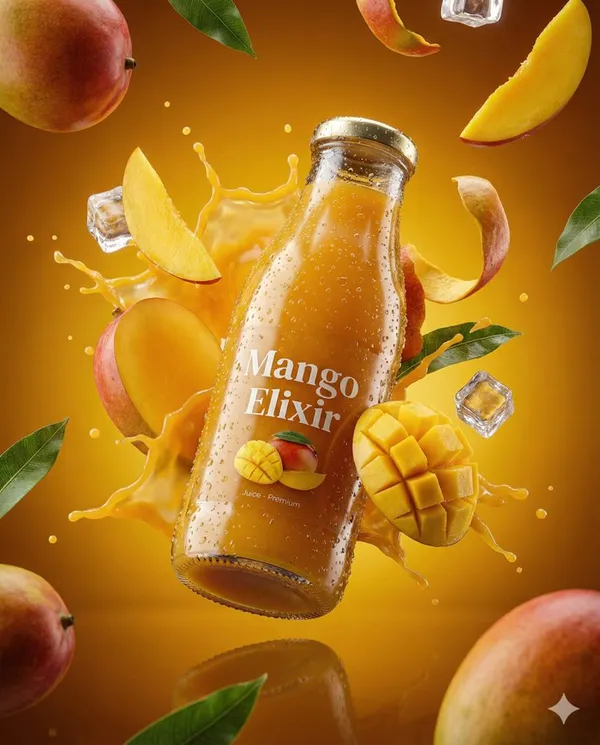
te an ultra-realistic 3D commercial-style product shot of a premium cherry juice bottle, suspended mid-air with intricate condensation droplets on its surface. The bottle should appear fresh and vibrant, with each condensation bead reflecting ambient light to enhance photorealism. Surround the product with dynamic elements like splashing droplets of cherry juice, whole cherries, and ice cubes, frozen in high-speed motion, each element sharply defined with vibrant clarity. Floating cherry stems and leaves should also be included to enhance the sense of freshness and energy. Set the background against a rich, deep red and burgundy gradient, which complements the rich color of the cherry juice and evokes a sense of indulgence and premium quality. The product should be centrally placed, slightly tilted to convey a sense of movement and sophistication. Use cinematic, studio-style lighting with bright highlights reflecting off the bottle, crisp shadows, and high contrast to create a luxurious, polished look. Ensure the bottle’s label is clearly visible, with subtle reflections beneath it, adding depth and realism to the scene. The overall aesthetic must evoke indulgence, freshness, and premium quality, with all elements contributing to a high-end, visually striking image. The scene should feel rich, fresh, and full of vitality,with a focus on the vibrant color and fresh nature of the cherry juice. Technical Specifications: Aspect Ratio: 4:5 Resolution: Ultra-HD quality Lighting: Studio-style, cinematic with bright highlights, subtle reflections, and high contrast Detailing: Extreme attention to condensation, droplets, and high-speed motion of elements
te an ultra-realistic 3D commercial-style product shot of a premium cherry juice bottle, suspended mid-air with intricate condensation droplets on its surface. The bottle should appear fresh and vibrant, with each condensation bead reflecting ambient light to enhance photorealism. Surround the product with dynamic elements like splashing droplets of cherry juice, whole cherries, and ice cubes, frozen in high-speed motion, each element sharply defined with vibrant clarity. Floating cherry stems and leaves should also be included to enhance the sense of freshness and energy. Set the background against a rich, deep red and burgundy gradient, which complements the rich color of the cherry juice and evokes a sense of indulgence and premium quality. The product should be centrally placed, slightly tilted to convey a sense of movement and sophistication. Use cinematic, studio-style lighting with bright highlights reflecting off the bottle, crisp shadows, and high contrast to create a luxurious, polished look. Ensure the bottle’s label is clearly visible, with subtle reflections beneath it, adding depth and realism to the scene. The overall aesthetic must evoke indulgence, freshness, and premium quality, with all elements contributing to a high-end, visually striking image. The scene should feel rich, fresh, and full of vitality,with a focus on the vibrant color and fresh nature of the cherry juice. Technical Specifications: Aspect Ratio: 4:5 Resolution: Ultra-HD quality Lighting: Studio-style, cinematic with bright highlights, subtle reflections, and high contrast Detailing: Extreme attention to condensation, droplets, and high-speed motion of elements
Prompt verificado
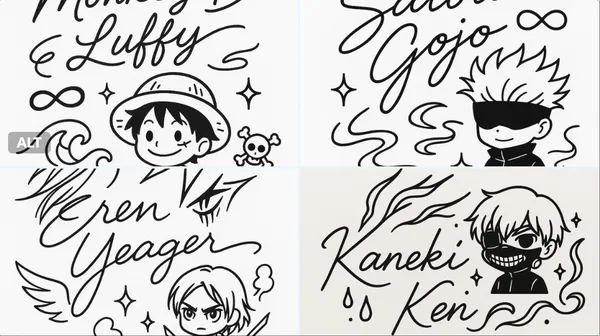
nimalistic black-and-white autograph design in a single-line drawing style, featuring the handwritten signature: [CHARACTER NAME], integrated with cute line art elements inspired by the character’s appearance and personality (for example: hair, outfit details, weapons, magical symbols). Include a small mascot or doodle of the character in simplified chibi style, surrounded by decorative elements (stars, hearts, sparkles, musical notes, flowers) that match their vibe. Clean, cute, modern design suitable for tattoo or sticker. High-resolution line art.
nimalistic black-and-white autograph design in a single-line drawing style, featuring the handwritten signature: [CHARACTER NAME], integrated with cute line art elements inspired by the character’s appearance and personality (for example: hair, outfit details, weapons, magical symbols). Include a small mascot or doodle of the character in simplified chibi style, surrounded by decorative elements (stars, hearts, sparkles, musical notes, flowers) that match their vibe. Clean, cute, modern design suitable for tattoo or sticker. High-resolution line art.
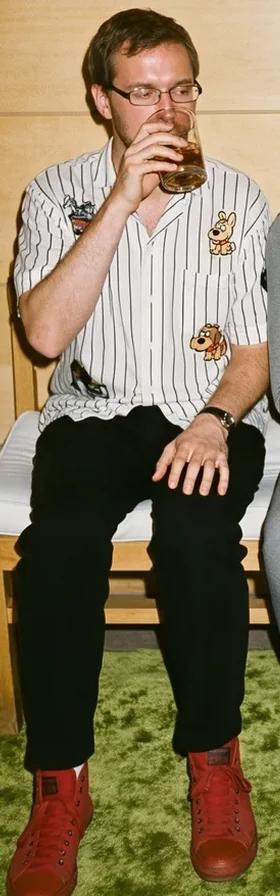
Prompt verificado
Prompt verificado
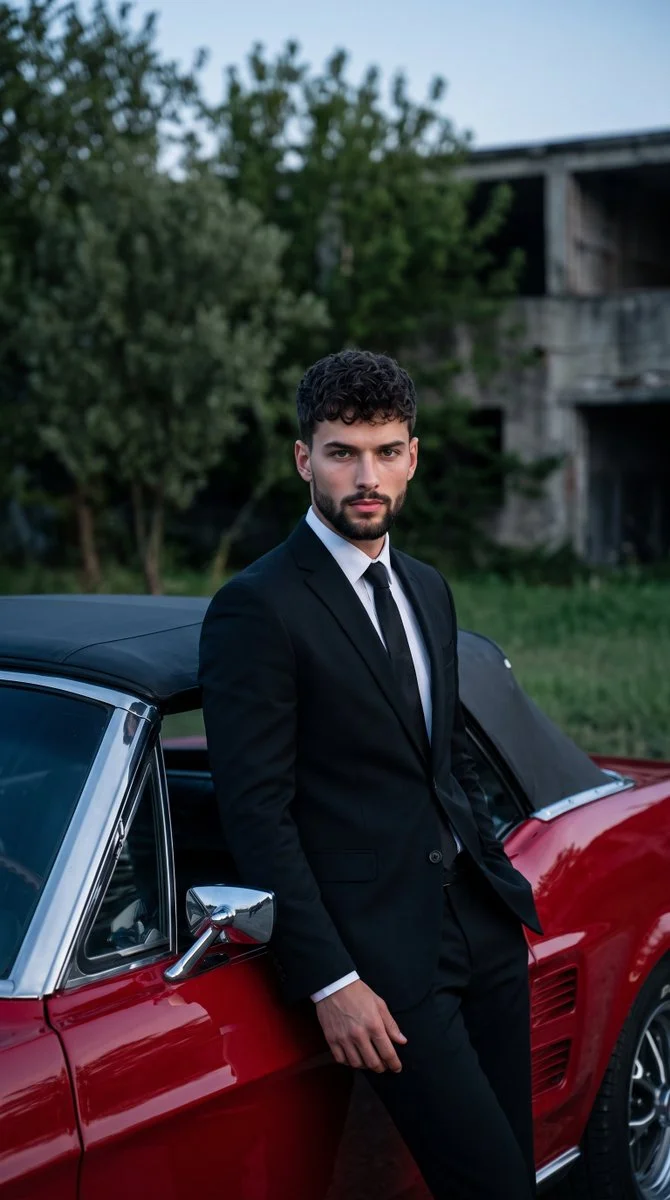
Photograph an adult man in a tailored black suit, white shirt and dark tie standing beside a classic cherry-red muscle car. Let him lean casually against the vehicle with one hand near a trouser pocket and a calm look toward the camera. Include the car's chrome trim and dark convertible roof in the foreground. Set the scene outdoors with dense green trees and a softly blurred low building behind him. Combine cool evening ambient light with gentle frontal fill, keeping the suit, skin and glossy red paint realistic and detailed.
Photograph an adult man in a tailored black suit, white shirt and dark tie standing beside a classic cherry-red muscle car. Let him lean casually against the vehicle with one hand near a trouser pocket and a calm look toward the camera. Include the car's chrome trim and dark convertible roof in the foreground. Set the scene outdoors with dense green trees and a softly blurred low building behind him. Combine cool evening ambient light with gentle frontal fill, keeping the suit, skin and glossy red paint realistic and detailed.
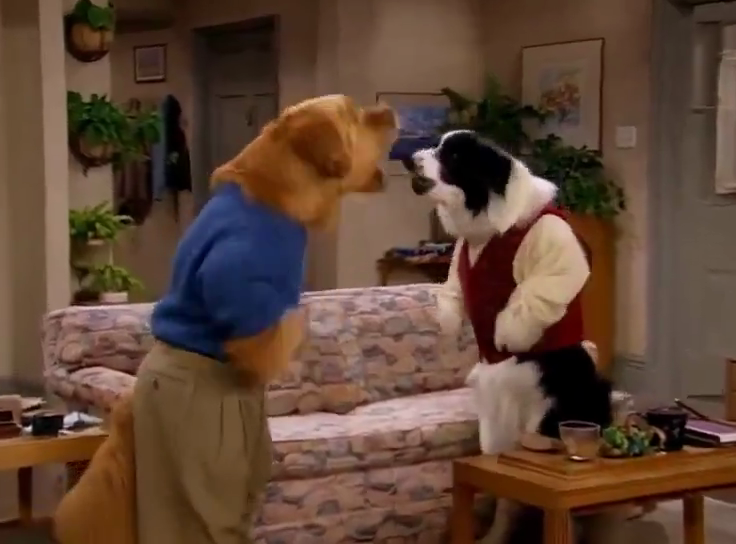
Prompt verificado
Prompt verificado
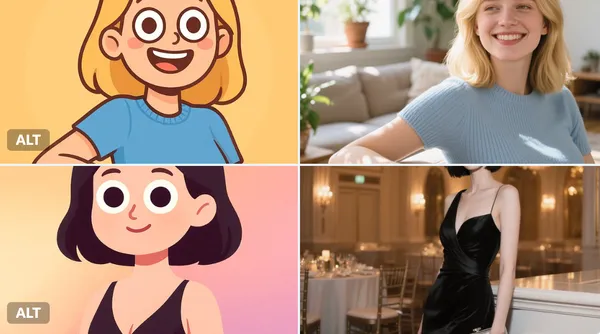
sform the character into a digital, half-body cartoon-style portrait. Use a playful, vector-friendly style with clean solid lines, rounded face, oversized googly eyes, and minimal facial details. Show the character from chest up, including shoulders and upper torso. Apply smooth gradient fills to both the character and background for a colorful, soft look. Square format.
sform the character into a digital, half-body cartoon-style portrait. Use a playful, vector-friendly style with clean solid lines, rounded face, oversized googly eyes, and minimal facial details. Show the character from chest up, including shoulders and upper torso. Apply smooth gradient fills to both the character and background for a colorful, soft look. Square format.
Explora flujos de trabajo de creación de imágenes
Empieza con un brief visual, edita una imagen con un modelo compatible o explora la Vitrina de prompts para inspirarte.

Un espacio de trabajo de imágenes para tu próximo brief creativo
Flux 3 Image reúne generación de imágenes, edición de imágenes compatible y ejemplos de prompts en un solo espacio creativo para diseñadores, equipos de comercio electrónico y profesionales de marketing.
Describe el sujeto, la composición, la iluminación y el estilo. Elige un modelo disponible, revisa el costo en créditos e inspecciona tu resultado en Historial.
Crear una imagenCuatro formas de dar forma a una idea visual

Visuales de campaña con una composición clara
Estudia el póster del festival por su disposición de imagen, color y tipografía. Para tu propia campaña, define el punto focal y deja espacio para el texto final. Ejemplo de origen: Black Forest Labs; esta imagen no se generó en este sitio.
Un flujo de trabajo práctico para la generación y edición de imágenes
Crea un brief de imagen enfocado y usa los controles que ofrece tu modelo seleccionado. Compara la imagen completada con la composición deseada antes de decidir qué cambiar.
Describe la imagen que quieres
Empieza con un sujeto, un entorno, una iluminación, un punto de vista de cámara y un estilo. Incluye instrucciones de diseño para una escena de producto, un póster o una imagen editorial cuando importen.

Incluye una referencia cuando sea compatible
Selecciona un modelo con capacidad de edición y sube una referencia que tengas permiso de usar. Los tipos de archivo aceptados, los límites de referencia y los controles de edición se muestran en el generador.

Revisa la configuración y el costo en créditos
Elige una relación de aspecto y una resolución disponibles. Revisa los créditos requeridos antes de enviar; la configuración y los costos compatibles varían según el modelo.
Explora ideas de prompts y ejemplos publicados
Navega por casos publicados en la Vitrina de prompts. Cada caso muestra su modelo real y su prompt para que puedas estudiar el resultado en contexto.
Describe, genera, revisa y perfecciona
Pasa de un brief enfocado a un resultado revisado. Conserva las versiones útiles en Historial y ajusta una instrucción a la vez.
Describe tu brief visual
Escribe el sujeto, el entorno, la composición, la iluminación y el estilo. Para revisiones, describe el cambio y los detalles que quieres conservar.
Elige un modelo y genera
Elige entre los modelos de imagen disponibles, selecciona configuraciones compatibles y revisa los créditos requeridos. Añade referencias cuando el modelo admita edición de imágenes.
Revisa y descarga tu imagen
Inspecciona la imagen completada en Historial. Comprueba rostros, texto, detalles del producto y la composición general antes de descargarla o publicarla.
Perfecciona la siguiente versión
Cambia una parte de tu prompt o usa la edición de imágenes compatible. Compara versiones para ver qué dirección mejora tu brief.
Ideas de imágenes para diseñadores, equipos de comercio electrónico y profesionales de marketing
Convierte una idea visual específica en material para una campaña, un concepto de producto, un diseño editorial o una presentación creativa. Revisa cada resultado según su uso previsto.
Escenas de producto
Describe un producto, su entorno y su iluminación. Revisa la forma, las etiquetas y los materiales generados frente al artículo real antes de usarlo en un anuncio.
Visuales de campaña
Construye un concepto de campaña en torno a un mensaje y un punto focal claro. Deja espacio para la tipografía final y verifica las afirmaciones publicitarias antes de publicar.
Diseños editoriales
Explora disposiciones de imágenes para una portada, un artículo o una presentación. Especifica la composición y la jerarquía visual; revisa cualquier texto generado por separado.
Presentaciones creativas
Usa un concepto visual para comunicar una dirección a tu equipo. Compara el encuadre, la paleta y la iluminación entre versiones.
Composiciones de personajes
Describe un personaje, la ropa, la expresión y el entorno. El manejo de referencias y la consistencia dependen del modelo y de las entradas compatibles.
Revisiones de imágenes
Usa un modelo de edición compatible para cambios de color, entorno o detalles. Inspecciona toda la imagen para ver si cambiaron elementos no deseados.
Notas creativas para tu próxima imagen
Dale a la imagen un sujeto claro. Describe el entorno y los detalles que hacen reconocible el brief.

Flux 3 Image: preguntas y respuestas
El menú del generador muestra los modelos de imagen disponibles actualmente en este sitio, incluidos los modelos compatibles de la familia FLUX. La marca Flux 3 Image y los ejemplos de origen de BFL destacados no significan que se ofrezca generación con FLUX.3. Selecciona el modelo real que aparece en el menú.
La generación usa créditos. Elige un modelo y una configuración compatible para ver los créditos requeridos antes de enviar. Visita Precios para opciones mensuales, anuales y de pago único.
Usa flux3 image en un navegador de escritorio o móvil para escribir prompts, añadir referencias compatibles, revisar el Historial y descargar imágenes completadas.
Describe el sujeto, el entorno, la composición, la iluminación y el estilo. Añade detalles precisos sobre materiales del producto, ropa o diseño cuando importen. Para ediciones, describe qué debe cambiar.
Los prompts, las referencias y los resultados pueden almacenarse para procesar solicitudes y proporcionar el Historial. Los enlaces multimedia públicos pueden ser vistos y compartidos por otros. Lee la Política de privacidad antes de subir material sensible.
El modelo seleccionado determina las resoluciones, las relaciones de aspecto, los límites de referencia y los controles de edición que ofrece el generador. Usa esos controles; las especificaciones de una imagen de origen destacada no describen todos los modelos disponibles.
Elige un modelo con capacidad de edición, sube una imagen compatible que tengas permiso de usar y describe la revisión. Inspecciona el resultado para comprobar tanto el cambio solicitado como los detalles circundantes.
Revisa los términos aplicables de la plataforma y del modelo para tu uso previsto. Eres responsable de los derechos sobre el material subido, personas identificables, logotipos y otros contenidos de terceros.
El tiempo de procesamiento varía según el modelo, la configuración, la solicitud y la carga del servicio. Sigue el estado de la solicitud en Historial.
No. flux3 image es un espacio de trabajo independiente de terceros. Las imágenes destacadas de la página de inicio se atribuyen a Black Forest Labs y son independientes de los resultados generados por usuarios en la Vitrina de prompts. Los prompts originales se incluyen solo cuando están verificados.
Más artículos
Guías de creación de imágenes
Crea tu próxima imagen
Describe tu idea, selecciona un modelo de imagen disponible y revisa los créditos requeridos. Inspecciona y descarga los resultados completados desde el Historial.