
Flux 3 Image: Controla cada píxel
Convierte ideas en visuales cuidadosamente compuestos.
Crea escenas de producto, diseños editoriales, visuales de campaña y composiciones de personajes con los modelos de imagen disponibles. Imágenes de origen destacadas: Black Forest Labs.

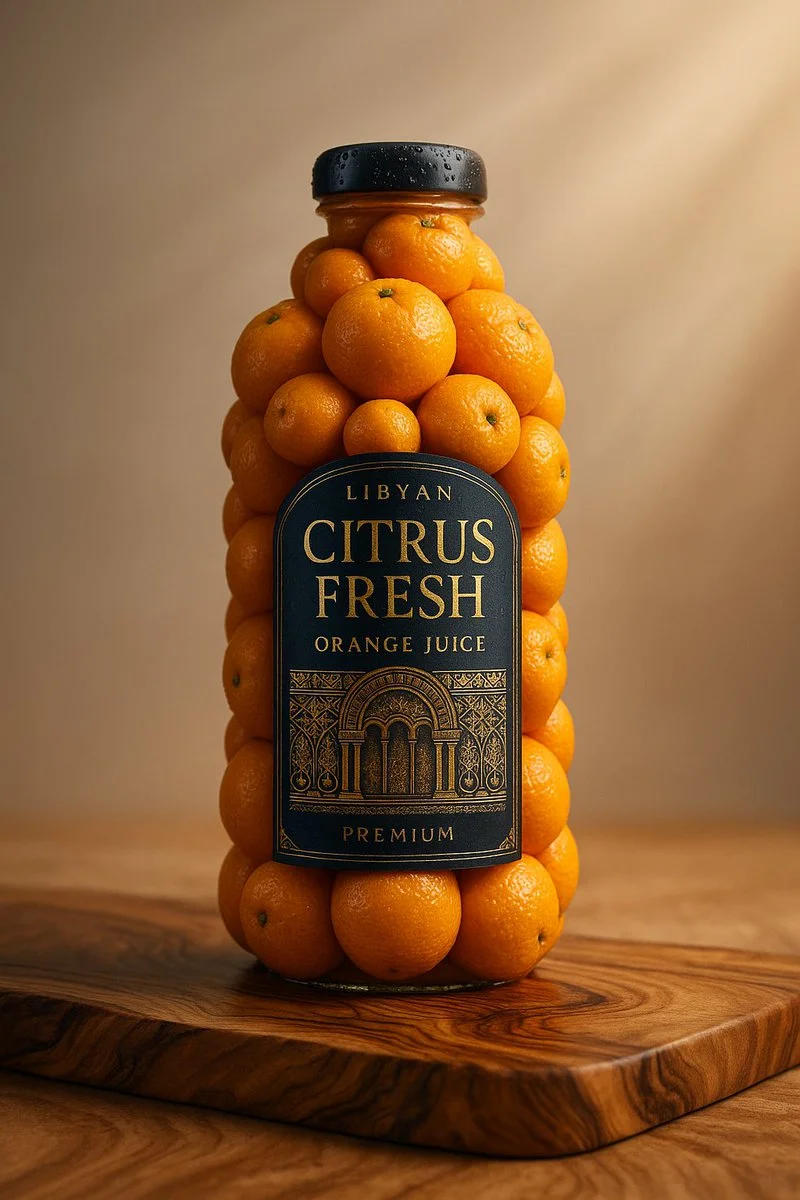
Prompt verificado
A realistic product photo of a [brand name] [bottle or jar] sculpted entirely from fresh [ingredient name], arranged perfectly to form the shape of the original packaging, including a detailed and accurate label on the front. The background is a clean, soft light gray with a natural wooden surface. Studio lighting, soft shadows, 1:1 square composition, professional product photography style, ultra-detailed textures, vibrant and glossy finish
A realistic product photo of a [brand name] [bottle or jar] sculpted entirely from fresh [ingredient name], arranged perfectly to form the shape of the original packaging, including a detailed and accurate label on the front. The background is a clean, soft light gray with a natural wooden surface. Studio lighting, soft shadows, 1:1 square composition, professional product photography style, ultra-detailed textures, vibrant and glossy finish
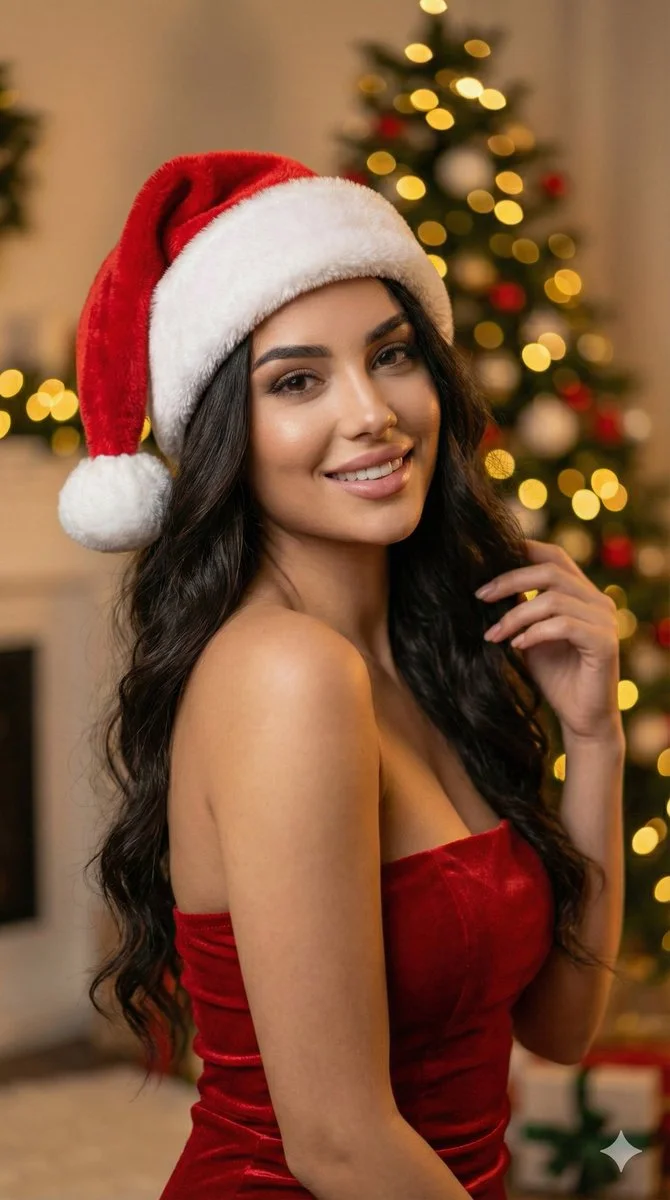
Prompt verificado
Ultra-realistic 8k portrait of a stunning young woman with long, dark, wavy hair, wearing a plush red and white Santa hat and a fitted red strapless dress. She has a soft, alluring expression looking directly at camera. Background: softly blurred Christmas tree with glowing golden bokeh lights. Warm festive atmosphere. DSLR photography, cinematic lighting, warm ambient light, high detail skin texture, bokeh effect, depth of field, f/1.8 aperture, 85mm lens. Aspect ratio 9:16, cinematic portrait style.
Ultra-realistic 8k portrait of a stunning young woman with long, dark, wavy hair, wearing a plush red and white Santa hat and a fitted red strapless dress. She has a soft, alluring expression looking directly at camera. Background: softly blurred Christmas tree with glowing golden bokeh lights. Warm festive atmosphere. DSLR photography, cinematic lighting, warm ambient light, high detail skin texture, bokeh effect, depth of field, f/1.8 aperture, 85mm lens. Aspect ratio 9:16, cinematic portrait style.
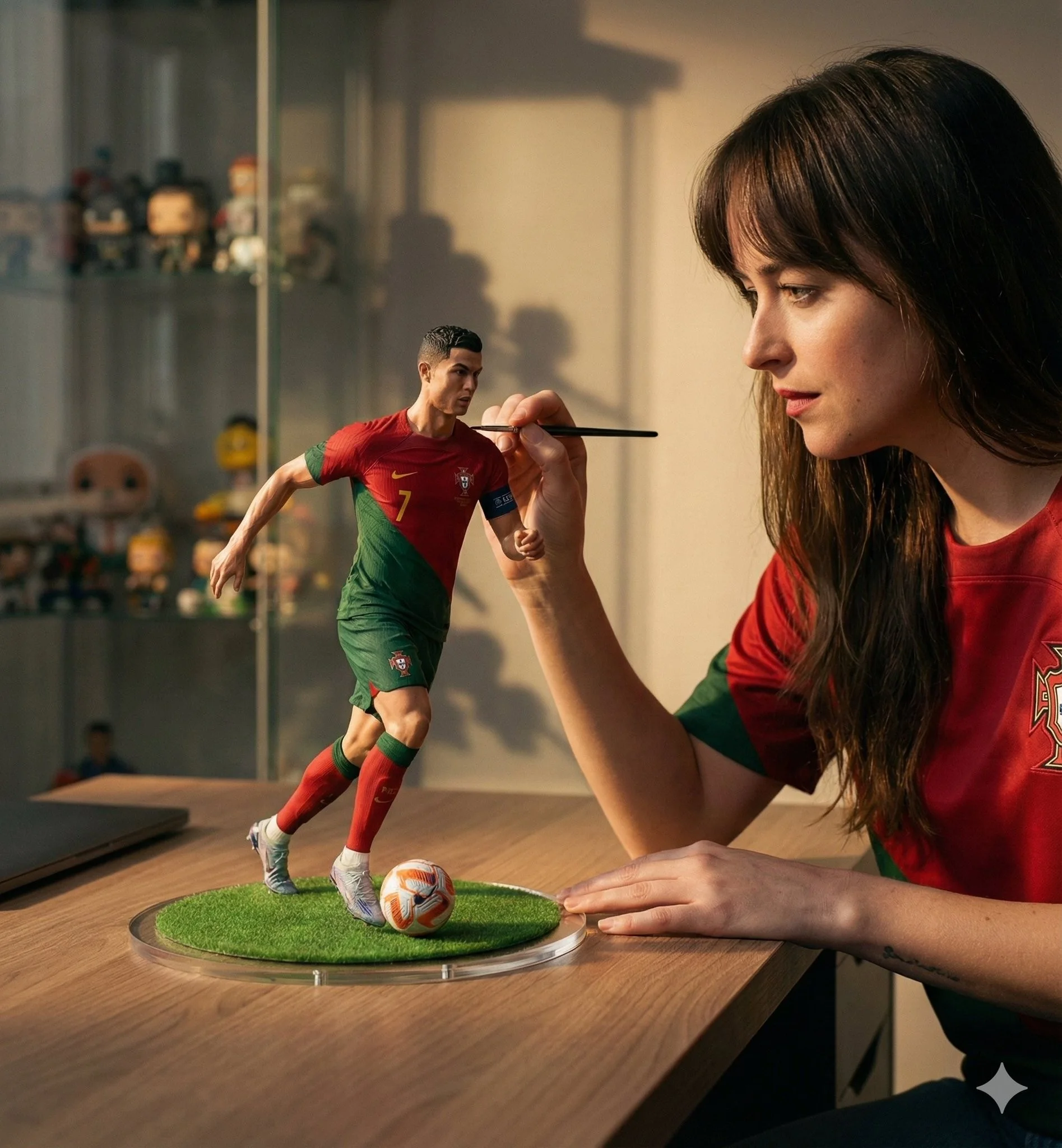
Prompt verificado
A hyper-realistic cinematic scene of a woman carefully painting a miniature football figurine of Cristiano Ronaldo in a Portugal national team jersey. The tiny footballer is frozen mid-dribble with the ball at his feet, standing on a round grass base placed on a wooden desk. The woman wears a matching red Portugal jersey and focuses intently while holding a fine paintbrush near the figure's face. Soft natural window light creates warm highlights and gentle shadows, shallow depth of field with a blurred shelf of collectibles in the background. Ultra-detailed textures on fabric, skin, and paint strokes, photorealistic scale illusion, cinematic storytelling composition, premium studio realism, 50mm lens look, high-end editorial mood.
A hyper-realistic cinematic scene of a woman carefully painting a miniature football figurine of Cristiano Ronaldo in a Portugal national team jersey. The tiny footballer is frozen mid-dribble with the ball at his feet, standing on a round grass base placed on a wooden desk. The woman wears a matching red Portugal jersey and focuses intently while holding a fine paintbrush near the figure's face. Soft natural window light creates warm highlights and gentle shadows, shallow depth of field with a blurred shelf of collectibles in the background. Ultra-detailed textures on fabric, skin, and paint strokes, photorealistic scale illusion, cinematic storytelling composition, premium studio realism, 50mm lens look, high-end editorial mood.

Prompt verificado
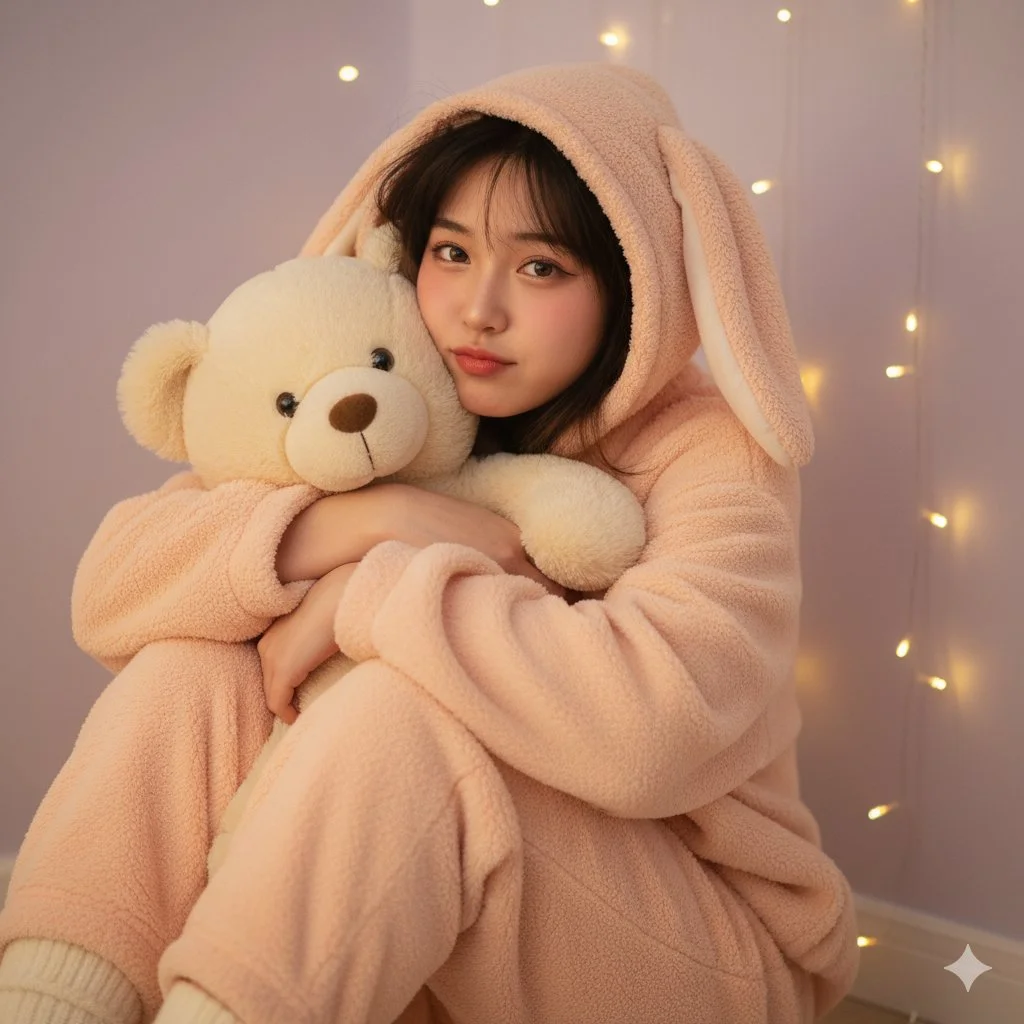
Prompt verificado
{ "scene": { "location": "cozy bedroom corner", "background": "soft-focus string of fairy lights against a pastel lavender wall" }, "subject": { "age": "adult", "description": "East Asian women, messy shoulder-length dark hair, sleepy-looking soft brown eyes", "wardrobe": "oversized, fluffy fleece pajama set (onesie or two-piece) in pastel peach, with a hood featuring animal ears (e.g., bunny)", "accessories": "holding a large, cute teddy bear plush toy, wearing fuzzy socks", "pose": "sitting on the floor, knees pulled up to chest, hugging the teddy bear, hood with ears is up", "expression": "soft, sleepy pout, 'puffy' cheeks, half-smile, radiating comfort", "gaze": "direct to camera, soft and inviting", "body_notes": "realistic adult proportions; natural skin texture, relaxed posture" }, "camera": { "sensor": "full_frame", "focal_length_mm": 50, "aperture_f": 1.8, "shutter_s": 0.0125, "iso": 640, "white_balance_k": 4800, "distance_m": 2.5, "camera_height_m": 0.8, "framing": "medium shot, from head to knees, emphasizing the plush toy and pajamas", "focus": "eye_detect_AF on nearest eye" }, "lighting": { "key": "soft, warm light from a nearby lamp (out of frame), simulating evening", "fill": "ambient light from the fairy lights, creating small bokeh highlights", "hair": "subtle glow on hair from fairy lights", "catchlights": "multiple small, warm catchlights from fairy lights", "notes": "warm, intimate, very soft, 'golden hour' indoor feel" }, "color_grade": { "style": "cozy & cute, soft-glam", "palette": "pastel peach, lavender, warm creams; glowing skin", "contrast": "low, dreamy, slightly hazy", "saturation": "moderate" }, "makeup": { "eyes": "minimal, 'no-makeup' makeup, slightly smudged soft brown liner", "cheeks": "flushed pink blush, as if warm", "lips": "hydrated, natural pink lip tint" }, "postprocess": { "retouch": "very light skin softening, maintain pores", "clarity": "selective clarity on eyes and plush toy texture", "dodge_burn": "gentle dodge on cheeks and nose bridge", "vignette": "soft, warm vignette to draw focus" }, "art_direction": { "mood": "cozy, sleepy, adorable, intimate", "keywords": ["pajama", "plush toy", "fairy lights", "cozy", "animal ears"] }, "negative_prompts": [ "nsfw", "underage look", "text or logos", "plastic doll skin", "warped hands or extra fingers", "deformed limbs", "bright daylight", "sharp shadows", "cluttered room" ] }
{ "scene": { "location": "cozy bedroom corner", "background": "soft-focus string of fairy lights against a pastel lavender wall" }, "subject": { "age": "adult", "description": "East Asian women, messy shoulder-length dark hair, sleepy-looking soft brown eyes", "wardrobe": "oversized, fluffy fleece pajama set (onesie or two-piece) in pastel peach, with a hood featuring animal ears (e.g., bunny)", "accessories": "holding a large, cute teddy bear plush toy, wearing fuzzy socks", "pose": "sitting on the floor, knees pulled up to chest, hugging the teddy bear, hood with ears is up", "expression": "soft, sleepy pout, 'puffy' cheeks, half-smile, radiating comfort", "gaze": "direct to camera, soft and inviting", "body_notes": "realistic adult proportions; natural skin texture, relaxed posture" }, "camera": { "sensor": "full_frame", "focal_length_mm": 50, "aperture_f": 1.8, "shutter_s": 0.0125, "iso": 640, "white_balance_k": 4800, "distance_m": 2.5, "camera_height_m": 0.8, "framing": "medium shot, from head to knees, emphasizing the plush toy and pajamas", "focus": "eye_detect_AF on nearest eye" }, "lighting": { "key": "soft, warm light from a nearby lamp (out of frame), simulating evening", "fill": "ambient light from the fairy lights, creating small bokeh highlights", "hair": "subtle glow on hair from fairy lights", "catchlights": "multiple small, warm catchlights from fairy lights", "notes": "warm, intimate, very soft, 'golden hour' indoor feel" }, "color_grade": { "style": "cozy & cute, soft-glam", "palette": "pastel peach, lavender, warm creams; glowing skin", "contrast": "low, dreamy, slightly hazy", "saturation": "moderate" }, "makeup": { "eyes": "minimal, 'no-makeup' makeup, slightly smudged soft brown liner", "cheeks": "flushed pink blush, as if warm", "lips": "hydrated, natural pink lip tint" }, "postprocess": { "retouch": "very light skin softening, maintain pores", "clarity": "selective clarity on eyes and plush toy texture", "dodge_burn": "gentle dodge on cheeks and nose bridge", "vignette": "soft, warm vignette to draw focus" }, "art_direction": { "mood": "cozy, sleepy, adorable, intimate", "keywords": ["pajama", "plush toy", "fairy lights", "cozy", "animal ears"] }, "negative_prompts": [ "nsfw", "underage look", "text or logos", "plastic doll skin", "warped hands or extra fingers", "deformed limbs", "bright daylight", "sharp shadows", "cluttered room" ] }
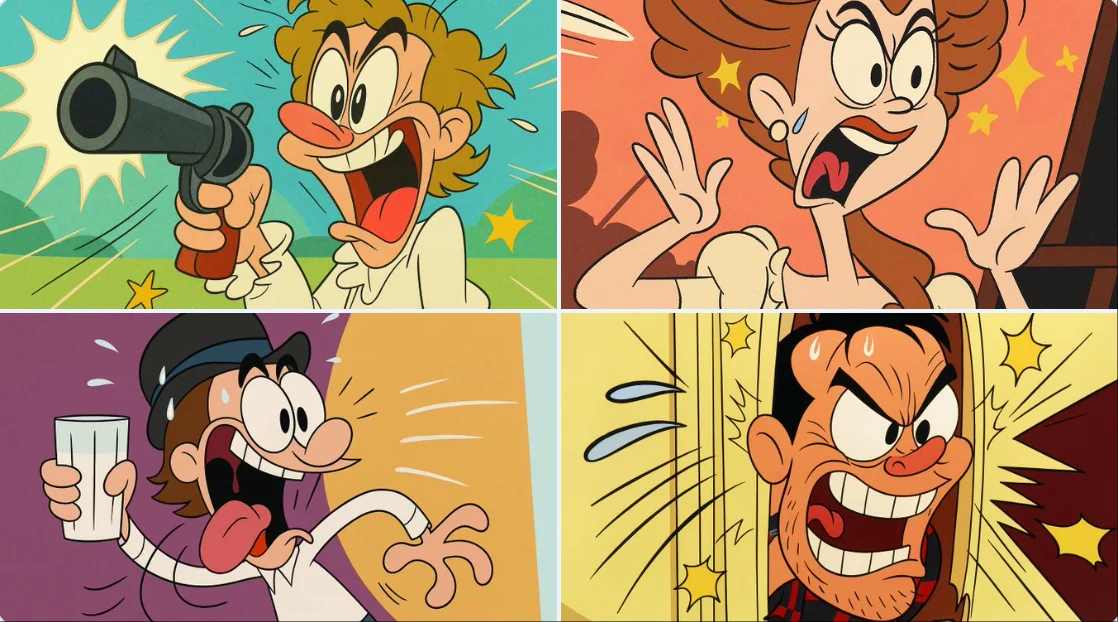
Prompt verificado
Transform this image into a classic Tex Avery / Looney Tunes cartoon style. Use bold, clean outlines and exaggerated character features — huge eyes, stretched limbs, and over-the-top facial expressions. Emphasize slapstick comedy and visual humor. Colors should be vibrant and flat, with high contrast. Backgrounds should be simple, painted with soft gradients or flat colors, keeping focus on the character's action. Add motion lines, expressive effects (like sweat drops, stars, impact bursts), and a dynamic pose typical of 1940s Warner Bros. animation. The final result should look like a freeze frame from a mid-century animated short — full of cartoon energy and absurd charm.
Transform this image into a classic Tex Avery / Looney Tunes cartoon style. Use bold, clean outlines and exaggerated character features — huge eyes, stretched limbs, and over-the-top facial expressions. Emphasize slapstick comedy and visual humor. Colors should be vibrant and flat, with high contrast. Backgrounds should be simple, painted with soft gradients or flat colors, keeping focus on the character's action. Add motion lines, expressive effects (like sweat drops, stars, impact bursts), and a dynamic pose typical of 1940s Warner Bros. animation. The final result should look like a freeze frame from a mid-century animated short — full of cartoon energy and absurd charm.
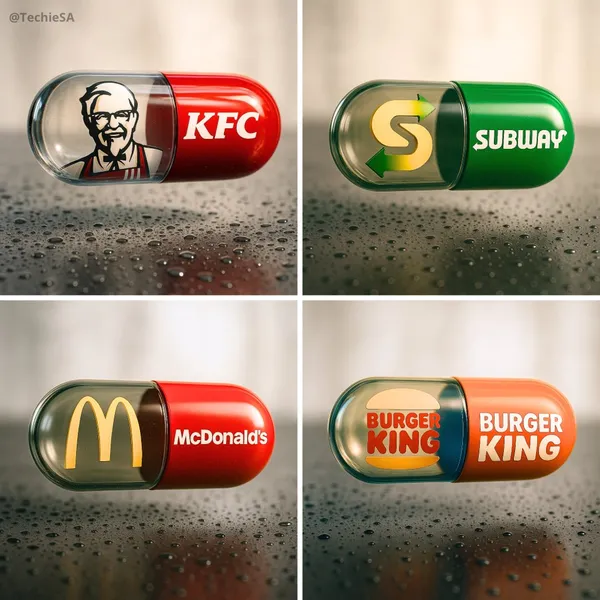
Prompt verificado
te a hyper-realistic, stylish poster [1080x1080] aspect ratio featuring a horizontal tablet-capsule hovering above a surface covered in condensation and water droplets, with its shadow cast on the wet ground. One side of the capsule is transparent glass, while the other is glossy [BRAND COLORS] plastic, displaying the [BRAND] logo and name. Seamlessly floating inside the glass portion of the capsule is a photorealistic 3D model of the [BRAND LOGO OR ICON], perfectly centered and suspended in zero gravity. The glass and plastic surfaces showcase strong reflections, refractions, and environmental distortions. The background is a softly blurred, elegant light-toned setting. Use a dynamic perspective with a stylish camera angle, professional studio lighting, and ultra-high detail to make the image look like a DSLR-captured photograph with impeccable realism.
te a hyper-realistic, stylish poster [1080x1080] aspect ratio featuring a horizontal tablet-capsule hovering above a surface covered in condensation and water droplets, with its shadow cast on the wet ground. One side of the capsule is transparent glass, while the other is glossy [BRAND COLORS] plastic, displaying the [BRAND] logo and name. Seamlessly floating inside the glass portion of the capsule is a photorealistic 3D model of the [BRAND LOGO OR ICON], perfectly centered and suspended in zero gravity. The glass and plastic surfaces showcase strong reflections, refractions, and environmental distortions. The background is a softly blurred, elegant light-toned setting. Use a dynamic perspective with a stylish camera angle, professional studio lighting, and ultra-high detail to make the image look like a DSLR-captured photograph with impeccable realism.
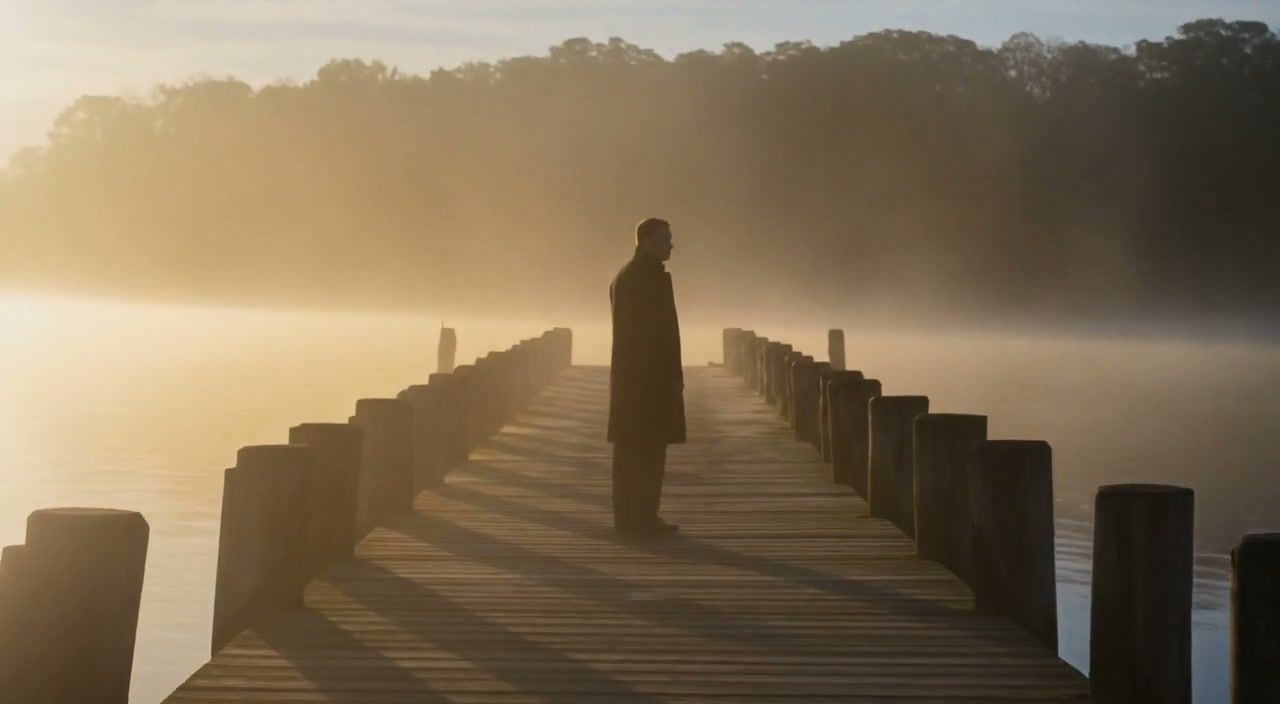
Prompt verificado
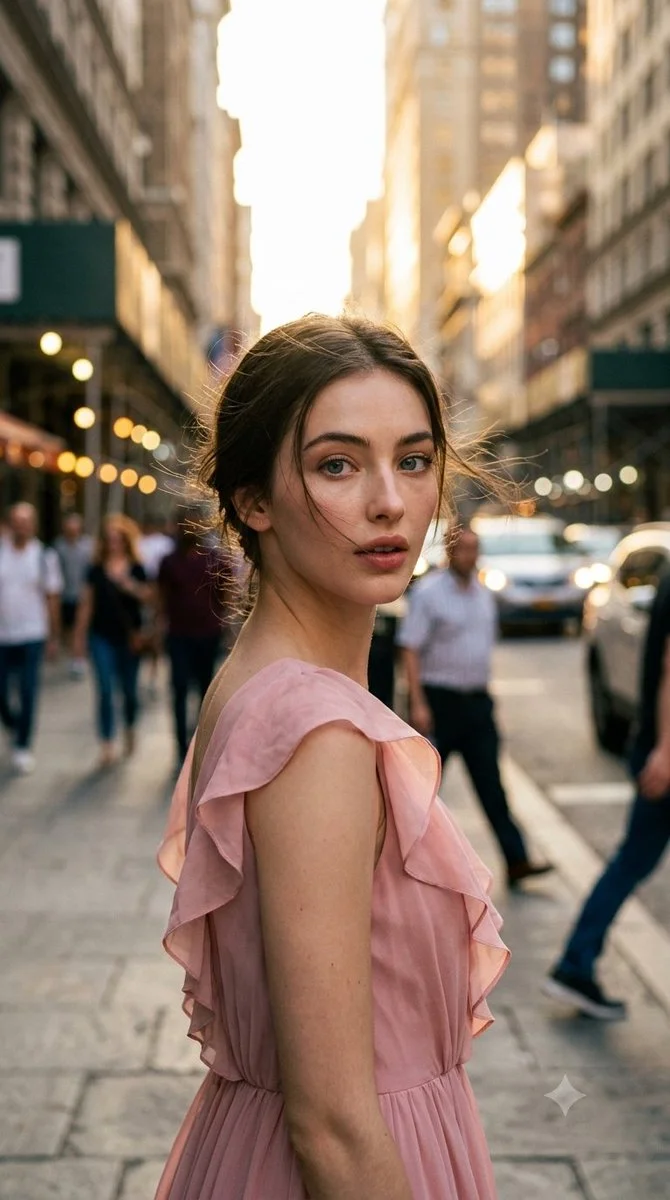
Prompt verificado
Ultra-photorealistic cinematic candid street photography, vertical 9:16 portrait. Elegant adult woman in unposed spontaneous moment on city street during late golden hour. Naturally turning upper body away from camera while subtly looking back toward it, as if photographer captured the exact noticing moment. Focus on authentic candid feel, natural lighting, urban environment, realistic clothing and pose without staging.
Ultra-photorealistic cinematic candid street photography, vertical 9:16 portrait. Elegant adult woman in unposed spontaneous moment on city street during late golden hour. Naturally turning upper body away from camera while subtly looking back toward it, as if photographer captured the exact noticing moment. Focus on authentic candid feel, natural lighting, urban environment, realistic clothing and pose without staging.
Prompt verificado
Prompt verificado
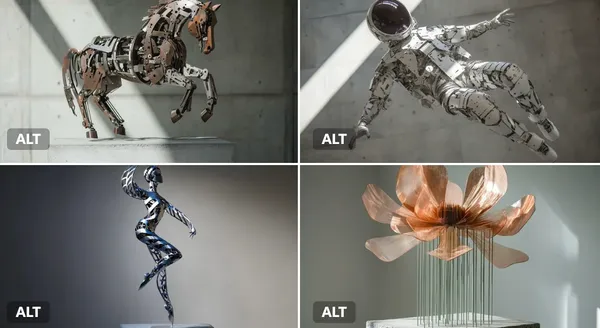
netic sculpture of a [subject], made of interlocking metal rods and panels in brushed [color1] and oxidized [color2]. Suspended in motion, with rotating parts casting mechanical shadows on a concrete pedestal.
netic sculpture of a [subject], made of interlocking metal rods and panels in brushed [color1] and oxidized [color2]. Suspended in motion, with rotating parts casting mechanical shadows on a concrete pedestal.
Prompt verificado
Explora flujos de trabajo de creación de imágenes
Empieza con un brief visual, edita una imagen con un modelo compatible o explora la Vitrina de prompts para inspirarte.

Un espacio de trabajo de imágenes para tu próximo brief creativo
Flux 3 Image reúne generación de imágenes, edición de imágenes compatible y ejemplos de prompts en un solo espacio creativo para diseñadores, equipos de comercio electrónico y profesionales de marketing.
Describe el sujeto, la composición, la iluminación y el estilo. Elige un modelo disponible, revisa el costo en créditos e inspecciona tu resultado en Historial.
Crear una imagenCuatro formas de dar forma a una idea visual

Visuales de campaña con una composición clara
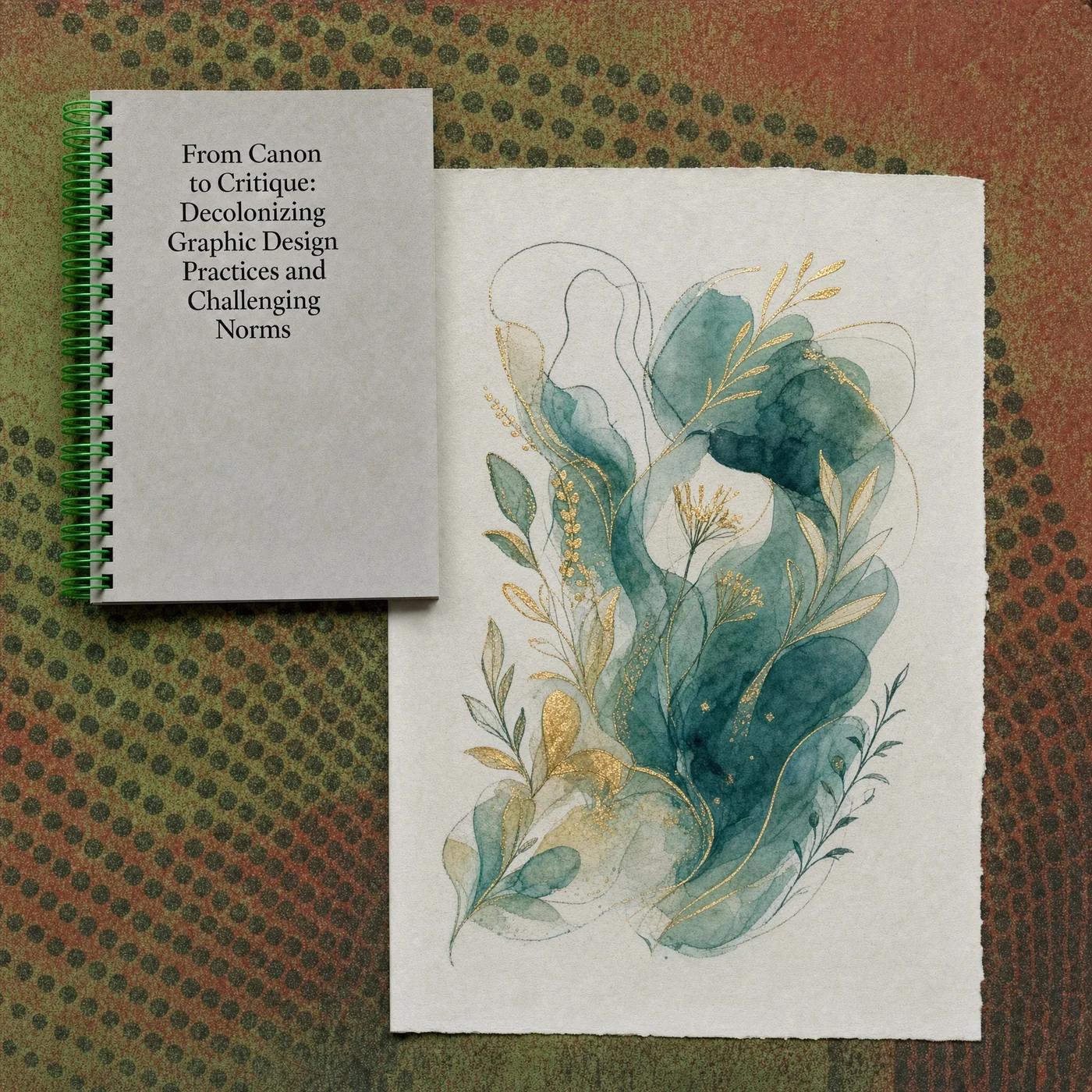
Estudia el póster del festival por su disposición de imagen, color y tipografía. Para tu propia campaña, define el punto focal y deja espacio para el texto final. Ejemplo de origen: Black Forest Labs; esta imagen no se generó en este sitio.
Un flujo de trabajo práctico para la generación y edición de imágenes
Crea un brief de imagen enfocado y usa los controles que ofrece tu modelo seleccionado. Compara la imagen completada con la composición deseada antes de decidir qué cambiar.
Describe la imagen que quieres
Empieza con un sujeto, un entorno, una iluminación, un punto de vista de cámara y un estilo. Incluye instrucciones de diseño para una escena de producto, un póster o una imagen editorial cuando importen.

Incluye una referencia cuando sea compatible
Selecciona un modelo con capacidad de edición y sube una referencia que tengas permiso de usar. Los tipos de archivo aceptados, los límites de referencia y los controles de edición se muestran en el generador.

Revisa la configuración y el costo en créditos
Elige una relación de aspecto y una resolución disponibles. Revisa los créditos requeridos antes de enviar; la configuración y los costos compatibles varían según el modelo.
Explora ideas de prompts y ejemplos publicados
Navega por casos publicados en la Vitrina de prompts. Cada caso muestra su modelo real y su prompt para que puedas estudiar el resultado en contexto.
Describe, genera, revisa y perfecciona
Pasa de un brief enfocado a un resultado revisado. Conserva las versiones útiles en Historial y ajusta una instrucción a la vez.
Describe tu brief visual
Escribe el sujeto, el entorno, la composición, la iluminación y el estilo. Para revisiones, describe el cambio y los detalles que quieres conservar.
Elige un modelo y genera
Elige entre los modelos de imagen disponibles, selecciona configuraciones compatibles y revisa los créditos requeridos. Añade referencias cuando el modelo admita edición de imágenes.
Revisa y descarga tu imagen
Inspecciona la imagen completada en Historial. Comprueba rostros, texto, detalles del producto y la composición general antes de descargarla o publicarla.
Perfecciona la siguiente versión
Cambia una parte de tu prompt o usa la edición de imágenes compatible. Compara versiones para ver qué dirección mejora tu brief.
Ideas de imágenes para diseñadores, equipos de comercio electrónico y profesionales de marketing
Convierte una idea visual específica en material para una campaña, un concepto de producto, un diseño editorial o una presentación creativa. Revisa cada resultado según su uso previsto.
Escenas de producto
Describe un producto, su entorno y su iluminación. Revisa la forma, las etiquetas y los materiales generados frente al artículo real antes de usarlo en un anuncio.
Visuales de campaña
Construye un concepto de campaña en torno a un mensaje y un punto focal claro. Deja espacio para la tipografía final y verifica las afirmaciones publicitarias antes de publicar.
Diseños editoriales
Explora disposiciones de imágenes para una portada, un artículo o una presentación. Especifica la composición y la jerarquía visual; revisa cualquier texto generado por separado.
Presentaciones creativas
Usa un concepto visual para comunicar una dirección a tu equipo. Compara el encuadre, la paleta y la iluminación entre versiones.
Composiciones de personajes
Describe un personaje, la ropa, la expresión y el entorno. El manejo de referencias y la consistencia dependen del modelo y de las entradas compatibles.
Revisiones de imágenes
Usa un modelo de edición compatible para cambios de color, entorno o detalles. Inspecciona toda la imagen para ver si cambiaron elementos no deseados.
Notas creativas para tu próxima imagen
Dale a la imagen un sujeto claro. Describe el entorno y los detalles que hacen reconocible el brief.

Flux 3 Image: preguntas y respuestas
El menú del generador muestra los modelos de imagen disponibles actualmente en este sitio, incluidos los modelos compatibles de la familia FLUX. La marca Flux 3 Image y los ejemplos de origen de BFL destacados no significan que se ofrezca generación con FLUX.3. Selecciona el modelo real que aparece en el menú.
La generación usa créditos. Elige un modelo y una configuración compatible para ver los créditos requeridos antes de enviar. Visita Precios para opciones mensuales, anuales y de pago único.
Usa flux3 image en un navegador de escritorio o móvil para escribir prompts, añadir referencias compatibles, revisar el Historial y descargar imágenes completadas.
Describe el sujeto, el entorno, la composición, la iluminación y el estilo. Añade detalles precisos sobre materiales del producto, ropa o diseño cuando importen. Para ediciones, describe qué debe cambiar.
Los prompts, las referencias y los resultados pueden almacenarse para procesar solicitudes y proporcionar el Historial. Los enlaces multimedia públicos pueden ser vistos y compartidos por otros. Lee la Política de privacidad antes de subir material sensible.
El modelo seleccionado determina las resoluciones, las relaciones de aspecto, los límites de referencia y los controles de edición que ofrece el generador. Usa esos controles; las especificaciones de una imagen de origen destacada no describen todos los modelos disponibles.
Elige un modelo con capacidad de edición, sube una imagen compatible que tengas permiso de usar y describe la revisión. Inspecciona el resultado para comprobar tanto el cambio solicitado como los detalles circundantes.
Revisa los términos aplicables de la plataforma y del modelo para tu uso previsto. Eres responsable de los derechos sobre el material subido, personas identificables, logotipos y otros contenidos de terceros.
El tiempo de procesamiento varía según el modelo, la configuración, la solicitud y la carga del servicio. Sigue el estado de la solicitud en Historial.
No. flux3 image es un espacio de trabajo independiente de terceros. Las imágenes destacadas de la página de inicio se atribuyen a Black Forest Labs y son independientes de los resultados generados por usuarios en la Vitrina de prompts. Los prompts originales se incluyen solo cuando están verificados.
Más artículos
Guías de creación de imágenes
Crea tu próxima imagen
Describe tu idea, selecciona un modelo de imagen disponible y revisa los créditos requeridos. Inspecciona y descarga los resultados completados desde el Historial.