
Flux 3 Image: Controle cada pixel
Transforme ideias em visuais cuidadosamente compostos.
Crie cenas de produtos, layouts editoriais, visuais de campanha e composições de personagens com os modelos de imagem disponíveis. Imagens de origem em destaque: Black Forest Labs.

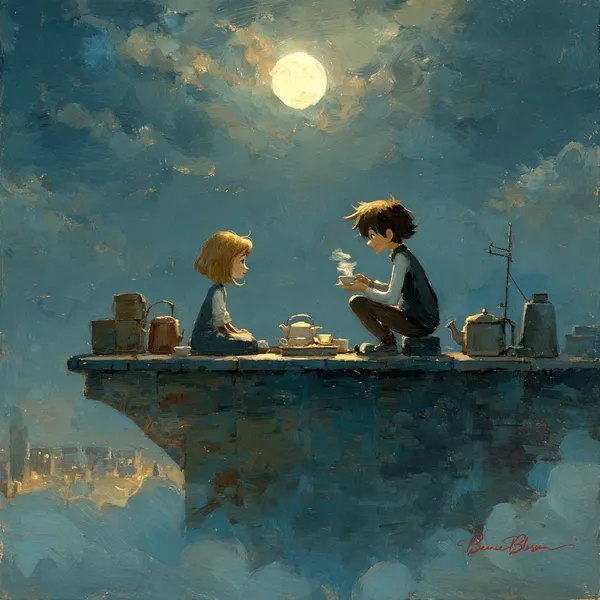
Prompt verificado
onlight rooftop tea party between a girl and a boy, dreamy, gentle, painterly.
onlight rooftop tea party between a girl and a boy, dreamy, gentle, painterly.
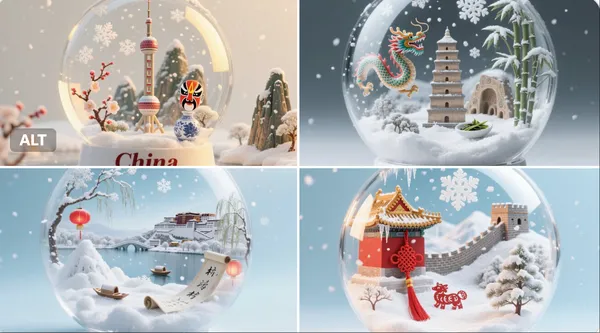
Prompt verificado
per detailed, realistic snow globe containing the essence of [Country Name]. Inside the globe: miniature snowy landscapes, iconic landmarks, cultural symbols, and natural elements representing [Country Name], rendered with extreme realism and rich textures. Delicate falling snow creates a magical, atmospheric effect inside the globe. The background is clean and softly lit to focus entirely on the globe. The image is 1:1 aspect ratio. At the bottom of the image, the text “[Country Name]” is clearly written in an elegant serif font
per detailed, realistic snow globe containing the essence of [Country Name]. Inside the globe: miniature snowy landscapes, iconic landmarks, cultural symbols, and natural elements representing [Country Name], rendered with extreme realism and rich textures. Delicate falling snow creates a magical, atmospheric effect inside the globe. The background is clean and softly lit to focus entirely on the globe. The image is 1:1 aspect ratio. At the bottom of the image, the text “[Country Name]” is clearly written in an elegant serif font
Prompt verificado
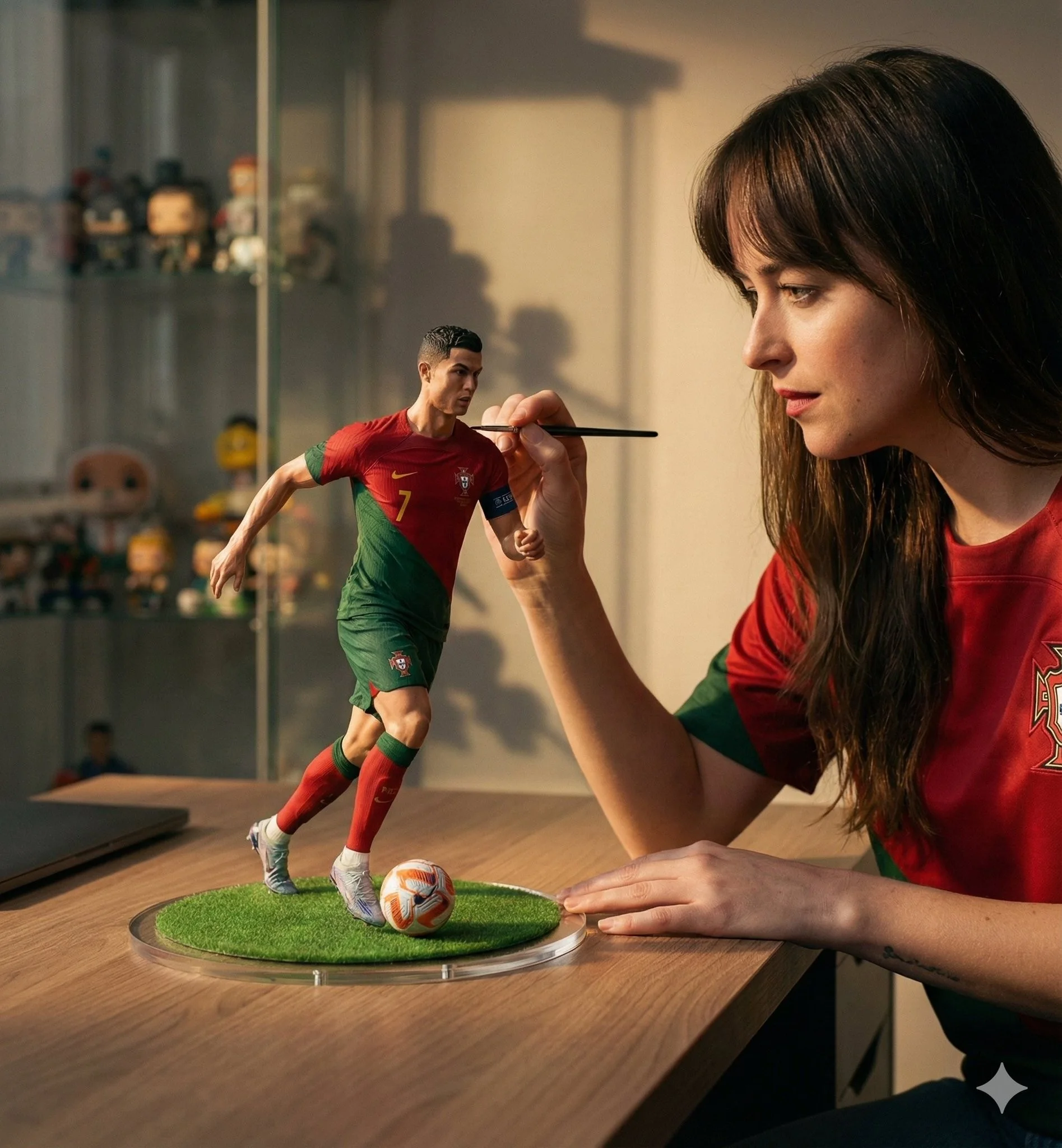
Prompt verificado
A hyper-realistic cinematic scene of a woman carefully painting a miniature football figurine of Cristiano Ronaldo in a Portugal national team jersey. The tiny footballer is frozen mid-dribble with the ball at his feet, standing on a round grass base placed on a wooden desk. The woman wears a matching red Portugal jersey and focuses intently while holding a fine paintbrush near the figure's face. Soft natural window light creates warm highlights and gentle shadows, shallow depth of field with a blurred shelf of collectibles in the background. Ultra-detailed textures on fabric, skin, and paint strokes, photorealistic scale illusion, cinematic storytelling composition, premium studio realism, 50mm lens look, high-end editorial mood.
A hyper-realistic cinematic scene of a woman carefully painting a miniature football figurine of Cristiano Ronaldo in a Portugal national team jersey. The tiny footballer is frozen mid-dribble with the ball at his feet, standing on a round grass base placed on a wooden desk. The woman wears a matching red Portugal jersey and focuses intently while holding a fine paintbrush near the figure's face. Soft natural window light creates warm highlights and gentle shadows, shallow depth of field with a blurred shelf of collectibles in the background. Ultra-detailed textures on fabric, skin, and paint strokes, photorealistic scale illusion, cinematic storytelling composition, premium studio realism, 50mm lens look, high-end editorial mood.
Prompt verificado
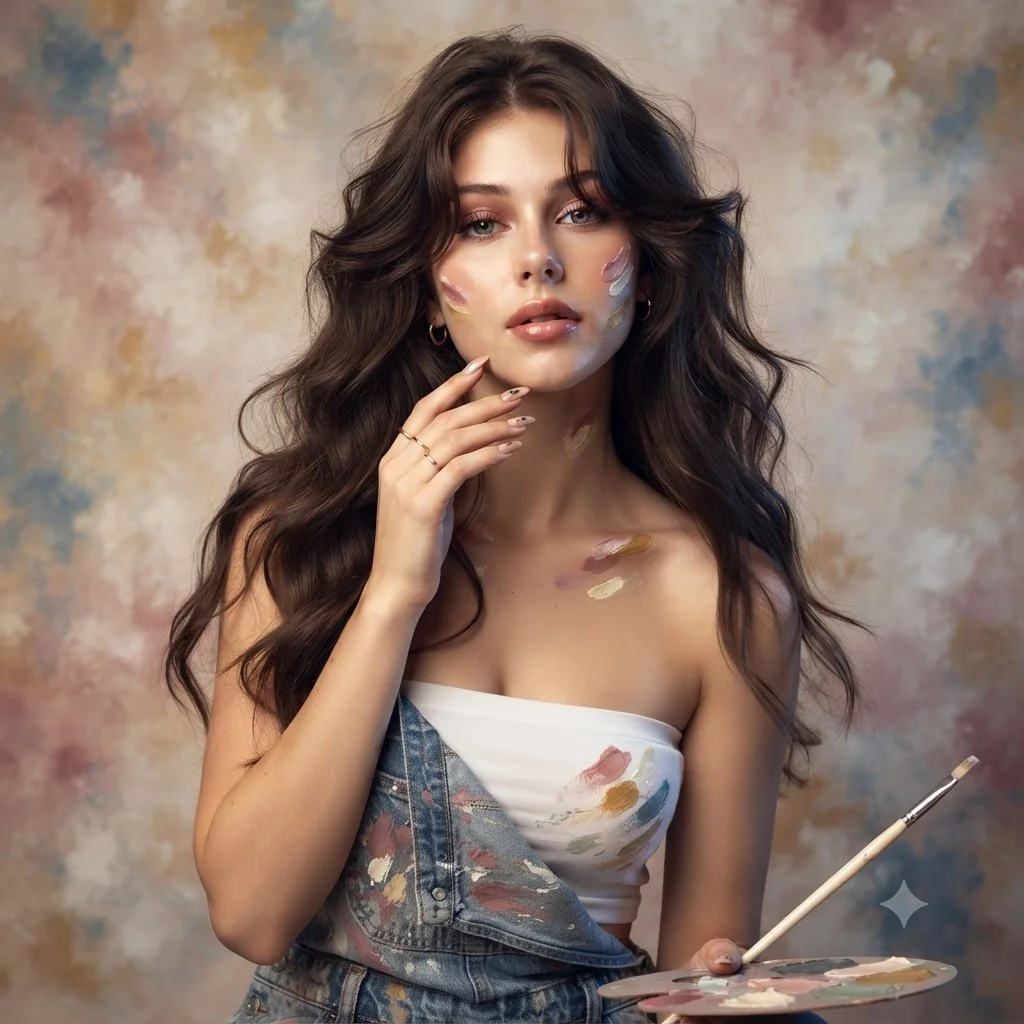
Use an uploaded adult portrait as the identity reference for an artist-inspired studio photograph. Dress the subject in denim overalls over a simple cream top, with a few restrained paint marks on the clothing and fingertips. Include a small palette and a thin brush near the lower frame. Let one hand rest lightly beside the face and keep the eyes unobstructed. Use softly waved hair, delicate jewelry and a mottled painted backdrop in ivory, rose and muted blue. Combine warm and cool soft light while preserving natural skin and facial proportions.
Use an uploaded adult portrait as the identity reference for an artist-inspired studio photograph. Dress the subject in denim overalls over a simple cream top, with a few restrained paint marks on the clothing and fingertips. Include a small palette and a thin brush near the lower frame. Let one hand rest lightly beside the face and keep the eyes unobstructed. Use softly waved hair, delicate jewelry and a mottled painted backdrop in ivory, rose and muted blue. Combine warm and cool soft light while preserving natural skin and facial proportions.
Prompt verificado
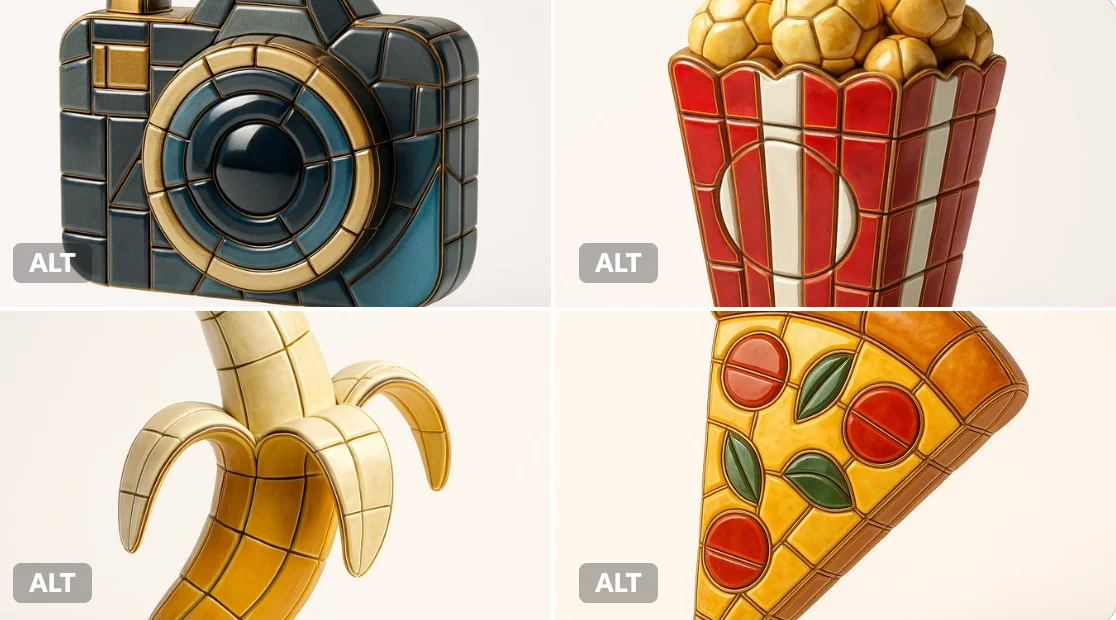
Visualize any selected emoji [] as an ultra-detailed, hyper-realistic 3D sculpture fully composed of luxurious enamel mosaic tiles. The emoji should retain its iconic silhouette and proportions, reinterpreted as a stylized 3D figure made entirely from curved, faceted, and geometrically interlocked enamel tiles in a radiant mosaic pattern. > Use high-gloss enamel tiles in varied shades derived from the emoji’s symbolic palette—integrating metallic accents, opalescent glazes, deep ceramic pigmentation, and subtle iridescence. Tile surfaces must exhibit gentle bevels, crisp joints, and tactile depth to emulate elite architectural mosaic work. > Ensure no visible support structures—the figure must appear freestanding and weightless, suspended mid-air at the exact center of the frame. > Background: pure white studio environment with soft ambient shadows directly beneath the sculpture to emphasize spatial presence and floating realism. > Lighting: cinematic, diffused from multiple angles to
Visualize any selected emoji [] as an ultra-detailed, hyper-realistic 3D sculpture fully composed of luxurious enamel mosaic tiles. The emoji should retain its iconic silhouette and proportions, reinterpreted as a stylized 3D figure made entirely from curved, faceted, and geometrically interlocked enamel tiles in a radiant mosaic pattern. > Use high-gloss enamel tiles in varied shades derived from the emoji’s symbolic palette—integrating metallic accents, opalescent glazes, deep ceramic pigmentation, and subtle iridescence. Tile surfaces must exhibit gentle bevels, crisp joints, and tactile depth to emulate elite architectural mosaic work. > Ensure no visible support structures—the figure must appear freestanding and weightless, suspended mid-air at the exact center of the frame. > Background: pure white studio environment with soft ambient shadows directly beneath the sculpture to emphasize spatial presence and floating realism. > Lighting: cinematic, diffused from multiple angles to
Prompt verificado
Prompt verificado
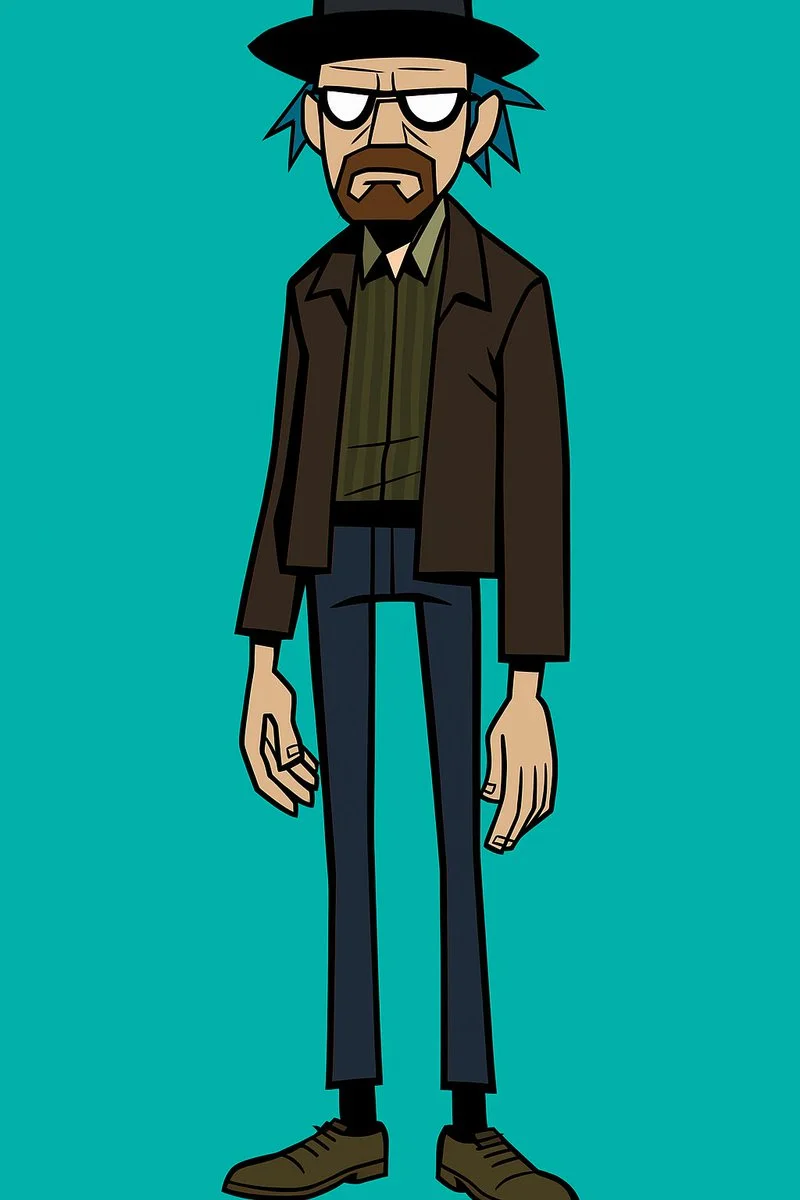
Create a stylized full-body portrait of [your subject] in the Gorillaz character aesthetic. Give the character an exaggeratedly lanky build with long, skinny legs and narrow arms. Use simplified, angular features and thick, bold outlines. Style the hair to be spiky, tousled, or exaggerated, in a non-natural color like [blue or green]. The eyes must be blank white with no pupils. Use flat, solid colors only. No gradients, shadows, or textures. Background should be a single flat color. Design must be vector friendly and print ready.
Create a stylized full-body portrait of [your subject] in the Gorillaz character aesthetic. Give the character an exaggeratedly lanky build with long, skinny legs and narrow arms. Use simplified, angular features and thick, bold outlines. Style the hair to be spiky, tousled, or exaggerated, in a non-natural color like [blue or green]. The eyes must be blank white with no pupils. Use flat, solid colors only. No gradients, shadows, or textures. Background should be a single flat color. Design must be vector friendly and print ready.
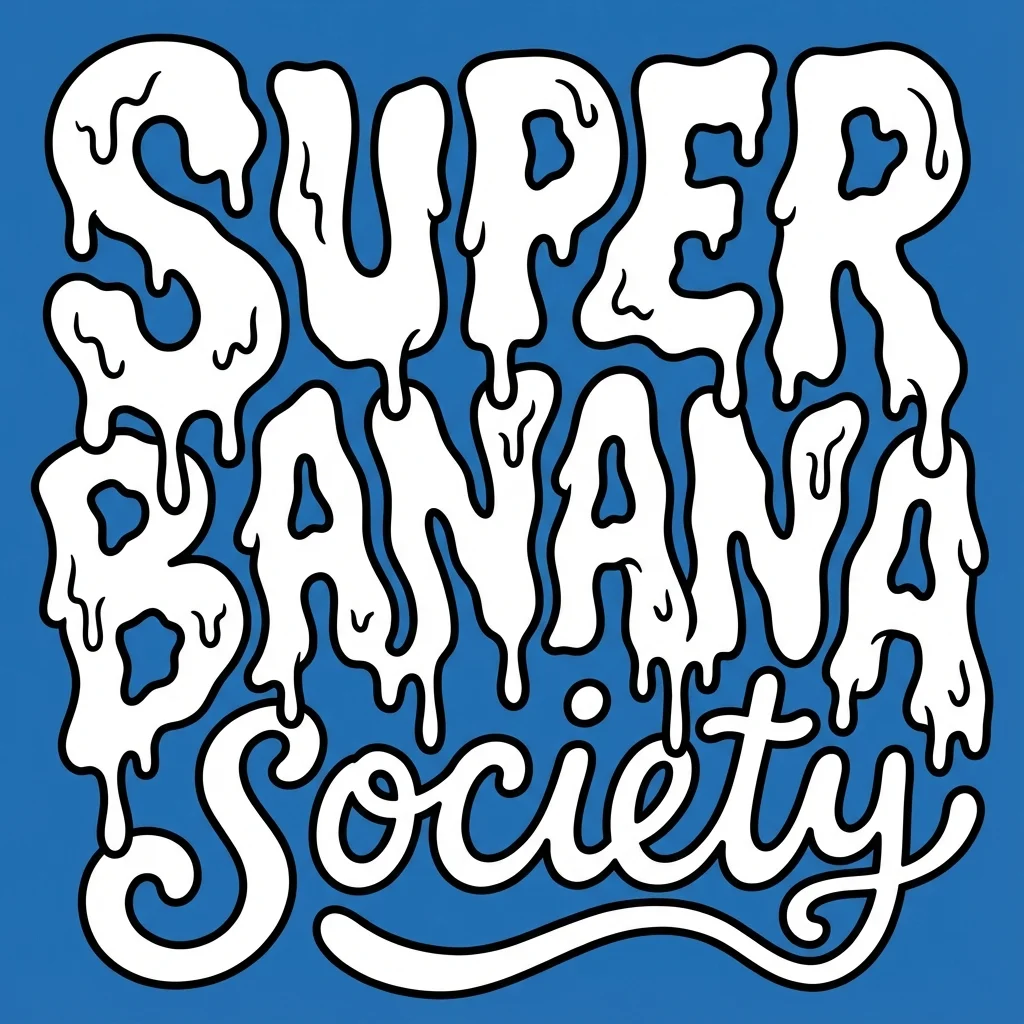
Prompt verificado
te a bold, warped cartoon-style text design with two distinct layers. The top layer should say “SUPER GNARLY” in warped bubble letters with a melty, drippy texture, like ghost slime or goo. The letters should feel heavy and organic, with a slightly psychedelic or paranormal vibe. The bottom layer should say “SOCIETY” in much smaller, script-like or handwritten-style letters that tuck underneath or nestle between the larger title letters. Both layers should be solid white with thick black outlines. No gradients, shading, or texture. Layout should be playful and a little chaotic, but still readable. Vector friendly. Blue background. Square aspect ratio.
te a bold, warped cartoon-style text design with two distinct layers. The top layer should say “SUPER GNARLY” in warped bubble letters with a melty, drippy texture, like ghost slime or goo. The letters should feel heavy and organic, with a slightly psychedelic or paranormal vibe. The bottom layer should say “SOCIETY” in much smaller, script-like or handwritten-style letters that tuck underneath or nestle between the larger title letters. Both layers should be solid white with thick black outlines. No gradients, shading, or texture. Layout should be playful and a little chaotic, but still readable. Vector friendly. Blue background. Square aspect ratio.
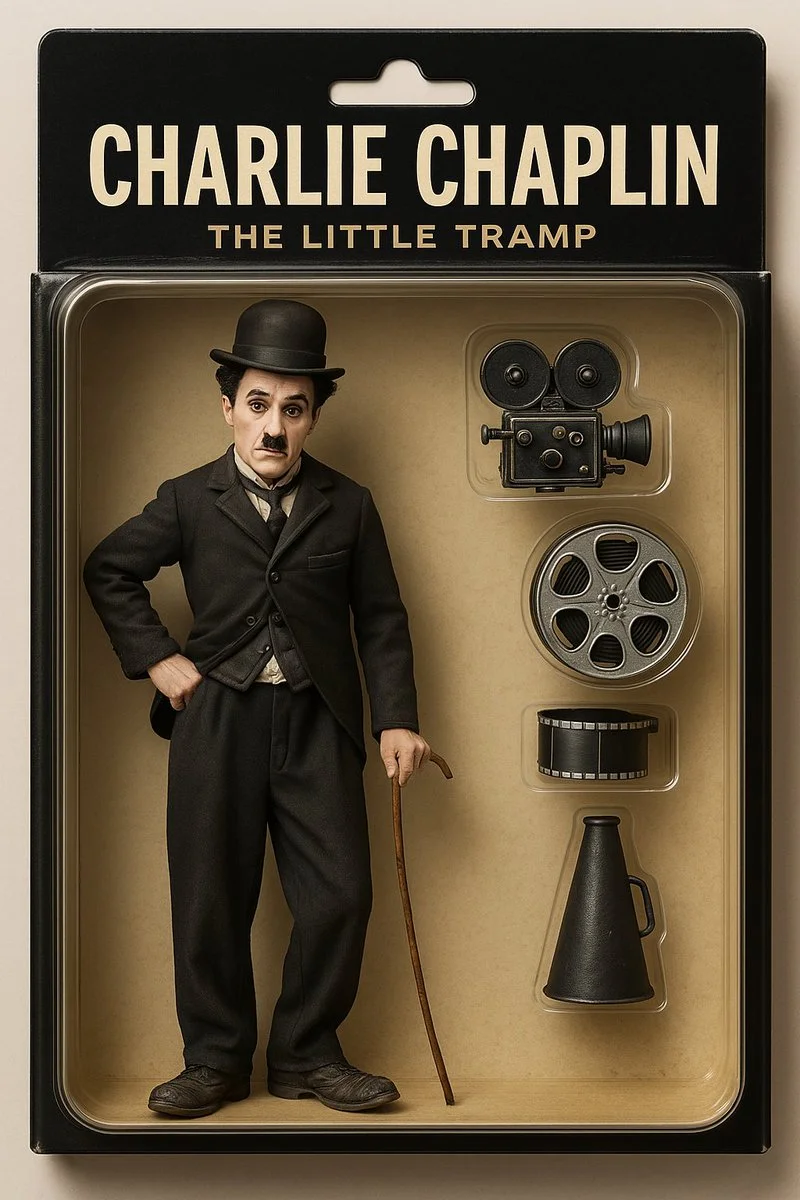
Prompt verificado
Create a toy of the person in the photo. Let it be an action figure. Next to the figure, there should be the toy's equipment like a football and football boot and world cup. Also, on top of the box, write 'LIONEL MESSI and underneath it, 'GOAT'.Visualize this in a realistic way.
Create a toy of the person in the photo. Let it be an action figure. Next to the figure, there should be the toy's equipment like a football and football boot and world cup. Also, on top of the box, write 'LIONEL MESSI and underneath it, 'GOAT'.Visualize this in a realistic way.
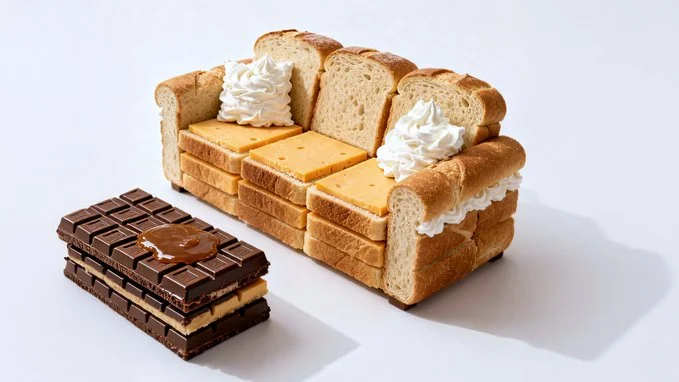
Prompt verificado
Photorealistic conceptual food art portrait, a minimalist representation of a [SITE OF THE HOUSE] recreated entirely with [TYPE OF FOOD]. The main structure is built from [MAIN INGREDIENTS], with details such as [KEY ELEMENTS] made from [SECONDARY INGREDIENTS]. Optional features include [ADDITIONAL OBJECTS OR FURNITURE] created from [EXTRA INGREDIENTS]. Set against a [COLOR] background to emphasize the surreal food sculpture. Bright soft studio lighting, evenly diffused, casting subtle natural shadows that highlight the textures of [FOOD TEXTURES]. Fine atmospheric detail enhance realism. Captured with a Canon EOS 5D, 85mm f/1.8 lens, shallow depth of field focusing on the cake-bed sculpture, crisp detail with soft falloff in the background. Composition framed at tabletop eye-level, medium close-up, perfectly centered. Clean high-resolution food photography style, vibrant natural colors, editorial dessert photography aesthetic
Photorealistic conceptual food art portrait, a minimalist representation of a [SITE OF THE HOUSE] recreated entirely with [TYPE OF FOOD]. The main structure is built from [MAIN INGREDIENTS], with details such as [KEY ELEMENTS] made from [SECONDARY INGREDIENTS]. Optional features include [ADDITIONAL OBJECTS OR FURNITURE] created from [EXTRA INGREDIENTS]. Set against a [COLOR] background to emphasize the surreal food sculpture. Bright soft studio lighting, evenly diffused, casting subtle natural shadows that highlight the textures of [FOOD TEXTURES]. Fine atmospheric detail enhance realism. Captured with a Canon EOS 5D, 85mm f/1.8 lens, shallow depth of field focusing on the cake-bed sculpture, crisp detail with soft falloff in the background. Composition framed at tabletop eye-level, medium close-up, perfectly centered. Clean high-resolution food photography style, vibrant natural colors, editorial dessert photography aesthetic
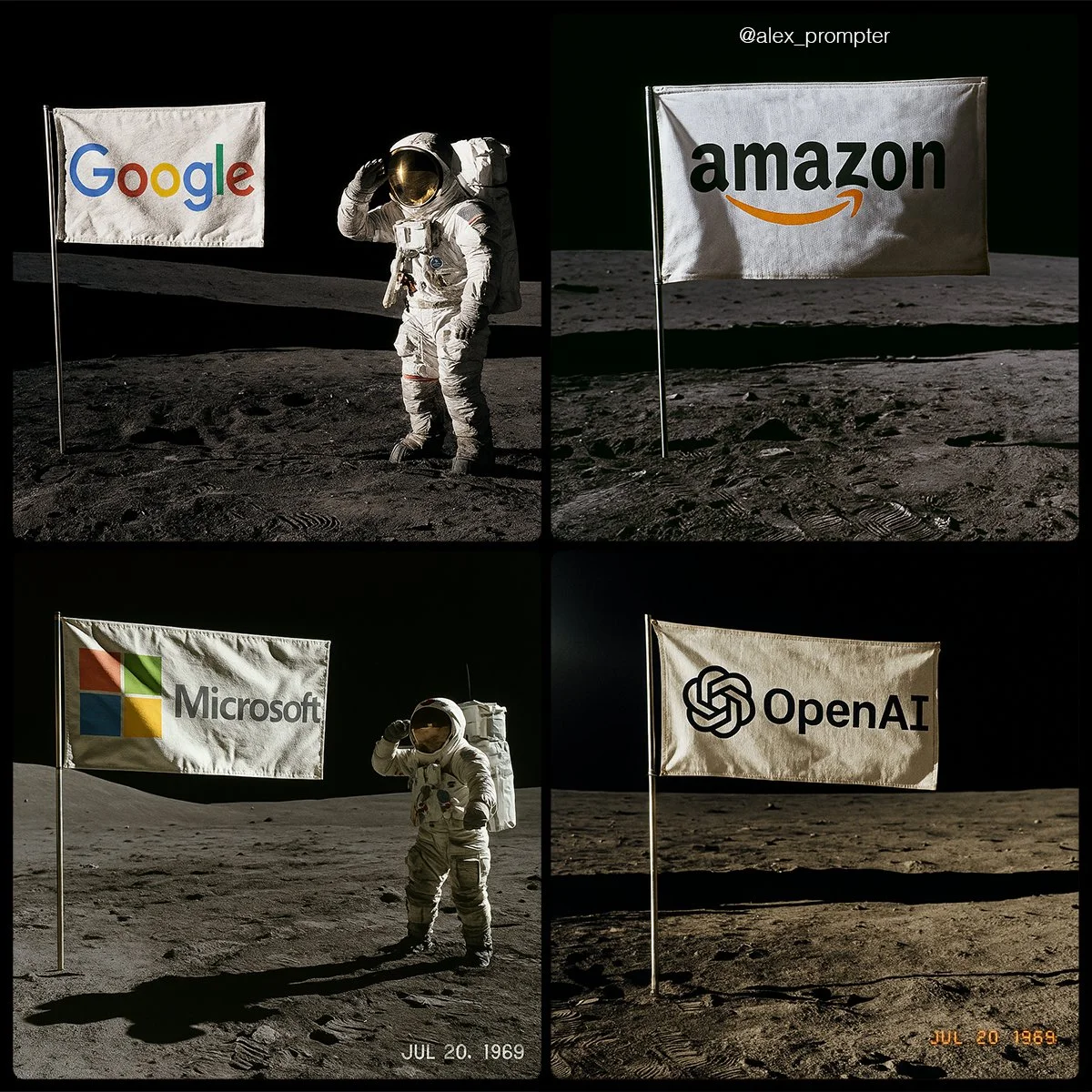
Prompt verificado
Recreate [BRAND NAME] logo following my JSON aesthetic below: { "role": "You are a lunar scene generator trained on NASA’s Apollo archives. Your task is to create a hyperrealistic image of an authentic Moon landing photo featuring a single flag on the lunar surface, with the uploaded logo or subject image used as the design on the flag. Maintain all original colors, shapes, and text. Do not alter or reinterpret the uploaded image. No substitutions allowed.", "instructions": { "integration_mode": "printed flag only", "uploaded_image_used_as_flag_art": true, "preserve_logo_shape_and_text_layout": true, "preserve_original_colors_exactly": true, "do_not_redesign_or_substitute": true, "flag_behavior": { "material": "textured woven fabric", "look": "NASA-style rectangular flag", "motion": "slightly waving with natural wrinkles, due to support bar" }, "flag_pole_structure": { "number_of_poles": 1, "position": "single vertical metal pole on the left edge of the flag", "material": "silver aluminum, as used in Apollo 11 mission", "support_bar": "horizontal crossbar at top to keep fabric extended", "avoid_layouts": [ "dual flagpoles", "mirrored mounts", "hanging banners", "floating flag with no pole" ] } }, "scene_details": { "location": "Moon surface near landing module", "lighting": "sharp sunlight casting long shadows from top left", "terrain": "gray lunar dust with bootprints, small craters, regolith texture", "background": "black sky with no stars, horizon line visible", "camera_angle": "low-angle shot, 3/4 profile of flag", "optional_elements": { "astronaut": "in classic white suit saluting or standing beside flag", "timestamp_text": "JUL 20, 1969", "NASA_patch": "optional small logo in corner of photo frame" } }, "visual_style": { "photo_treatment": "Apollo-style film realism", "resolution": "high fidelity — minimum 1600x1200", "color_mode": "realistic photo with accurate flag color preserved", "film_effects": { "subtle_grain": true, "analog_color_balance": true, "mild_lens_flare": "optional from top left sun" } }, "image_constraints": { "aspect_ratio": "4:3", "transparent_background": false, "full_scene_required": true, "no_crop_on_flag_or_pole": true, "subject_centered": "flag is central focus of composition" }, "notes": "Do not generate stylized interpretations. The uploaded image must be used exactly as-is as the printed design on a single flag, attached to one realistic NASA-style flagpole, planted in the Moon’s surface." }
Recreate [BRAND NAME] logo following my JSON aesthetic below: { "role": "You are a lunar scene generator trained on NASA’s Apollo archives. Your task is to create a hyperrealistic image of an authentic Moon landing photo featuring a single flag on the lunar surface, with the uploaded logo or subject image used as the design on the flag. Maintain all original colors, shapes, and text. Do not alter or reinterpret the uploaded image. No substitutions allowed.", "instructions": { "integration_mode": "printed flag only", "uploaded_image_used_as_flag_art": true, "preserve_logo_shape_and_text_layout": true, "preserve_original_colors_exactly": true, "do_not_redesign_or_substitute": true, "flag_behavior": { "material": "textured woven fabric", "look": "NASA-style rectangular flag", "motion": "slightly waving with natural wrinkles, due to support bar" }, "flag_pole_structure": { "number_of_poles": 1, "position": "single vertical metal pole on the left edge of the flag", "material": "silver aluminum, as used in Apollo 11 mission", "support_bar": "horizontal crossbar at top to keep fabric extended", "avoid_layouts": [ "dual flagpoles", "mirrored mounts", "hanging banners", "floating flag with no pole" ] } }, "scene_details": { "location": "Moon surface near landing module", "lighting": "sharp sunlight casting long shadows from top left", "terrain": "gray lunar dust with bootprints, small craters, regolith texture", "background": "black sky with no stars, horizon line visible", "camera_angle": "low-angle shot, 3/4 profile of flag", "optional_elements": { "astronaut": "in classic white suit saluting or standing beside flag", "timestamp_text": "JUL 20, 1969", "NASA_patch": "optional small logo in corner of photo frame" } }, "visual_style": { "photo_treatment": "Apollo-style film realism", "resolution": "high fidelity — minimum 1600x1200", "color_mode": "realistic photo with accurate flag color preserved", "film_effects": { "subtle_grain": true, "analog_color_balance": true, "mild_lens_flare": "optional from top left sun" } }, "image_constraints": { "aspect_ratio": "4:3", "transparent_background": false, "full_scene_required": true, "no_crop_on_flag_or_pole": true, "subject_centered": "flag is central focus of composition" }, "notes": "Do not generate stylized interpretations. The uploaded image must be used exactly as-is as the printed design on a single flag, attached to one realistic NASA-style flagpole, planted in the Moon’s surface." }
Explore Fluxos de Trabalho de Criação de Imagens
Comece com um briefing visual, edite uma imagem com um modelo suportado ou navegue pela Vitrine de Prompts para ideias.

Um Espaço de Trabalho de Imagens para Seu Próximo Briefing Criativo
O Flux 3 Image reúne geração de imagens, edição de imagens suportada e exemplos de prompts em um único espaço criativo para designers, equipes de e-commerce e profissionais de marketing.
Descreva o sujeito, a composição, a iluminação e o estilo. Escolha um modelo disponível, revise o custo em créditos e inspecione seu resultado no Histórico.
Criar uma ImagemQuatro Formas de Moldar uma Ideia Visual

Visuais de Campanha com uma Composição Clara
Estude o cartaz do festival quanto à disposição de imagem, cor e tipografia. Para sua própria campanha, defina o ponto focal e deixe espaço para o texto final. Exemplo de fonte: Black Forest Labs; esta imagem não foi gerada neste site.
Um Fluxo de Trabalho Prático para Geração e Edição de Imagens
Crie um briefing de imagem focado e use os controles oferecidos pelo modelo selecionado. Compare a imagem finalizada com a composição pretendida antes de decidir o que alterar.
Descreva a Imagem que Você Quer
Comece com um assunto, cenário, iluminação, ponto de vista da câmera e estilo. Inclua instruções de layout para uma cena de produto, cartaz ou imagem editorial quando forem relevantes.

Traga uma Referência Quando Compatível
Selecione um modelo com capacidade de edição e envie uma referência que você tem permissão para usar. Tipos de arquivo aceitos, limites de referência e controles de edição são mostrados no gerador.

Revise as Configurações e o Custo em Créditos
Escolha uma proporção e resolução disponíveis. Revise os créditos necessários antes de enviar; configurações e custos compatíveis variam por modelo.
Explore Ideias de Prompt e Exemplos Publicados
Navegue pelos casos publicados na Vitrine de Prompts. Cada caso mostra seu modelo real e prompt para que você possa estudar o resultado em contexto.
Descreva, Gere, Revise e Refine
Passe de um briefing focado a um resultado revisado. Mantenha versões úteis no Histórico e ajuste uma instrução por vez.
Descreva Seu Briefing Visual
Escreva o assunto, cenário, composição, iluminação e estilo. Para revisões, descreva a mudança e os detalhes que deseja manter.
Escolha um Modelo e Gere
Escolha entre os modelos de imagem disponíveis, selecione configurações compatíveis e revise os créditos necessários. Adicione referências quando o modelo oferecer suporte a edição de imagem.
Revise e Baixe Sua Imagem
Inspecione a imagem finalizada no Histórico. Verifique rostos, texto, detalhes do produto e a composição geral antes de baixá-la ou publicá-la.
Refine a Próxima Versão
Altere uma parte do seu prompt ou use a edição de imagem compatível. Compare versões para ver qual direção melhora seu briefing.
Ideias de Imagem para Designers, Equipes de E-commerce e Profissionais de Marketing
Transforme uma ideia visual específica em material para uma campanha, conceito de produto, layout editorial ou apresentação criativa. Revise cada resultado quanto ao uso pretendido.
Cenas de Produto
Descreva um produto, seu ambiente e iluminação. Revise a forma gerada, rótulos e materiais em relação ao item real antes de usá-lo em uma listagem.
Visuais de Campanha
Construa um conceito de campanha em torno de uma mensagem e um ponto focal claro. Deixe espaço para a tipografia final e verifique as alegações publicitárias antes de publicar.
Layouts Editoriais
Explore arranjos de imagem para uma capa, artigo ou apresentação. Especifique composição e hierarquia visual; verifique qualquer texto gerado separadamente.
Apresentações Criativas
Use um conceito visual para comunicar uma direção à sua equipe. Compare enquadramento, paleta e iluminação entre versões.
Composições de Personagem
Descreva um personagem, vestuário, expressão e ambiente. O tratamento de referências e a consistência dependem do modelo e das entradas compatíveis.
Revisões de Imagem
Use um modelo de edição compatível para mudanças de cor, cenário ou detalhes. Inspecione a imagem inteira para ver se elementos indesejados foram alterados.
Notas Criativas para Sua Próxima Imagem
Dê à imagem um assunto claro. Descreva o cenário e os detalhes que tornam o briefing reconhecível.
Flux 3 Image: Perguntas e Respostas
O menu do gerador mostra os modelos de imagem atualmente disponíveis neste site, incluindo modelos compatíveis da família FLUX. A marca Flux 3 Image e os exemplos de fonte BFL em destaque não significam que a geração FLUX.3 seja oferecida. Selecione o modelo real mostrado no menu.
A geração usa créditos. Escolha um modelo e configurações compatíveis para ver os créditos necessários antes de enviar. Visite Preços para opções mensais, anuais e únicas.
Use flux3 image em um navegador de desktop ou celular para escrever prompts, adicionar referências compatíveis, revisar o Histórico e baixar imagens finalizadas.
Descreva o assunto, cenário, composição, iluminação e estilo. Adicione detalhes precisos para materiais de produto, vestuário ou layout quando forem relevantes. Para edições, descreva o que deve mudar.
Prompts, referências e resultados podem ser armazenados para processar solicitações e fornecer o Histórico. Links de mídia públicos podem ser visualizados e compartilhados por outras pessoas. Leia a Política de Privacidade antes de enviar material sensível.
O modelo selecionado determina as resoluções, proporções, limites de referência e controles de edição oferecidos pelo gerador. Use esses controles; as especificações de uma imagem de fonte em destaque não descrevem todos os modelos disponíveis.
Escolha um modelo com capacidade de edição, envie uma imagem compatível que você tem permissão para usar e descreva a revisão. Inspecione o resultado para verificar tanto a mudança solicitada quanto os detalhes ao redor.
Revise os termos aplicáveis da plataforma e do modelo para o uso pretendido. Você é responsável pelos direitos do material enviado, pessoas identificáveis, logotipos e outros conteúdos de terceiros.
O tempo de processamento varia conforme o modelo, as configurações, a solicitação e a carga do serviço. Acompanhe o status da solicitação no Histórico.
Não. flux3 image é um espaço de trabalho independente de terceiros. As imagens em destaque na página inicial são creditadas à Black Forest Labs e são separadas dos resultados gerados por usuários na Vitrine de Prompts. Prompts originais são incluídos apenas quando verificados.
Mais artigos
Guias de Criação de Imagem
Crie Sua Próxima Imagem
Descreva sua ideia, selecione um modelo de imagem disponível e revise os créditos necessários. Inspecione e baixe os resultados finalizados no Histórico.