
Flux 3 Image: Controle cada pixel
Transforme ideias em visuais cuidadosamente compostos.
Crie cenas de produtos, layouts editoriais, visuais de campanha e composições de personagens com os modelos de imagem disponíveis. Imagens de origem em destaque: Black Forest Labs.

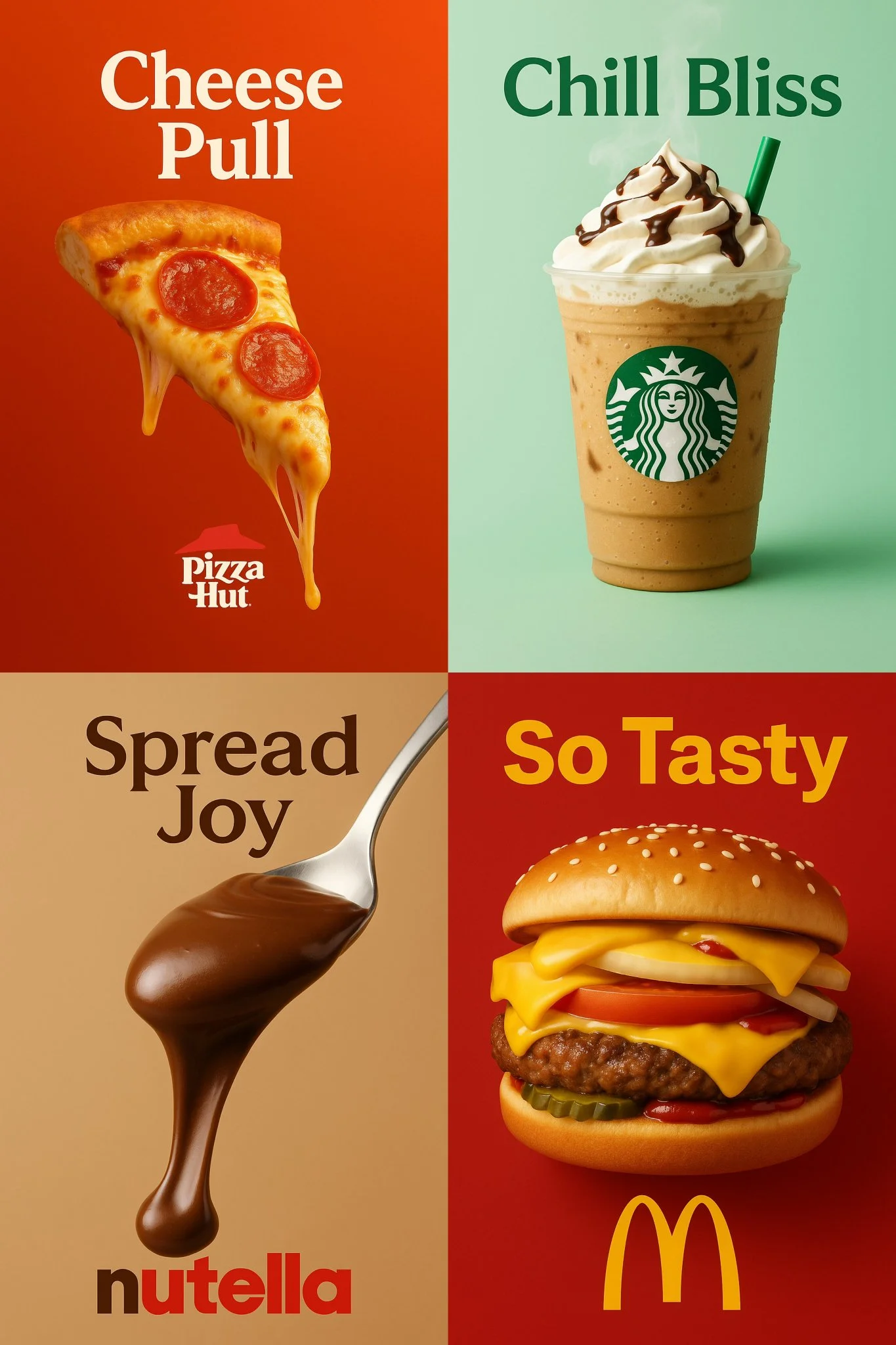
Prompt verificado
a vertical 2:3 high-resolution food advertisement featuring the most iconic and delicious product from a well-known brand called [INSERT BRAND NAME]. The product appears centered with mouthwatering details — such as melted cheese, dripping chocolate, whipped cream, or condensation — depending on the product. The background should be a gradient or pastel tone inspired by the brand’s identity. At the top, display a bold slogan in a color that matches the brand’s style. At the bottom, include the official logo of the brand. Use cinematic studio lighting, soft shadows, and ultra-sharp textures to create a visually irresistible and minimal poster.
a vertical 2:3 high-resolution food advertisement featuring the most iconic and delicious product from a well-known brand called [INSERT BRAND NAME]. The product appears centered with mouthwatering details — such as melted cheese, dripping chocolate, whipped cream, or condensation — depending on the product. The background should be a gradient or pastel tone inspired by the brand’s identity. At the top, display a bold slogan in a color that matches the brand’s style. At the bottom, include the official logo of the brand. Use cinematic studio lighting, soft shadows, and ultra-sharp textures to create a visually irresistible and minimal poster.
Prompt verificado
Prompt verificado
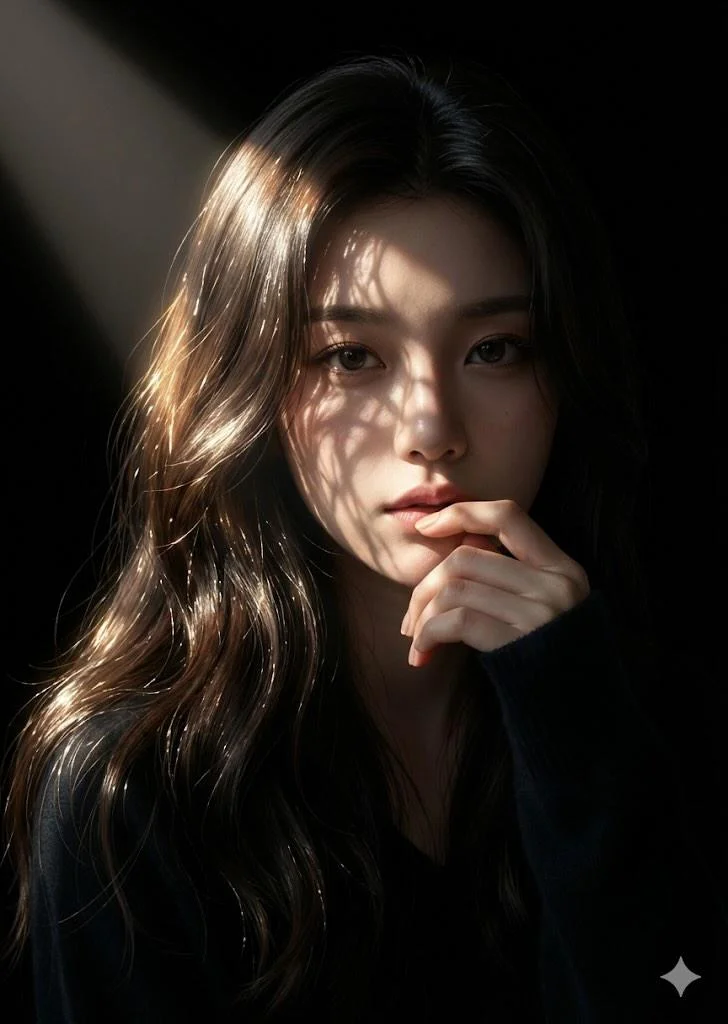
Close-up photographic portrait of young East Asian woman with long wavy dark brown hair, soft rim lighting. Sunlight rays through foliage cast delicate intricate leaf shadows on face and forehead. Contemplative expression, one hand softly near lips, dark navy blue sweater. Completely dark background for high-contrast cinematic chiaroscuro with warm golden highlights. Hyper-realistic 8K, 85mm portrait lens, soft depth of field.
Close-up photographic portrait of young East Asian woman with long wavy dark brown hair, soft rim lighting. Sunlight rays through foliage cast delicate intricate leaf shadows on face and forehead. Contemplative expression, one hand softly near lips, dark navy blue sweater. Completely dark background for high-contrast cinematic chiaroscuro with warm golden highlights. Hyper-realistic 8K, 85mm portrait lens, soft depth of field.
Prompt verificado
Prompt verificado
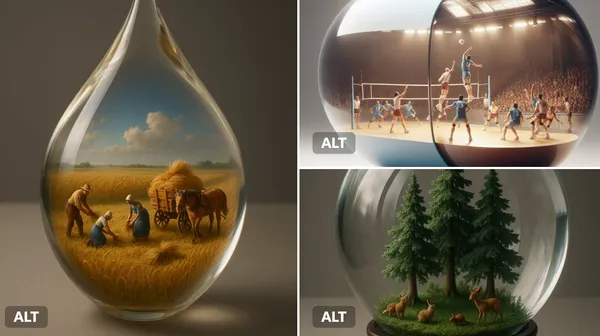
ant [transparent or glossy] [object/container] with a miniature 3D diorama inside it, depicting [a symbolic or narrative scene], studio-lit with soft shadows, placed on a neutral matte surface. Emphasize visual contrast between the scale of the capsule and the detail within. Highlight texture, light refraction, and emotional tone (e.g., surreal, poetic, or sci-fi).
ant [transparent or glossy] [object/container] with a miniature 3D diorama inside it, depicting [a symbolic or narrative scene], studio-lit with soft shadows, placed on a neutral matte surface. Emphasize visual contrast between the scale of the capsule and the detail within. Highlight texture, light refraction, and emotional tone (e.g., surreal, poetic, or sci-fi).
Prompt verificado
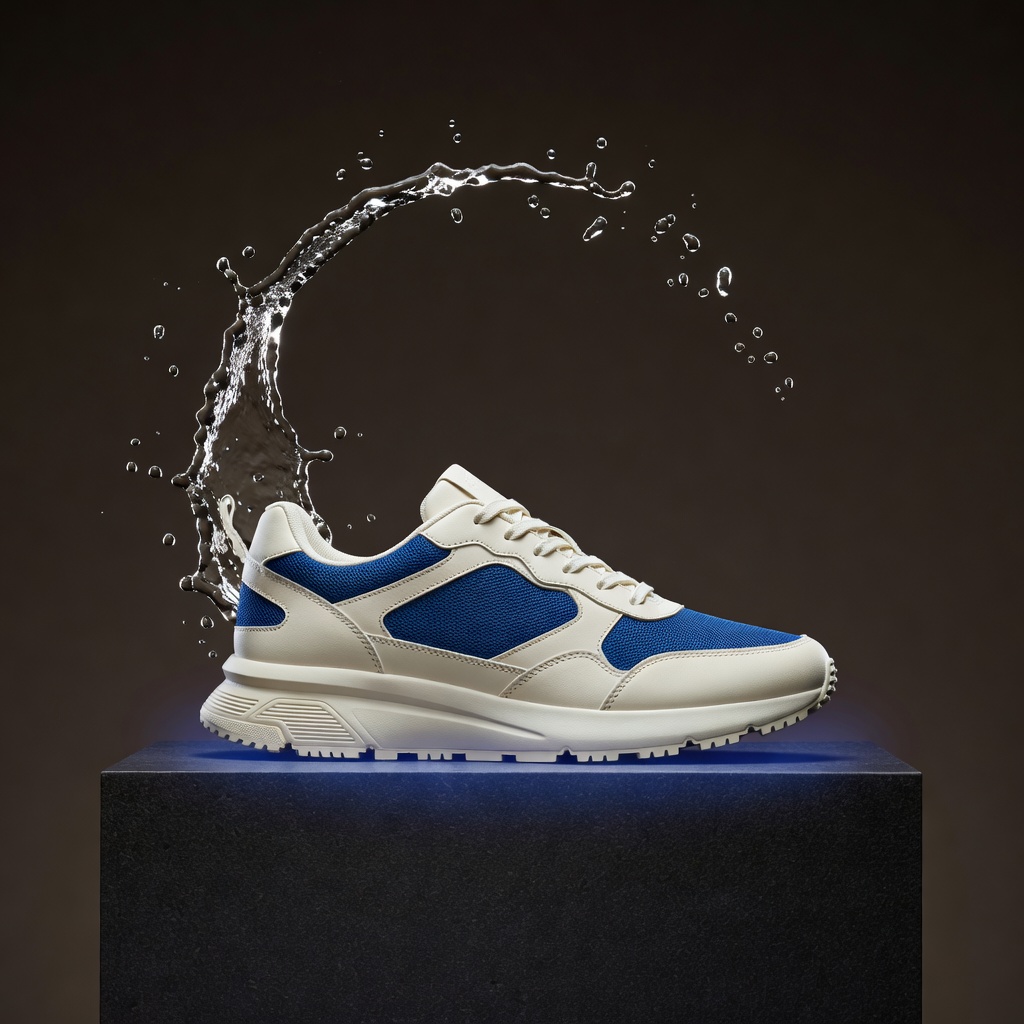
A striking original luxury sneaker advertising still for an Instagram product launch aimed at US and European streetwear audiences. Exactly one unbranded ivory running sneaker with cobalt-blue mesh accents rests naturally on a low dark basalt pedestal. A sculptural crescent of clear splashing water curves behind the shoe without obscuring it; a subtle cobalt glow separates the silhouette from a warm charcoal studio background. Vertical composition with the entire sneaker visible in a refined three-quarter side view, product in the lower two-thirds, clean negative space above for future campaign typography. Photorealistic premium commercial photography, crisp woven fabric, realistic laces and rubber tread, physically believable water droplets frozen by a fast studio flash, dramatic but elegant rim light, controlled reflections, exquisite material detail, restrained cinematic contrast. Consistent shoe geometry, one shoe only, no logos, no text, no watermark, no duplicate laces, no impossible sole or clutter.
A striking original luxury sneaker advertising still for an Instagram product launch aimed at US and European streetwear audiences. Exactly one unbranded ivory running sneaker with cobalt-blue mesh accents rests naturally on a low dark basalt pedestal. A sculptural crescent of clear splashing water curves behind the shoe without obscuring it; a subtle cobalt glow separates the silhouette from a warm charcoal studio background. Vertical composition with the entire sneaker visible in a refined three-quarter side view, product in the lower two-thirds, clean negative space above for future campaign typography. Photorealistic premium commercial photography, crisp woven fabric, realistic laces and rubber tread, physically believable water droplets frozen by a fast studio flash, dramatic but elegant rim light, controlled reflections, exquisite material detail, restrained cinematic contrast. Consistent shoe geometry, one shoe only, no logos, no text, no watermark, no duplicate laces, no impossible sole or clutter.
Prompt verificado
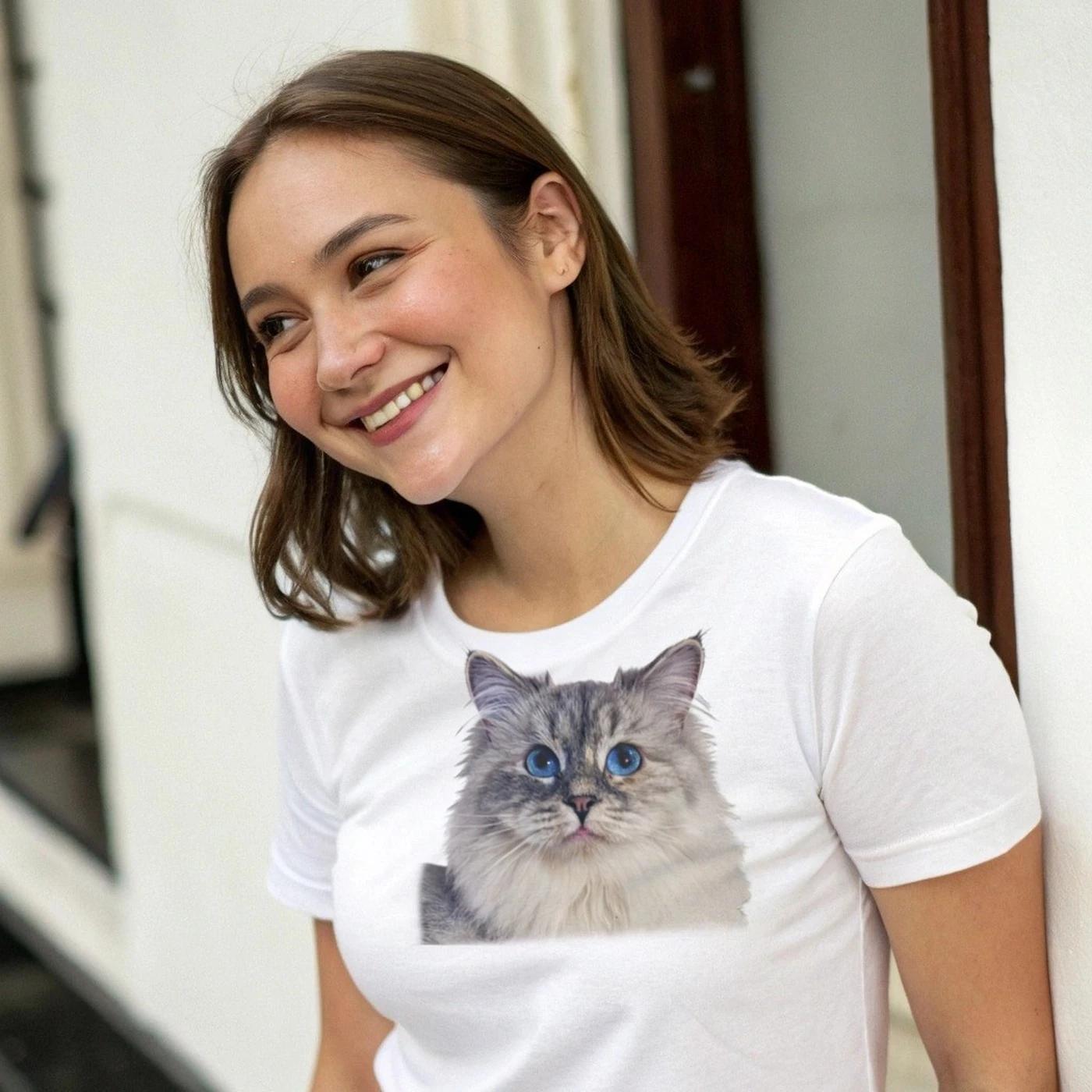
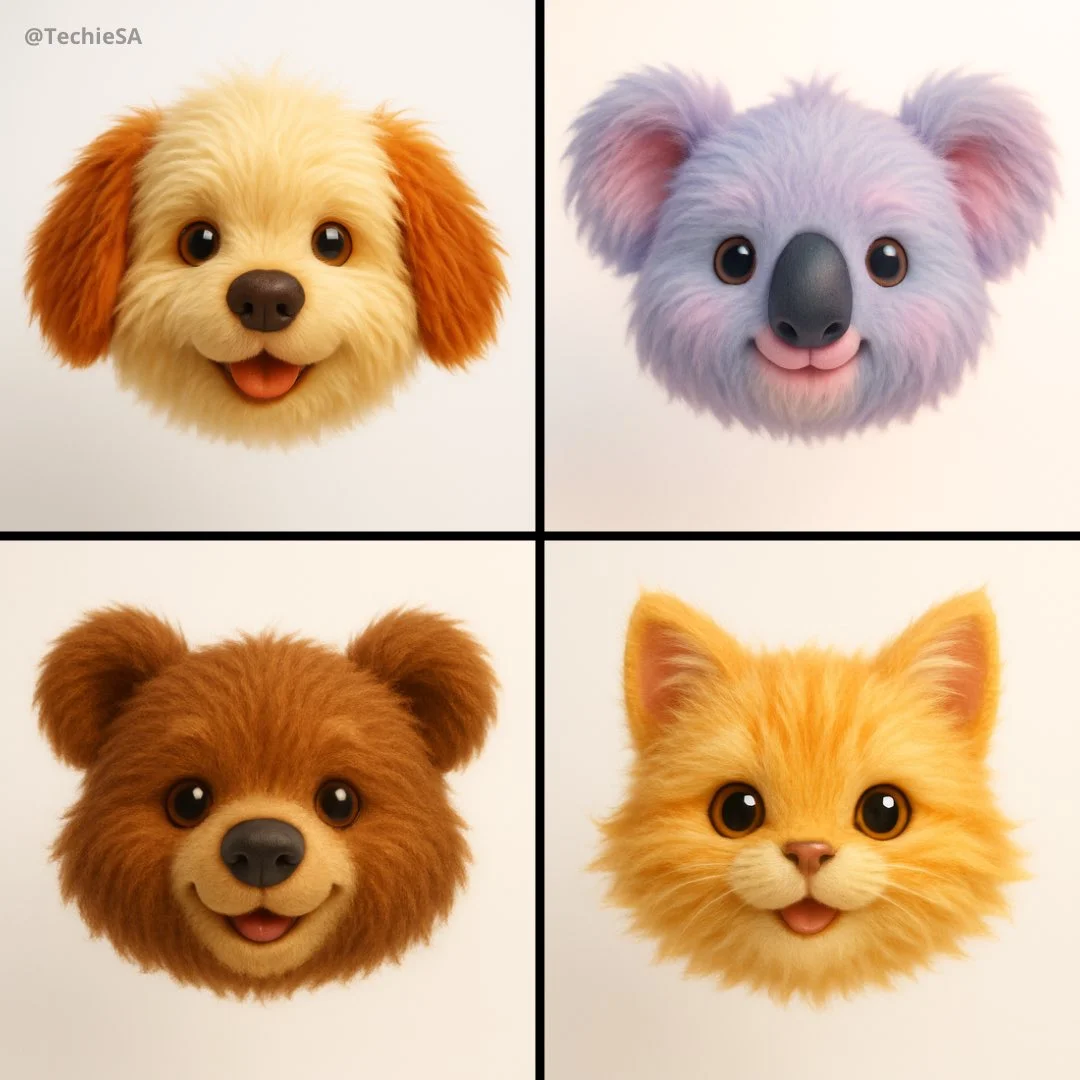
Generate a hyper-realistic 3D render of a [EMOJI🐱] as a floating animal head with plush toy aesthetics. The design should emphasize ultra-soft, long fur, playful cuteness, and a childlike charm. Use a straight-on camera angle with soft, diffused lighting to create a warm and inviting glow. Keep the background pure white for a clean, modern look. The color palette should be vibrant yet soothing, enhancing the toy-like appeal. Style: Ultra-detailed, whimsical, and hyper-cute, blending realism with a soft, plush texture for maximum visual impact.
Generate a hyper-realistic 3D render of a [EMOJI🐱] as a floating animal head with plush toy aesthetics. The design should emphasize ultra-soft, long fur, playful cuteness, and a childlike charm. Use a straight-on camera angle with soft, diffused lighting to create a warm and inviting glow. Keep the background pure white for a clean, modern look. The color palette should be vibrant yet soothing, enhancing the toy-like appeal. Style: Ultra-detailed, whimsical, and hyper-cute, blending realism with a soft, plush texture for maximum visual impact.
Prompt verificado
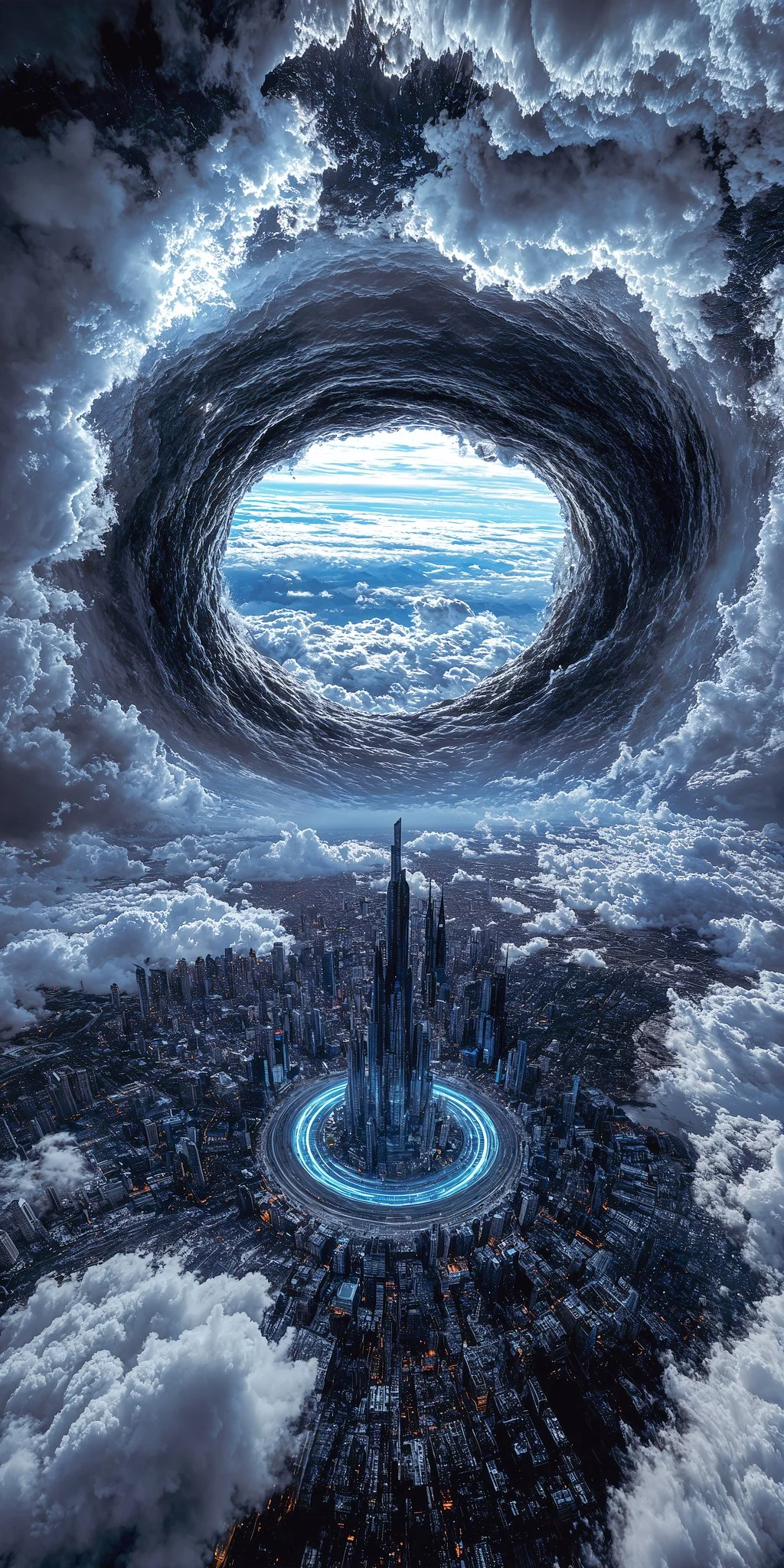
A massive spiral vortex tears through storm clouds above a futuristic illuminated city, revealing blue sky beyond a visual metaphor for artificial general intelligence breaking through the turbulence of current limitations to reach clarity beyond human comprehension.
A massive spiral vortex tears through storm clouds above a futuristic illuminated city, revealing blue sky beyond a visual metaphor for artificial general intelligence breaking through the turbulence of current limitations to reach clarity beyond human comprehension.
Prompt verificado
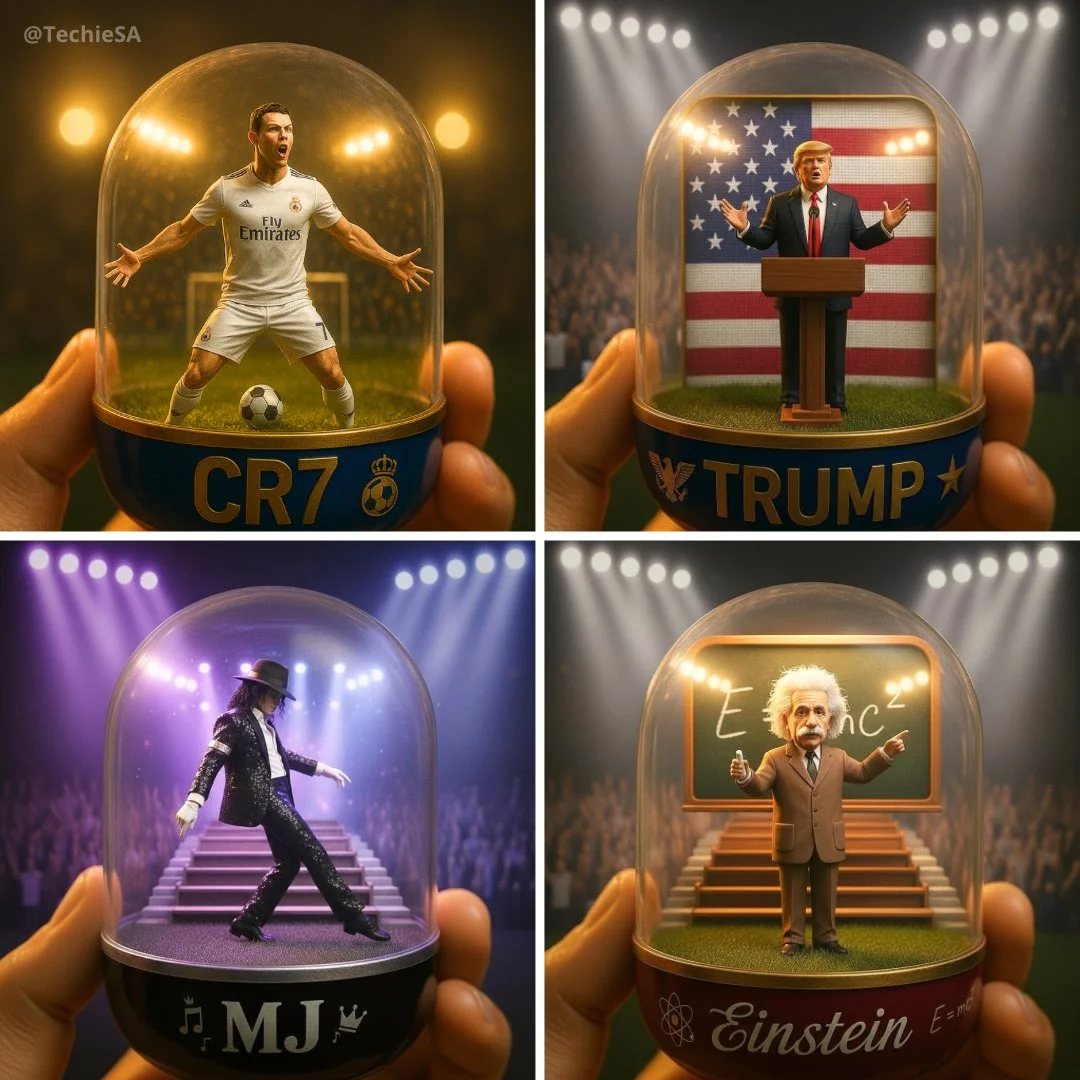
A detailed transparent gashapon capsule diorama, held between fingers, featuring [NAME] in their [ICONIC POSE / STYLE]. Inside: [short description of figure’s look, clothing, and accessories], with background elements such as [relevant setting: stadium, stage, lecture hall, etc.]. Lighting should be dramatic and cinematic, matching their theme (e.g., golden spotlight, concert glow, academic ambience). The capsule has a transparent top and a colored base (choose fitting color: e.g., royal blue, gold, black, red), decorated with [motifs related to the person]. The base is labeled with [NAME or NICKNAME] in a matching font style. The design should look like a miniature collectible, with photorealistic detail, soft bokeh, and a square 1080x1080 composition.
A detailed transparent gashapon capsule diorama, held between fingers, featuring [NAME] in their [ICONIC POSE / STYLE]. Inside: [short description of figure’s look, clothing, and accessories], with background elements such as [relevant setting: stadium, stage, lecture hall, etc.]. Lighting should be dramatic and cinematic, matching their theme (e.g., golden spotlight, concert glow, academic ambience). The capsule has a transparent top and a colored base (choose fitting color: e.g., royal blue, gold, black, red), decorated with [motifs related to the person]. The base is labeled with [NAME or NICKNAME] in a matching font style. The design should look like a miniature collectible, with photorealistic detail, soft bokeh, and a square 1080x1080 composition.
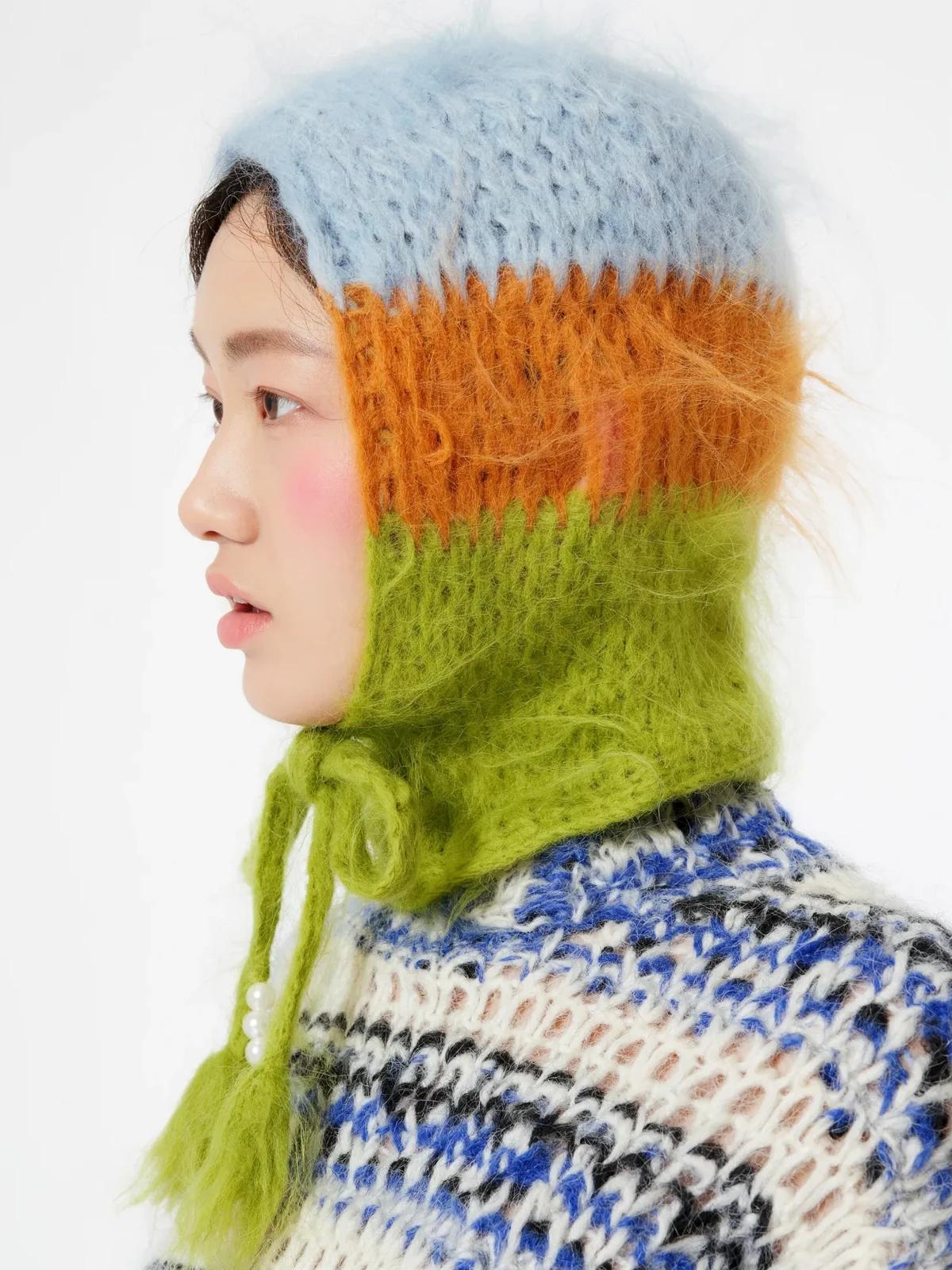
Prompt verificado
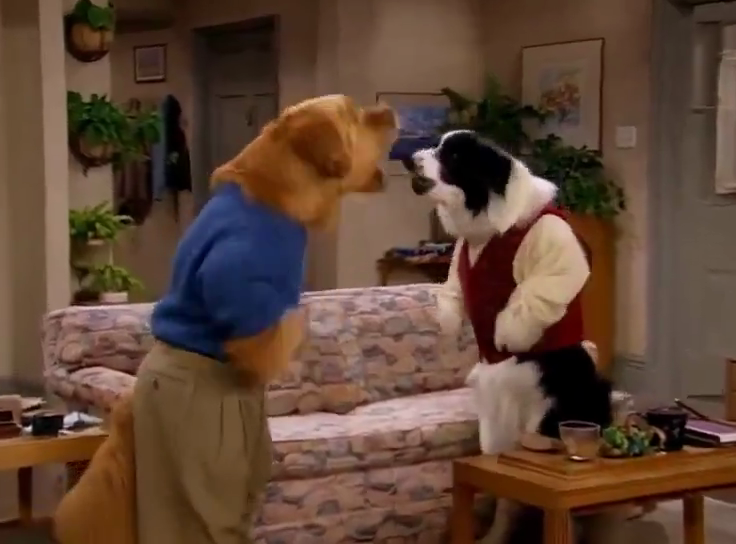
Prompt verificado
Prompt verificado
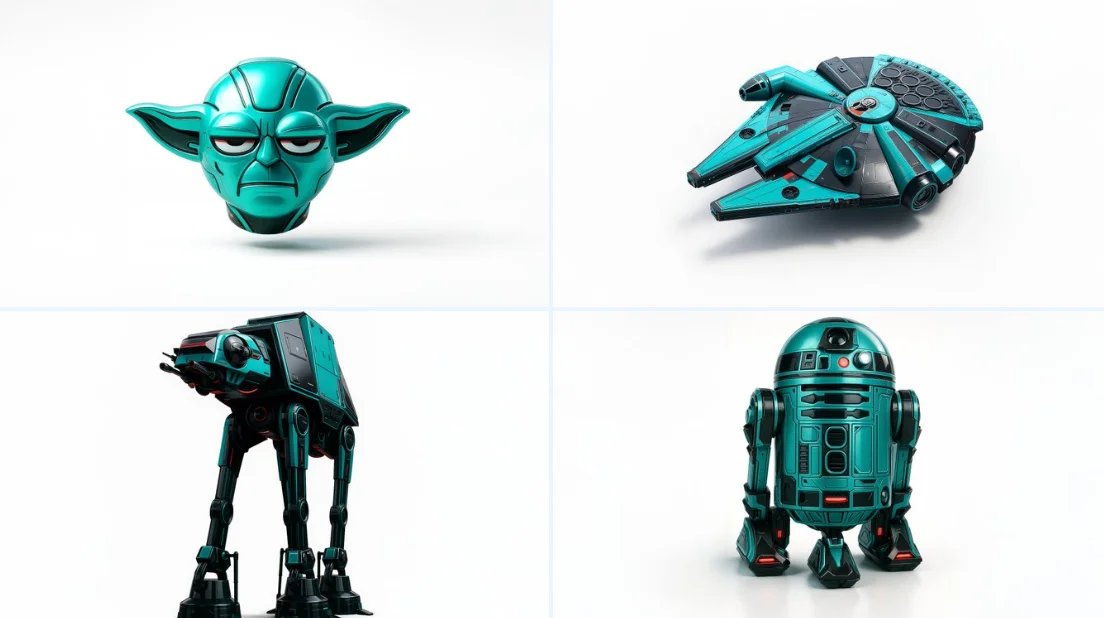
Retexture the image attached based on the json below { "style": "C4D hyper-realistic 3D render", "object_form": "detailed mechanical design", "geometry": { "shape": "sharp edges with smooth curves", "scale": "real-world proportion", "detailing": "high-poly mesh with intricate mechanical features" }, "material": { "base": "polished plastic and carbon fiber", "texture": "fine surface variation with specular maps", "finish": "high gloss with realistic reflections" }, "design_elements": { "decals": "subtle branding and panel lines", "surface_effects": "anodized gradients, emissive lighting elements", "aero_parts": "spoilers, splitters, and aggressive styling cues" }, "color_scheme": { "primary": "#0ae2c0", "secondary": "#111111", "accents": ["#ffffff", "#e00000"], "reflections": "real-world HDRI light environment", "background": "#ffffff" }, "lighting": { "type": "studio 3-point with HDRI", "intensity": "balanced with key fill and rim lights", "shadows": "soft, subtle contact shadow under object", "highlights": "strong specular reflections on curves" }, "rendering": { "engine": "Cinema 4D Redshift or Octane", "resolution": "ultra high-definition (4K+)", "focus": "object-centered with floating illusion", "background_blur": "none" }, "composition": { "layout": "centered in frame", "object_count": 1, "orientation": "three-quarter front view", "camera": "35mm lens, slightly elevated", "grounding": "floating mid-air with realistic soft shadow cast on white background" } }
Retexture the image attached based on the json below { "style": "C4D hyper-realistic 3D render", "object_form": "detailed mechanical design", "geometry": { "shape": "sharp edges with smooth curves", "scale": "real-world proportion", "detailing": "high-poly mesh with intricate mechanical features" }, "material": { "base": "polished plastic and carbon fiber", "texture": "fine surface variation with specular maps", "finish": "high gloss with realistic reflections" }, "design_elements": { "decals": "subtle branding and panel lines", "surface_effects": "anodized gradients, emissive lighting elements", "aero_parts": "spoilers, splitters, and aggressive styling cues" }, "color_scheme": { "primary": "#0ae2c0", "secondary": "#111111", "accents": ["#ffffff", "#e00000"], "reflections": "real-world HDRI light environment", "background": "#ffffff" }, "lighting": { "type": "studio 3-point with HDRI", "intensity": "balanced with key fill and rim lights", "shadows": "soft, subtle contact shadow under object", "highlights": "strong specular reflections on curves" }, "rendering": { "engine": "Cinema 4D Redshift or Octane", "resolution": "ultra high-definition (4K+)", "focus": "object-centered with floating illusion", "background_blur": "none" }, "composition": { "layout": "centered in frame", "object_count": 1, "orientation": "three-quarter front view", "camera": "35mm lens, slightly elevated", "grounding": "floating mid-air with realistic soft shadow cast on white background" } }
Explore Fluxos de Trabalho de Criação de Imagens
Comece com um briefing visual, edite uma imagem com um modelo suportado ou navegue pela Vitrine de Prompts para ideias.

Um Espaço de Trabalho de Imagens para Seu Próximo Briefing Criativo
O Flux 3 Image reúne geração de imagens, edição de imagens suportada e exemplos de prompts em um único espaço criativo para designers, equipes de e-commerce e profissionais de marketing.
Descreva o sujeito, a composição, a iluminação e o estilo. Escolha um modelo disponível, revise o custo em créditos e inspecione seu resultado no Histórico.
Criar uma ImagemQuatro Formas de Moldar uma Ideia Visual

Visuais de Campanha com uma Composição Clara
Estude o cartaz do festival quanto à disposição de imagem, cor e tipografia. Para sua própria campanha, defina o ponto focal e deixe espaço para o texto final. Exemplo de fonte: Black Forest Labs; esta imagem não foi gerada neste site.
Um Fluxo de Trabalho Prático para Geração e Edição de Imagens
Crie um briefing de imagem focado e use os controles oferecidos pelo modelo selecionado. Compare a imagem finalizada com a composição pretendida antes de decidir o que alterar.
Descreva a Imagem que Você Quer
Comece com um assunto, cenário, iluminação, ponto de vista da câmera e estilo. Inclua instruções de layout para uma cena de produto, cartaz ou imagem editorial quando forem relevantes.

Traga uma Referência Quando Compatível
Selecione um modelo com capacidade de edição e envie uma referência que você tem permissão para usar. Tipos de arquivo aceitos, limites de referência e controles de edição são mostrados no gerador.

Revise as Configurações e o Custo em Créditos
Escolha uma proporção e resolução disponíveis. Revise os créditos necessários antes de enviar; configurações e custos compatíveis variam por modelo.
Explore Ideias de Prompt e Exemplos Publicados
Navegue pelos casos publicados na Vitrine de Prompts. Cada caso mostra seu modelo real e prompt para que você possa estudar o resultado em contexto.
Descreva, Gere, Revise e Refine
Passe de um briefing focado a um resultado revisado. Mantenha versões úteis no Histórico e ajuste uma instrução por vez.
Descreva Seu Briefing Visual
Escreva o assunto, cenário, composição, iluminação e estilo. Para revisões, descreva a mudança e os detalhes que deseja manter.
Escolha um Modelo e Gere
Escolha entre os modelos de imagem disponíveis, selecione configurações compatíveis e revise os créditos necessários. Adicione referências quando o modelo oferecer suporte a edição de imagem.
Revise e Baixe Sua Imagem
Inspecione a imagem finalizada no Histórico. Verifique rostos, texto, detalhes do produto e a composição geral antes de baixá-la ou publicá-la.
Refine a Próxima Versão
Altere uma parte do seu prompt ou use a edição de imagem compatível. Compare versões para ver qual direção melhora seu briefing.
Ideias de Imagem para Designers, Equipes de E-commerce e Profissionais de Marketing
Transforme uma ideia visual específica em material para uma campanha, conceito de produto, layout editorial ou apresentação criativa. Revise cada resultado quanto ao uso pretendido.
Cenas de Produto
Descreva um produto, seu ambiente e iluminação. Revise a forma gerada, rótulos e materiais em relação ao item real antes de usá-lo em uma listagem.
Visuais de Campanha
Construa um conceito de campanha em torno de uma mensagem e um ponto focal claro. Deixe espaço para a tipografia final e verifique as alegações publicitárias antes de publicar.
Layouts Editoriais
Explore arranjos de imagem para uma capa, artigo ou apresentação. Especifique composição e hierarquia visual; verifique qualquer texto gerado separadamente.
Apresentações Criativas
Use um conceito visual para comunicar uma direção à sua equipe. Compare enquadramento, paleta e iluminação entre versões.
Composições de Personagem
Descreva um personagem, vestuário, expressão e ambiente. O tratamento de referências e a consistência dependem do modelo e das entradas compatíveis.
Revisões de Imagem
Use um modelo de edição compatível para mudanças de cor, cenário ou detalhes. Inspecione a imagem inteira para ver se elementos indesejados foram alterados.
Notas Criativas para Sua Próxima Imagem
Dê à imagem um assunto claro. Descreva o cenário e os detalhes que tornam o briefing reconhecível.

Flux 3 Image: Perguntas e Respostas
O menu do gerador mostra os modelos de imagem atualmente disponíveis neste site, incluindo modelos compatíveis da família FLUX. A marca Flux 3 Image e os exemplos de fonte BFL em destaque não significam que a geração FLUX.3 seja oferecida. Selecione o modelo real mostrado no menu.
A geração usa créditos. Escolha um modelo e configurações compatíveis para ver os créditos necessários antes de enviar. Visite Preços para opções mensais, anuais e únicas.
Use flux3 image em um navegador de desktop ou celular para escrever prompts, adicionar referências compatíveis, revisar o Histórico e baixar imagens finalizadas.
Descreva o assunto, cenário, composição, iluminação e estilo. Adicione detalhes precisos para materiais de produto, vestuário ou layout quando forem relevantes. Para edições, descreva o que deve mudar.
Prompts, referências e resultados podem ser armazenados para processar solicitações e fornecer o Histórico. Links de mídia públicos podem ser visualizados e compartilhados por outras pessoas. Leia a Política de Privacidade antes de enviar material sensível.
O modelo selecionado determina as resoluções, proporções, limites de referência e controles de edição oferecidos pelo gerador. Use esses controles; as especificações de uma imagem de fonte em destaque não descrevem todos os modelos disponíveis.
Escolha um modelo com capacidade de edição, envie uma imagem compatível que você tem permissão para usar e descreva a revisão. Inspecione o resultado para verificar tanto a mudança solicitada quanto os detalhes ao redor.
Revise os termos aplicáveis da plataforma e do modelo para o uso pretendido. Você é responsável pelos direitos do material enviado, pessoas identificáveis, logotipos e outros conteúdos de terceiros.
O tempo de processamento varia conforme o modelo, as configurações, a solicitação e a carga do serviço. Acompanhe o status da solicitação no Histórico.
Não. flux3 image é um espaço de trabalho independente de terceiros. As imagens em destaque na página inicial são creditadas à Black Forest Labs e são separadas dos resultados gerados por usuários na Vitrine de Prompts. Prompts originais são incluídos apenas quando verificados.
Mais artigos
Guias de Criação de Imagem
Crie Sua Próxima Imagem
Descreva sua ideia, selecione um modelo de imagem disponível e revise os créditos necessários. Inspecione e baixe os resultados finalizados no Histórico.