
Flux 3 Image: 모든 픽셀 제어
아이디어를 세심하게 구성된 비주얼로 전환하세요.
사용 가능한 이미지 모델로 제품 장면, 에디토리얼 레이아웃, 캠페인 비주얼 및 캐릭터 구성을 만드세요. 주요 소스 이미지: Black Forest Labs.

검증된 프롬프트
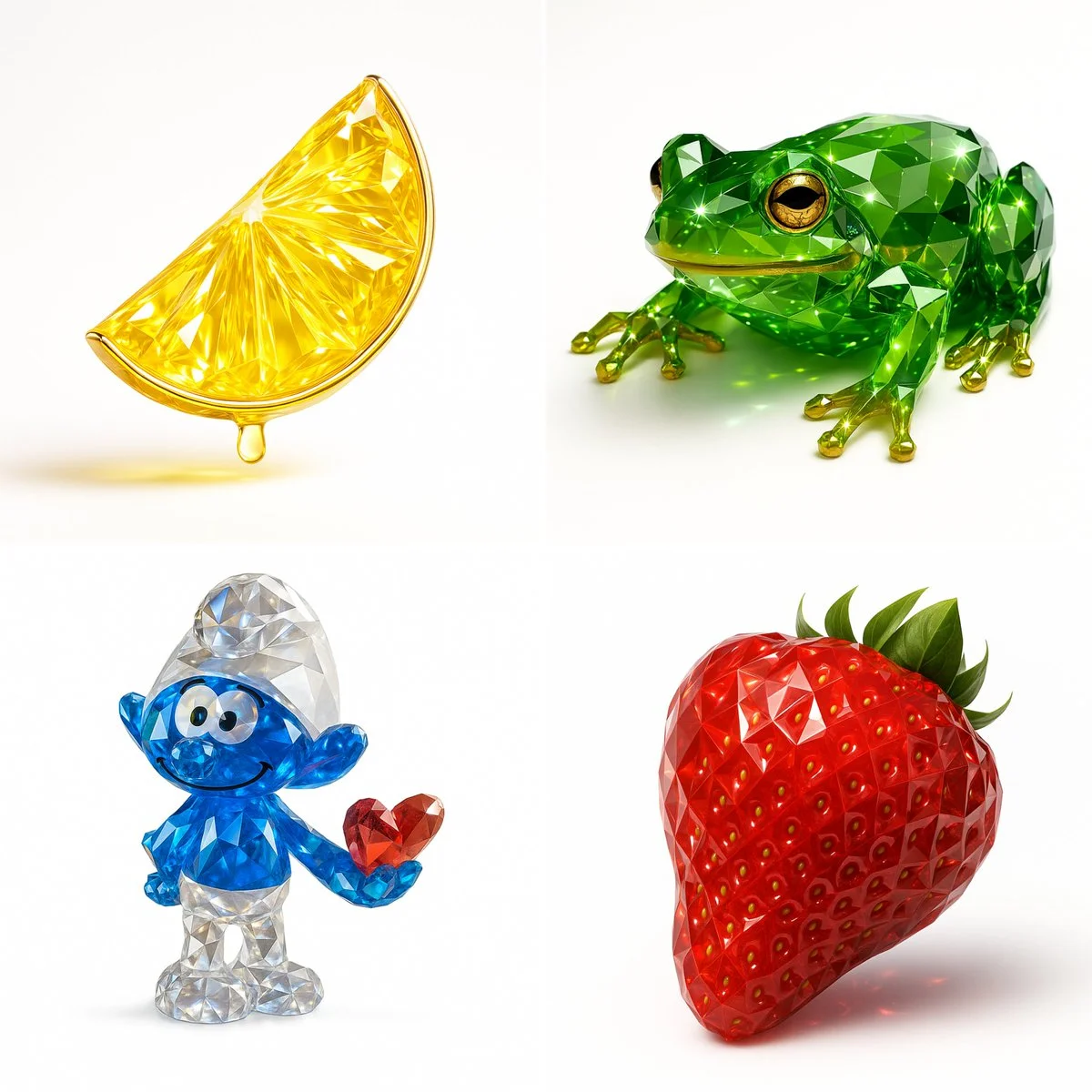
Recreate this image using the pamareters of the JSON provided. { "name": "Gemstone Render", "object": { "type": "auto", "detected_color": "auto", "form": "realistic, natural form preserved", "material": "crystal or faceted gemstone glass", "surface": "precision-cut facets, sharp reflections", "transparency": "high clarity with light refraction", "internal_features": "color depth, internal shimmer, and light dispersion" }, "color_and_light": { "primary_color": "{detected_color}", "highlight_effects": "specular highlights, gemstone brilliance, caustics", "lighting_setup": "studio lighting with white or soft background", "metallic_accents": { "enabled": true, "material": "gold or chrome", "application": "rim, stem, or edge detailing" } }, "style": { "artistic_style": [ "photorealistic 3D render", "Gemstone Render Style", "luxury object visualization" ], "design_language": [ "faceted precision modeling", "jewelry-like rendering", "optical depth and brilliance" ] }, "technical_details": { "render_engine": [ "Blender with Cycles", "Cinema 4D + Redshift/Octane" ], "rendering_techniques": [ "physically-based rendering (PBR)", "ray tracing", "global illumination" ], "resolution": "ultra high-res (4K–8K)", "post_processing": [ "subtle glow", "enhanced reflections", "color-preserving contrast boost" ] }
Recreate this image using the pamareters of the JSON provided. { "name": "Gemstone Render", "object": { "type": "auto", "detected_color": "auto", "form": "realistic, natural form preserved", "material": "crystal or faceted gemstone glass", "surface": "precision-cut facets, sharp reflections", "transparency": "high clarity with light refraction", "internal_features": "color depth, internal shimmer, and light dispersion" }, "color_and_light": { "primary_color": "{detected_color}", "highlight_effects": "specular highlights, gemstone brilliance, caustics", "lighting_setup": "studio lighting with white or soft background", "metallic_accents": { "enabled": true, "material": "gold or chrome", "application": "rim, stem, or edge detailing" } }, "style": { "artistic_style": [ "photorealistic 3D render", "Gemstone Render Style", "luxury object visualization" ], "design_language": [ "faceted precision modeling", "jewelry-like rendering", "optical depth and brilliance" ] }, "technical_details": { "render_engine": [ "Blender with Cycles", "Cinema 4D + Redshift/Octane" ], "rendering_techniques": [ "physically-based rendering (PBR)", "ray tracing", "global illumination" ], "resolution": "ultra high-res (4K–8K)", "post_processing": [ "subtle glow", "enhanced reflections", "color-preserving contrast boost" ] }
검증된 프롬프트
검증된 프롬프트
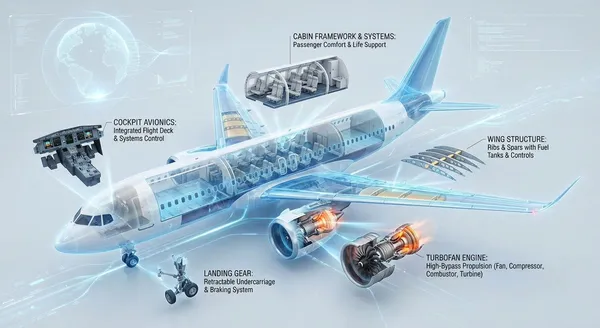
te a highly technological 3D cross-sectional infographic that reveals the internal structure and operational principles of a modern commercial jet aircraft. The illustration features a semi-exploded cutaway view of the main aircraft components—including the fuselage, wings, tail assembly, and a highlighted turbofan engine—meticulously rendered with high fidelity and precision. Key components (such as the cockpit avionics, passenger cabin framework, cargo hold, fuel tanks, wing ribs/spars, engine compressor/turbine, and landing gear mechanisms) are systematically disassembled and arranged in a floating manner, connected to the main body with leader lines. Each major section is clearly labeled with professional English annotations, indicating structural names and concise functional descriptions. The overall layout achieves ultimate clarity and logical organization, set against a clean background in a style reminiscent of a futuristic, interactive advanced engineering blueprint.
te a highly technological 3D cross-sectional infographic that reveals the internal structure and operational principles of a modern commercial jet aircraft. The illustration features a semi-exploded cutaway view of the main aircraft components—including the fuselage, wings, tail assembly, and a highlighted turbofan engine—meticulously rendered with high fidelity and precision. Key components (such as the cockpit avionics, passenger cabin framework, cargo hold, fuel tanks, wing ribs/spars, engine compressor/turbine, and landing gear mechanisms) are systematically disassembled and arranged in a floating manner, connected to the main body with leader lines. Each major section is clearly labeled with professional English annotations, indicating structural names and concise functional descriptions. The overall layout achieves ultimate clarity and logical organization, set against a clean background in a style reminiscent of a futuristic, interactive advanced engineering blueprint.
검증된 프롬프트
검증된 프롬프트
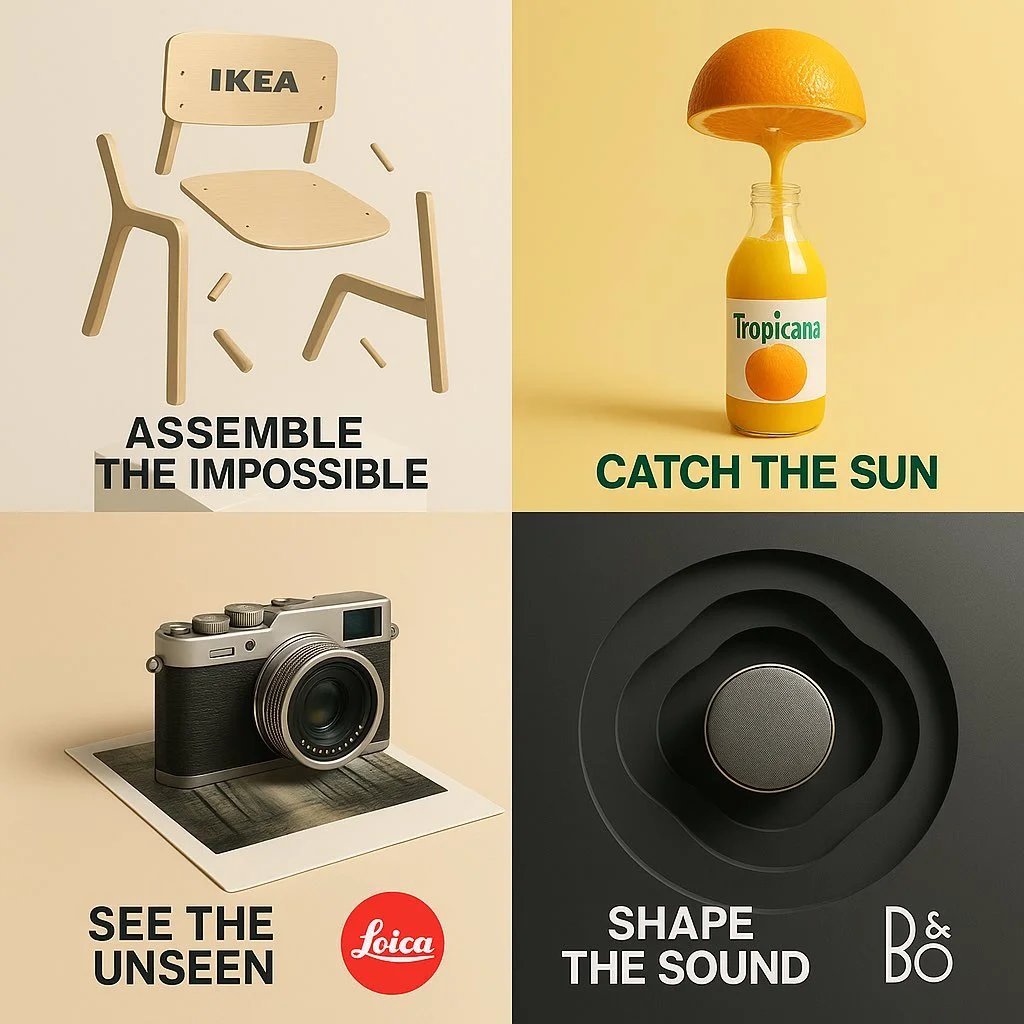
“{BRAND or PRODUCT NAME}” — surreal minimal conceptual advertisement Create a 1:1 high-resolution poster that reimagines the brand/product as a surreal object of desire using minimal elements and symbolic storytelling. • Visual Style: ultra-clean background (light or muted tone), soft lighting, strong negative space • Scene Concept: transform the essence of the product into a metaphorical or dreamlike scene • Add a short, punchy slogan (2–3 words) that emotionally resonates with the concept • Include the brand’s logo in a clean, modern style (integrated naturally into the layout) • Composition: centered or rule-of-thirds alignment, use shadows and depth tastefully • Mood: artistic, elegant, and thought-provoking — like a museum installation • No clutter, no realism overload — just conceptual clarity
“{BRAND or PRODUCT NAME}” — surreal minimal conceptual advertisement Create a 1:1 high-resolution poster that reimagines the brand/product as a surreal object of desire using minimal elements and symbolic storytelling. • Visual Style: ultra-clean background (light or muted tone), soft lighting, strong negative space • Scene Concept: transform the essence of the product into a metaphorical or dreamlike scene • Add a short, punchy slogan (2–3 words) that emotionally resonates with the concept • Include the brand’s logo in a clean, modern style (integrated naturally into the layout) • Composition: centered or rule-of-thirds alignment, use shadows and depth tastefully • Mood: artistic, elegant, and thought-provoking — like a museum installation • No clutter, no realism overload — just conceptual clarity
검증된 프롬프트
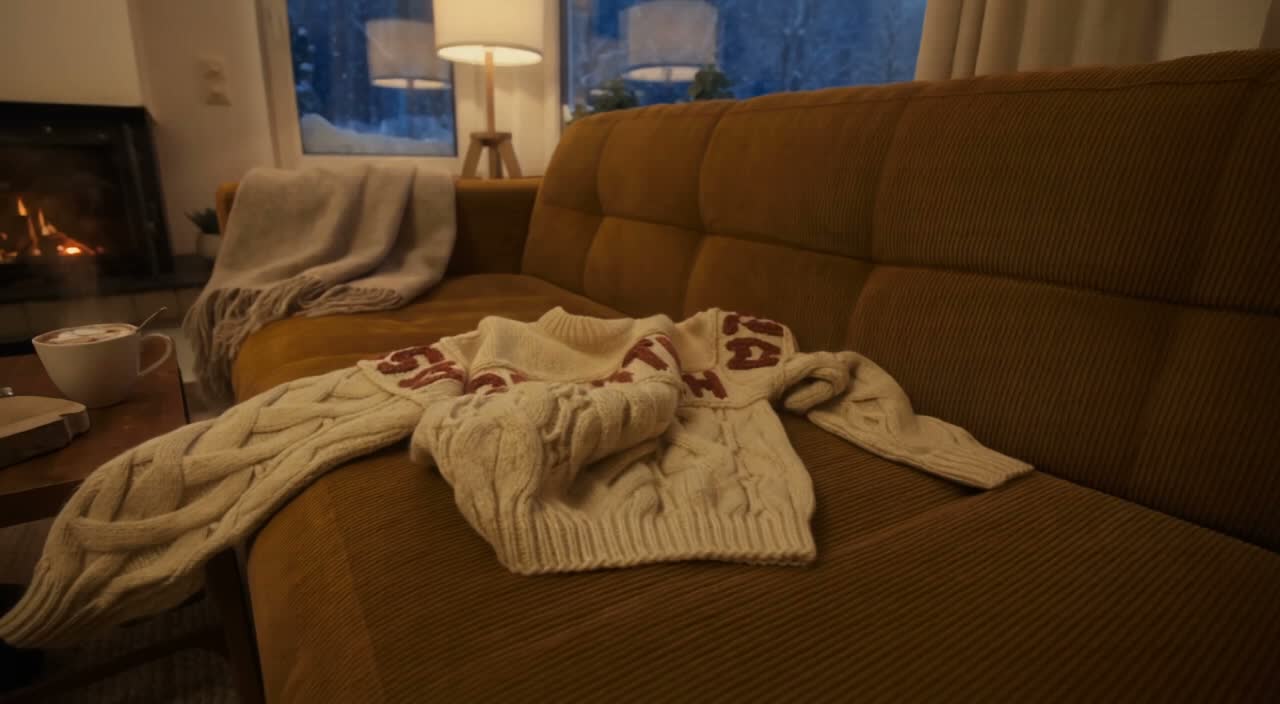
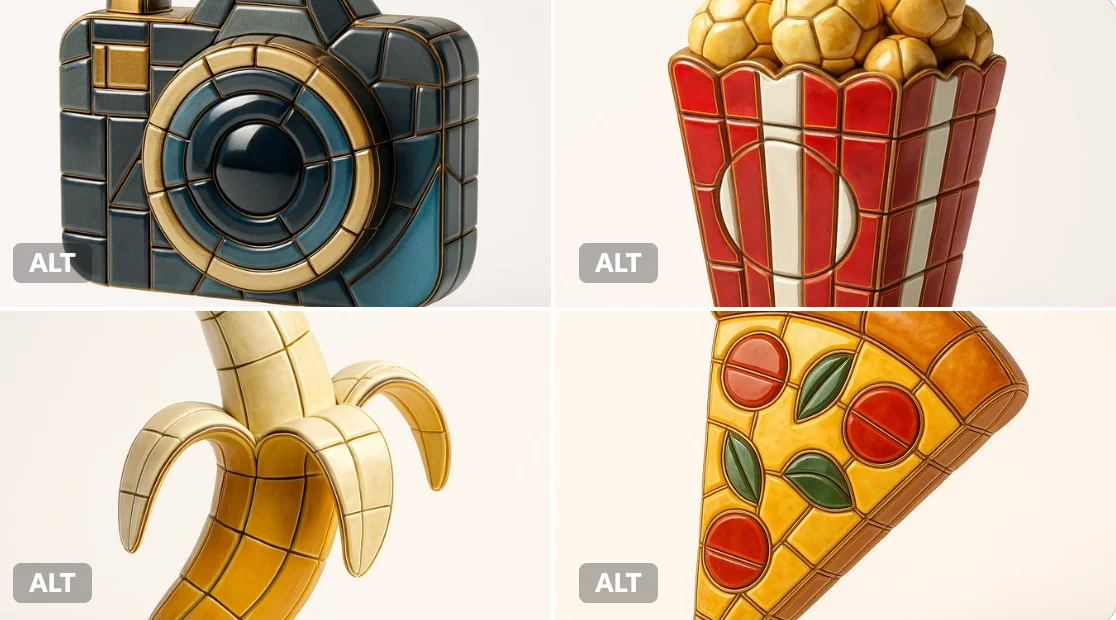
Visualize any selected emoji [] as an ultra-detailed, hyper-realistic 3D sculpture fully composed of luxurious enamel mosaic tiles. The emoji should retain its iconic silhouette and proportions, reinterpreted as a stylized 3D figure made entirely from curved, faceted, and geometrically interlocked enamel tiles in a radiant mosaic pattern. > Use high-gloss enamel tiles in varied shades derived from the emoji’s symbolic palette—integrating metallic accents, opalescent glazes, deep ceramic pigmentation, and subtle iridescence. Tile surfaces must exhibit gentle bevels, crisp joints, and tactile depth to emulate elite architectural mosaic work. > Ensure no visible support structures—the figure must appear freestanding and weightless, suspended mid-air at the exact center of the frame. > Background: pure white studio environment with soft ambient shadows directly beneath the sculpture to emphasize spatial presence and floating realism. > Lighting: cinematic, diffused from multiple angles to
Visualize any selected emoji [] as an ultra-detailed, hyper-realistic 3D sculpture fully composed of luxurious enamel mosaic tiles. The emoji should retain its iconic silhouette and proportions, reinterpreted as a stylized 3D figure made entirely from curved, faceted, and geometrically interlocked enamel tiles in a radiant mosaic pattern. > Use high-gloss enamel tiles in varied shades derived from the emoji’s symbolic palette—integrating metallic accents, opalescent glazes, deep ceramic pigmentation, and subtle iridescence. Tile surfaces must exhibit gentle bevels, crisp joints, and tactile depth to emulate elite architectural mosaic work. > Ensure no visible support structures—the figure must appear freestanding and weightless, suspended mid-air at the exact center of the frame. > Background: pure white studio environment with soft ambient shadows directly beneath the sculpture to emphasize spatial presence and floating realism. > Lighting: cinematic, diffused from multiple angles to
검증된 프롬프트
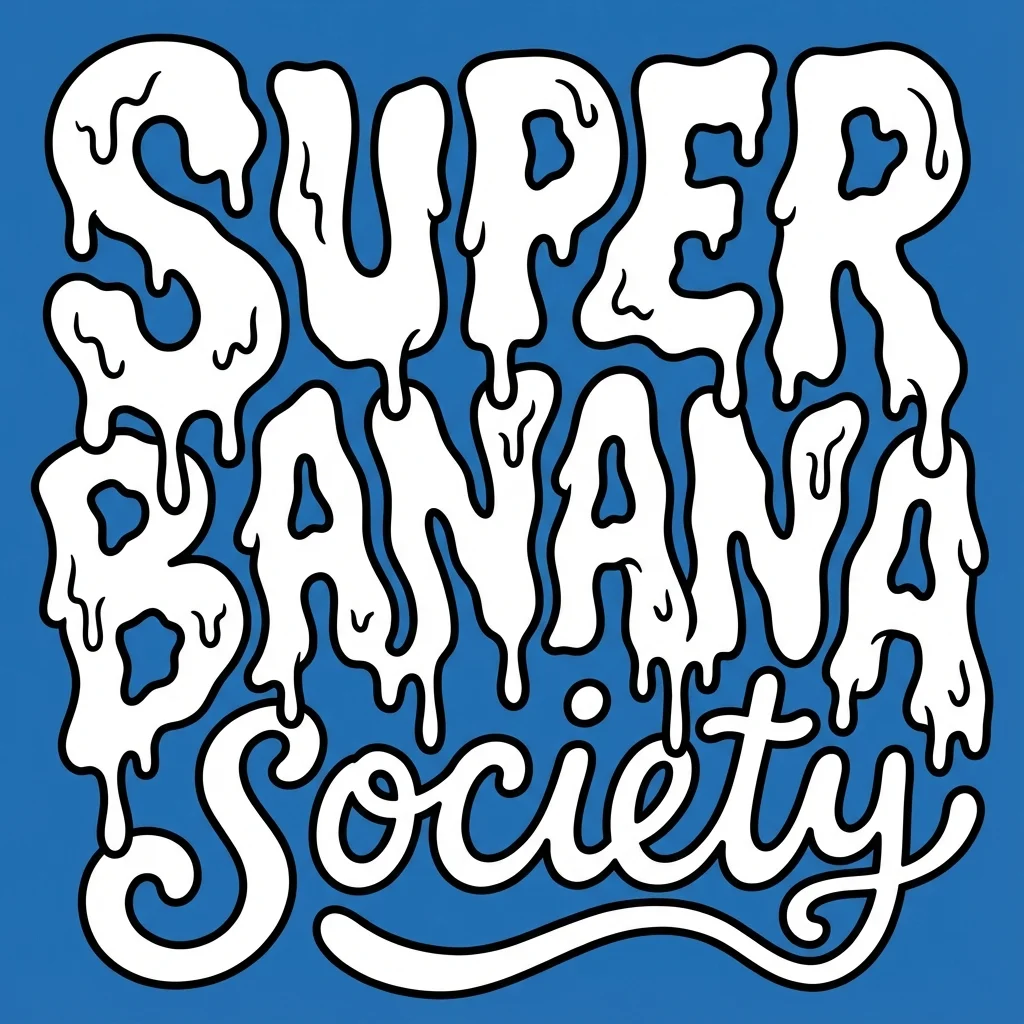
te a bold, warped cartoon-style text design with two distinct layers. The top layer should say “SUPER GNARLY” in warped bubble letters with a melty, drippy texture, like ghost slime or goo. The letters should feel heavy and organic, with a slightly psychedelic or paranormal vibe. The bottom layer should say “SOCIETY” in much smaller, script-like or handwritten-style letters that tuck underneath or nestle between the larger title letters. Both layers should be solid white with thick black outlines. No gradients, shading, or texture. Layout should be playful and a little chaotic, but still readable. Vector friendly. Blue background. Square aspect ratio.
te a bold, warped cartoon-style text design with two distinct layers. The top layer should say “SUPER GNARLY” in warped bubble letters with a melty, drippy texture, like ghost slime or goo. The letters should feel heavy and organic, with a slightly psychedelic or paranormal vibe. The bottom layer should say “SOCIETY” in much smaller, script-like or handwritten-style letters that tuck underneath or nestle between the larger title letters. Both layers should be solid white with thick black outlines. No gradients, shading, or texture. Layout should be playful and a little chaotic, but still readable. Vector friendly. Blue background. Square aspect ratio.
검증된 프롬프트
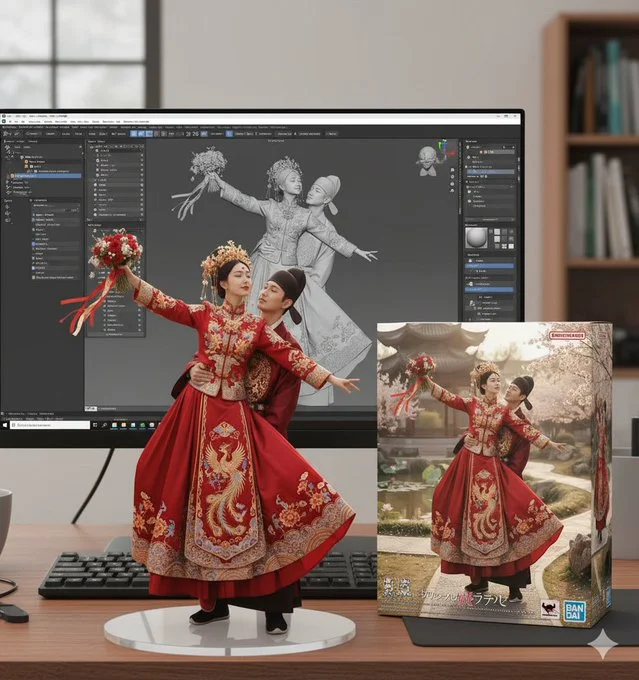
create a 1/7 scale commercialized figure of thecharacter in the image, in a realistic styie and environment. Place the figure on a computer desk, using a circular transparent acrylic base without any text. On the computer screen, display the ZBrush modeling process of the figure. Next to the computer screen, place a BANDAl-style toy packaging box printedwith the original artwork.
create a 1/7 scale commercialized figure of thecharacter in the image, in a realistic styie and environment. Place the figure on a computer desk, using a circular transparent acrylic base without any text. On the computer screen, display the ZBrush modeling process of the figure. Next to the computer screen, place a BANDAl-style toy packaging box printedwith the original artwork.
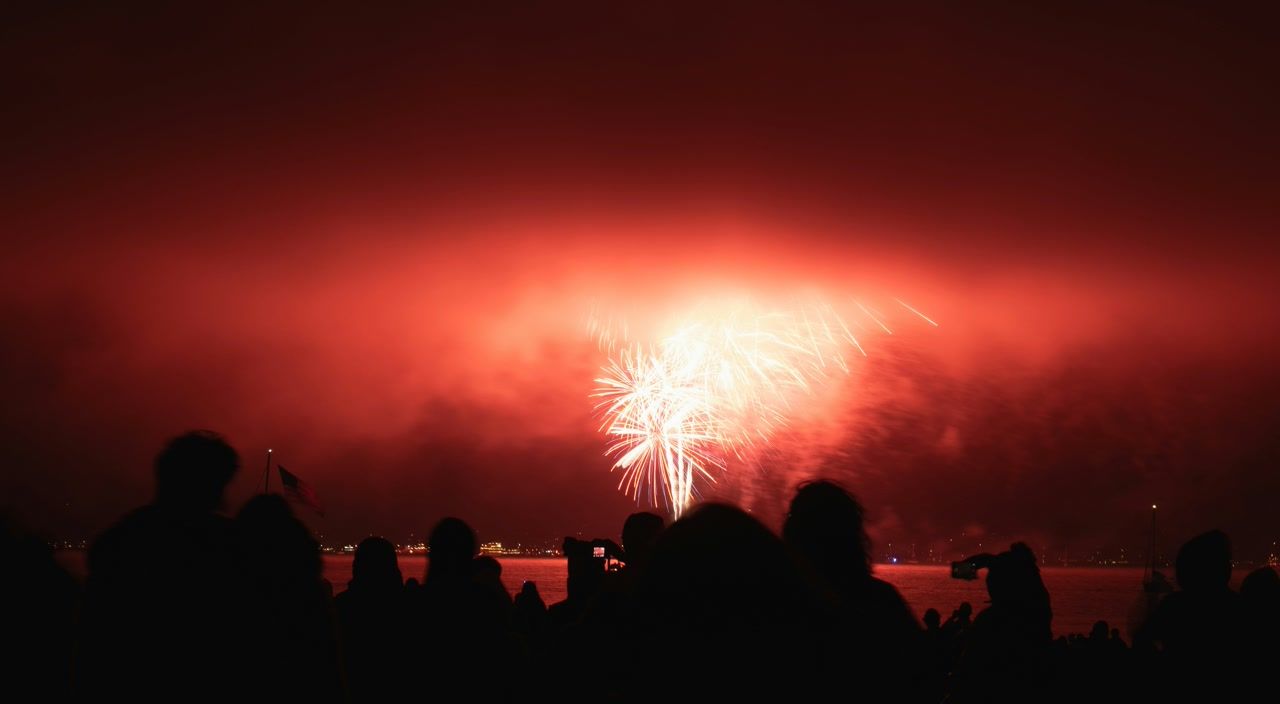
검증된 프롬프트
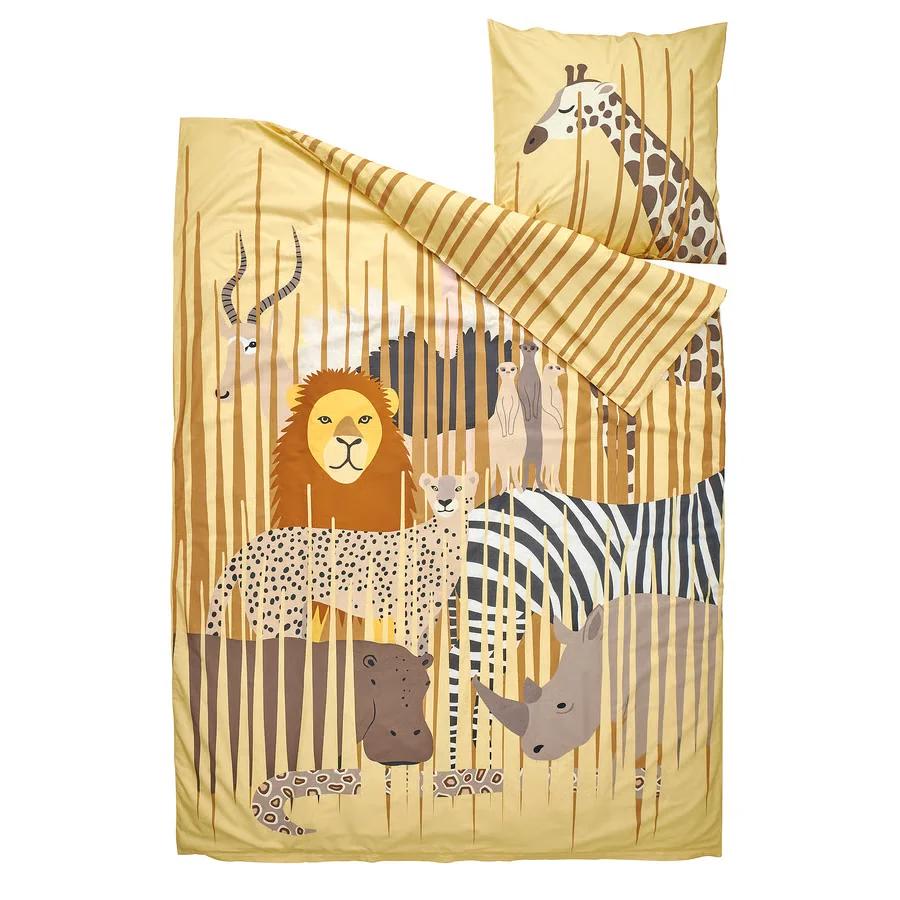
검증된 프롬프트
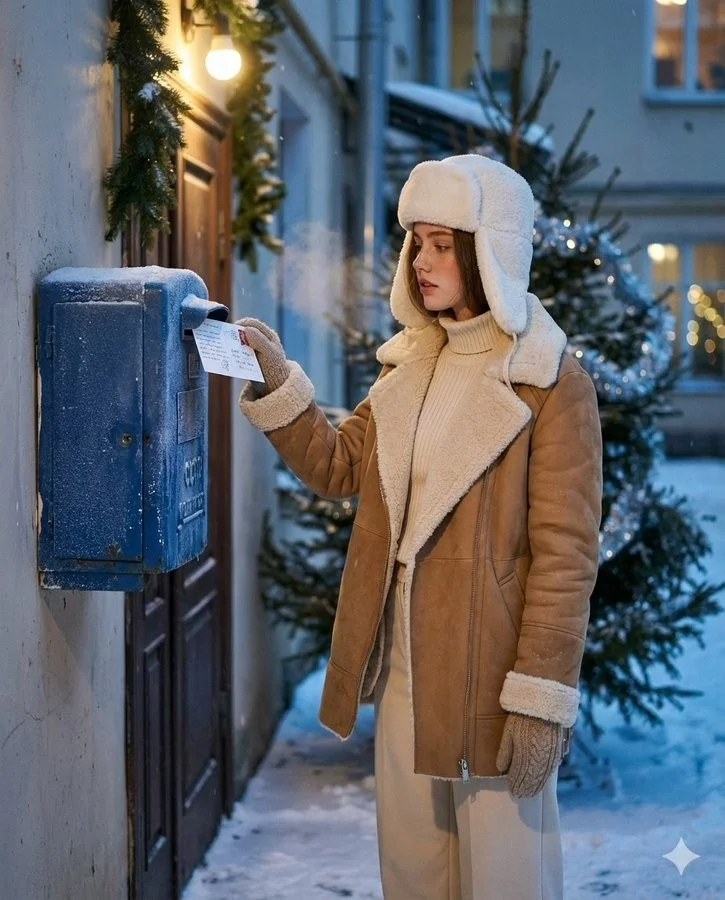
검증된 프롬프트
Create an ultra-realistic winter scene of a woman identical to the uploaded face reference (strictly preserve her face 1:1 no stylization or beautification). Scene and Composition: Soviet blue street mailbox bolted to a brick entryway or plastered wall; dusk with soft falling snow. Vertical 4:5 from waist to head. The woman stands side-on, gently tucks a handwritten New Year postcard into the slot (stamp visible); a wisp of vapor breath. Background: courtyard garlands and a nearby fir with sparse silver tinsel; warm doorway bulb; faint bokeh from distant windows. Natural, candid, cinematic moment. Outfit: Camel/tan double-faced sheepskin coat with plush cream fleece on collar and turn-back cuffs; cream rib-knit turtleneck + matching wide-leg trousers: white wool ushanka; knitted mittens; dark-brown shearling ankle boots. Natural nude makeup with real skin micro-texture. Look and Light: Teal and orange tone: warm sodium doorway lamp as key; cool blue ambient fill from snow; soft rim on ushanka/fleece; gentle halation on bulbs; shallow DoF with fine 35mm grain (Canon AE-1/Fujifilm X100V Classic Chrome vibe). Color and Texture: Frost on mailbox metal, paper fiber of postcard, knit and shearling detail. True-to-skin tones; no smoothing.
Create an ultra-realistic winter scene of a woman identical to the uploaded face reference (strictly preserve her face 1:1 no stylization or beautification). Scene and Composition: Soviet blue street mailbox bolted to a brick entryway or plastered wall; dusk with soft falling snow. Vertical 4:5 from waist to head. The woman stands side-on, gently tucks a handwritten New Year postcard into the slot (stamp visible); a wisp of vapor breath. Background: courtyard garlands and a nearby fir with sparse silver tinsel; warm doorway bulb; faint bokeh from distant windows. Natural, candid, cinematic moment. Outfit: Camel/tan double-faced sheepskin coat with plush cream fleece on collar and turn-back cuffs; cream rib-knit turtleneck + matching wide-leg trousers: white wool ushanka; knitted mittens; dark-brown shearling ankle boots. Natural nude makeup with real skin micro-texture. Look and Light: Teal and orange tone: warm sodium doorway lamp as key; cool blue ambient fill from snow; soft rim on ushanka/fleece; gentle halation on bulbs; shallow DoF with fine 35mm grain (Canon AE-1/Fujifilm X100V Classic Chrome vibe). Color and Texture: Frost on mailbox metal, paper fiber of postcard, knit and shearling detail. True-to-skin tones; no smoothing.

검증된 프롬프트
Create a 3D kawaii 10:16 canvas featuring nine chibi-style stickers in various outfits, poses, and expressions. Use the attached image for reference. Each sticker has a white border and includes a speech bubble with phrases like "Goodmorning", "Lunch kana", "Huh", "Hugs", "Thank you", "Goodnight", "You're the best" "miss you" "mwah 😙" "good job" and "Ingat ka". Set on a soft white-to-pastel blue gradient background for a fun, positive vibe.
Create a 3D kawaii 10:16 canvas featuring nine chibi-style stickers in various outfits, poses, and expressions. Use the attached image for reference. Each sticker has a white border and includes a speech bubble with phrases like "Goodmorning", "Lunch kana", "Huh", "Hugs", "Thank you", "Goodnight", "You're the best" "miss you" "mwah 😙" "good job" and "Ingat ka". Set on a soft white-to-pastel blue gradient background for a fun, positive vibe.

다음 창의적 브리프를 위한 이미지 워크스페이스
Flux 3 Image는 디자이너, 이커머스 팀 및 마케터를 위한 하나의 창의적 워크스페이스에 이미지 생성, 지원되는 이미지 편집 및 프롬프트 예시를 제공합니다.
주제, 구성, 조명 및 스타일을 설명하세요. 사용 가능한 모델을 선택하고, 크레딧 비용을 검토한 뒤 기록에서 결과를 확인하세요.
이미지 만들기비주얼 아이디어를 만드는 네 가지 방법

명확한 구성의 캠페인 비주얼
이미지, 색상 및 타이포그래피의 배치를 위해 페스티벌 포스터를 연구하세요. 자체 캠페인의 경우 초점을 정의하고 최종 카피를 위한 공간을 남기세요. 소스 예시: Black Forest Labs; 이 이미지는 이 사이트에서 생성되지 않았습니다.
이미지 생성 및 편집을 위한 실용적인 워크플로
집중된 이미지 브리프를 작성하고 선택한 모델이 제공하는 컨트롤을 사용하세요. 변경할 항목을 결정하기 전에 완성된 이미지를 의도한 구성과 비교하세요.
원하는 이미지 설명
주제, 설정, 조명, 카메라 시점 및 스타일로 시작하세요. 제품 장면, 포스터 또는 에디토리얼 이미지의 경우 중요한 경우 레이아웃 지침을 포함하세요.

지원되는 경우 참조 가져오기
편집 가능한 모델을 선택하고 사용 권한이 있는 참조를 업로드하세요. 허용되는 파일 유형, 참조 제한 및 편집 컨트롤은 생성기에 표시됩니다.

설정 및 크레딧 비용 검토
사용 가능한 화면 비율과 해상도를 선택하세요. 제출 전에 필요한 크레딧을 검토하세요. 지원되는 설정과 비용은 모델에 따라 다릅니다.
프롬프트 아이디어 및 게시된 예시 탐색
프롬프트 쇼케이스에서 게시된 사례를 탐색하세요. 각 사례는 실제 모델과 프롬프트를 보여주므로 맥락에서 결과를 연구할 수 있습니다.
설명, 생성, 검토 및 다듬기
집중된 브리프에서 검토된 결과로 이동하세요. 유용한 버전을 기록에 보관하고 한 번에 하나의 지침을 조정하세요.
비주얼 브리프 설명
주제, 설정, 구성, 조명 및 스타일을 작성하세요. 수정의 경우 변경 사항과 유지하려는 세부 정보를 설명하세요.
모델 선택 및 생성
사용 가능한 이미지 모델 중에서 선택하고, 지원되는 설정을 선택한 뒤 필요한 크레딧을 검토하세요. 모델이 이미지 편집을 지원하는 경우 참조를 추가하세요.
이미지 검토 및 다운로드
기록에서 완성된 이미지를 확인하세요. 다운로드하거나 게시하기 전에 얼굴, 텍스트, 제품 세부 정보 및 전체 구성을 확인하세요.
다음 버전 다듬기
프롬프트의 일부를 변경하거나 지원되는 이미지 편집을 사용하세요. 버전을 비교하여 어떤 방향이 브리프를 개선하는지 확인하세요.
디자이너, 이커머스 팀 및 마케터를 위한 이미지 아이디어
특정 비주얼 아이디어를 캠페인, 제품 컨셉, 에디토리얼 레이아웃 또는 창의적 프레젠테이션을 위한 자료로 전환하세요. 의도된 용도에 대해 모든 결과를 검토하세요.
제품 장면
제품, 환경 및 조명을 설명하세요. 리스팅에 사용하기 전에 생성된 모양, 라벨 및 소재를 실제 항목과 비교하여 검토하세요.
캠페인 비주얼
하나의 메시지와 명확한 초점을 중심으로 캠페인 컨셉을 구축하세요. 최종 타이포그래피를 위한 공간을 남기고 게시 전에 광고 문구를 확인하세요.
에디토리얼 레이아웃
커버, 기사 또는 프레젠테이션을 위한 이미지 배치를 탐색하세요. 구성과 시각적 계층을 지정하고, 생성된 텍스트는 별도로 확인하세요.
창의적 프레젠테이션
비주얼 컨셉을 사용하여 팀에 방향을 전달하세요. 버전 간 프레이밍, 팔레트 및 조명을 비교하세요.
캐릭터 구성
캐릭터, 의류, 표정 및 환경을 설명하세요. 참조 처리와 일관성은 모델과 지원되는 입력에 따라 다릅니다.
이미지 수정
색상, 설정 또는 세부 정보 변경에는 지원되는 편집 모델을 사용하세요. 의도하지 않은 요소가 변경되었는지 확인하려면 전체 이미지를 검사하세요.
다음 이미지를 위한 창의적 노트
이미지에 하나의 명확한 주제를 부여하세요. 설정과 브리프를 인식 가능하게 만드는 세부 정보를 설명하세요.

Flux 3 Image: 질문과 답변
생성기 메뉴는 지원되는 FLUX 계열 모델을 포함하여 이 사이트에서 현재 사용 가능한 이미지 모델을 보여줍니다. Flux 3 Image 브랜드와 주요 BFL 소스 예시는 FLUX.3 생성이 제공된다는 것을 의미하지 않습니다. 메뉴에 표시된 실제 모델을 선택하세요.
생성에는 크레딧이 사용됩니다. 모델과 지원되는 설정을 선택하여 제출 전에 필요한 크레딧을 확인하세요. 월간, 연간 및 일회성 옵션은 가격을 방문하세요.
데스크톱 또는 모바일 브라우저에서 flux3 image를 사용하여 프롬프트를 작성하고, 지원되는 참조를 추가하고, 기록을 검토하고, 완성된 이미지를 다운로드하세요.
주제, 설정, 구성, 조명 및 스타일을 설명하세요. 제품 소재, 의류 또는 레이아웃에 대해 중요한 경우 정확한 세부 정보를 추가하세요. 편집의 경우 변경해야 할 사항을 설명하세요.
프롬프트, 참조 및 결과는 요청을 처리하고 기록을 제공하기 위해 저장될 수 있습니다. 공개 미디어 링크는 다른 사람이 보고 공유할 수 있습니다. 민감한 자료를 업로드하기 전에 개인정보 처리방침을 읽어보세요.
선택한 모델이 생성기에서 제공하는 해상도, 화면 비율, 참조 제한 및 편집 컨트롤을 결정합니다. 해당 컨트롤을 사용하세요. 주요 소스 이미지의 사양이 모든 사용 가능한 모델을 설명하지는 않습니다.
편집 가능한 모델을 선택하고, 사용 권한이 있는 지원되는 이미지를 업로드하고, 수정 사항을 설명하세요. 결과를 검사하여 요청한 변경과 주변 세부 정보를 모두 확인하세요.
의도된 용도에 대해 해당 플랫폼 및 모델 약관을 검토하세요. 업로드된 자료, 식별 가능한 사람, 로고 및 기타 제3자 콘텐츠에 대한 권리에 대한 책임은 귀하에게 있습니다.
처리 시간은 모델, 설정, 요청 및 서비스 부하에 따라 다릅니다. 기록에서 요청 상태를 확인하세요.
아니요. flux3 image는 독립적인 제3자 워크스페이스입니다. 주요 홈페이지 이미지는 Black Forest Labs에 크레딧이 있으며 프롬프트 쇼케이스의 사용자 생성 결과와는 별개입니다. 원본 프롬프트는 확인된 경우에만 포함됩니다.
더 많은 기사
이미지 생성 가이드
다음 이미지 만들기
아이디어를 설명하고, 사용 가능한 이미지 모델을 선택한 뒤 필요한 크레딧을 확인하세요. 완성된 결과는 History에서 검토하고 다운로드할 수 있습니다.