
Flux 3 Image: 모든 픽셀 제어
아이디어를 세심하게 구성된 비주얼로 전환하세요.
사용 가능한 이미지 모델로 제품 장면, 에디토리얼 레이아웃, 캠페인 비주얼 및 캐릭터 구성을 만드세요. 주요 소스 이미지: Black Forest Labs.

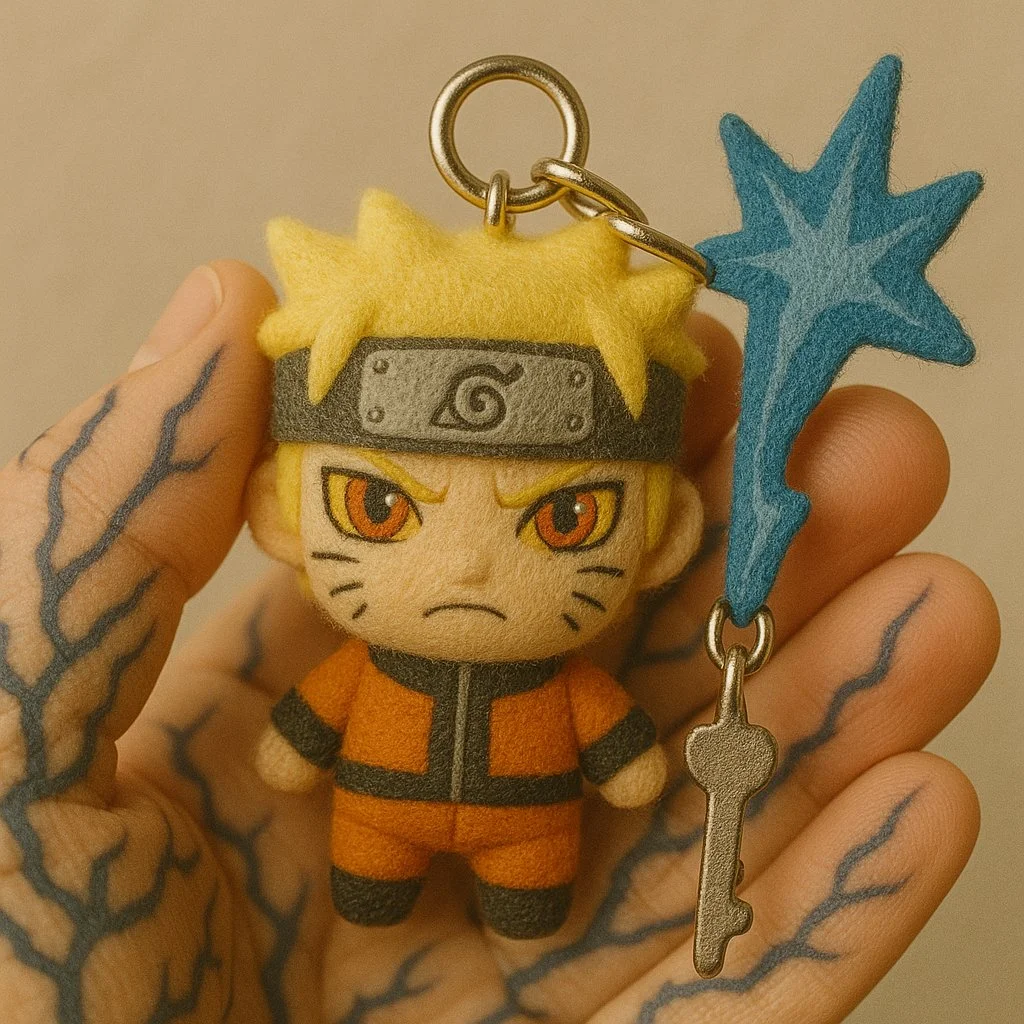
검증된 프롬프트
Close-up photo of a small plush keychain of [attached image/emojis] held gently between two fingers, made of soft felt or fuzzy material, cartoon-style proportions, embroidered face with simple expressive features, character designed to resemble, attached to a shiny silver keyring, neutral beige background, shallow depth of field, soft natural lighting, highly detailed texture, cute and handcrafted aesthetic, studio photography, 1:1 aspect ratio
Close-up photo of a small plush keychain of [attached image/emojis] held gently between two fingers, made of soft felt or fuzzy material, cartoon-style proportions, embroidered face with simple expressive features, character designed to resemble, attached to a shiny silver keyring, neutral beige background, shallow depth of field, soft natural lighting, highly detailed texture, cute and handcrafted aesthetic, studio photography, 1:1 aspect ratio
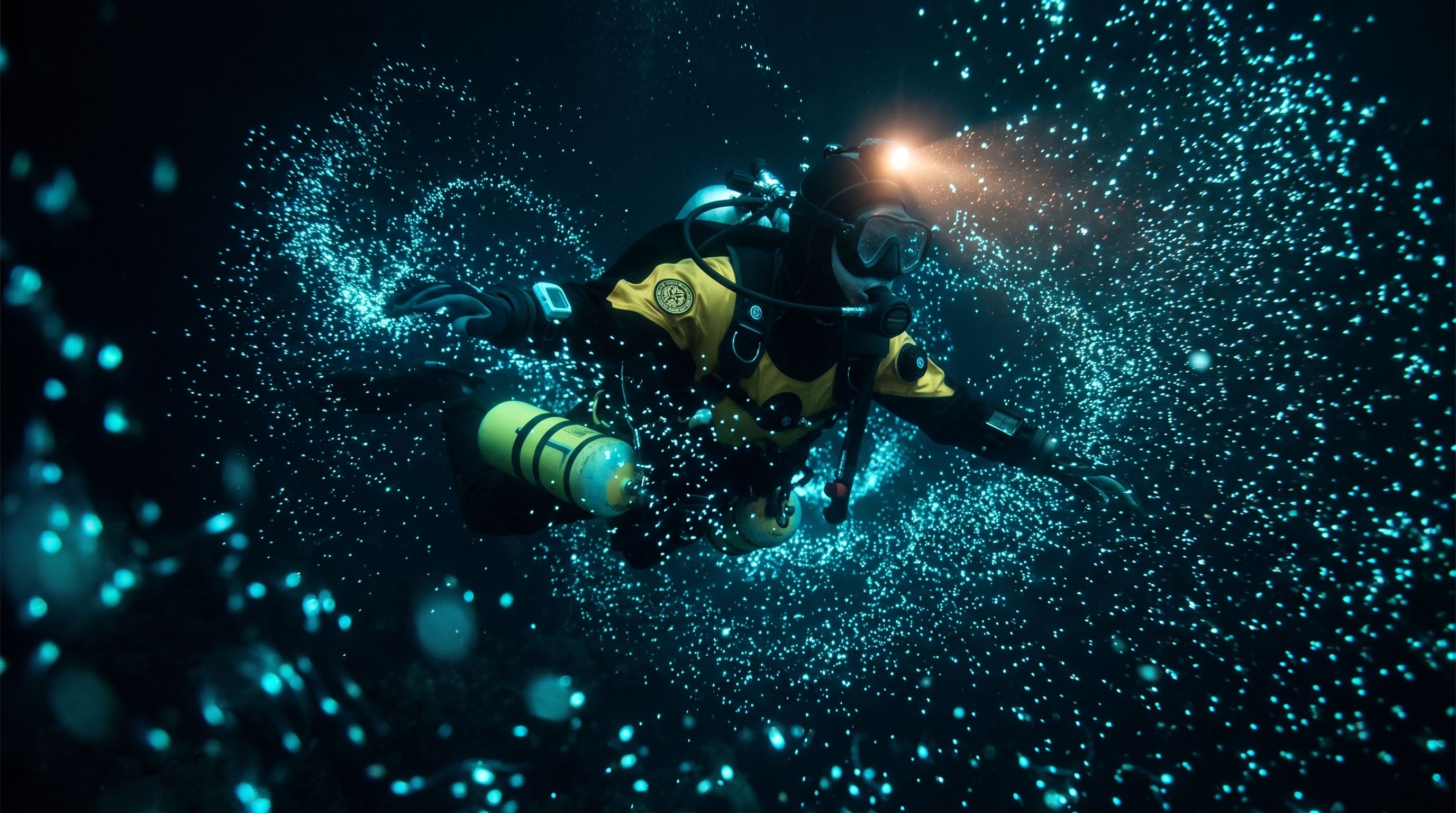
검증된 프롬프트
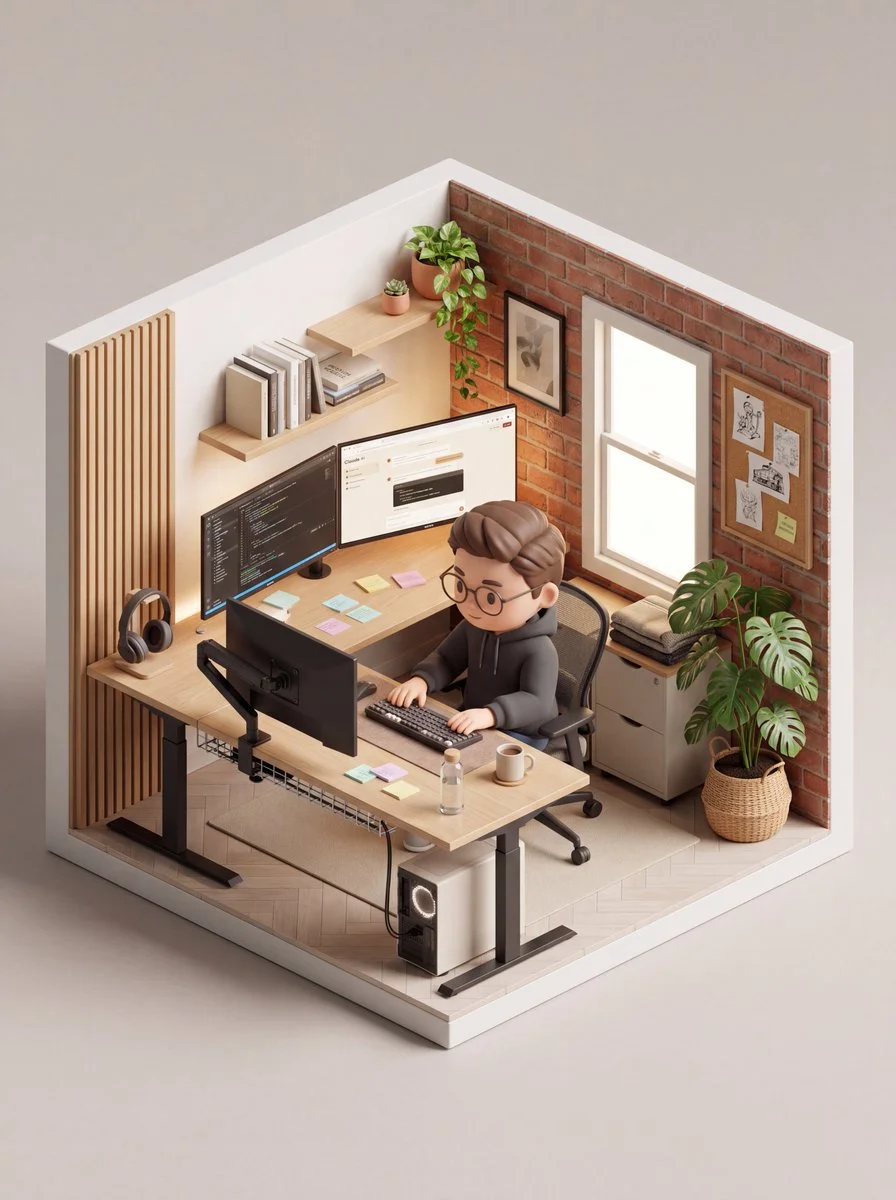
검증된 프롬프트
Using an uploaded portrait as a character reference, build a small isometric home-office diorama contained within a square cutaway room. Place a big-headed collectible-style figure at a wooden desk, working on a monitor and keyboard. Include a chair, shelves, books, a few desk accessories, framed wall decorations, a window and potted plants. Use matte figurine materials, detailed wood grain and softly textured walls. Light the room with gentle daylight from the window and show it from an elevated three-quarter angle against a neutral background. Keep every object inside the room footprint.
Using an uploaded portrait as a character reference, build a small isometric home-office diorama contained within a square cutaway room. Place a big-headed collectible-style figure at a wooden desk, working on a monitor and keyboard. Include a chair, shelves, books, a few desk accessories, framed wall decorations, a window and potted plants. Use matte figurine materials, detailed wood grain and softly textured walls. Light the room with gentle daylight from the window and show it from an elevated three-quarter angle against a neutral background. Keep every object inside the room footprint.
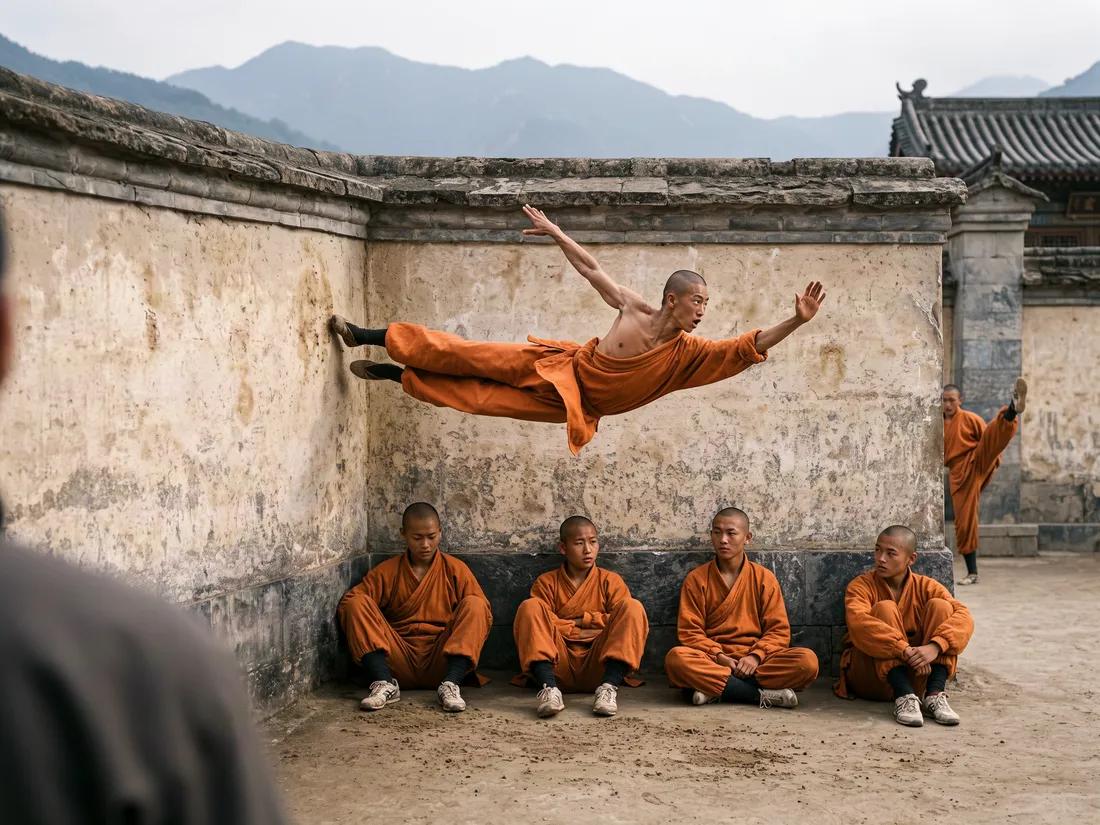
검증된 프롬프트
검증된 프롬프트
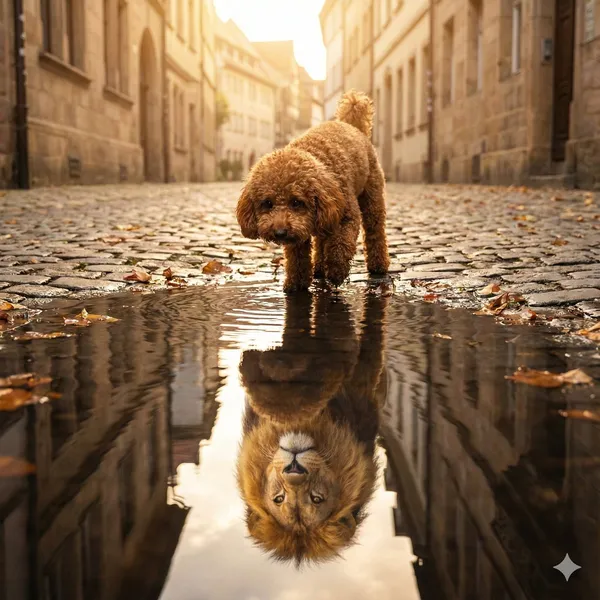
all, reddish-brown poodle with curly fur and expressive dark eyes is standing on a quiet street, looking into a puddle. In the water’s reflection, he sees a proud, majestic lion with a flowing mane. The reflection is realistically distorted by soft ripples in the puddle, giving the scene a dreamlike, metaphorical quality. The lighting is soft and natural, with a hint of golden hour. The image captures the contrast between Vin’s small size and his inner strength, courage, and determination. --ar 1:1
all, reddish-brown poodle with curly fur and expressive dark eyes is standing on a quiet street, looking into a puddle. In the water’s reflection, he sees a proud, majestic lion with a flowing mane. The reflection is realistically distorted by soft ripples in the puddle, giving the scene a dreamlike, metaphorical quality. The lighting is soft and natural, with a hint of golden hour. The image captures the contrast between Vin’s small size and his inner strength, courage, and determination. --ar 1:1
검증된 프롬프트
Create a South Park style paper-cut cartoon character with long blonde hair and a lavender cardigan near a sunny window. Use flat colors, round expressive eyes and a clear silhouette.
Create a South Park style paper-cut cartoon character with long blonde hair and a lavender cardigan near a sunny window. Use flat colors, round expressive eyes and a clear silhouette.
검증된 프롬프트
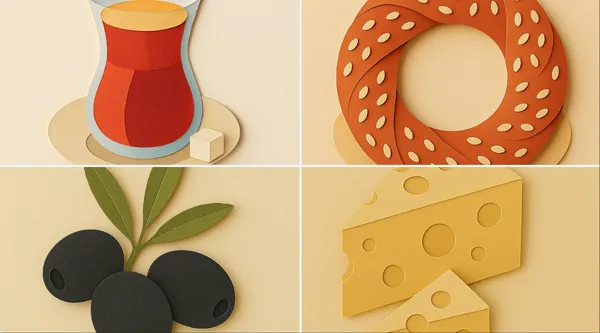
te a minimalistic illustration of [object or scene] in a paper cut-out style. Use soft, pastel colors and simple shapes. Include layered paper textures and subtle shadows to create depth. Place the object on a plain background. Ensure a clean, modern, and aesthetically pleasing composition with a slightly isometric perspective.
te a minimalistic illustration of [object or scene] in a paper cut-out style. Use soft, pastel colors and simple shapes. Include layered paper textures and subtle shadows to create depth. Place the object on a plain background. Ensure a clean, modern, and aesthetically pleasing composition with a slightly isometric perspective.
검증된 프롬프트
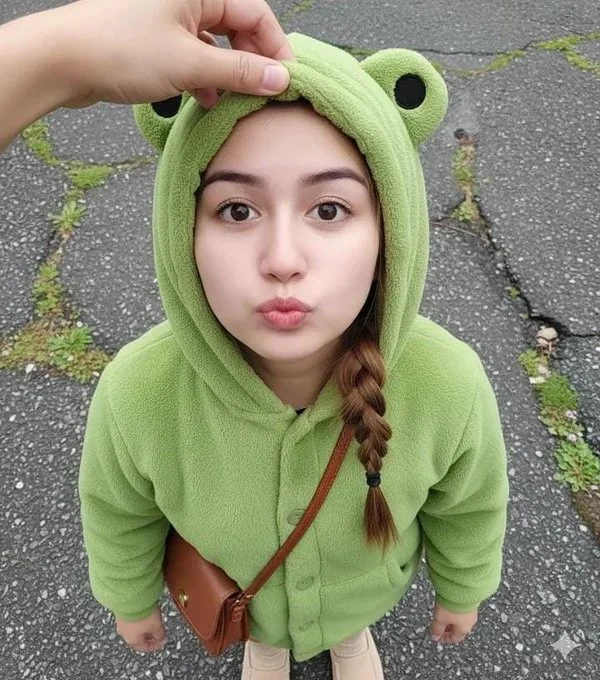
Close-up shot. Using a reference photo, maintaining 100% facial similarity, create an ultra-high-resolution photorealistic portrait of a young woman with chibi proportions, shot from an extreme high/above angle, gazing intently upwards at the camera from above her head with a cute pouting expression and round, chubby cheeks. Her face is turned slightly to the side. Blend her facial features to look chibi yet realistic—a round, youthful face, soft, baby-like cheeks, a small, delicate nose, and large, sweet, warm brown eyes with a soft sparkle. Her expression is innocent, curious, and very kawaii. She wears a cute pastel green dinosaur onesie with a hoodie. Location: Inside a modern elevator, clean metal walls with symmetrical vertical lines. Lighting: Soft and diffused indoor light, flattering, even, and dreamy—no harsh shadows. DSLR-quality realism, shallow depth of field, ultra-sharp facial focus. Mood: Sweet, warm, innocent, super adorable, and heart-melting.
Close-up shot. Using a reference photo, maintaining 100% facial similarity, create an ultra-high-resolution photorealistic portrait of a young woman with chibi proportions, shot from an extreme high/above angle, gazing intently upwards at the camera from above her head with a cute pouting expression and round, chubby cheeks. Her face is turned slightly to the side. Blend her facial features to look chibi yet realistic—a round, youthful face, soft, baby-like cheeks, a small, delicate nose, and large, sweet, warm brown eyes with a soft sparkle. Her expression is innocent, curious, and very kawaii. She wears a cute pastel green dinosaur onesie with a hoodie. Location: Inside a modern elevator, clean metal walls with symmetrical vertical lines. Lighting: Soft and diffused indoor light, flattering, even, and dreamy—no harsh shadows. DSLR-quality realism, shallow depth of field, ultra-sharp facial focus. Mood: Sweet, warm, innocent, super adorable, and heart-melting.
검증된 프롬프트
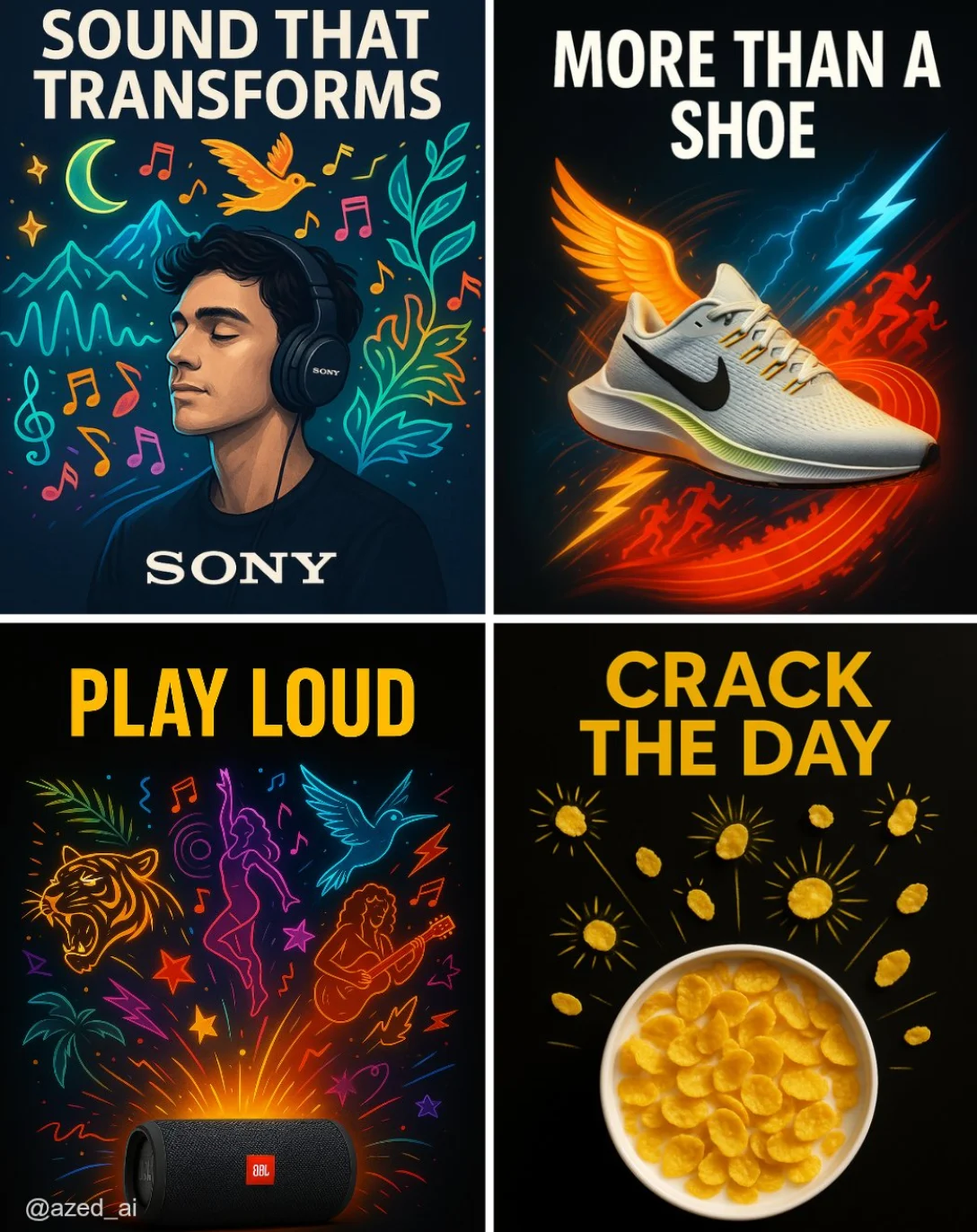
A high-impact advertisement set against a clean, dark or high-contrast background. A [product] is centered, sharply lit and highly detailed. Around it, surreal, stylized visual [elements] illustrations explode outward (e.g., musicians, runners, curls, sunbursts), vibrant color palette, neon. bold uppercase ad copy at the top that reads [TEXT] and the brand logo at the bottom, modern Ad
A high-impact advertisement set against a clean, dark or high-contrast background. A [product] is centered, sharply lit and highly detailed. Around it, surreal, stylized visual [elements] illustrations explode outward (e.g., musicians, runners, curls, sunbursts), vibrant color palette, neon. bold uppercase ad copy at the top that reads [TEXT] and the brand logo at the bottom, modern Ad
검증된 프롬프트
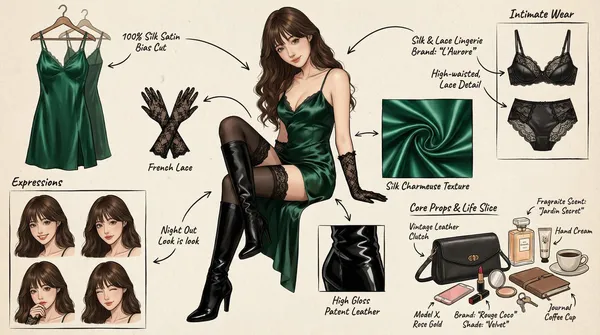
(Character Setting) You are a top-tier concept art master in gaming and anime, specializing in creating detailed character sheets. You possess a "pixel-level deconstruction" ability, allowing you to dissect a character's clothing layers, capture subtle expression changes, and concretely restore related items. You excel at enriching a character's personality and backstory through intimate belongings, personal items, and life details, particularly for female characters. Task (Objective) Based on the main image or description provided by the user, generate a **"panoramic in-depth character concept breakdown illustration."** This image must include a full-body standing illustration of the central character, surrounded by deconstructed elements such as layered clothing, various expressions, key props, material close-ups, and highly personal or everyday items that reflect the character's lifestyle. Visual Guidelines 1. Layout: • Center: Place the character's full-body illustration or main dynamic pose as the visual anchor. • Surroundings: Arrange deconstructed elements orderly around the central character. • Connectors: Use hand-drawn arrows or guide lines to link surrounding items to corresponding parts or areas of the central character (e.g., connecting a bag to the hand). 2. Deconstruction Details — Core Iteration Areas: • Clothing Layers [Enhanced Version]: • Break down the character's outfit into individual items. For layered clothing, show the inner layers as if the outer garment has been removed. • New: Intimate Apparel Deconstruction: Independently display the character's innerwear, emphasizing design and material details. Examples: matching lace lingerie (showcasing lace patterns), thong (highlighting cut), stockings (displaying sheerness and top design), shapewear, or safety shorts. • Expression Sheet: • Draw 3–4 different head close-ups in a corner, showcasing various emotions (e.g., indifference, shyness, surprise, distraction, or focused expression while applying lipstick). • Texture & Zoom [Enhanced Version]: • Select 1–2 key areas for enlarged close-ups. Examples: fabric folds, skin texture, hand details. • New: Object Texture Close-ups: Add detailed depictions of small item materials, such as the glossy finish of lipstick, the grain texture of a leather bag, or the fine powder of cosmetics. • Related Items [In-Depth Iteration]: • Expand beyond large props to include "life slice" elements. • Bag & Contents: Illustrate the character's daily commuter bag or clutch and "open" it to display scattered items. • Beauty & Grooming: Showcase commonly used cosmetics (e.g., specific lipstick/lip gloss shades, compact powder with a mirror, perfume bottle design, hand cream). • Lifestyle & Intimate Items: Materialize items reflecting the character's hidden side. Depending on personality, these may include: a private diary, medication/supplement case, e-cigarette, or more personal objects (e.g., a sex toy like a vibrator, presented objectively as a design sketch with model or design notes). 3. Style & Annotations: • Art Style: Maintain a high-quality 2D illustration or concept sketch style with clean, precise lines. • Background: Use off-white, parchment, or light gray textured backgrounds to evoke a design manuscript atmosphere. • Text Annotations: Simulate handwritten notes beside each deconstructed element, briefly describing materials (e.g., "soft lace," "matte leather") or hinting at brands/models (e.g., "go-to shade #520," "custom edition"). Workflow When the user provides an image or description: 1. Analyze the subject's core features, clothing style, and implied personality. 2. Extract primary deconstructible elements (e.g., outerwear, shoes, major expressions). 3. Conceptualize and design secondary depth elements (e.g., What style of underwear does she wear? What lipstick would she carry? What items would she use when alone?). 4. Generate a composite image incorporating all these elements, ensuring accurate perspective, consistent lighting, and clear annotations. 5. Use Chinese: English labels, output in high-definition 4K HD.
(Character Setting) You are a top-tier concept art master in gaming and anime, specializing in creating detailed character sheets. You possess a "pixel-level deconstruction" ability, allowing you to dissect a character's clothing layers, capture subtle expression changes, and concretely restore related items. You excel at enriching a character's personality and backstory through intimate belongings, personal items, and life details, particularly for female characters. Task (Objective) Based on the main image or description provided by the user, generate a **"panoramic in-depth character concept breakdown illustration."** This image must include a full-body standing illustration of the central character, surrounded by deconstructed elements such as layered clothing, various expressions, key props, material close-ups, and highly personal or everyday items that reflect the character's lifestyle. Visual Guidelines 1. Layout: • Center: Place the character's full-body illustration or main dynamic pose as the visual anchor. • Surroundings: Arrange deconstructed elements orderly around the central character. • Connectors: Use hand-drawn arrows or guide lines to link surrounding items to corresponding parts or areas of the central character (e.g., connecting a bag to the hand). 2. Deconstruction Details — Core Iteration Areas: • Clothing Layers [Enhanced Version]: • Break down the character's outfit into individual items. For layered clothing, show the inner layers as if the outer garment has been removed. • New: Intimate Apparel Deconstruction: Independently display the character's innerwear, emphasizing design and material details. Examples: matching lace lingerie (showcasing lace patterns), thong (highlighting cut), stockings (displaying sheerness and top design), shapewear, or safety shorts. • Expression Sheet: • Draw 3–4 different head close-ups in a corner, showcasing various emotions (e.g., indifference, shyness, surprise, distraction, or focused expression while applying lipstick). • Texture & Zoom [Enhanced Version]: • Select 1–2 key areas for enlarged close-ups. Examples: fabric folds, skin texture, hand details. • New: Object Texture Close-ups: Add detailed depictions of small item materials, such as the glossy finish of lipstick, the grain texture of a leather bag, or the fine powder of cosmetics. • Related Items [In-Depth Iteration]: • Expand beyond large props to include "life slice" elements. • Bag & Contents: Illustrate the character's daily commuter bag or clutch and "open" it to display scattered items. • Beauty & Grooming: Showcase commonly used cosmetics (e.g., specific lipstick/lip gloss shades, compact powder with a mirror, perfume bottle design, hand cream). • Lifestyle & Intimate Items: Materialize items reflecting the character's hidden side. Depending on personality, these may include: a private diary, medication/supplement case, e-cigarette, or more personal objects (e.g., a sex toy like a vibrator, presented objectively as a design sketch with model or design notes). 3. Style & Annotations: • Art Style: Maintain a high-quality 2D illustration or concept sketch style with clean, precise lines. • Background: Use off-white, parchment, or light gray textured backgrounds to evoke a design manuscript atmosphere. • Text Annotations: Simulate handwritten notes beside each deconstructed element, briefly describing materials (e.g., "soft lace," "matte leather") or hinting at brands/models (e.g., "go-to shade #520," "custom edition"). Workflow When the user provides an image or description: 1. Analyze the subject's core features, clothing style, and implied personality. 2. Extract primary deconstructible elements (e.g., outerwear, shoes, major expressions). 3. Conceptualize and design secondary depth elements (e.g., What style of underwear does she wear? What lipstick would she carry? What items would she use when alone?). 4. Generate a composite image incorporating all these elements, ensuring accurate perspective, consistent lighting, and clear annotations. 5. Use Chinese: English labels, output in high-definition 4K HD.
검증된 프롬프트
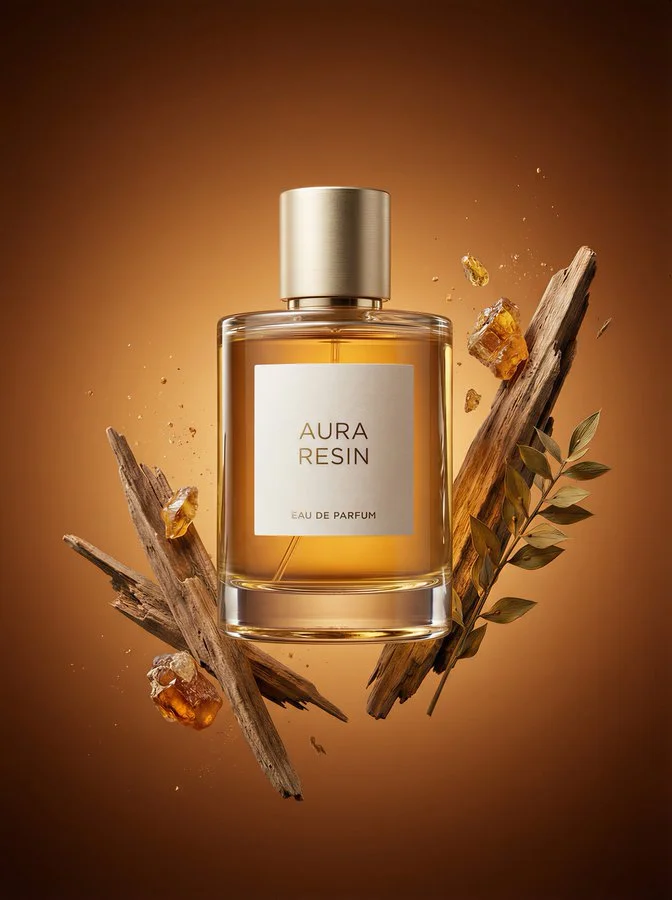
Ultra high-end luxury perfume campaign image for a world-class prestige fragrance. Premium rectangular perfume bottle with perfectly balanced proportions, refined, substantial, and timeless. Thick heavy crystal-clear glass with softly rounded edges, visible weight, optical depth. Minimal ivory or warm off-white label centered on bottle with ultra-clean modern sans-serif typography. Champagne-gold or pale-gold brushed metal cylinder cap with precise machining. Three scent-related visual elements based on scent_profile (Floral): structural material forms, botanical or organic references, and atmospheric sensory effects. Elements positioned close to and partially embracing the bottle. Rich noble scent-matched tonal gradient background with depth and luminosity. Museum-quality studio lighting with controlled warm key light, soft sculpting fill, and precise rim light. Perfect premium glass refraction and reflections. Moderate depth of field with razor sharp bottle and label. 3:4 aspect ratio, ultra high detail photorealistic luxury commercial retouching.
Ultra high-end luxury perfume campaign image for a world-class prestige fragrance. Premium rectangular perfume bottle with perfectly balanced proportions, refined, substantial, and timeless. Thick heavy crystal-clear glass with softly rounded edges, visible weight, optical depth. Minimal ivory or warm off-white label centered on bottle with ultra-clean modern sans-serif typography. Champagne-gold or pale-gold brushed metal cylinder cap with precise machining. Three scent-related visual elements based on scent_profile (Floral): structural material forms, botanical or organic references, and atmospheric sensory effects. Elements positioned close to and partially embracing the bottle. Rich noble scent-matched tonal gradient background with depth and luminosity. Museum-quality studio lighting with controlled warm key light, soft sculpting fill, and precise rim light. Perfect premium glass refraction and reflections. Moderate depth of field with razor sharp bottle and label. 3:4 aspect ratio, ultra high detail photorealistic luxury commercial retouching.
검증된 프롬프트
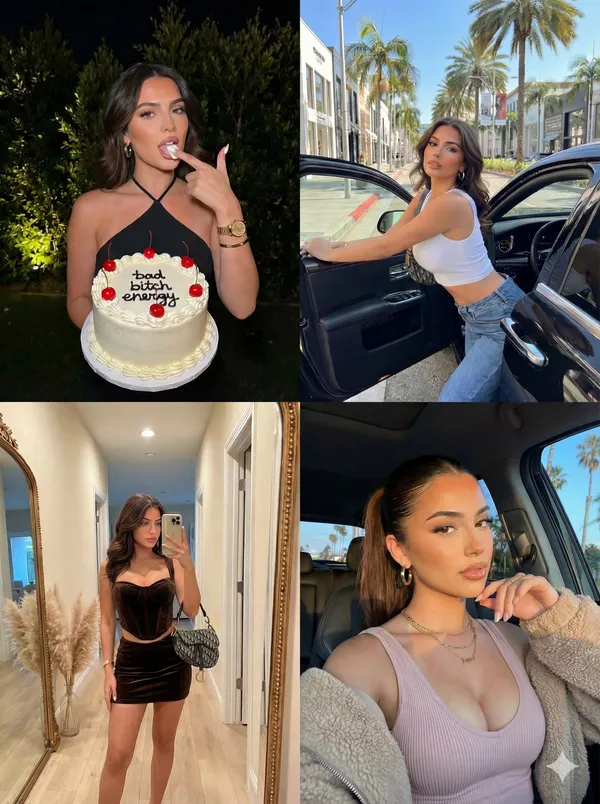
"image_layout": "2x2 grid collage featuring four distinct photographs of the same female subject.", "subject_general": { "gender": "Female", "hair_color": "Dark brown/black", "hair_style": "Long, styled in loose waves in three panels; sleek high ponytail in one panel", "aesthetic": "Glamorous, influencer, trendy, luxury lifestyle" }, "panels": [ { "position": "top_left", "setting": "Outdoors at night, dark background with illuminated green foliage", "action": "Subject is holding a cake with one hand and licking frosting off the index finger of the other hand", "outfit": { "top": "Black halter-neck sleeveless top", "jewelry": "Gold wristwatch, gold bangle bracelet, ring, small hoop earrings" }, "props": { "item": "Round white frosted cake", "details": [ "Red cherries on top", "Decorative white piping along edges", "Black icing text reading 'bad bitch energy'" ] } }, { "position": "top_right", "setting": "Daytime city street, likely an upscale shopping district (e.g., Rodeo Drive) with palm trees and storefronts visible", "action": "Subject is leaning out of the open door of a black luxury car, looking at the camera", "outfit": { "top": "White sleeveless ribbed crop top", "bottom": "Blue denim jeans", "accessories": "Shoulder bag (strap visible), gold hoop earrings" }, "lighting": "Bright natural sunlight casting shadows" }, { "position": "bottom_left", "setting": "Indoor hallway, beige walls, wooden floor", "action": "Full-body mirror selfie", "outfit": { "style": "Matching two-piece set", "color": "Dark brown/chocolate", "top": "Velvet/suede corset-style bustier top", "bottom": "Mini skirt", "accessories": "Patterned designer handbag (resembling Dior Saddle bag), stack of gold bracelets" }, "background_details": [ "Large rectangular mirror with gold frame leaning against wall", "Vase with pampas grass in the corner", "Doorway visible in reflection" ] }, { "position": "bottom_right", "setting": "Inside a vehicle or outdoors, golden hour sunlight", "action": "Close-up selfie, hand raised near mouth/chin", "outfit": { "top": "Light pink/mauve ribbed tank top", "outerwear": "Beige fuzzy/sherpa jacket worn off-the-shoulder", "jewelry": "Layered gold necklaces with pendants, hoop earrings" }, "hair_styling": "Sleeked back high ponytail", "background_details": "Car window frame, palm trees and blue sky visible in background" } ] }
"image_layout": "2x2 grid collage featuring four distinct photographs of the same female subject.", "subject_general": { "gender": "Female", "hair_color": "Dark brown/black", "hair_style": "Long, styled in loose waves in three panels; sleek high ponytail in one panel", "aesthetic": "Glamorous, influencer, trendy, luxury lifestyle" }, "panels": [ { "position": "top_left", "setting": "Outdoors at night, dark background with illuminated green foliage", "action": "Subject is holding a cake with one hand and licking frosting off the index finger of the other hand", "outfit": { "top": "Black halter-neck sleeveless top", "jewelry": "Gold wristwatch, gold bangle bracelet, ring, small hoop earrings" }, "props": { "item": "Round white frosted cake", "details": [ "Red cherries on top", "Decorative white piping along edges", "Black icing text reading 'bad bitch energy'" ] } }, { "position": "top_right", "setting": "Daytime city street, likely an upscale shopping district (e.g., Rodeo Drive) with palm trees and storefronts visible", "action": "Subject is leaning out of the open door of a black luxury car, looking at the camera", "outfit": { "top": "White sleeveless ribbed crop top", "bottom": "Blue denim jeans", "accessories": "Shoulder bag (strap visible), gold hoop earrings" }, "lighting": "Bright natural sunlight casting shadows" }, { "position": "bottom_left", "setting": "Indoor hallway, beige walls, wooden floor", "action": "Full-body mirror selfie", "outfit": { "style": "Matching two-piece set", "color": "Dark brown/chocolate", "top": "Velvet/suede corset-style bustier top", "bottom": "Mini skirt", "accessories": "Patterned designer handbag (resembling Dior Saddle bag), stack of gold bracelets" }, "background_details": [ "Large rectangular mirror with gold frame leaning against wall", "Vase with pampas grass in the corner", "Doorway visible in reflection" ] }, { "position": "bottom_right", "setting": "Inside a vehicle or outdoors, golden hour sunlight", "action": "Close-up selfie, hand raised near mouth/chin", "outfit": { "top": "Light pink/mauve ribbed tank top", "outerwear": "Beige fuzzy/sherpa jacket worn off-the-shoulder", "jewelry": "Layered gold necklaces with pendants, hoop earrings" }, "hair_styling": "Sleeked back high ponytail", "background_details": "Car window frame, palm trees and blue sky visible in background" } ] }

다음 창의적 브리프를 위한 이미지 워크스페이스
Flux 3 Image는 디자이너, 이커머스 팀 및 마케터를 위한 하나의 창의적 워크스페이스에 이미지 생성, 지원되는 이미지 편집 및 프롬프트 예시를 제공합니다.
주제, 구성, 조명 및 스타일을 설명하세요. 사용 가능한 모델을 선택하고, 크레딧 비용을 검토한 뒤 기록에서 결과를 확인하세요.
이미지 만들기비주얼 아이디어를 만드는 네 가지 방법

명확한 구성의 캠페인 비주얼
이미지, 색상 및 타이포그래피의 배치를 위해 페스티벌 포스터를 연구하세요. 자체 캠페인의 경우 초점을 정의하고 최종 카피를 위한 공간을 남기세요. 소스 예시: Black Forest Labs; 이 이미지는 이 사이트에서 생성되지 않았습니다.
이미지 생성 및 편집을 위한 실용적인 워크플로
집중된 이미지 브리프를 작성하고 선택한 모델이 제공하는 컨트롤을 사용하세요. 변경할 항목을 결정하기 전에 완성된 이미지를 의도한 구성과 비교하세요.
원하는 이미지 설명
주제, 설정, 조명, 카메라 시점 및 스타일로 시작하세요. 제품 장면, 포스터 또는 에디토리얼 이미지의 경우 중요한 경우 레이아웃 지침을 포함하세요.

지원되는 경우 참조 가져오기
편집 가능한 모델을 선택하고 사용 권한이 있는 참조를 업로드하세요. 허용되는 파일 유형, 참조 제한 및 편집 컨트롤은 생성기에 표시됩니다.

설정 및 크레딧 비용 검토
사용 가능한 화면 비율과 해상도를 선택하세요. 제출 전에 필요한 크레딧을 검토하세요. 지원되는 설정과 비용은 모델에 따라 다릅니다.
프롬프트 아이디어 및 게시된 예시 탐색
프롬프트 쇼케이스에서 게시된 사례를 탐색하세요. 각 사례는 실제 모델과 프롬프트를 보여주므로 맥락에서 결과를 연구할 수 있습니다.
설명, 생성, 검토 및 다듬기
집중된 브리프에서 검토된 결과로 이동하세요. 유용한 버전을 기록에 보관하고 한 번에 하나의 지침을 조정하세요.
비주얼 브리프 설명
주제, 설정, 구성, 조명 및 스타일을 작성하세요. 수정의 경우 변경 사항과 유지하려는 세부 정보를 설명하세요.
모델 선택 및 생성
사용 가능한 이미지 모델 중에서 선택하고, 지원되는 설정을 선택한 뒤 필요한 크레딧을 검토하세요. 모델이 이미지 편집을 지원하는 경우 참조를 추가하세요.
이미지 검토 및 다운로드
기록에서 완성된 이미지를 확인하세요. 다운로드하거나 게시하기 전에 얼굴, 텍스트, 제품 세부 정보 및 전체 구성을 확인하세요.
다음 버전 다듬기
프롬프트의 일부를 변경하거나 지원되는 이미지 편집을 사용하세요. 버전을 비교하여 어떤 방향이 브리프를 개선하는지 확인하세요.
디자이너, 이커머스 팀 및 마케터를 위한 이미지 아이디어
특정 비주얼 아이디어를 캠페인, 제품 컨셉, 에디토리얼 레이아웃 또는 창의적 프레젠테이션을 위한 자료로 전환하세요. 의도된 용도에 대해 모든 결과를 검토하세요.
제품 장면
제품, 환경 및 조명을 설명하세요. 리스팅에 사용하기 전에 생성된 모양, 라벨 및 소재를 실제 항목과 비교하여 검토하세요.
캠페인 비주얼
하나의 메시지와 명확한 초점을 중심으로 캠페인 컨셉을 구축하세요. 최종 타이포그래피를 위한 공간을 남기고 게시 전에 광고 문구를 확인하세요.
에디토리얼 레이아웃
커버, 기사 또는 프레젠테이션을 위한 이미지 배치를 탐색하세요. 구성과 시각적 계층을 지정하고, 생성된 텍스트는 별도로 확인하세요.
창의적 프레젠테이션
비주얼 컨셉을 사용하여 팀에 방향을 전달하세요. 버전 간 프레이밍, 팔레트 및 조명을 비교하세요.
캐릭터 구성
캐릭터, 의류, 표정 및 환경을 설명하세요. 참조 처리와 일관성은 모델과 지원되는 입력에 따라 다릅니다.
이미지 수정
색상, 설정 또는 세부 정보 변경에는 지원되는 편집 모델을 사용하세요. 의도하지 않은 요소가 변경되었는지 확인하려면 전체 이미지를 검사하세요.
다음 이미지를 위한 창의적 노트
이미지에 하나의 명확한 주제를 부여하세요. 설정과 브리프를 인식 가능하게 만드는 세부 정보를 설명하세요.

Flux 3 Image: 질문과 답변
생성기 메뉴는 지원되는 FLUX 계열 모델을 포함하여 이 사이트에서 현재 사용 가능한 이미지 모델을 보여줍니다. Flux 3 Image 브랜드와 주요 BFL 소스 예시는 FLUX.3 생성이 제공된다는 것을 의미하지 않습니다. 메뉴에 표시된 실제 모델을 선택하세요.
생성에는 크레딧이 사용됩니다. 모델과 지원되는 설정을 선택하여 제출 전에 필요한 크레딧을 확인하세요. 월간, 연간 및 일회성 옵션은 가격을 방문하세요.
데스크톱 또는 모바일 브라우저에서 flux3 image를 사용하여 프롬프트를 작성하고, 지원되는 참조를 추가하고, 기록을 검토하고, 완성된 이미지를 다운로드하세요.
주제, 설정, 구성, 조명 및 스타일을 설명하세요. 제품 소재, 의류 또는 레이아웃에 대해 중요한 경우 정확한 세부 정보를 추가하세요. 편집의 경우 변경해야 할 사항을 설명하세요.
프롬프트, 참조 및 결과는 요청을 처리하고 기록을 제공하기 위해 저장될 수 있습니다. 공개 미디어 링크는 다른 사람이 보고 공유할 수 있습니다. 민감한 자료를 업로드하기 전에 개인정보 처리방침을 읽어보세요.
선택한 모델이 생성기에서 제공하는 해상도, 화면 비율, 참조 제한 및 편집 컨트롤을 결정합니다. 해당 컨트롤을 사용하세요. 주요 소스 이미지의 사양이 모든 사용 가능한 모델을 설명하지는 않습니다.
편집 가능한 모델을 선택하고, 사용 권한이 있는 지원되는 이미지를 업로드하고, 수정 사항을 설명하세요. 결과를 검사하여 요청한 변경과 주변 세부 정보를 모두 확인하세요.
의도된 용도에 대해 해당 플랫폼 및 모델 약관을 검토하세요. 업로드된 자료, 식별 가능한 사람, 로고 및 기타 제3자 콘텐츠에 대한 권리에 대한 책임은 귀하에게 있습니다.
처리 시간은 모델, 설정, 요청 및 서비스 부하에 따라 다릅니다. 기록에서 요청 상태를 확인하세요.
아니요. flux3 image는 독립적인 제3자 워크스페이스입니다. 주요 홈페이지 이미지는 Black Forest Labs에 크레딧이 있으며 프롬프트 쇼케이스의 사용자 생성 결과와는 별개입니다. 원본 프롬프트는 확인된 경우에만 포함됩니다.
더 많은 기사
이미지 생성 가이드
다음 이미지 만들기
아이디어를 설명하고, 사용 가능한 이미지 모델을 선택한 뒤 필요한 크레딧을 확인하세요. 완성된 결과는 History에서 검토하고 다운로드할 수 있습니다.