
Flux 3 Image: すべてのピクセルを制御
アイデアを注意深く構成されたビジュアルに変える。
利用可能な画像モデルで、製品シーン、エディトリアルレイアウト、キャンペーンビジュアル、キャラクター構図を作成します。特集ソース画像:Black Forest Labs。

検証済みプロンプト
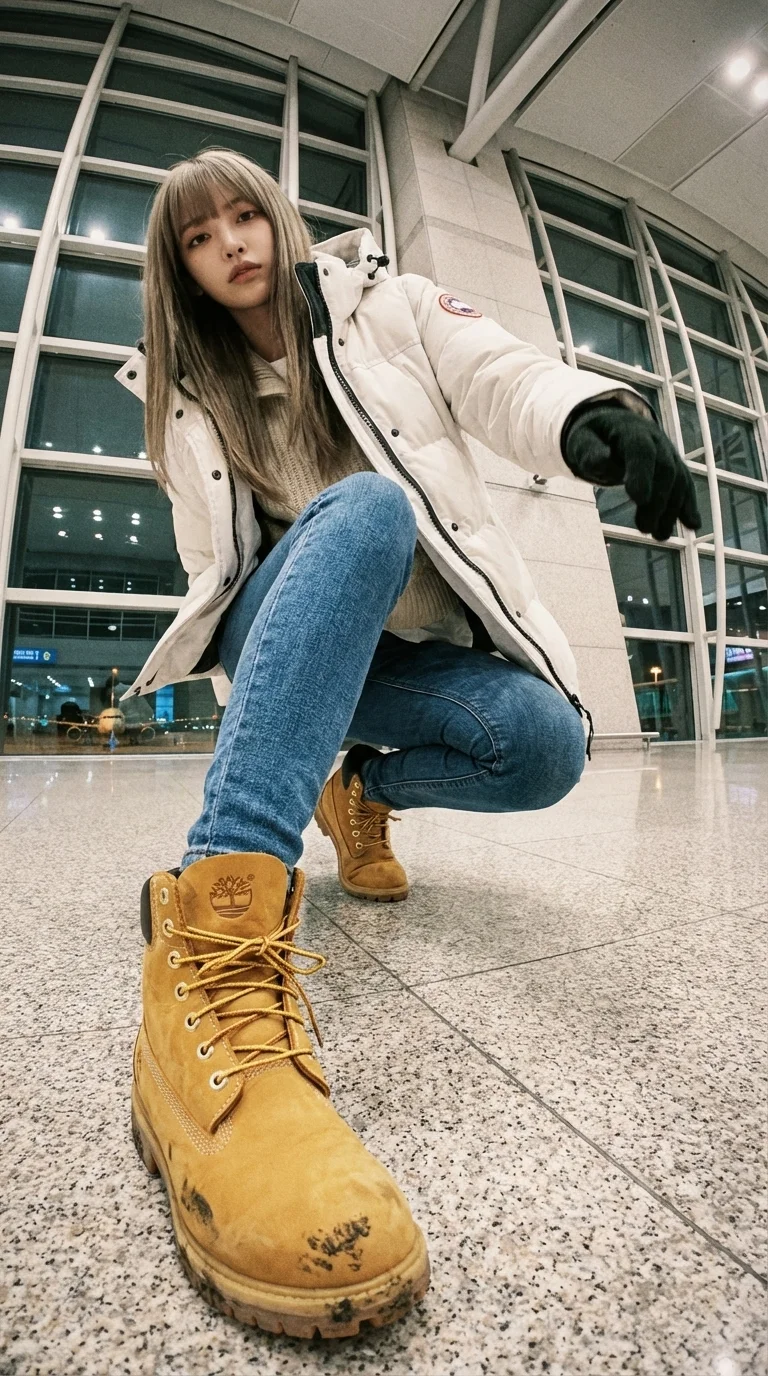
A WIDE-ANGLE EDIT — KEEP SAME PERSON + SAME LOCATION. This is an EDIT of the original image, NOT a new character. IDENTITY: – Same face, same hairstyle, same body proportions. – Same outfit design: white Canada-Goose-style puffer jacket (fluffy hood), layered knitwear, slim-fit blue jeans, Timberland wheat-yellow boots. Winter airport-celebrity style. LOCATION: – Same airport terminal as original. Same materials, glass walls, lighting, floor texture, architecture. – Expand environment logically from new angles (runway lights, distant planes). Do NOT move to a different place. CAMERA / LENS: – Ultra wide-angle or fisheye (12–18mm feel). – Dramatic angle REQUIRED: worm's-eye, bird's-eye, low angle, high angle, Dutch tilt. – Strong foreshortening: body parts near lens appear HUGE; rest of body recedes. POSE: – Dynamic, stylish, complex pose. Fashion or street-photo energy. – 1–2 (sometimes 3) body parts VERY close to lens: hands, fingers, boots, knees, face, shoulders. – Near-lens parts show distortion + texture detail. VARIATION: – Each edit must change camera angle, pose type, and which body parts are closest. – No repetition of identical compositions. LIGHTING: – Keep same lighting mood as original airport scene (soft overhead indoor light). – Photorealistic. No anime. No illustration. STRICT RULES: – Do NOT change person. – Do NOT change outfit type. – Do NOT change location. – No text, no logos, no graphic elements. GOAL: Create a photorealistic, dramatic, ultra wide-angle remix of the original, with extreme angle + near-lens body parts + same person + same airport environment. REFERENCE (original): photograph of the woman in white Canada-Goose-style puffer jacket, knitwear, slim-fit jeans, Timberland boots, inside an airport terminal with glass facades, soft indoor light, runway lights visible; gritty lo-fi film mood; airport telephone booth with receiver and green coiled cord.
A WIDE-ANGLE EDIT — KEEP SAME PERSON + SAME LOCATION. This is an EDIT of the original image, NOT a new character. IDENTITY: – Same face, same hairstyle, same body proportions. – Same outfit design: white Canada-Goose-style puffer jacket (fluffy hood), layered knitwear, slim-fit blue jeans, Timberland wheat-yellow boots. Winter airport-celebrity style. LOCATION: – Same airport terminal as original. Same materials, glass walls, lighting, floor texture, architecture. – Expand environment logically from new angles (runway lights, distant planes). Do NOT move to a different place. CAMERA / LENS: – Ultra wide-angle or fisheye (12–18mm feel). – Dramatic angle REQUIRED: worm's-eye, bird's-eye, low angle, high angle, Dutch tilt. – Strong foreshortening: body parts near lens appear HUGE; rest of body recedes. POSE: – Dynamic, stylish, complex pose. Fashion or street-photo energy. – 1–2 (sometimes 3) body parts VERY close to lens: hands, fingers, boots, knees, face, shoulders. – Near-lens parts show distortion + texture detail. VARIATION: – Each edit must change camera angle, pose type, and which body parts are closest. – No repetition of identical compositions. LIGHTING: – Keep same lighting mood as original airport scene (soft overhead indoor light). – Photorealistic. No anime. No illustration. STRICT RULES: – Do NOT change person. – Do NOT change outfit type. – Do NOT change location. – No text, no logos, no graphic elements. GOAL: Create a photorealistic, dramatic, ultra wide-angle remix of the original, with extreme angle + near-lens body parts + same person + same airport environment. REFERENCE (original): photograph of the woman in white Canada-Goose-style puffer jacket, knitwear, slim-fit jeans, Timberland boots, inside an airport terminal with glass facades, soft indoor light, runway lights visible; gritty lo-fi film mood; airport telephone booth with receiver and green coiled cord.
検証済みプロンプト
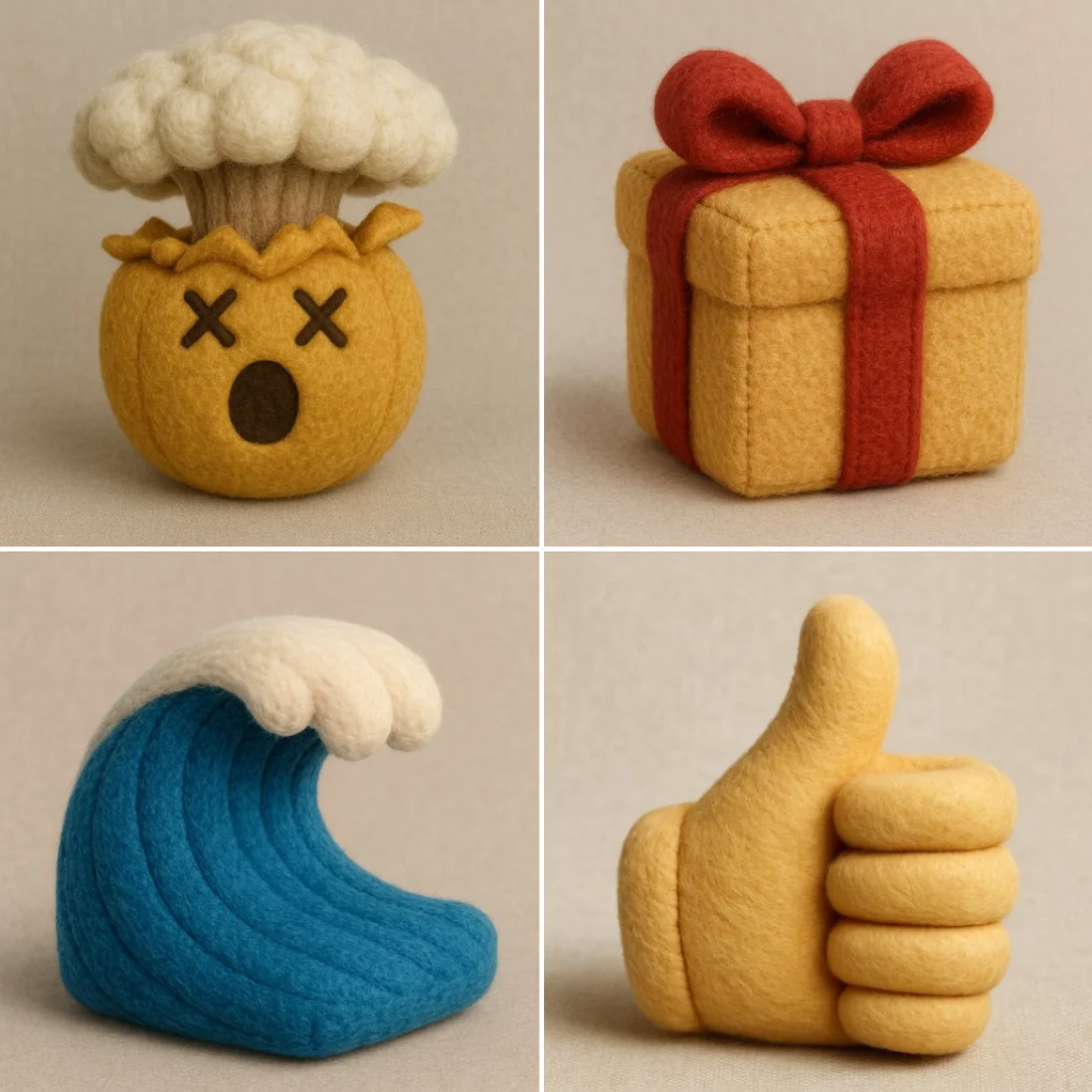
Recreate this [insert emoji] using the parameters from the JSON provided. { "style": "Plushform Emoji", "description": "Transform the emoji into a soft, realistic plush object with high-quality fabric and detailed construction. Do not anthropomorphize the emoji — avoid adding faces or cartoon features. Focus on accurate textures, natural forms, and subtle design to give the plush object character.", "features": { "shape": "matching the emoji's form, with soft, slightly rounded plush adaptation", "texture": "realistic plush fabric with visible fiber detail and natural fabric folds", "color": "faithful to the emoji's palette, using slightly muted, tactile tones", "material": "stuffed toy fabric with visible stitching, seams, and high-quality finishing", "background": "neutral or softly textured to emphasize the plush object's form", "lighting": "soft professional studio lighting with subtle shadows and depth" }, "examples": [ "👌 becomes a plush hand in the OK gesture, with realistic fabric folds and seams.", "🎯 becomes a soft plush bullseye with layered fuzzy rings and slight dimensional padding.", "🎁 becomes a cube-shaped plush box with fabric ribbon, visible stitching, and realistic fabric texture.", "🌊 becomes a wave-shaped plush with curled foam tips, crafted in textured ocean blue fabrics." ] }
Recreate this [insert emoji] using the parameters from the JSON provided. { "style": "Plushform Emoji", "description": "Transform the emoji into a soft, realistic plush object with high-quality fabric and detailed construction. Do not anthropomorphize the emoji — avoid adding faces or cartoon features. Focus on accurate textures, natural forms, and subtle design to give the plush object character.", "features": { "shape": "matching the emoji's form, with soft, slightly rounded plush adaptation", "texture": "realistic plush fabric with visible fiber detail and natural fabric folds", "color": "faithful to the emoji's palette, using slightly muted, tactile tones", "material": "stuffed toy fabric with visible stitching, seams, and high-quality finishing", "background": "neutral or softly textured to emphasize the plush object's form", "lighting": "soft professional studio lighting with subtle shadows and depth" }, "examples": [ "👌 becomes a plush hand in the OK gesture, with realistic fabric folds and seams.", "🎯 becomes a soft plush bullseye with layered fuzzy rings and slight dimensional padding.", "🎁 becomes a cube-shaped plush box with fabric ribbon, visible stitching, and realistic fabric texture.", "🌊 becomes a wave-shaped plush with curled foam tips, crafted in textured ocean blue fabrics." ] }
検証済みプロンプト
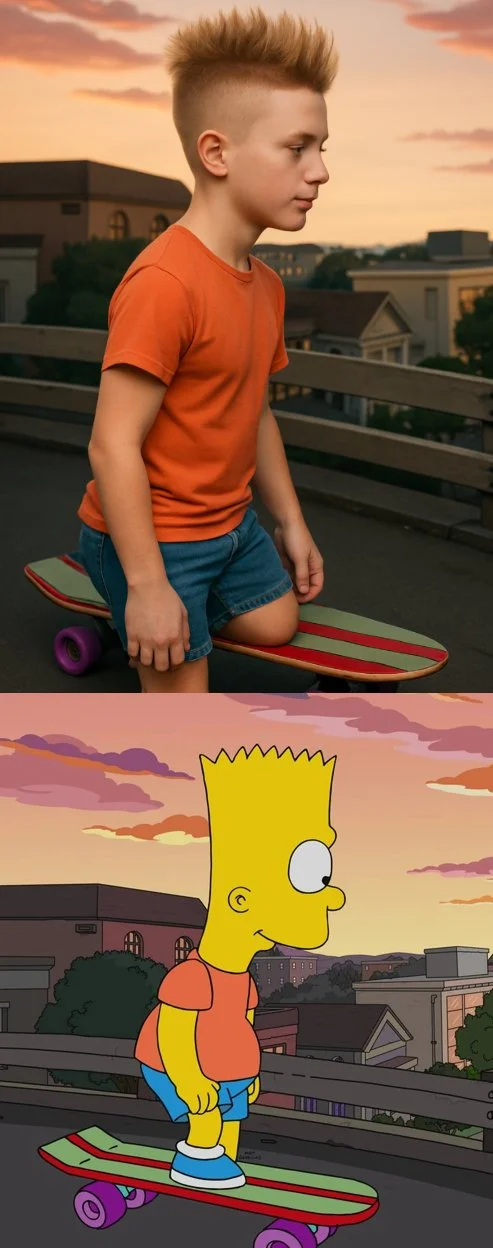
Transform the cartoon character from the reference image into a hyper-realistic human while maintaining their core attributes (clothing, hairstyle, facial expression, accessories, and proportions, age and so on). Create a photorealistic portrait
Transform the cartoon character from the reference image into a hyper-realistic human while maintaining their core attributes (clothing, hairstyle, facial expression, accessories, and proportions, age and so on). Create a photorealistic portrait
検証済みプロンプト
検証済みプロンプト
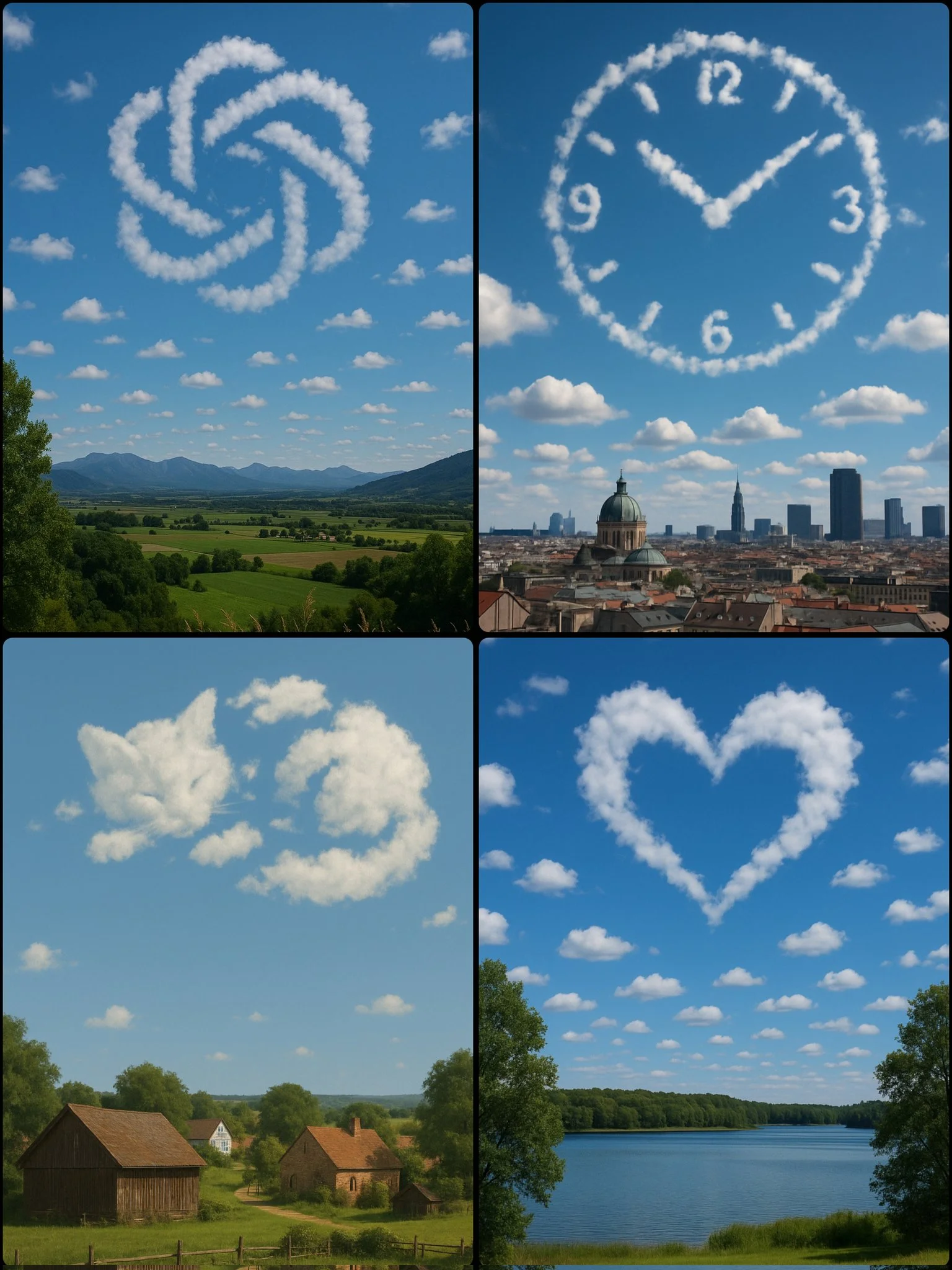
A photograph captures a daytime scene with a [SUBJECT/OBJECT] formed by scattered clouds in the sky, positioned above a [LOCATION]
A photograph captures a daytime scene with a [SUBJECT/OBJECT] formed by scattered clouds in the sky, positioned above a [LOCATION]
検証済みプロンプト
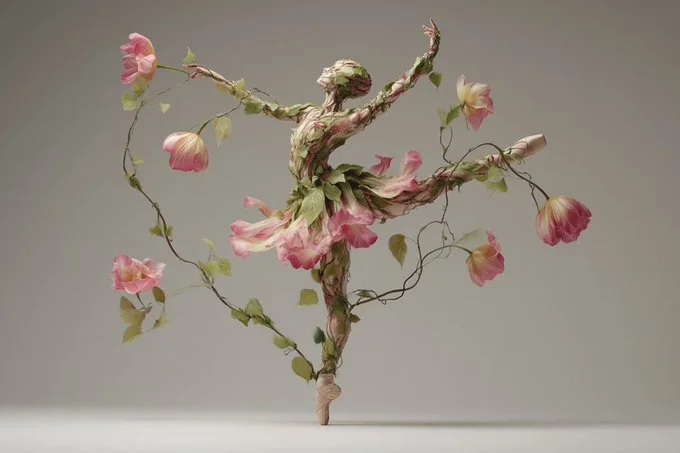
The [subject] appears as if organically grown from intertwining plants, flowers, and vines. Leaf-like textures and blooming forms fuse seamlessly with anatomical or structural details, creating a surreal hybrid of nature and design. The composition feels ethereal, with natural asymmetry and dreamlike flow.
The [subject] appears as if organically grown from intertwining plants, flowers, and vines. Leaf-like textures and blooming forms fuse seamlessly with anatomical or structural details, creating a surreal hybrid of nature and design. The composition feels ethereal, with natural asymmetry and dreamlike flow.
検証済みプロンプト
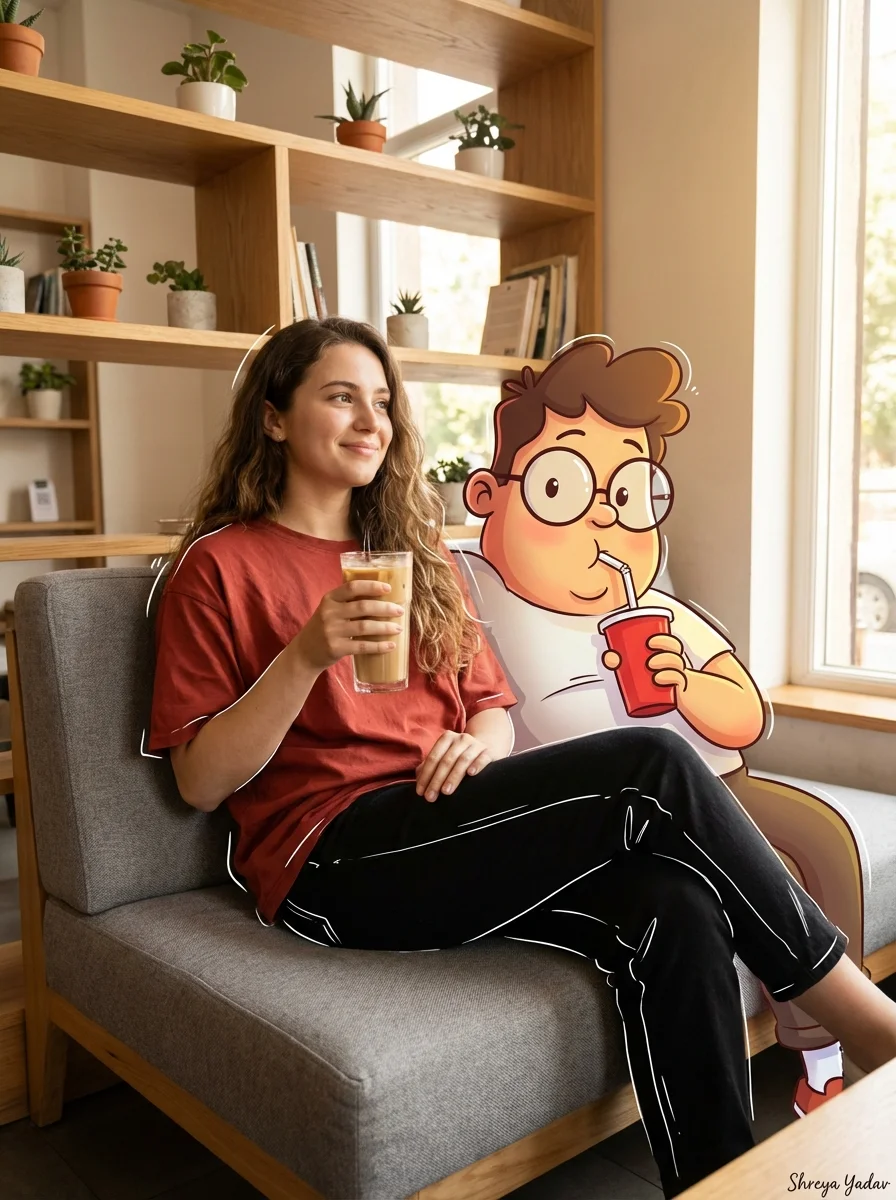
mpt Type] Cinematic Mixed Media Portrait. [Subject Details] Main Subject: Young woman with long wavy brown hair. Clothing: Loose rust-red t-shirt, high-waisted black pants with white sketch-style outlines, chunky beige sneakers. Pose: Relaxing on a modern grey sofa, holding a tall iced coffee, smiling softly and looking to the left. Companion Character: Large cartoon character Oggie with glasses, bright colors, exaggerated expressions, holding a red cup with a straw. [Environment] Setting: Cozy coffee shop interior. Furniture: Modern grey sofa, warm wooden shelves with small decorative items. Atmosphere: Minimalist, modern, warm. [Lighting And Composition] Lighting: Soft natural lighting streaming in from the right. Blending: Cartoon character seamlessly blended with soft shadows. Effects: Subtle doodle-style white line highlights around the woman and cartoon character. [Technical Specs] Resolution: High-resolution, vibrant, clean composition. Aspect Ratio: 3:4. [Signature] Shreya Yadav.
mpt Type] Cinematic Mixed Media Portrait. [Subject Details] Main Subject: Young woman with long wavy brown hair. Clothing: Loose rust-red t-shirt, high-waisted black pants with white sketch-style outlines, chunky beige sneakers. Pose: Relaxing on a modern grey sofa, holding a tall iced coffee, smiling softly and looking to the left. Companion Character: Large cartoon character Oggie with glasses, bright colors, exaggerated expressions, holding a red cup with a straw. [Environment] Setting: Cozy coffee shop interior. Furniture: Modern grey sofa, warm wooden shelves with small decorative items. Atmosphere: Minimalist, modern, warm. [Lighting And Composition] Lighting: Soft natural lighting streaming in from the right. Blending: Cartoon character seamlessly blended with soft shadows. Effects: Subtle doodle-style white line highlights around the woman and cartoon character. [Technical Specs] Resolution: High-resolution, vibrant, clean composition. Aspect Ratio: 3:4. [Signature] Shreya Yadav.

検証済みプロンプト
検証済みプロンプト
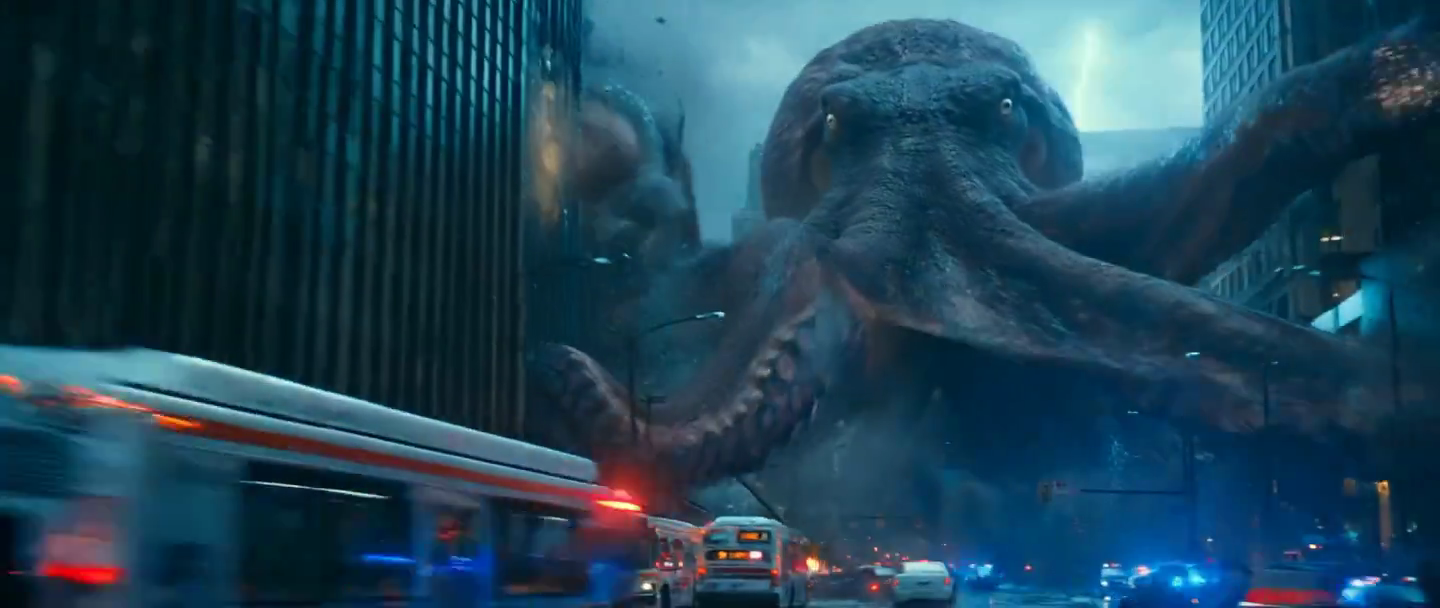
検証済みプロンプト
検証済みプロンプト
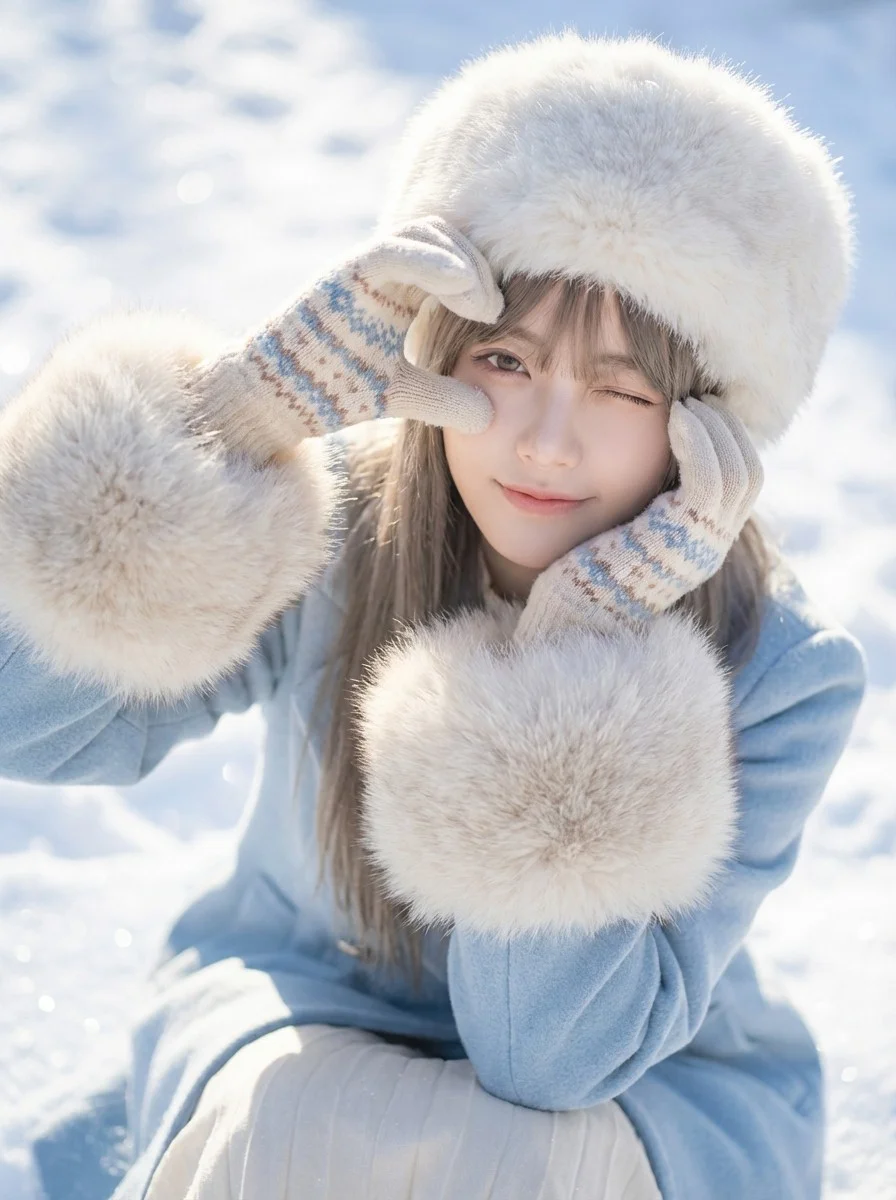
Close-up portrait of a young woman in winter attire making a heart shape with her gloved hands around her eye. Social media aesthetic photography, soft focus, high-key exposure, stylish portrait. Bright natural daylight, strong snow reflection acting as fill light, crisp shadows on snow surface. Dominant icy blues and bright whites, pastel accents, creamy fur tones. Playful, cute, romantic, wintery, innocent mood. High angle shot looking down, subject sitting in snow. Wearing a fluffy white fur hat, light blue coat with large fur cuffs, cute patterned gloves, winking playfully, snowy background texture. High-quality lifestyle photography. Soft, airy, dreamy filter, optimized color grading for fresh skin tones and vibrant snow. Radiant, airy, high-key, sparkling lighting. Cheerful, romantic, cute, lively winter atmosphere. 8k resolution, sparkling snow texture.
Close-up portrait of a young woman in winter attire making a heart shape with her gloved hands around her eye. Social media aesthetic photography, soft focus, high-key exposure, stylish portrait. Bright natural daylight, strong snow reflection acting as fill light, crisp shadows on snow surface. Dominant icy blues and bright whites, pastel accents, creamy fur tones. Playful, cute, romantic, wintery, innocent mood. High angle shot looking down, subject sitting in snow. Wearing a fluffy white fur hat, light blue coat with large fur cuffs, cute patterned gloves, winking playfully, snowy background texture. High-quality lifestyle photography. Soft, airy, dreamy filter, optimized color grading for fresh skin tones and vibrant snow. Radiant, airy, high-key, sparkling lighting. Cheerful, romantic, cute, lively winter atmosphere. 8k resolution, sparkling snow texture.
検証済みプロンプト
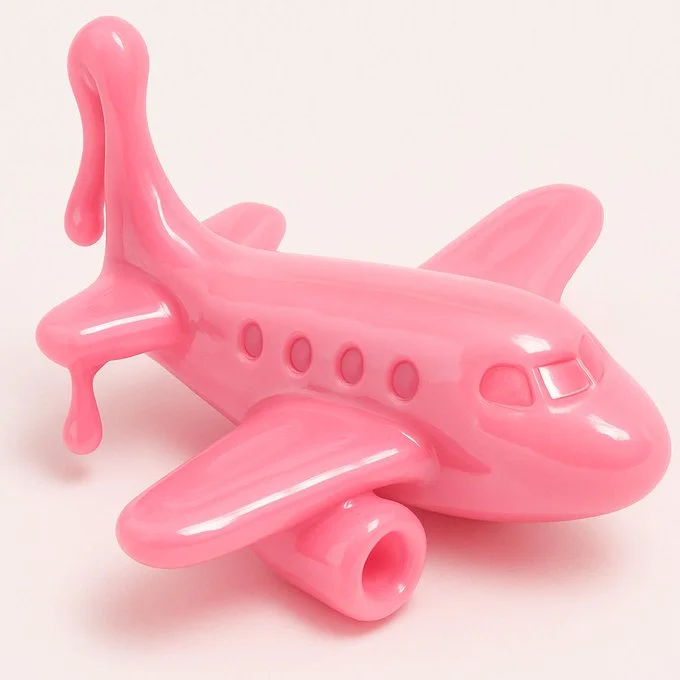
{ "style": "Realistic 3D render", "material": "Glossy slime-like material", "texture": ["smooth", "soft", "stretchy", "shiny"], "color": "VARIABLE", "object_type": "VARIABLE", "background": "plain white", "lighting": "soft studio lighting", "details": { "focus": "single object centered", "shadows": "soft and subtle", "reflection": "light highlights on surface", "depth": "shallow depth of field" }, "format": "close-up or three-quarter view", "mood": "playful, clean, toy-like", "prompt_template": "A {color} {object_type} made of glossy slime material, soft and stretchy texture, realistic 3D look, set against a plain white background, soft lighting and smooth highlights" }
{ "style": "Realistic 3D render", "material": "Glossy slime-like material", "texture": ["smooth", "soft", "stretchy", "shiny"], "color": "VARIABLE", "object_type": "VARIABLE", "background": "plain white", "lighting": "soft studio lighting", "details": { "focus": "single object centered", "shadows": "soft and subtle", "reflection": "light highlights on surface", "depth": "shallow depth of field" }, "format": "close-up or three-quarter view", "mood": "playful, clean, toy-like", "prompt_template": "A {color} {object_type} made of glossy slime material, soft and stretchy texture, realistic 3D look, set against a plain white background, soft lighting and smooth highlights" }

次のクリエイティブブリーフのための画像ワークスペース
Flux 3 Imageは、画像生成、対応画像編集、プロンプト例を、デザイナー、eコマースチーム、マーケター向けの1つのクリエイティブワークスペースにまとめます。
被写体、構図、照明、スタイルを説明します。利用可能なモデルを選択し、クレジットコストを確認して、Historyで結果を検査してください。
画像を作成視覚的アイデアを形作る4つの方法

明確な構図のキャンペーンビジュアル
フェスティバルポスターを、画像、色、タイポグラフィの配置について研究しましょう。自身のキャンペーンでは、焦点を定義し、最終コピーのための余白を残してください。ソース例:Black Forest Labs。この画像はこのサイトで生成されたものではありません。
画像生成と編集の実践的なワークフロー
焦点を絞った画像ブリーフを作成し、選択したモデルが提供するコントロールを使用します。変更する内容を決める前に、完成した画像を意図した構図と比較してください。
希望する画像を描写する
被写体、設定、ライティング、カメラ視点、スタイルから始めます。商品シーン、ポスター、編集画像では、重要な場合にレイアウトの指示を含めてください。

対応している場合は参照を用意する
編集対応モデルを選択し、使用許可のある参照をアップロードします。対応ファイル形式、参照の上限、編集コントロールはジェネレーターに表示されます。

設定とクレジットコストを確認する
利用可能なアスペクト比と解像度を選択します。送信前に必要なクレジットを確認してください。対応設定とコストはモデルによって異なります。
プロンプトのアイデアと公開事例を見る
プロンプトショーケースで公開事例を閲覧します。各事例には実際のモデルとプロンプトが表示されるので、文脈の中で結果を研究できます。
描写、生成、確認、改善
焦点を絞ったブリーフから確認済みの結果へ進みます。有用なバージョンは履歴に保存し、一度に1つの指示だけを調整してください。
ビジュアルブリーフを描写する
被写体、設定、構図、ライティング、スタイルを書きます。修正では、変更内容と保持したい詳細を描写してください。
モデルを選択して生成する
利用可能な画像モデルから選択し、対応設定を選び、必要なクレジットを確認します。モデルが画像編集に対応している場合は参照を追加してください。
画像を確認してダウンロードする
履歴で完成した画像を確認します。ダウンロードや公開の前に、顔、テキスト、商品の詳細、全体の構図をチェックしてください。
次のバージョンを改善する
プロンプトの一部を変更するか、対応している画像編集を使用します。バージョンを比較して、どの方向がブリーフを改善するか確認してください。
デザイナー、Eコマースチーム、マーケター向けの画像アイデア
具体的なビジュアルアイデアを、キャンペーン、商品コンセプト、編集レイアウト、クリエイティブプレゼンテーションの素材に変えます。すべての結果を本来の用途に合わせて確認してください。
商品シーン
商品、その環境、ライティングを描写します。リスティングで使用する前に、生成された形状、ラベル、素材を実物と照らし合わせて確認してください。
キャンペーンビジュアル
1つのメッセージと明確な焦点を中心にキャンペーンコンセプトを構築します。最終的なタイポグラフィ用のスペースを残し、公開前に広告表現を確認してください。
編集レイアウト
表紙、記事、プレゼンテーション向けの画像配置を探ります。構図と視覚的階層を指定し、生成されたテキストは別途確認してください。
クリエイティブプレゼンテーション
ビジュアルコンセプトを使ってチームに方向性を伝えます。バージョン間でフレーミング、配色、ライティングを比較してください。
キャラクター構図
キャラクター、服装、表情、環境を描写します。参照の扱いと一貫性は、モデルと対応入力によって異なります。
画像の修正
色、設定、詳細の変更には対応する編集モデルを使用します。意図しない要素が変わっていないか、画像全体を確認してください。
次の画像のためのクリエイティブノート
画像に1つの明確な被写体を与えます。設定と、ブリーフを認識可能にする詳細を描写してください。
Flux 3 Image:質問と回答
ジェネレーターメニューには、このサイトで現在利用可能な画像モデル(対応する FLUX ファミリーモデルを含む)が表示されます。Flux 3 Image ブランドと特集された BFL ソース例は、FLUX.3 の生成が提供されていることを意味しません。メニューに表示されている実際のモデルを選択してください。
生成にはクレジットを使用します。モデルと対応設定を選択すると、送信前に必要なクレジットが表示されます。月額、年額、買い切りのオプションについては料金ページをご覧ください。
デスクトップまたはモバイルブラウザーで flux3 image を使用して、プロンプトを書き、対応している参照を追加し、履歴を確認し、完成した画像をダウンロードできます。
被写体、設定、構図、ライティング、スタイルを描写します。商品の素材、服装、レイアウトが重要な場合は正確な詳細を追加してください。編集では、変更すべき内容を描写します。
プロンプト、参照、結果は、リクエストの処理と履歴の提供のために保存される場合があります。公開メディアリンクは他のユーザーが閲覧および共有できます。機密素材をアップロードする前にプライバシーポリシーをお読みください。
選択したモデルによって、ジェネレーターが提供する解像度、アスペクト比、参照の上限、編集コントロールが決まります。それらのコントロールを使用してください。特集ソース画像の仕様は、利用可能なすべてのモデルを説明するものではありません。
編集対応モデルを選択し、使用許可のある対応画像をアップロードし、修正内容を描写します。結果を確認して、要求した変更と周囲の詳細の両方をチェックしてください。
意図する用途について、該当するプラットフォームとモデルの利用規約を確認してください。アップロード素材、識別可能な人物、ロゴ、その他の第三者コンテンツに関する権利はお客様の責任です。
処理時間は、モデル、設定、リクエスト、サービス負荷によって異なります。履歴でリクエストのステータスを確認してください。
いいえ。flux3 image は独立したサードパーティのワークスペースです。ホームページで特集されている画像は Black Forest Labs のクレジットであり、プロンプトショーケースのユーザー生成結果とは別のものです。元のプロンプトは検証された場合にのみ含まれます。
もっと記事を読む
画像作成ガイド