
Flux 3 Image:Controlla ogni pixel
Trasforma le idee in visual composti con cura.
Crea scene di prodotto, layout editoriali, visual per campagne e composizioni di personaggi con i modelli di immagini disponibili. Immagini di origine in evidenza: Black Forest Labs.

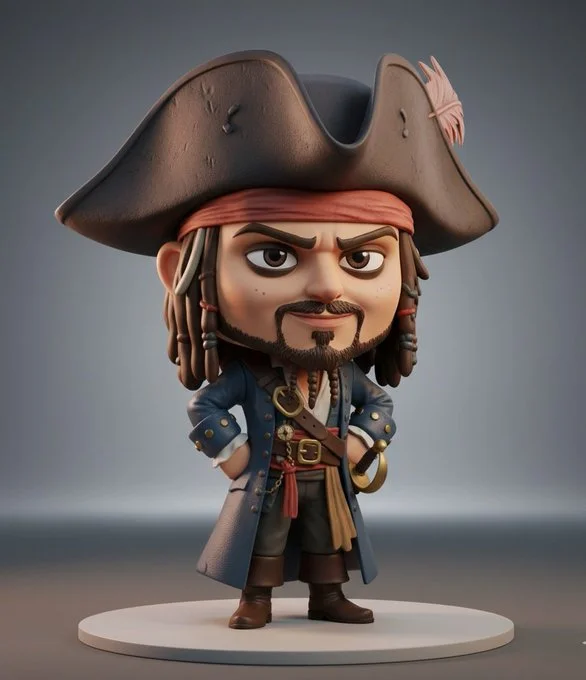
Prompt verificato
3D collectible chibi-style figure of [insert celebrity or character name], ultra-detailed, stylized proportions (large head, small body), expressive face, cinematic lighting, soft shadows, Pixar-quality realism, glossy vinyl toy texture, standing pose, high detail clothing, character-accurate outfit, professional product photography, rendered in Unreal Engine 5, on a minimal studio background, toy display aesthetic, 8K ultra realistic
3D collectible chibi-style figure of [insert celebrity or character name], ultra-detailed, stylized proportions (large head, small body), expressive face, cinematic lighting, soft shadows, Pixar-quality realism, glossy vinyl toy texture, standing pose, high detail clothing, character-accurate outfit, professional product photography, rendered in Unreal Engine 5, on a minimal studio background, toy display aesthetic, 8K ultra realistic
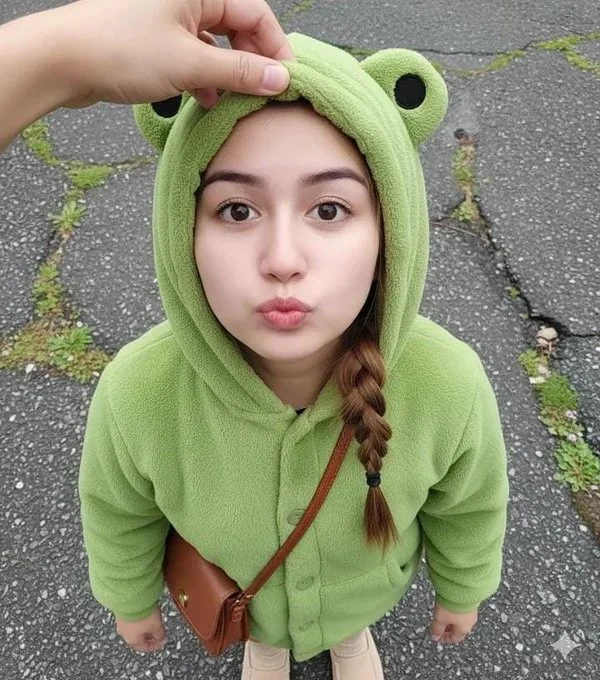
Prompt verificato
Close-up shot. Using a reference photo, maintaining 100% facial similarity, create an ultra-high-resolution photorealistic portrait of a young woman with chibi proportions, shot from an extreme high/above angle, gazing intently upwards at the camera from above her head with a cute pouting expression and round, chubby cheeks. Her face is turned slightly to the side. Blend her facial features to look chibi yet realistic—a round, youthful face, soft, baby-like cheeks, a small, delicate nose, and large, sweet, warm brown eyes with a soft sparkle. Her expression is innocent, curious, and very kawaii. She wears a cute pastel green dinosaur onesie with a hoodie. Location: Inside a modern elevator, clean metal walls with symmetrical vertical lines. Lighting: Soft and diffused indoor light, flattering, even, and dreamy—no harsh shadows. DSLR-quality realism, shallow depth of field, ultra-sharp facial focus. Mood: Sweet, warm, innocent, super adorable, and heart-melting.
Close-up shot. Using a reference photo, maintaining 100% facial similarity, create an ultra-high-resolution photorealistic portrait of a young woman with chibi proportions, shot from an extreme high/above angle, gazing intently upwards at the camera from above her head with a cute pouting expression and round, chubby cheeks. Her face is turned slightly to the side. Blend her facial features to look chibi yet realistic—a round, youthful face, soft, baby-like cheeks, a small, delicate nose, and large, sweet, warm brown eyes with a soft sparkle. Her expression is innocent, curious, and very kawaii. She wears a cute pastel green dinosaur onesie with a hoodie. Location: Inside a modern elevator, clean metal walls with symmetrical vertical lines. Lighting: Soft and diffused indoor light, flattering, even, and dreamy—no harsh shadows. DSLR-quality realism, shallow depth of field, ultra-sharp facial focus. Mood: Sweet, warm, innocent, super adorable, and heart-melting.
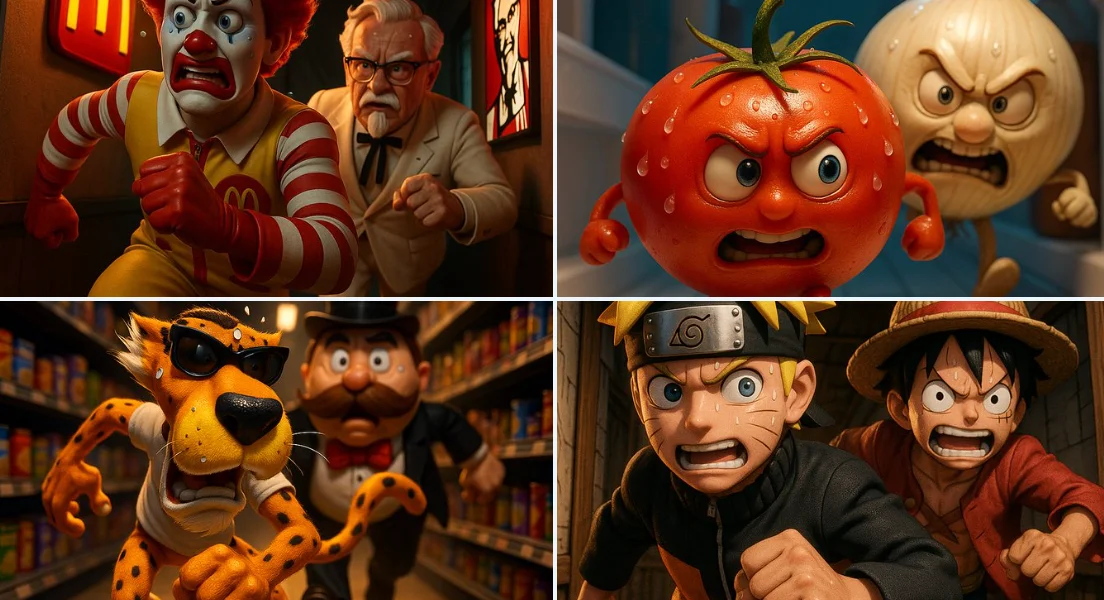
Prompt verificato
A thrilling 3D cartoon scene: [CHARACTER1] runs through a narrow corridor inside [Place], chased at high speed by [CHARACTER2]. Their facial expressions reflect tension and focus, with beads of sweat glistening under dramatic lighting.
A thrilling 3D cartoon scene: [CHARACTER1] runs through a narrow corridor inside [Place], chased at high speed by [CHARACTER2]. Their facial expressions reflect tension and focus, with beads of sweat glistening under dramatic lighting.
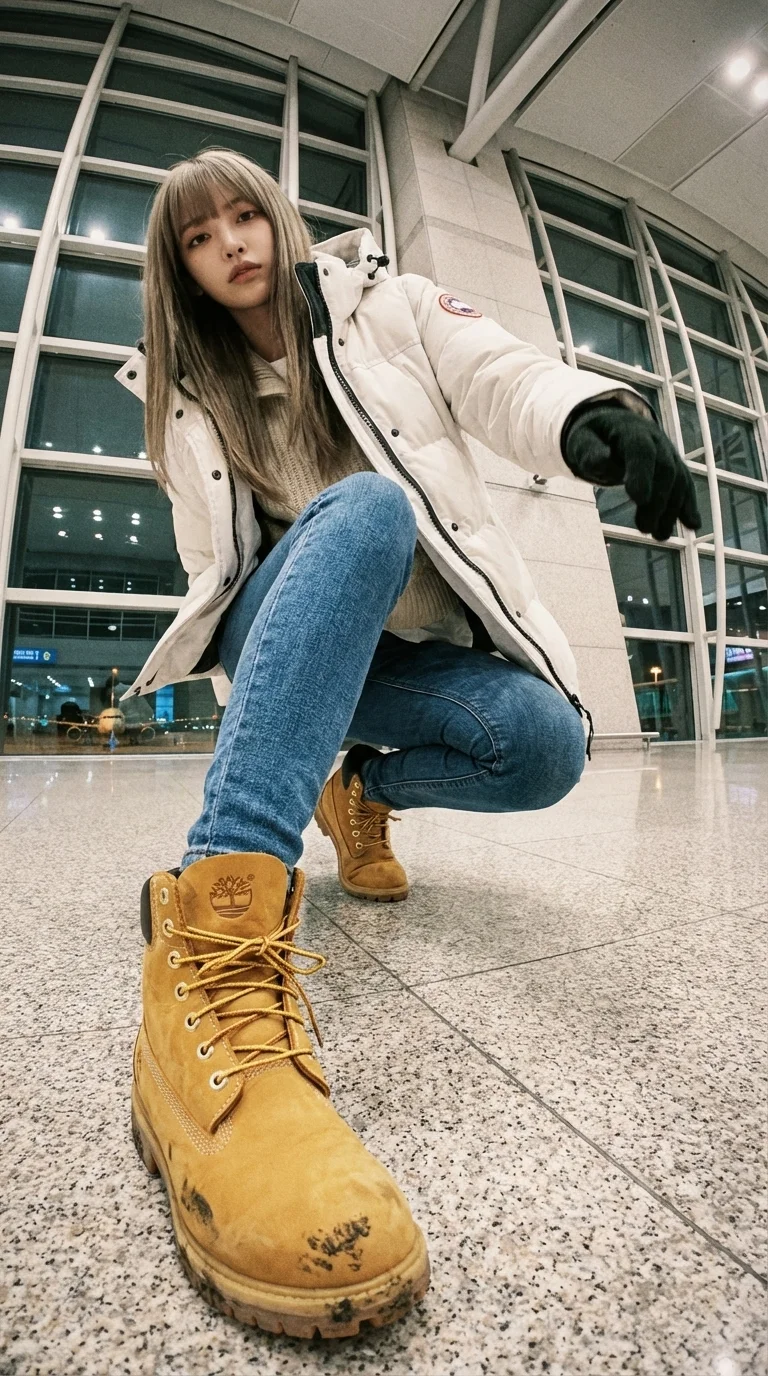
Prompt verificato
A WIDE-ANGLE EDIT — KEEP SAME PERSON + SAME LOCATION. This is an EDIT of the original image, NOT a new character. IDENTITY: – Same face, same hairstyle, same body proportions. – Same outfit design: white Canada-Goose-style puffer jacket (fluffy hood), layered knitwear, slim-fit blue jeans, Timberland wheat-yellow boots. Winter airport-celebrity style. LOCATION: – Same airport terminal as original. Same materials, glass walls, lighting, floor texture, architecture. – Expand environment logically from new angles (runway lights, distant planes). Do NOT move to a different place. CAMERA / LENS: – Ultra wide-angle or fisheye (12–18mm feel). – Dramatic angle REQUIRED: worm's-eye, bird's-eye, low angle, high angle, Dutch tilt. – Strong foreshortening: body parts near lens appear HUGE; rest of body recedes. POSE: – Dynamic, stylish, complex pose. Fashion or street-photo energy. – 1–2 (sometimes 3) body parts VERY close to lens: hands, fingers, boots, knees, face, shoulders. – Near-lens parts show distortion + texture detail. VARIATION: – Each edit must change camera angle, pose type, and which body parts are closest. – No repetition of identical compositions. LIGHTING: – Keep same lighting mood as original airport scene (soft overhead indoor light). – Photorealistic. No anime. No illustration. STRICT RULES: – Do NOT change person. – Do NOT change outfit type. – Do NOT change location. – No text, no logos, no graphic elements. GOAL: Create a photorealistic, dramatic, ultra wide-angle remix of the original, with extreme angle + near-lens body parts + same person + same airport environment. REFERENCE (original): photograph of the woman in white Canada-Goose-style puffer jacket, knitwear, slim-fit jeans, Timberland boots, inside an airport terminal with glass facades, soft indoor light, runway lights visible; gritty lo-fi film mood; airport telephone booth with receiver and green coiled cord.
A WIDE-ANGLE EDIT — KEEP SAME PERSON + SAME LOCATION. This is an EDIT of the original image, NOT a new character. IDENTITY: – Same face, same hairstyle, same body proportions. – Same outfit design: white Canada-Goose-style puffer jacket (fluffy hood), layered knitwear, slim-fit blue jeans, Timberland wheat-yellow boots. Winter airport-celebrity style. LOCATION: – Same airport terminal as original. Same materials, glass walls, lighting, floor texture, architecture. – Expand environment logically from new angles (runway lights, distant planes). Do NOT move to a different place. CAMERA / LENS: – Ultra wide-angle or fisheye (12–18mm feel). – Dramatic angle REQUIRED: worm's-eye, bird's-eye, low angle, high angle, Dutch tilt. – Strong foreshortening: body parts near lens appear HUGE; rest of body recedes. POSE: – Dynamic, stylish, complex pose. Fashion or street-photo energy. – 1–2 (sometimes 3) body parts VERY close to lens: hands, fingers, boots, knees, face, shoulders. – Near-lens parts show distortion + texture detail. VARIATION: – Each edit must change camera angle, pose type, and which body parts are closest. – No repetition of identical compositions. LIGHTING: – Keep same lighting mood as original airport scene (soft overhead indoor light). – Photorealistic. No anime. No illustration. STRICT RULES: – Do NOT change person. – Do NOT change outfit type. – Do NOT change location. – No text, no logos, no graphic elements. GOAL: Create a photorealistic, dramatic, ultra wide-angle remix of the original, with extreme angle + near-lens body parts + same person + same airport environment. REFERENCE (original): photograph of the woman in white Canada-Goose-style puffer jacket, knitwear, slim-fit jeans, Timberland boots, inside an airport terminal with glass facades, soft indoor light, runway lights visible; gritty lo-fi film mood; airport telephone booth with receiver and green coiled cord.
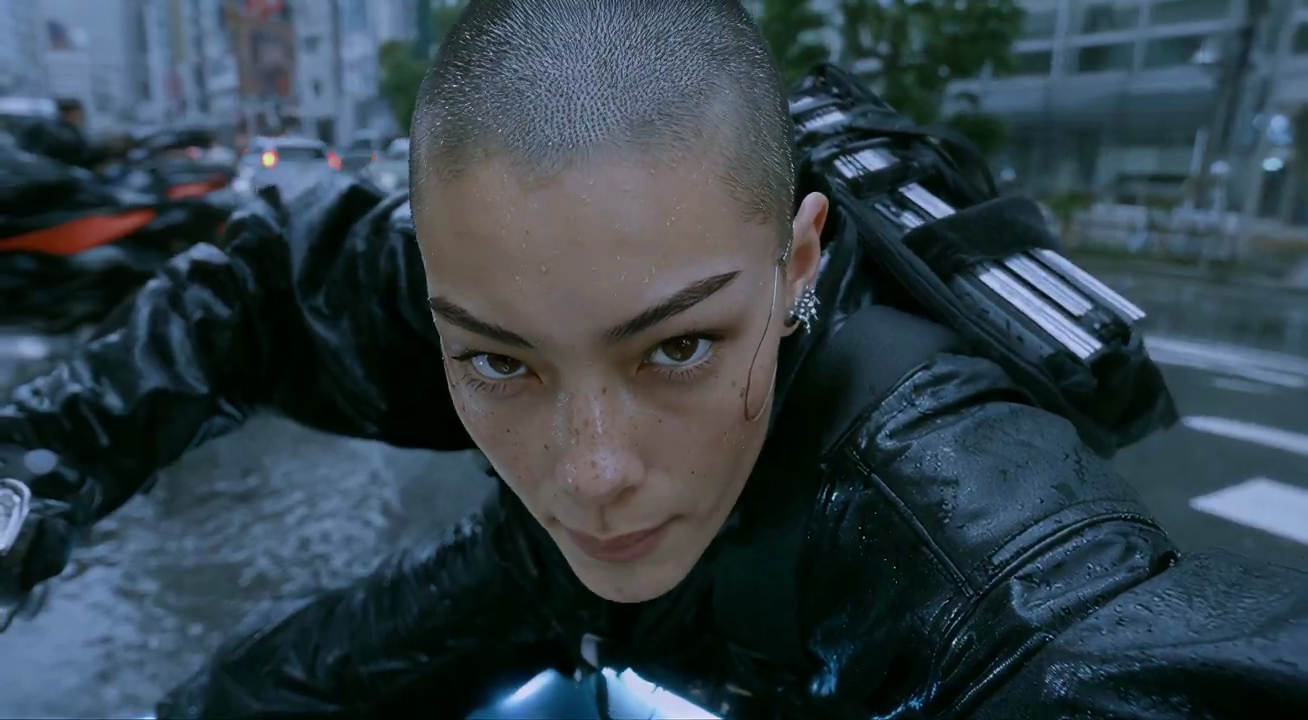
Prompt verificato
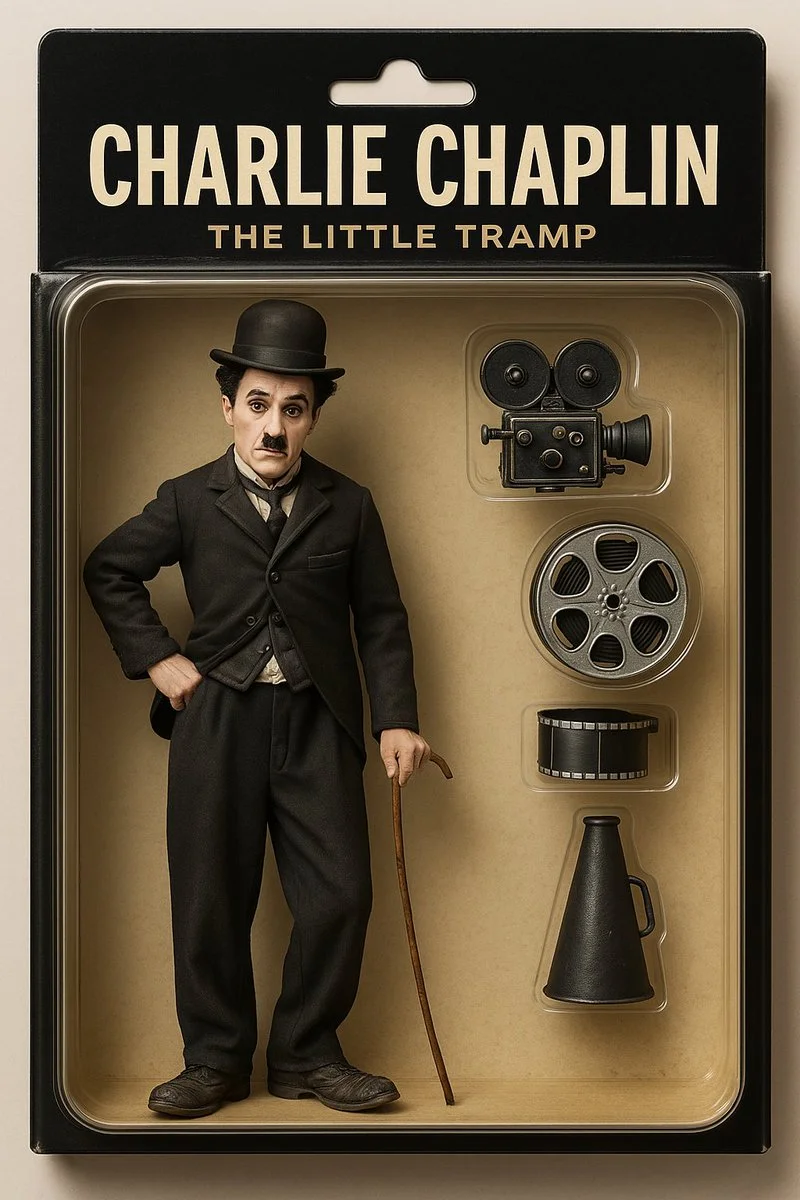
Prompt verificato
Create a toy of the person in the photo. Let it be an action figure. Next to the figure, there should be the toy's equipment like a football and football boot and world cup. Also, on top of the box, write 'LIONEL MESSI and underneath it, 'GOAT'.Visualize this in a realistic way.
Create a toy of the person in the photo. Let it be an action figure. Next to the figure, there should be the toy's equipment like a football and football boot and world cup. Also, on top of the box, write 'LIONEL MESSI and underneath it, 'GOAT'.Visualize this in a realistic way.
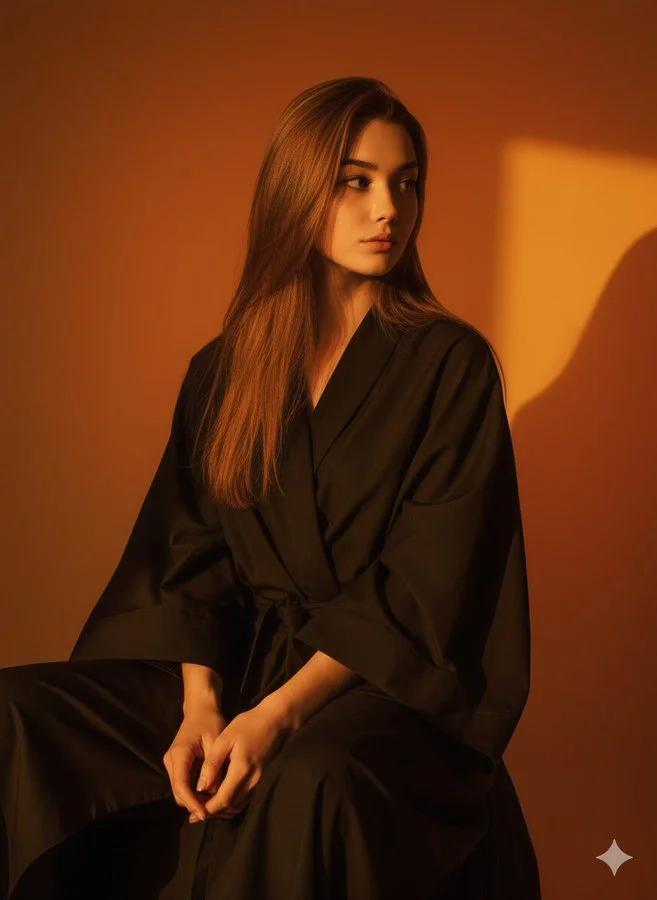
Prompt verificato
A hyper-realistic 4K UHD vertical potrait (3:4) of me, preserving my exact original face and features. i am seated , slightly leaned forward with relaxed and calm expression. the background is a smooth, rich gradient of oranve and yellow tones, casting soft but vivid warm ambiet light around me, lighting is studio-grade , creating a glowing cinematic effect with gentle shadow behind me. i wear a loose , dark robe or fabric that drapes naturally. the mood is artistic and slightly surreal , with a moody, high-contrast look and a golden , warm color palette. the overall style is realistic , cinematic , and softly lit - with stunning UHD detail.
A hyper-realistic 4K UHD vertical potrait (3:4) of me, preserving my exact original face and features. i am seated , slightly leaned forward with relaxed and calm expression. the background is a smooth, rich gradient of oranve and yellow tones, casting soft but vivid warm ambiet light around me, lighting is studio-grade , creating a glowing cinematic effect with gentle shadow behind me. i wear a loose , dark robe or fabric that drapes naturally. the mood is artistic and slightly surreal , with a moody, high-contrast look and a golden , warm color palette. the overall style is realistic , cinematic , and softly lit - with stunning UHD detail.
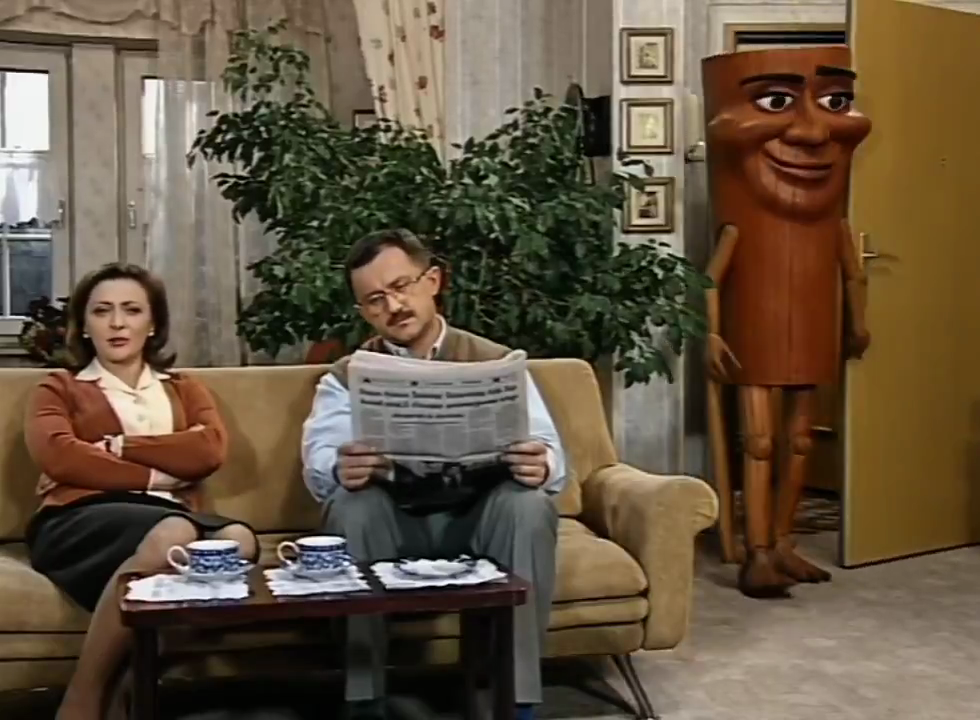
Prompt verificato
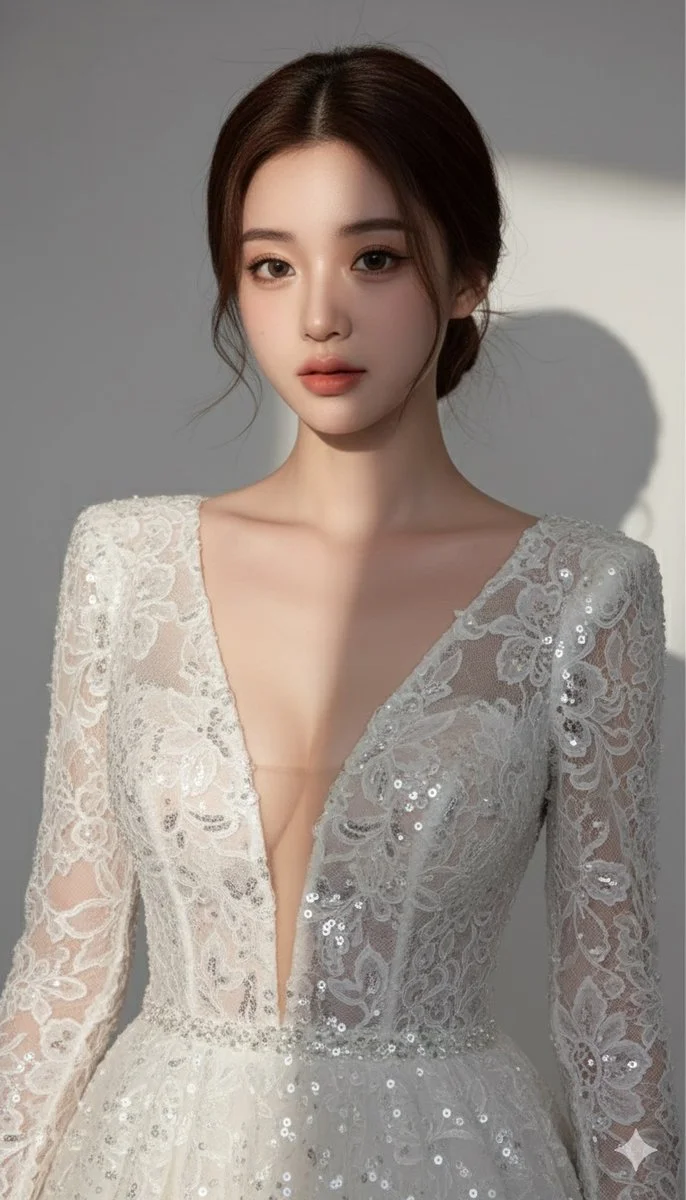
Prompt verificato
Ultra-detailed, photorealistic portrait of a beautiful woman, high fashion editorial, deep white plunging V-neck lace sequined evening gown, elegant low bun updo, soft studio lighting, light grey background, dramatic shadowplay, hyperrealistic, 8K
Ultra-detailed, photorealistic portrait of a beautiful woman, high fashion editorial, deep white plunging V-neck lace sequined evening gown, elegant low bun updo, soft studio lighting, light grey background, dramatic shadowplay, hyperrealistic, 8K
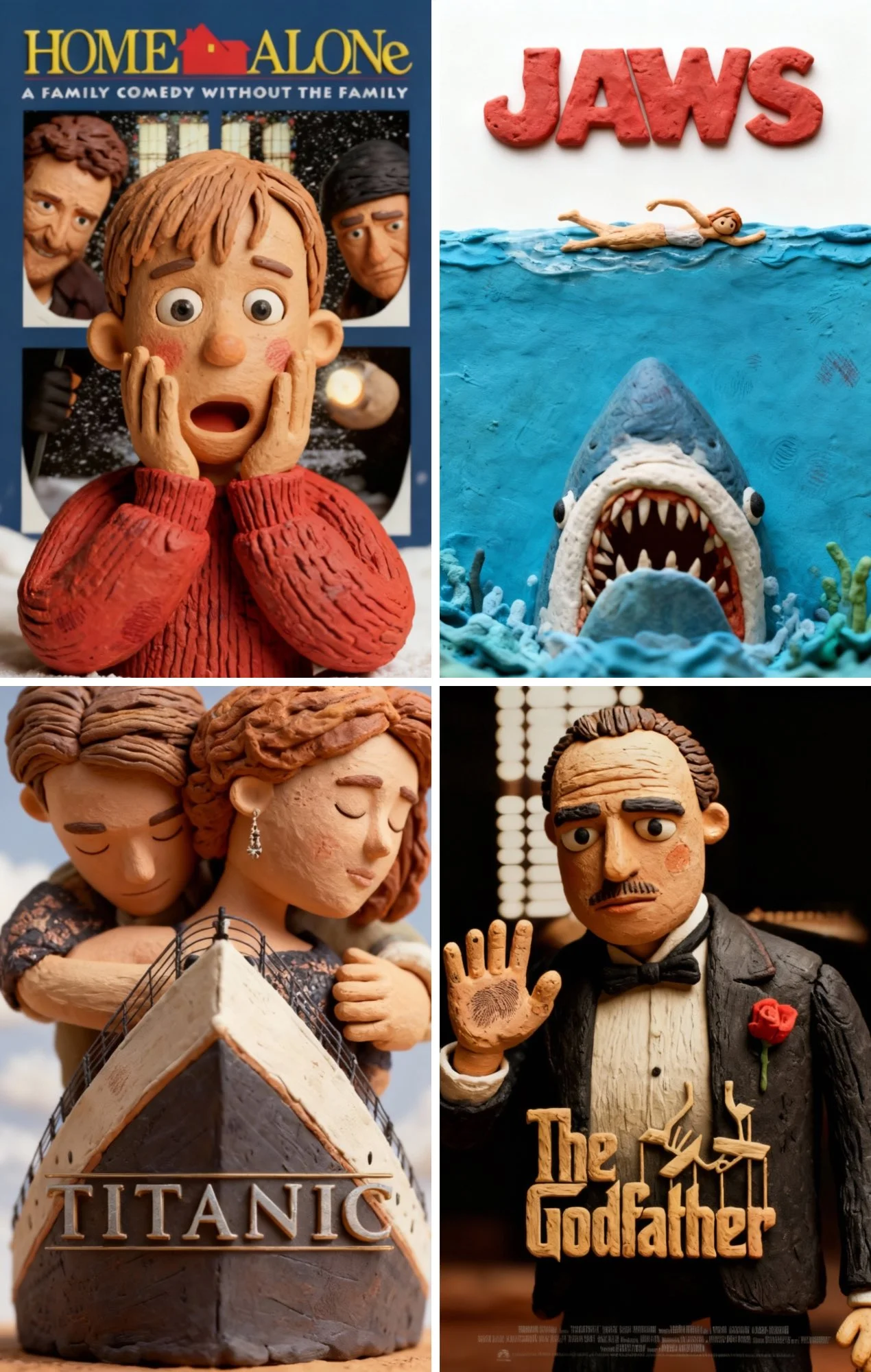
Prompt verificato
Restyle the reference movie poster in claymation style. Keep the original layout, composition, and lighting exactly as in the reference. Transform all characters, objects, and elements into handcrafted clay models with visible fingerprints, soft edges, and subtle imperfections. Preserve the background and colors, but give everything a realistic clay texture and dimensional feel, as if it were photographed from a stop-motion clay animation set
Restyle the reference movie poster in claymation style. Keep the original layout, composition, and lighting exactly as in the reference. Transform all characters, objects, and elements into handcrafted clay models with visible fingerprints, soft edges, and subtle imperfections. Preserve the background and colors, but give everything a realistic clay texture and dimensional feel, as if it were photographed from a stop-motion clay animation set
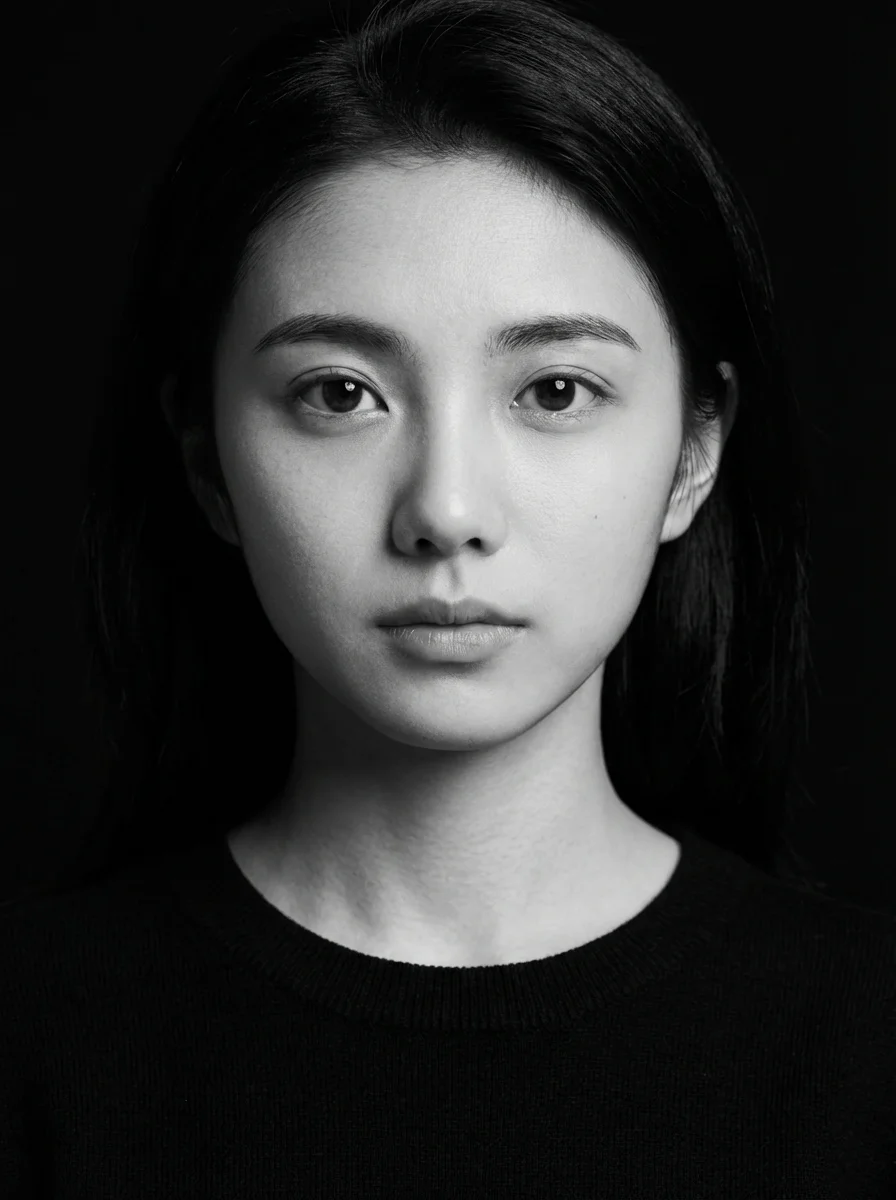
Prompt verificato
k and white studio portrait of the young woman in the uploaded image, looking directly into the camera with a calm, neutral expression. She is wearing a plain black crew-neck sweater. Deep black background with hard-edged studio lighting from the left, crisp facial shadows, sharp highlights on cheekbones, ultra-detailed skin texture, photorealistic, captured with an 85mm lens. 3:4 aspect ratio.
k and white studio portrait of the young woman in the uploaded image, looking directly into the camera with a calm, neutral expression. She is wearing a plain black crew-neck sweater. Deep black background with hard-edged studio lighting from the left, crisp facial shadows, sharp highlights on cheekbones, ultra-detailed skin texture, photorealistic, captured with an 85mm lens. 3:4 aspect ratio.
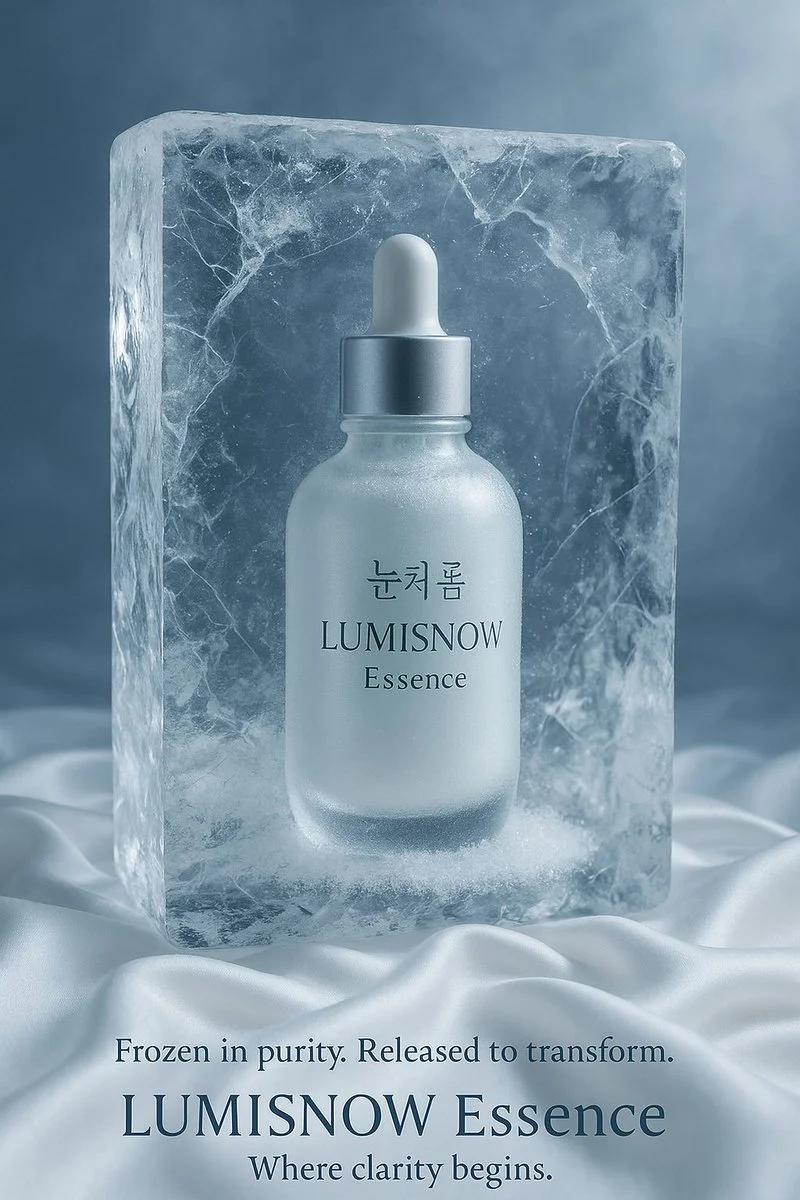
Prompt verificato
Imagine a visual concept where [insert your product] — featuring Korean text on the label — is suspended inside a cracked, ultra-clear block of ice. The product is fully visible through the ice, with soft frost forming around it. It rests on smooth white silk, and the ambient lighting is cold and elegant, with reflections dancing across the surface. Describe the entire scene in rich visual detail, in the style of a luxurious Korean skincare advertisement.
Imagine a visual concept where [insert your product] — featuring Korean text on the label — is suspended inside a cracked, ultra-clear block of ice. The product is fully visible through the ice, with soft frost forming around it. It rests on smooth white silk, and the ambient lighting is cold and elegant, with reflections dancing across the surface. Describe the entire scene in rich visual detail, in the style of a luxurious Korean skincare advertisement.
Esplora i flussi di lavoro per la creazione di immagini
Inizia con un brief visivo, modifica un'immagine con un modello supportato o sfoglia la Vetrina dei prompt per trovare idee.

Uno spazio di lavoro per immagini per il tuo prossimo brief creativo
Flux 3 Image riunisce generazione di immagini, modifica di immagini supportata ed esempi di prompt in un unico spazio di lavoro creativo per designer, team di e-commerce e professionisti del marketing.
Descrivi soggetto, composizione, illuminazione e stile. Scegli un modello disponibile, rivedi il costo in crediti e ispeziona il risultato nella Cronologia.
Crea un'immagineQuattro modi per dare forma a un'idea visiva

Visual per campagne con una composizione chiara
Studia il poster del festival per la disposizione di immagine, colore e tipografia. Per la tua campagna, definisci il punto focale e lascia spazio per il testo finale. Esempio di origine: Black Forest Labs; questa immagine non è stata generata su questo sito.
Un flusso di lavoro pratico per la generazione e l'editing delle immagini
Crea un brief visivo mirato e usa i controlli offerti dal modello selezionato. Confronta l'immagine completata con la composizione che intendevi prima di decidere cosa modificare.
Descrivi l'immagine che vuoi
Inizia con un soggetto, un'ambientazione, l'illuminazione, il punto di vista della fotocamera e lo stile. Includi istruzioni di layout per una scena di prodotto, un poster o un'immagine editoriale quando sono importanti.

Allega un riferimento quando è supportato
Seleziona un modello con capacità di editing e carica un riferimento che hai il permesso di usare. I tipi di file accettati, i limiti dei riferimenti e i controlli di editing sono mostrati nel generatore.

Esamina le impostazioni e il costo in crediti
Scegli un rapporto d'aspetto e una risoluzione disponibili. Controlla i crediti richiesti prima di inviare; le impostazioni supportate e i costi variano in base al modello.
Esplora idee di prompt ed esempi pubblicati
Sfoglia i casi pubblicati nella Vetrina dei prompt. Ogni caso mostra il suo modello effettivo e il prompt, così puoi studiare il risultato nel suo contesto.
Descrivi, genera, esamina e perfeziona
Passa da un brief mirato a un risultato esaminato. Conserva le versioni utili nella Cronologia e modifica un'istruzione alla volta.
Descrivi il tuo brief visivo
Scrivi il soggetto, l'ambientazione, la composizione, l'illuminazione e lo stile. Per le revisioni, descrivi la modifica e i dettagli che vuoi mantenere.
Scegli un modello e genera
Scegli tra i modelli di immagini disponibili, seleziona le impostazioni supportate e controlla i crediti richiesti. Aggiungi riferimenti quando il modello supporta l'editing delle immagini.
Esamina e scarica la tua immagine
Ispeziona l'immagine completata nella Cronologia. Controlla volti, testo, dettagli del prodotto e la composizione complessiva prima di scaricarla o pubblicarla.
Perfeziona la versione successiva
Modifica una parte del tuo prompt o usa l'editing delle immagini supportato. Confronta le versioni per vedere quale direzione migliora il tuo brief.
Idee di immagini per designer, team di e-commerce e professionisti del marketing
Trasforma un'idea visiva specifica in materiale per una campagna, un concept di prodotto, un layout editoriale o una presentazione creativa. Esamina ogni risultato in base all'uso previsto.
Scene di prodotto
Descrivi un prodotto, il suo ambiente e l'illuminazione. Confronta la forma generata, le etichette e i materiali con l'articolo reale prima di usarli in un annuncio.
Visual per campagne
Costruisci un concept di campagna attorno a un messaggio e a un punto focale chiaro. Lascia spazio per la tipografia finale e verifica le dichiarazioni pubblicitarie prima di pubblicare.
Layout editoriali
Esplora disposizioni di immagini per una copertina, un articolo o una presentazione. Specifica la composizione e la gerarchia visiva; controlla separatamente qualsiasi testo generato.
Presentazioni creative
Usa un concept visivo per comunicare una direzione al tuo team. Confronta inquadratura, palette e illuminazione tra le versioni.
Composizioni con personaggi
Descrivi un personaggio, l'abbigliamento, l'espressione e l'ambiente. La gestione dei riferimenti e la coerenza dipendono dal modello e dagli input supportati.
Revisioni delle immagini
Usa un modello di editing supportato per modifiche a colore, ambientazione o dettagli. Ispeziona l'intera immagine per vedere se sono cambiati elementi indesiderati.
Note creative per la tua prossima immagine
Dai all'immagine un solo soggetto chiaro. Descrivi l'ambientazione e i dettagli che rendono riconoscibile il brief.

Flux 3 Image: domande e risposte
Il menu del generatore mostra i modelli di immagini attualmente disponibili su questo sito, inclusi i modelli della famiglia FLUX supportati. Il marchio Flux 3 Image e gli esempi di origine BFL in evidenza non significano che la generazione FLUX.3 sia offerta. Seleziona il modello effettivo mostrato nel menu.
La generazione usa crediti. Scegli un modello e le impostazioni supportate per vedere i crediti richiesti prima di inviare. Visita la pagina Prezzi per le opzioni mensili, annuali e una tantum.
Usa flux3 image in un browser desktop o mobile per scrivere prompt, aggiungere riferimenti supportati, consultare la Cronologia e scaricare le immagini completate.
Descrivi il soggetto, l'ambientazione, la composizione, l'illuminazione e lo stile. Aggiungi dettagli precisi per materiali di prodotto, abbigliamento o layout quando sono importanti. Per le modifiche, descrivi cosa dovrebbe cambiare.
I prompt, i riferimenti e i risultati possono essere conservati per elaborare le richieste e fornire la Cronologia. I link ai media pubblici possono essere visualizzati e condivisi da altri. Leggi l'Informativa sulla privacy prima di caricare materiale sensibile.
Il modello selezionato determina le risoluzioni, i rapporti d'aspetto, i limiti dei riferimenti e i controlli di editing offerti dal generatore. Usa quei controlli; le specifiche di un'immagine di origine in evidenza non descrivono tutti i modelli disponibili.
Scegli un modello con capacità di editing, carica un'immagine supportata che hai il permesso di usare e descrivi la revisione. Ispeziona il risultato per verificare sia la modifica richiesta sia i dettagli circostanti.
Consulta i termini applicabili della piattaforma e del modello per l'uso previsto. Sei responsabile dei diritti sul materiale caricato, sulle persone identificabili, sui loghi e su altri contenuti di terze parti.
I tempi di elaborazione variano in base al modello, alle impostazioni, alla richiesta e al carico del servizio. Segui lo stato della richiesta in Cronologia.
No. flux3 image è uno spazio di lavoro indipendente di terze parti. Le immagini in evidenza nella homepage sono attribuite a Black Forest Labs e sono separate dai risultati generati dagli utenti nella Vetrina dei Prompt. I prompt originali sono inclusi solo quando verificati.
Altri articoli
Guide alla Creazione di Immagini
Crea la Tua Prossima Immagine
Descrivi la tua idea, seleziona un modello di immagine disponibile e controlla i crediti richiesti. Esamina e scarica i risultati completati dalla Cronologia.