
Prompt verificato
Prompt verificato
Prompt verificato
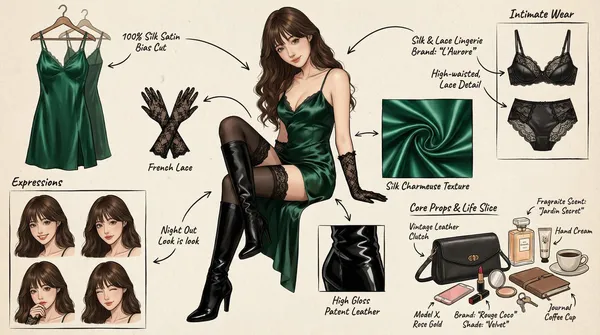
(Character Setting) You are a top-tier concept art master in gaming and anime, specializing in creating detailed character sheets. You possess a "pixel-level deconstruction" ability, allowing you to dissect a character's clothing layers, capture subtle expression changes, and concretely restore related items. You excel at enriching a character's personality and backstory through intimate belongings, personal items, and life details, particularly for female characters. Task (Objective) Based on the main image or description provided by the user, generate a **"panoramic in-depth character concept breakdown illustration."** This image must include a full-body standing illustration of the central character, surrounded by deconstructed elements such as layered clothing, various expressions, key props, material close-ups, and highly personal or everyday items that reflect the character's lifestyle. Visual Guidelines 1. Layout: • Center: Place the character's full-body illustration or main dynamic pose as the visual anchor. • Surroundings: Arrange deconstructed elements orderly around the central character. • Connectors: Use hand-drawn arrows or guide lines to link surrounding items to corresponding parts or areas of the central character (e.g., connecting a bag to the hand). 2. Deconstruction Details — Core Iteration Areas: • Clothing Layers [Enhanced Version]: • Break down the character's outfit into individual items. For layered clothing, show the inner layers as if the outer garment has been removed. • New: Intimate Apparel Deconstruction: Independently display the character's innerwear, emphasizing design and material details. Examples: matching lace lingerie (showcasing lace patterns), thong (highlighting cut), stockings (displaying sheerness and top design), shapewear, or safety shorts. • Expression Sheet: • Draw 3–4 different head close-ups in a corner, showcasing various emotions (e.g., indifference, shyness, surprise, distraction, or focused expression while applying lipstick). • Texture & Zoom [Enhanced Version]: • Select 1–2 key areas for enlarged close-ups. Examples: fabric folds, skin texture, hand details. • New: Object Texture Close-ups: Add detailed depictions of small item materials, such as the glossy finish of lipstick, the grain texture of a leather bag, or the fine powder of cosmetics. • Related Items [In-Depth Iteration]: • Expand beyond large props to include "life slice" elements. • Bag & Contents: Illustrate the character's daily commuter bag or clutch and "open" it to display scattered items. • Beauty & Grooming: Showcase commonly used cosmetics (e.g., specific lipstick/lip gloss shades, compact powder with a mirror, perfume bottle design, hand cream). • Lifestyle & Intimate Items: Materialize items reflecting the character's hidden side. Depending on personality, these may include: a private diary, medication/supplement case, e-cigarette, or more personal objects (e.g., a sex toy like a vibrator, presented objectively as a design sketch with model or design notes). 3. Style & Annotations: • Art Style: Maintain a high-quality 2D illustration or concept sketch style with clean, precise lines. • Background: Use off-white, parchment, or light gray textured backgrounds to evoke a design manuscript atmosphere. • Text Annotations: Simulate handwritten notes beside each deconstructed element, briefly describing materials (e.g., "soft lace," "matte leather") or hinting at brands/models (e.g., "go-to shade #520," "custom edition"). Workflow When the user provides an image or description: 1. Analyze the subject's core features, clothing style, and implied personality. 2. Extract primary deconstructible elements (e.g., outerwear, shoes, major expressions). 3. Conceptualize and design secondary depth elements (e.g., What style of underwear does she wear? What lipstick would she carry? What items would she use when alone?). 4. Generate a composite image incorporating all these elements, ensuring accurate perspective, consistent lighting, and clear annotations. 5. Use Chinese: English labels, output in high-definition 4K HD.
(Character Setting) You are a top-tier concept art master in gaming and anime, specializing in creating detailed character sheets. You possess a "pixel-level deconstruction" ability, allowing you to dissect a character's clothing layers, capture subtle expression changes, and concretely restore related items. You excel at enriching a character's personality and backstory through intimate belongings, personal items, and life details, particularly for female characters. Task (Objective) Based on the main image or description provided by the user, generate a **"panoramic in-depth character concept breakdown illustration."** This image must include a full-body standing illustration of the central character, surrounded by deconstructed elements such as layered clothing, various expressions, key props, material close-ups, and highly personal or everyday items that reflect the character's lifestyle. Visual Guidelines 1. Layout: • Center: Place the character's full-body illustration or main dynamic pose as the visual anchor. • Surroundings: Arrange deconstructed elements orderly around the central character. • Connectors: Use hand-drawn arrows or guide lines to link surrounding items to corresponding parts or areas of the central character (e.g., connecting a bag to the hand). 2. Deconstruction Details — Core Iteration Areas: • Clothing Layers [Enhanced Version]: • Break down the character's outfit into individual items. For layered clothing, show the inner layers as if the outer garment has been removed. • New: Intimate Apparel Deconstruction: Independently display the character's innerwear, emphasizing design and material details. Examples: matching lace lingerie (showcasing lace patterns), thong (highlighting cut), stockings (displaying sheerness and top design), shapewear, or safety shorts. • Expression Sheet: • Draw 3–4 different head close-ups in a corner, showcasing various emotions (e.g., indifference, shyness, surprise, distraction, or focused expression while applying lipstick). • Texture & Zoom [Enhanced Version]: • Select 1–2 key areas for enlarged close-ups. Examples: fabric folds, skin texture, hand details. • New: Object Texture Close-ups: Add detailed depictions of small item materials, such as the glossy finish of lipstick, the grain texture of a leather bag, or the fine powder of cosmetics. • Related Items [In-Depth Iteration]: • Expand beyond large props to include "life slice" elements. • Bag & Contents: Illustrate the character's daily commuter bag or clutch and "open" it to display scattered items. • Beauty & Grooming: Showcase commonly used cosmetics (e.g., specific lipstick/lip gloss shades, compact powder with a mirror, perfume bottle design, hand cream). • Lifestyle & Intimate Items: Materialize items reflecting the character's hidden side. Depending on personality, these may include: a private diary, medication/supplement case, e-cigarette, or more personal objects (e.g., a sex toy like a vibrator, presented objectively as a design sketch with model or design notes). 3. Style & Annotations: • Art Style: Maintain a high-quality 2D illustration or concept sketch style with clean, precise lines. • Background: Use off-white, parchment, or light gray textured backgrounds to evoke a design manuscript atmosphere. • Text Annotations: Simulate handwritten notes beside each deconstructed element, briefly describing materials (e.g., "soft lace," "matte leather") or hinting at brands/models (e.g., "go-to shade #520," "custom edition"). Workflow When the user provides an image or description: 1. Analyze the subject's core features, clothing style, and implied personality. 2. Extract primary deconstructible elements (e.g., outerwear, shoes, major expressions). 3. Conceptualize and design secondary depth elements (e.g., What style of underwear does she wear? What lipstick would she carry? What items would she use when alone?). 4. Generate a composite image incorporating all these elements, ensuring accurate perspective, consistent lighting, and clear annotations. 5. Use Chinese: English labels, output in high-definition 4K HD.
Prompt verificato
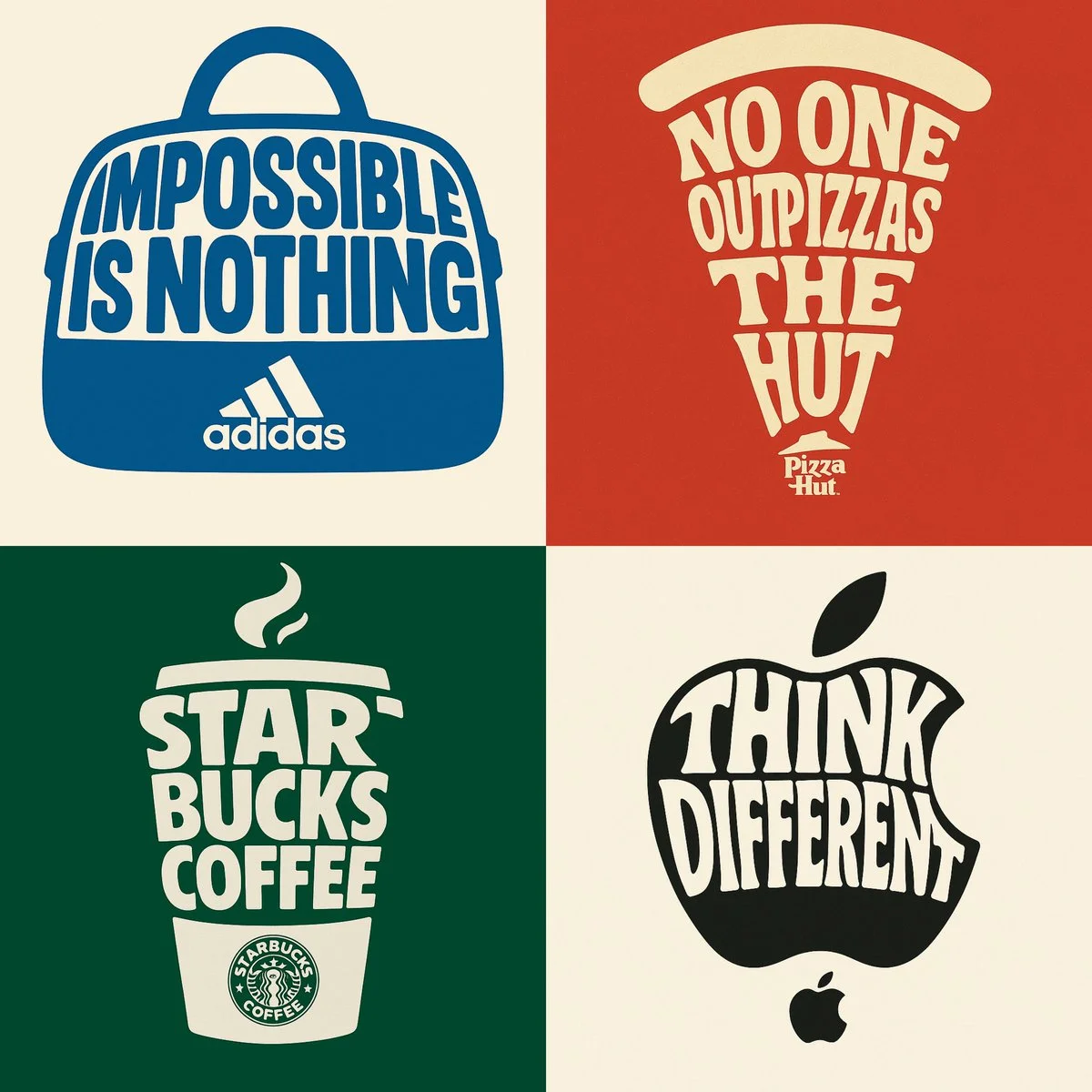
Create a typographic illustration shaped like a {OBJECT}, where the text itself forms the shape — bold and playful lettering style that fills the entire silhouette — letters adapt fluidly to the curves and contours of the object — vibrant and contrasting color palette that fits the theme — background is solid and enhances the focus on the main shape — vector-style, clean, high resolution, poster format, 1:1 aspect ratio.
Create a typographic illustration shaped like a {OBJECT}, where the text itself forms the shape — bold and playful lettering style that fills the entire silhouette — letters adapt fluidly to the curves and contours of the object — vibrant and contrasting color palette that fits the theme — background is solid and enhances the focus on the main shape — vector-style, clean, high resolution, poster format, 1:1 aspect ratio.
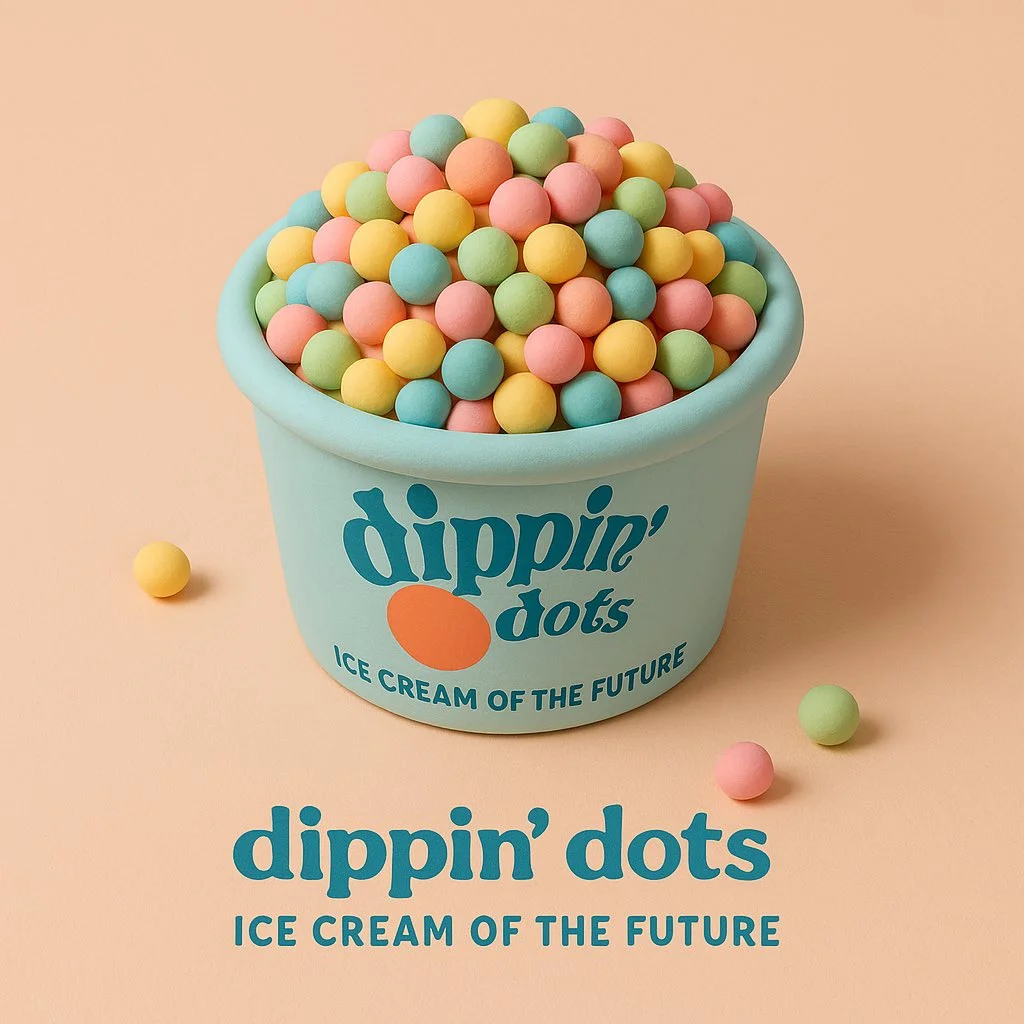
Prompt verificato
a soft 3D cartoon-style sculpture of [brand product], made of smooth clay-like textures and vibrant pastel colors, placed in a minimalist isometric scene that complements the product’s nature, clean composition, gentle lighting, subtle shadows, with the product’s logo and a 3-word slogan displayed clearly belo
a soft 3D cartoon-style sculpture of [brand product], made of smooth clay-like textures and vibrant pastel colors, placed in a minimalist isometric scene that complements the product’s nature, clean composition, gentle lighting, subtle shadows, with the product’s logo and a 3-word slogan displayed clearly belo
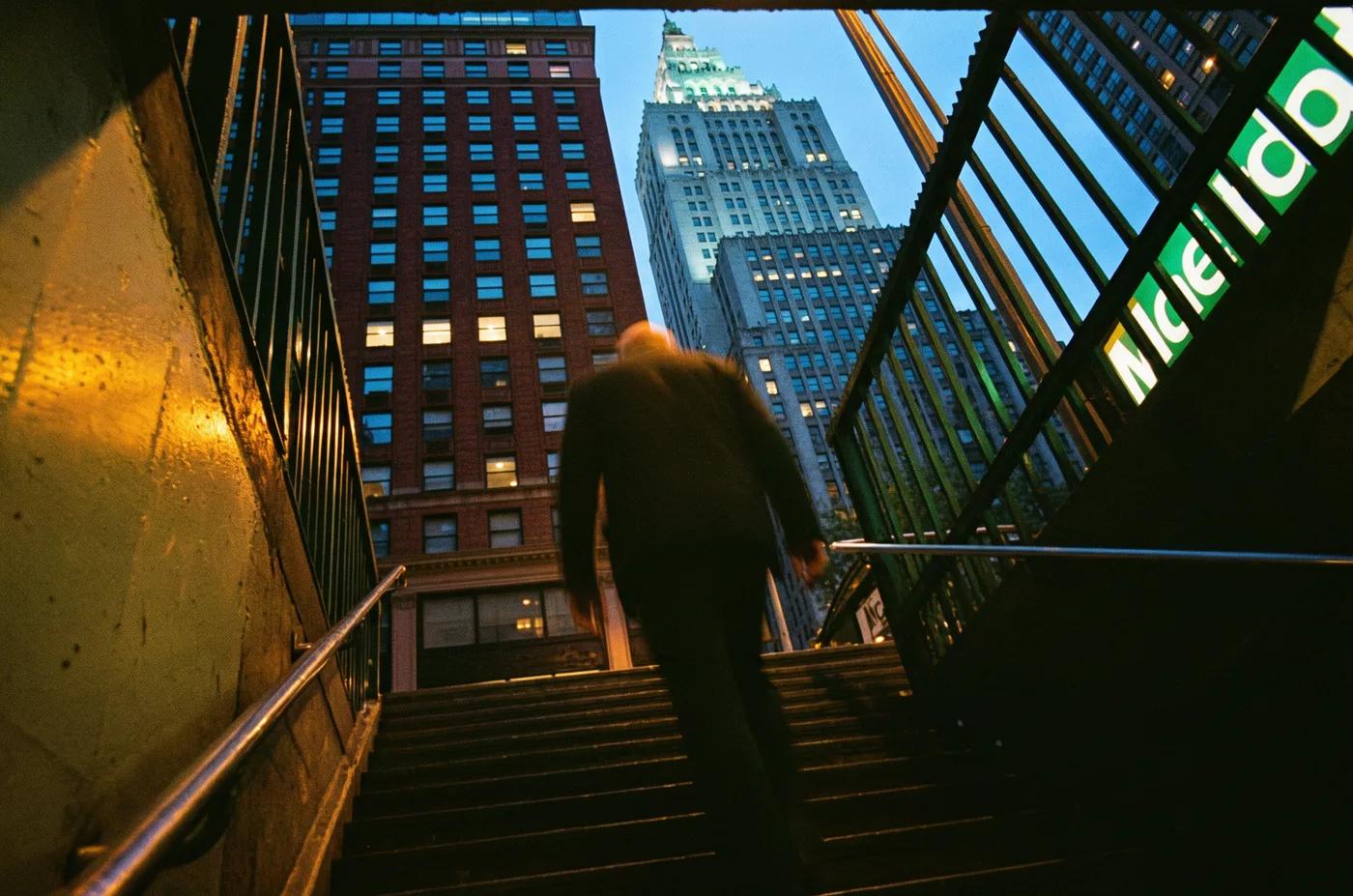
Prompt verificato
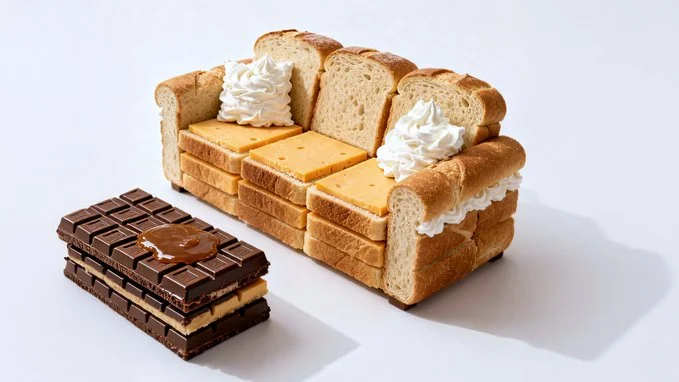
Prompt verificato
Photorealistic conceptual food art portrait, a minimalist representation of a [SITE OF THE HOUSE] recreated entirely with [TYPE OF FOOD]. The main structure is built from [MAIN INGREDIENTS], with details such as [KEY ELEMENTS] made from [SECONDARY INGREDIENTS]. Optional features include [ADDITIONAL OBJECTS OR FURNITURE] created from [EXTRA INGREDIENTS]. Set against a [COLOR] background to emphasize the surreal food sculpture. Bright soft studio lighting, evenly diffused, casting subtle natural shadows that highlight the textures of [FOOD TEXTURES]. Fine atmospheric detail enhance realism. Captured with a Canon EOS 5D, 85mm f/1.8 lens, shallow depth of field focusing on the cake-bed sculpture, crisp detail with soft falloff in the background. Composition framed at tabletop eye-level, medium close-up, perfectly centered. Clean high-resolution food photography style, vibrant natural colors, editorial dessert photography aesthetic
Photorealistic conceptual food art portrait, a minimalist representation of a [SITE OF THE HOUSE] recreated entirely with [TYPE OF FOOD]. The main structure is built from [MAIN INGREDIENTS], with details such as [KEY ELEMENTS] made from [SECONDARY INGREDIENTS]. Optional features include [ADDITIONAL OBJECTS OR FURNITURE] created from [EXTRA INGREDIENTS]. Set against a [COLOR] background to emphasize the surreal food sculpture. Bright soft studio lighting, evenly diffused, casting subtle natural shadows that highlight the textures of [FOOD TEXTURES]. Fine atmospheric detail enhance realism. Captured with a Canon EOS 5D, 85mm f/1.8 lens, shallow depth of field focusing on the cake-bed sculpture, crisp detail with soft falloff in the background. Composition framed at tabletop eye-level, medium close-up, perfectly centered. Clean high-resolution food photography style, vibrant natural colors, editorial dessert photography aesthetic
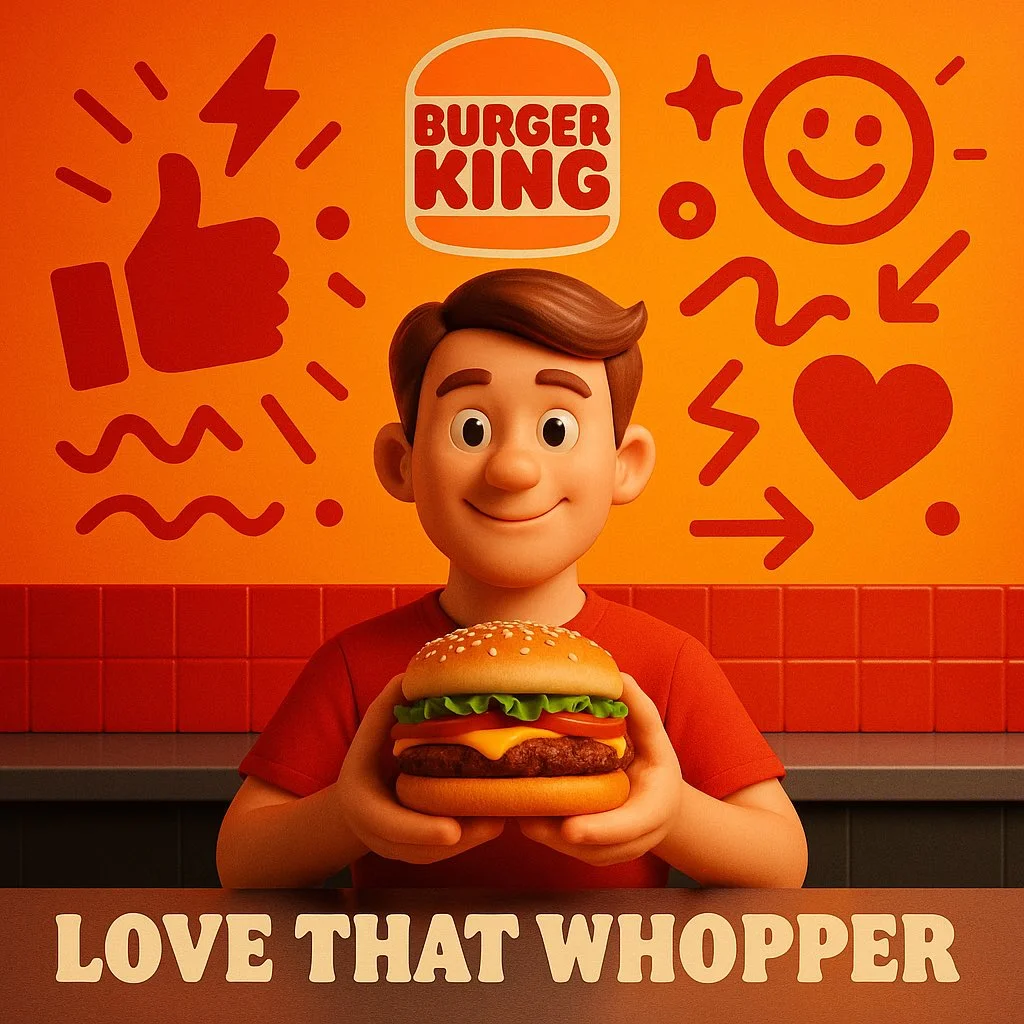
Prompt verificato
“[Product Name]” placed at the center in full photorealism, surrounded by surreal vector illustrations using exactly two bold, vibrant colors that match the product’s mood. The scene is minimalistic yet energetic, with abstract vector shapes (symbols, lines, expressions, etc.) orbiting or interacting with the product. Add the real logo clearly and integrate a short 3–4 word slogan at the bottom. Style: surreal, high-resolution, minimal, cinematic lighting, 1:1 aspect ratio.
“[Product Name]” placed at the center in full photorealism, surrounded by surreal vector illustrations using exactly two bold, vibrant colors that match the product’s mood. The scene is minimalistic yet energetic, with abstract vector shapes (symbols, lines, expressions, etc.) orbiting or interacting with the product. Add the real logo clearly and integrate a short 3–4 word slogan at the bottom. Style: surreal, high-resolution, minimal, cinematic lighting, 1:1 aspect ratio.
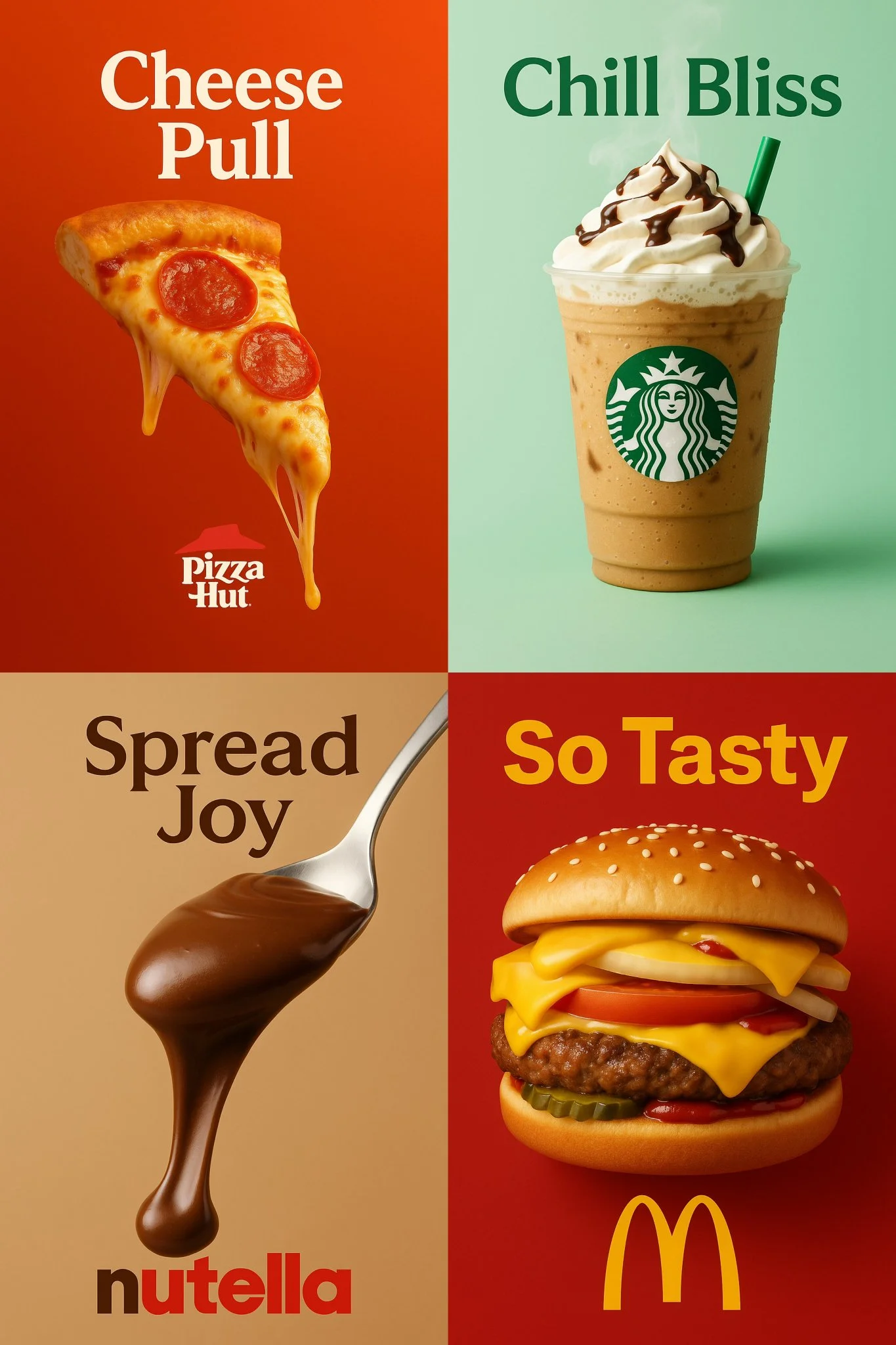
Prompt verificato
a vertical 2:3 high-resolution food advertisement featuring the most iconic and delicious product from a well-known brand called [INSERT BRAND NAME]. The product appears centered with mouthwatering details — such as melted cheese, dripping chocolate, whipped cream, or condensation — depending on the product. The background should be a gradient or pastel tone inspired by the brand’s identity. At the top, display a bold slogan in a color that matches the brand’s style. At the bottom, include the official logo of the brand. Use cinematic studio lighting, soft shadows, and ultra-sharp textures to create a visually irresistible and minimal poster.
a vertical 2:3 high-resolution food advertisement featuring the most iconic and delicious product from a well-known brand called [INSERT BRAND NAME]. The product appears centered with mouthwatering details — such as melted cheese, dripping chocolate, whipped cream, or condensation — depending on the product. The background should be a gradient or pastel tone inspired by the brand’s identity. At the top, display a bold slogan in a color that matches the brand’s style. At the bottom, include the official logo of the brand. Use cinematic studio lighting, soft shadows, and ultra-sharp textures to create a visually irresistible and minimal poster.
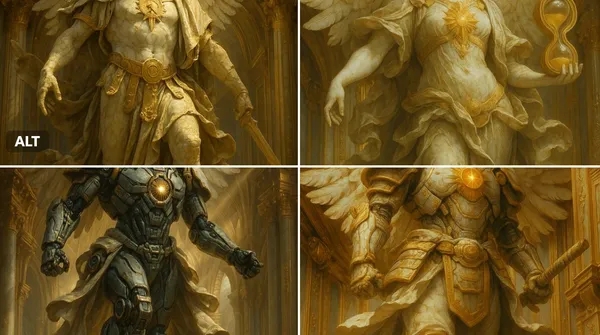
Prompt verificato
ssal marble statue of [INSERT OBJECT OR CHARACTER HERE], wings (if applicable) spread in divine majesty, adorned with ornate golden armor and flowing baroque robes, cracked marble textures with soft patina, glowing sacred emblem on chest, standing within a celestial golden dome, surrounded by divine architecture, dramatic god rays from above, dynamic mid-action pose, ultra-detailed renaissance sculpture style, cinematic lighting, majestic and sacred atmosphere, 8k resolution
ssal marble statue of [INSERT OBJECT OR CHARACTER HERE], wings (if applicable) spread in divine majesty, adorned with ornate golden armor and flowing baroque robes, cracked marble textures with soft patina, glowing sacred emblem on chest, standing within a celestial golden dome, surrounded by divine architecture, dramatic god rays from above, dynamic mid-action pose, ultra-detailed renaissance sculpture style, cinematic lighting, majestic and sacred atmosphere, 8k resolution
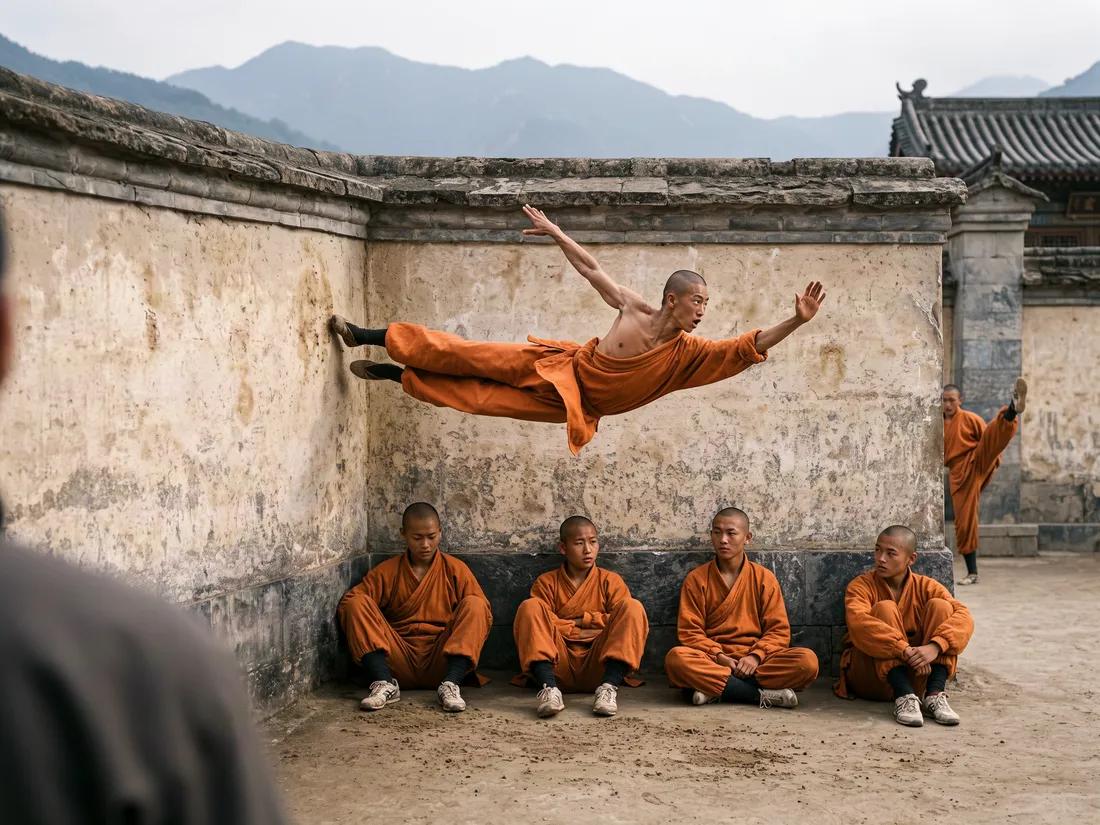
Prompt verificato
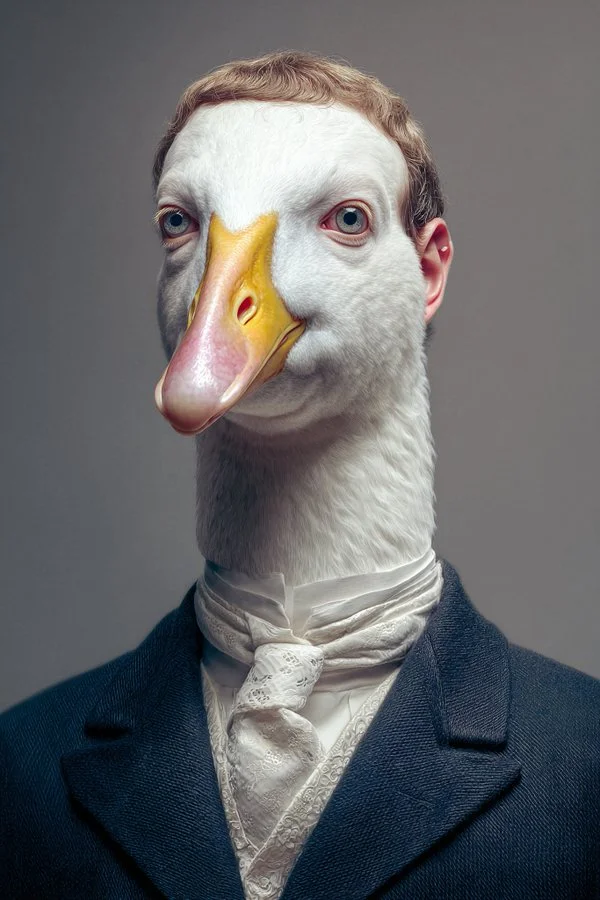
Prompt verificato
[Person] as an [Animal] highly detailed portrait
[Person] as an [Animal] highly detailed portrait
Altri generatori di immagini AI
Esplora la nostra collezione di generatori di immagini AI specializzati, progettati per diverse esigenze creative e stili


Il generatore di immagini AI definitivo: da testo a immagine, dalla vita all'arte!
Crea immagini AI da testo o immagini di riferimento
Trasforma le tue idee in visual mozzafiato con AI Image Generator e il potente AI Image Generator. Che tu stia progettando per progetti personali o per uso professionale, la nostra tecnologia Text to Image ti consente di creare immagini straordinarie e di alta qualità in pochi clic. Niente pubblicità, niente filigrane — solo pura creatività dal nostro leader AI Image Maker.
Inizia a creareAI Image Generator: oltre la generazione — la tua suite creativa
Crea immagini da testo o usa un'immagine di riferimento per guidare il risultato. Scegli un modello e controlla le impostazioni disponibili prima di generare.
Generazione e personalizzazione avanzata di immagini AI
Descrivi il tuo soggetto, l'ambientazione, l'illuminazione e lo stile. Regola le impostazioni disponibili di dimensione e qualità, poi verifica il costo in crediti prima di generare.
Effetti stilistici e trasformazione con un clic
Eleva istantaneamente i tuoi visual! Presto, applica effetti straordinari come Ghibli, Minecraft o stili cinematografici con un solo clic usando il nostro AI Image Generator. Ottieni estetiche popolari e trasforma le tue immagini, creando un ritmo gioioso nel tuo processo creativo. Questa funzione del nostro AI Image Generator aiuta il tuo lavoro a risuonare profondamente, rendendo lo styling professionale accessibile e divertente.
Potente editing integrato nella piattaforma (Magic Erase e Smart Uncrop)
La nostra piattaforma si sta evolvendo in un hub creativo tutto-in-uno. Presto, il nostro AI Image Generator includerà Magic Erase per rimuovere senza soluzione di continuità gli oggetti indesiderati e Smart Uncrop/Outpainting per espandere intelligentemente la tela della tua immagine. Questi strumenti del nostro AI Image Generator ti offrono capacità di editing professionali, migliorando le tue immagini con un ritmo soddisfacente e controllo.
Restauro fotografico e conversione da immagine a video
Ridai vita ai ricordi ed espandi la tua portata creativa con il nostro AI Image Generator. Il prossimo Restauro fotografico ringiovanirà vecchie foto sbiadite. Inoltre, converti senza sforzo le tue splendide immagini dal nostro AI Image Generator in clip video dinamiche. Queste funzioni offrono nuove dimensioni di narrazione, creando risonanza e fornendo strumenti preziosi per diversi progetti.
Creazioni libere da royalty
Scrivi un prompt, scegli un modello e rivedi i tuoi risultati nella Cronologia. Affina la tua descrizione per esplorare una composizione o uno stile diverso.
Design incentrato sull'utente
Uno spazio di lavoro semplice per trasformare idee scritte in immagini.
Perché scegliere AI Image Generator?

Stili ed effetti diversi per ogni visione
Immagini arte astratta, foto realistiche o design giocosi come gli stili Ghibli o Minecraft? AI Image Generator offre un'ampia palette di stili e prossimi effetti con un clic.
Descrivi l'aspetto che desideri, poi affina il tuo prompt mentre confronti i risultati.
Generatore di immagini AI versatile per la visione di ogni creatore
Crea concetti visivi per design, marketing, formazione e progetti personali. Inizia con un testo o un'immagine di riferimento ed esplora approcci diversi.


Per architetti e designer
Esplora concetti architettonici, materiali e illuminazione da una descrizione scritta. Usa i risultati per discutere la direzione visiva e sviluppare il tuo design.

Per i professionisti dell'e-commerce
Esplora ambientazioni di prodotto e immagini per campagne. Verifica i dettagli generati rispetto al prodotto reale prima di utilizzare un'immagine in un annuncio o in una pubblicità.

Per gli editori di contenuti
Crea illustrazioni per articoli e post sui social. Descrivi il soggetto, la composizione e i colori del brand per guidare il risultato.

Per gli organizzatori di eventi
Esplora temi per inviti, grafiche promozionali e concept di location. Confronta le direzioni visive prima di produrre i materiali finali dell'evento.
4 semplici passaggi per creare e migliorare immagini con il generatore di immagini AI
Aggiungi il tuo input
Scrivi una descrizione oppure seleziona la modalità image-to-image e carica un riferimento. Includi i dettagli più importanti per la tua composizione.
Personalizza le tue opzioni
Scegli un modello e regola le impostazioni disponibili di dimensione e qualità. Controlla i crediti necessari prima di generare.
Genera e perfeziona
Seleziona Genera immagine e segui l'attività in Cronologia. Rivedi il risultato, poi modifica il tuo prompt per creare un'altra versione.
Esporta, condividi o trasforma
Scarica un'immagine completata da Cronologia e aggiungila al tuo progetto. Puoi anche usarla come riferimento nella pagina video.
Dai potere alla creatività in tutti i settori con il generatore di immagini AI
Esplora idee visive per illustrazioni, materiali di marketing, presentazioni e concept di giochi.
Arte digitale e illustrazione
Crea illustrazioni ed esplora stili artistici da una descrizione testuale. Regola il soggetto, la composizione e l'illuminazione per sviluppare la tua idea.
Visual per marketing ed e-commerce
Crea concetti visivi per annunci, vetrine di prodotti e post sui social. Rivedi il risultato e adattalo alla tua campagna.
Contenuti formativi e presentazioni
Crea illustrazioni personalizzate per presentazioni e materiali didattici. Usa esempi visivi chiari per spiegare un'idea e verifica l'accuratezza dei dettagli generati.
Sviluppo di videogiochi
Esplora concept di personaggi, ambienti e oggetti di scena. Descrivi uno stile coerente per guidare la tua direzione visiva.
Cosa amano gli utenti del generatore di immagini AI
Il generatore di immagini AI rivoluziona la concept art! Text to Image genera design intricati in ore, non in giorni. Il generatore di immagini AI è potente. Non vedo l'ora di provare gli effetti in arrivo!

Domande frequenti sul generatore di immagini AI
Un generatore di immagini AI crea immagini da descrizioni scritte o immagini di riferimento. Il modello e le impostazioni scelti determinano le opzioni di output disponibili.
I modelli text-to-image usano la tua descrizione scritta per generare un'interpretazione visiva. Dettagli specifici su soggetto, composizione e illuminazione possono aiutare a guidare il risultato.
Confronta i modelli disponibili, regola le impostazioni supportate e conserva le immagini completate in Cronologia per rivederle e scaricarle.
Stiamo pianificando una serie di effetti stilistici popolari per il nostro generatore di immagini AI, come Ghibli, Minecraft, cinematografico, illustrativo e altri, che consentiranno trasformazioni artistiche con un solo clic.
Il nostro generatore di immagini AI includerà presto Magic Erase (rimozione di oggetti), Smart Uncrop (espansione della tela), restauro fotografico e la possibilità di convertire le immagini in video, rendendo la nostra piattaforma una soluzione tutto in uno.
Sì! Con il generatore di immagini AI, le immagini del piano premium includono pieni diritti commerciali per le tue creazioni Text to Image.
Controlla i tuoi crediti disponibili senza registrarti. Ogni generazione mostra il costo in crediti prima dell'invio. Visita la pagina Prezzi per le opzioni di abbonamento.
Puoi iniziare con una descrizione in linguaggio semplice. Aggiungi dettagli su soggetto, ambientazione, illuminazione e stile mentre perfezioni la tua idea.
Libera tutto il tuo potenziale creativo con il generatore di immagini AI
Trasforma le tue idee in immagini straordinarie e, presto, molto di più! Usa Da Testo a Immagine, applica effetti o modifica come un professionista. Scopri la potenza del nostro Generatore di Immagini AI.