
Flux 3 Image : Contrôlez chaque pixel
Transformez vos idées en visuels soigneusement composés.
Créez des scènes produit, des mises en page éditoriales, des visuels de campagne et des compositions de personnages avec les modèles d’images disponibles. Imagerie source présentée : Black Forest Labs.

Invite vérifiée
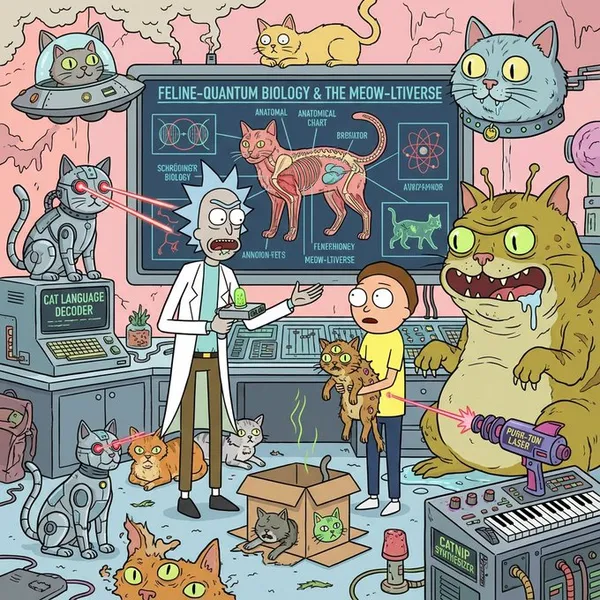
g the Rick and Morty art style, provide an extremely detailed introduction to xxxxx
g the Rick and Morty art style, provide an extremely detailed introduction to xxxxx
Invite vérifiée
Create a South Park style paper-cut cartoon character with long blonde hair and a lavender cardigan near a sunny window. Use flat colors, round expressive eyes and a clear silhouette.
Create a South Park style paper-cut cartoon character with long blonde hair and a lavender cardigan near a sunny window. Use flat colors, round expressive eyes and a clear silhouette.
Invite vérifiée
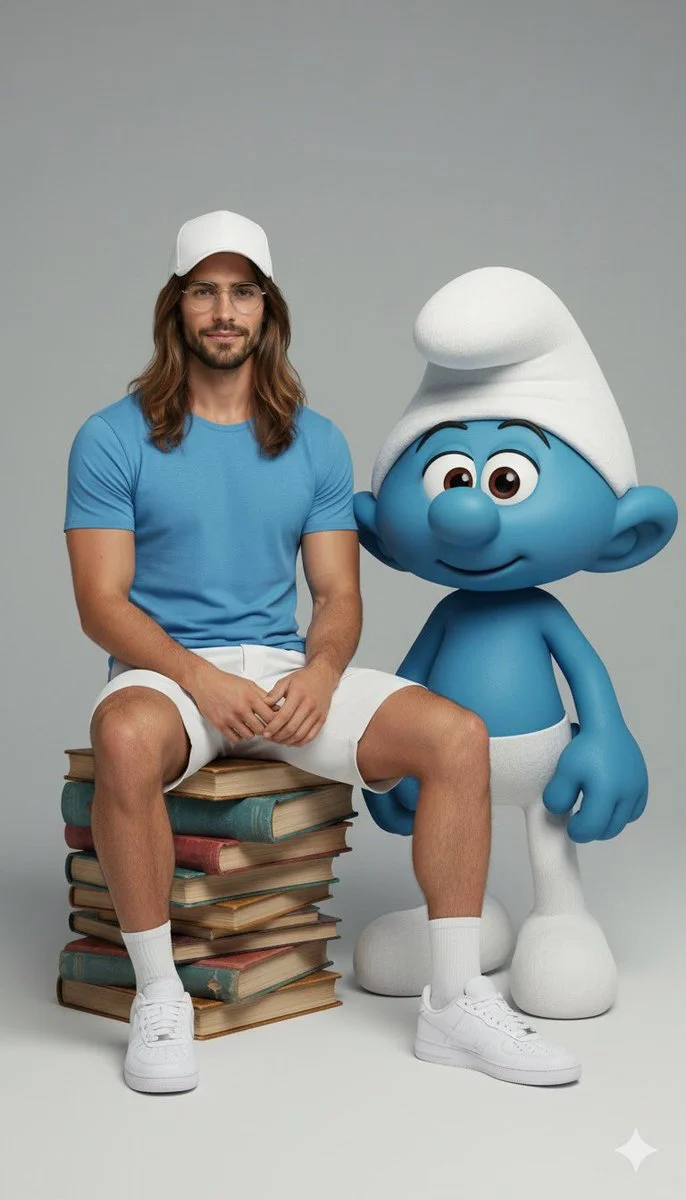
Ultra-realistic full-body portrait of the attached image. The person is interacting with {fictional character} in a {pose/interaction type}. Studio or neutral environment, soft cinematic lighting, {optional color palette}. The person wears {clothing style and colors}, The fictional character retains its original appearance, including skin color, clothing, and signature features. Expression and mood: {emotional tone}, captured in photorealistic textures, realistic lighting, cinematic composition, high fashion editorial quality.
Ultra-realistic full-body portrait of the attached image. The person is interacting with {fictional character} in a {pose/interaction type}. Studio or neutral environment, soft cinematic lighting, {optional color palette}. The person wears {clothing style and colors}, The fictional character retains its original appearance, including skin color, clothing, and signature features. Expression and mood: {emotional tone}, captured in photorealistic textures, realistic lighting, cinematic composition, high fashion editorial quality.
Invite vérifiée
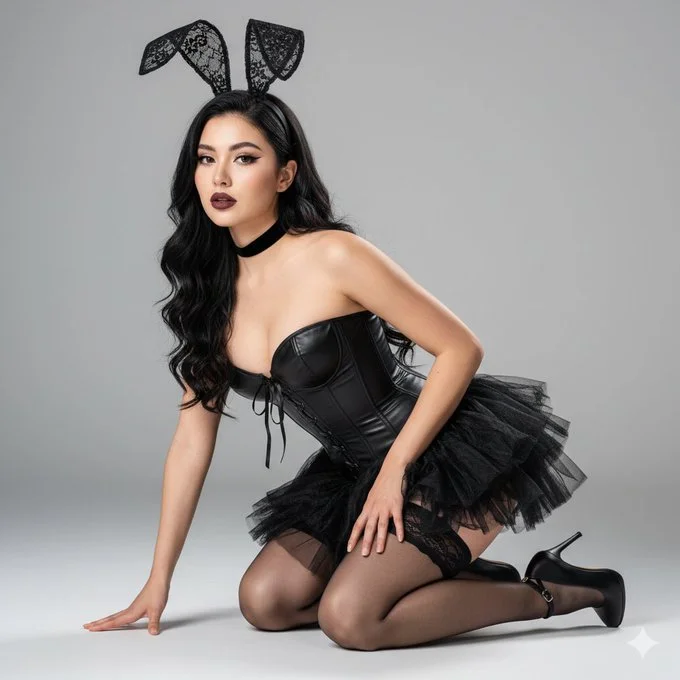
{ "prompt_title": "Hyperrealistic Gothic Bunny Studio Portrait", "image_description": "An ultra-photorealistic, high-resolution studio portrait of a female subject in a gothic-inspired bunny costume, featuring intricate lace ears, a structured corset, and delicate hosiery. The subject is posed on the floor, exuding an alluring and sophisticated aura under precise studio lighting.", "subject": { "gender": "female", "appearance": "Young adult with a flawless, luminous complexion. **Extreme micro-detail rendering on skin, showing subtle pores, fine vellus hairs, accurate light interaction (sub-surface scattering), and realistic skin texture.**", "facial_features": "Smooth, clear skin. Her eyes are large, dark, and captivating, looking directly into the camera with a **confident and slightly seductive expression**. Lips are full, with a matte red or deep berry lipstick that shows micro-creases. Defined eyebrows and subtle contouring.", "hair_style": "Long, flowing, wavy black hair, cascading over her shoulders and back. **Hair must show individual strands, realistic volume, high-gloss reflections, and subtle flyaways.**", "makeup": "Dramatic and precise. Sharp, winged black eyeliner, full, dark eyelashes (possibly individual lash extensions), subtle glitter or shimmer on eyelids. Contoured cheeks. Flawless foundation and blush.", "attire": { "headwear": "Intricate **black lace bunny ears headband**. The lace should have visible patterns, delicate wire structure, and possibly small faux floral or ribbon accents. Realistic light interaction with the lace.", "neck_accessories": "A simple, fitted black velvet or leather choker necklace.", "main_outfit": "A highly detailed **black strapless corset dress or top and skirt ensemble**. The corset should be structured, showing **visible boning and lacing details** (possibly satin or leather laces). Fabric should be a mix of matte black leather/faux leather and textured, ruffled black tulle or chiffon for the skirt. **Emphasis on realistic fabric folds, textures, and subtle sheen.**", "hosiery": "Sheer black thigh-high stockings with a delicate lace top band, clearly visible on her upper thigh. **Stockings must show realistic transparency and fabric stretch over skin.**", "footwear": "Black pointed-toe high heels with ankle straps. The material should be a realistic matte or patent leather, showing accurate reflections and shoe construction." } }, "pose": { "description": "The subject is kneeling on a flat, light-colored studio floor, leaning slightly forward. Her left hand is placed on the floor beside her left knee, fingers slightly spread. Her right arm is gently resting on her right thigh. Her body is slightly twisted, creating an alluring silhouette. **Exact replication of the confident and poised pose.**", "camera_angle": "Medium shot, eye-level angle, slightly looking down at the subject. The camera is positioned to capture her full body from the mid-thigh up, with enough space around her to establish the studio environment.", "composition": "Centered composition, vertical orientation. The subject fills approximately 70-80% of the frame, with subtle negative space around her. **Sharp focus on the subject, with a very shallow depth of field creating a soft bokeh in the background.**" }, "setting": { "location": "Professional indoor photo studio.", "background_elements": "Seamless, plain light gray or off-white backdrop, extending from the floor to the wall, creating a clean, infinite background. **Subtle, soft gradient in the background due to lighting falloff.**" }, "lighting_and_atmosphere": { "key_light_source": "Softbox or parabolic diffuser from the front-left, creating soft, even illumination with subtle directional shadows to define contours.", "fill_light": "Subtle fill light from the front-right to reduce harsh shadows on the right side of her face and body.", "back_light": "A subtle hair light or rim light from the rear-right to create separation from the background and add definition to her hair and shoulders.", "highlights_shadows": "Soft, creamy highlights on skin, hair, and corset material. Deep but soft shadows defining facial structure and body contours. **Accurate light falloff and realistic specular reflections on materials.**", "photographic_realism": "Extreme micro-detail, sub-surface scattering on skin, realistic fabric textures (lace, leather, tulle), **cinematic studio lighting**, crisp focus on eyes, perfect white balance, neutral color grading, **ultra-realistic material rendering (PBR - Physically Based Rendering).**" }, "style_and_camera": { "photographic_style": "High-fashion portraiture, hyperrealistic studio photography, fine art glamour.", "camera_type": "High-end full-frame mirrorless camera (e.g., Sony A1, Canon R5) with a fast prime lens (e.g., 50mm f/1.2 or 85mm f/1.4).", "camera_values": "ISO 100, f/1.8, 1/160 sec. **These values contribute to shallow depth of field, sharp detail, and clean image quality.**", "resolution_quality": "8K resolution, ultra-photorealistic, extreme detail on all elements. **Masterpiece quality render, production quality image.**" }, "negative_prompt_suggestions": [ "blurry", "low resolution", "deformed", "harsh lighting", "flat background", "bad anatomy", "cartoon", "illustration", "painting", "text", "watermark", "oversaturated", "poor composition", "unrealistic skin", "plastic texture", "missing details" ] }
{ "prompt_title": "Hyperrealistic Gothic Bunny Studio Portrait", "image_description": "An ultra-photorealistic, high-resolution studio portrait of a female subject in a gothic-inspired bunny costume, featuring intricate lace ears, a structured corset, and delicate hosiery. The subject is posed on the floor, exuding an alluring and sophisticated aura under precise studio lighting.", "subject": { "gender": "female", "appearance": "Young adult with a flawless, luminous complexion. **Extreme micro-detail rendering on skin, showing subtle pores, fine vellus hairs, accurate light interaction (sub-surface scattering), and realistic skin texture.**", "facial_features": "Smooth, clear skin. Her eyes are large, dark, and captivating, looking directly into the camera with a **confident and slightly seductive expression**. Lips are full, with a matte red or deep berry lipstick that shows micro-creases. Defined eyebrows and subtle contouring.", "hair_style": "Long, flowing, wavy black hair, cascading over her shoulders and back. **Hair must show individual strands, realistic volume, high-gloss reflections, and subtle flyaways.**", "makeup": "Dramatic and precise. Sharp, winged black eyeliner, full, dark eyelashes (possibly individual lash extensions), subtle glitter or shimmer on eyelids. Contoured cheeks. Flawless foundation and blush.", "attire": { "headwear": "Intricate **black lace bunny ears headband**. The lace should have visible patterns, delicate wire structure, and possibly small faux floral or ribbon accents. Realistic light interaction with the lace.", "neck_accessories": "A simple, fitted black velvet or leather choker necklace.", "main_outfit": "A highly detailed **black strapless corset dress or top and skirt ensemble**. The corset should be structured, showing **visible boning and lacing details** (possibly satin or leather laces). Fabric should be a mix of matte black leather/faux leather and textured, ruffled black tulle or chiffon for the skirt. **Emphasis on realistic fabric folds, textures, and subtle sheen.**", "hosiery": "Sheer black thigh-high stockings with a delicate lace top band, clearly visible on her upper thigh. **Stockings must show realistic transparency and fabric stretch over skin.**", "footwear": "Black pointed-toe high heels with ankle straps. The material should be a realistic matte or patent leather, showing accurate reflections and shoe construction." } }, "pose": { "description": "The subject is kneeling on a flat, light-colored studio floor, leaning slightly forward. Her left hand is placed on the floor beside her left knee, fingers slightly spread. Her right arm is gently resting on her right thigh. Her body is slightly twisted, creating an alluring silhouette. **Exact replication of the confident and poised pose.**", "camera_angle": "Medium shot, eye-level angle, slightly looking down at the subject. The camera is positioned to capture her full body from the mid-thigh up, with enough space around her to establish the studio environment.", "composition": "Centered composition, vertical orientation. The subject fills approximately 70-80% of the frame, with subtle negative space around her. **Sharp focus on the subject, with a very shallow depth of field creating a soft bokeh in the background.**" }, "setting": { "location": "Professional indoor photo studio.", "background_elements": "Seamless, plain light gray or off-white backdrop, extending from the floor to the wall, creating a clean, infinite background. **Subtle, soft gradient in the background due to lighting falloff.**" }, "lighting_and_atmosphere": { "key_light_source": "Softbox or parabolic diffuser from the front-left, creating soft, even illumination with subtle directional shadows to define contours.", "fill_light": "Subtle fill light from the front-right to reduce harsh shadows on the right side of her face and body.", "back_light": "A subtle hair light or rim light from the rear-right to create separation from the background and add definition to her hair and shoulders.", "highlights_shadows": "Soft, creamy highlights on skin, hair, and corset material. Deep but soft shadows defining facial structure and body contours. **Accurate light falloff and realistic specular reflections on materials.**", "photographic_realism": "Extreme micro-detail, sub-surface scattering on skin, realistic fabric textures (lace, leather, tulle), **cinematic studio lighting**, crisp focus on eyes, perfect white balance, neutral color grading, **ultra-realistic material rendering (PBR - Physically Based Rendering).**" }, "style_and_camera": { "photographic_style": "High-fashion portraiture, hyperrealistic studio photography, fine art glamour.", "camera_type": "High-end full-frame mirrorless camera (e.g., Sony A1, Canon R5) with a fast prime lens (e.g., 50mm f/1.2 or 85mm f/1.4).", "camera_values": "ISO 100, f/1.8, 1/160 sec. **These values contribute to shallow depth of field, sharp detail, and clean image quality.**", "resolution_quality": "8K resolution, ultra-photorealistic, extreme detail on all elements. **Masterpiece quality render, production quality image.**" }, "negative_prompt_suggestions": [ "blurry", "low resolution", "deformed", "harsh lighting", "flat background", "bad anatomy", "cartoon", "illustration", "painting", "text", "watermark", "oversaturated", "poor composition", "unrealistic skin", "plastic texture", "missing details" ] }
Invite vérifiée
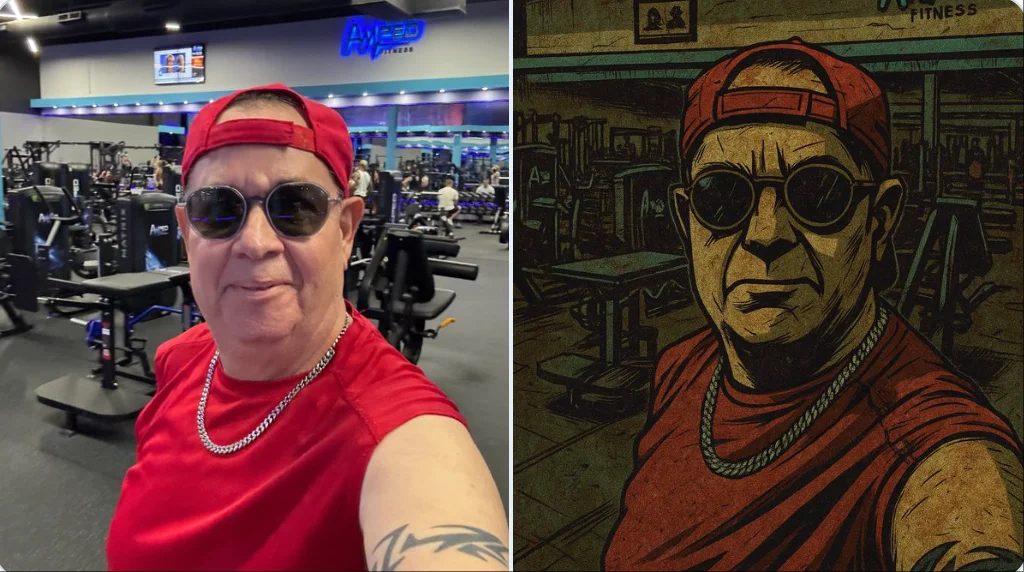
Restyle this image into a gritty Gorillaz-style illustration, bold thick black outlines, sharp angular edges, flat expressive lighting, stylized high-contrast shadows, dirty distressed surface textures, muted color palette: washed-out teals, olive greens, rusty reds, mustard yellows, dusty browns, raw grungy urban atmosphere, comic book flatness mixed with painterly grit, hand-drawn finish with faded gradients, graphic novel aesthetic with a rebellious, animated tone, dark stylish tone, full of attitude.
Restyle this image into a gritty Gorillaz-style illustration, bold thick black outlines, sharp angular edges, flat expressive lighting, stylized high-contrast shadows, dirty distressed surface textures, muted color palette: washed-out teals, olive greens, rusty reds, mustard yellows, dusty browns, raw grungy urban atmosphere, comic book flatness mixed with painterly grit, hand-drawn finish with faded gradients, graphic novel aesthetic with a rebellious, animated tone, dark stylish tone, full of attitude.
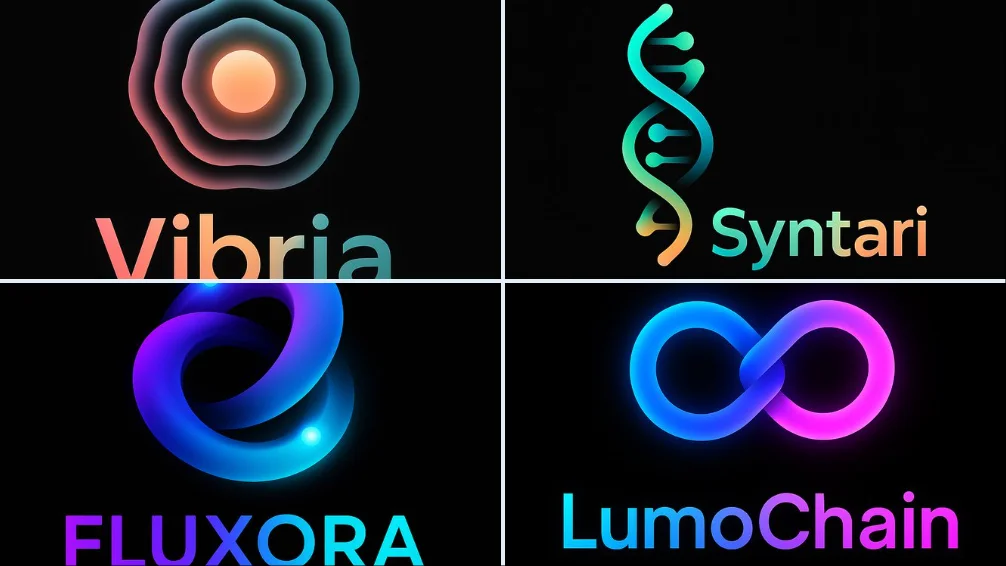
Invite vérifiée
Design a modern logo in NeoGradient Soft Tech style for a fictional startup called “NAME” in the “[INDUSTRY TYPE]” industry. The logo must include: •A unique abstract icon •A clean, bold sans-serif logotype •Smooth glowing gradients blending vibrant colors like blue, purple, pink, orange, and teal •Seamless harmony between symbol and text •Minimalist, futuristic composition •On a pure black background •1:1 aspect ratio — ultra-HD The logo should feel creative, modern, and ready for a bold digital brand.
Design a modern logo in NeoGradient Soft Tech style for a fictional startup called “NAME” in the “[INDUSTRY TYPE]” industry. The logo must include: •A unique abstract icon •A clean, bold sans-serif logotype •Smooth glowing gradients blending vibrant colors like blue, purple, pink, orange, and teal •Seamless harmony between symbol and text •Minimalist, futuristic composition •On a pure black background •1:1 aspect ratio — ultra-HD The logo should feel creative, modern, and ready for a bold digital brand.
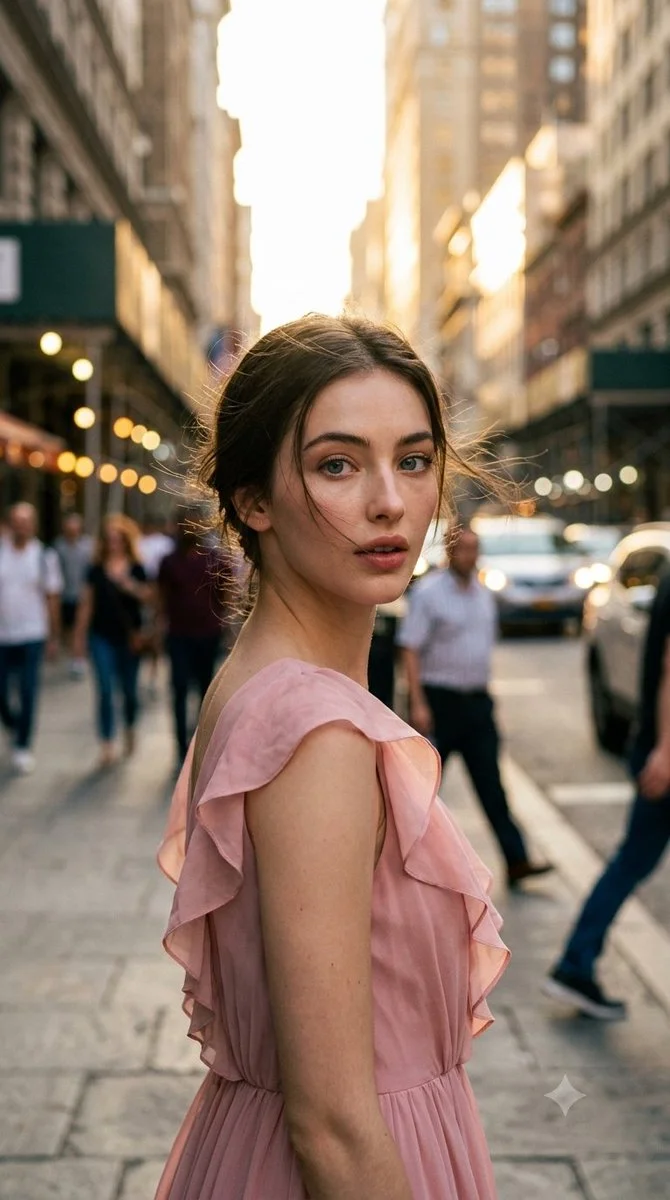
Invite vérifiée
Ultra-photorealistic cinematic candid street photography, vertical 9:16 portrait. Elegant adult woman in unposed spontaneous moment on city street during late golden hour. Naturally turning upper body away from camera while subtly looking back toward it, as if photographer captured the exact noticing moment. Focus on authentic candid feel, natural lighting, urban environment, realistic clothing and pose without staging.
Ultra-photorealistic cinematic candid street photography, vertical 9:16 portrait. Elegant adult woman in unposed spontaneous moment on city street during late golden hour. Naturally turning upper body away from camera while subtly looking back toward it, as if photographer captured the exact noticing moment. Focus on authentic candid feel, natural lighting, urban environment, realistic clothing and pose without staging.
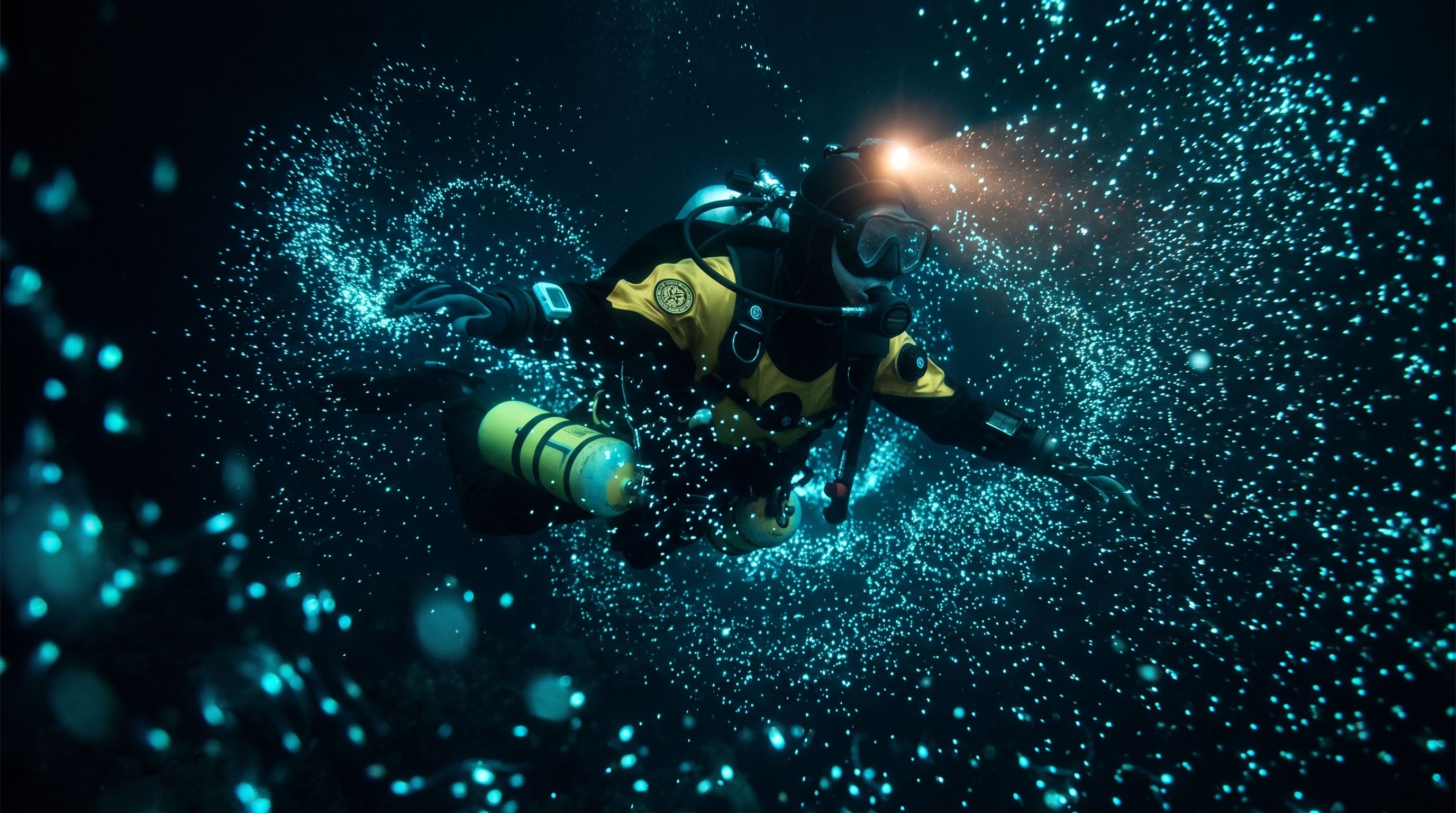
Invite vérifiée
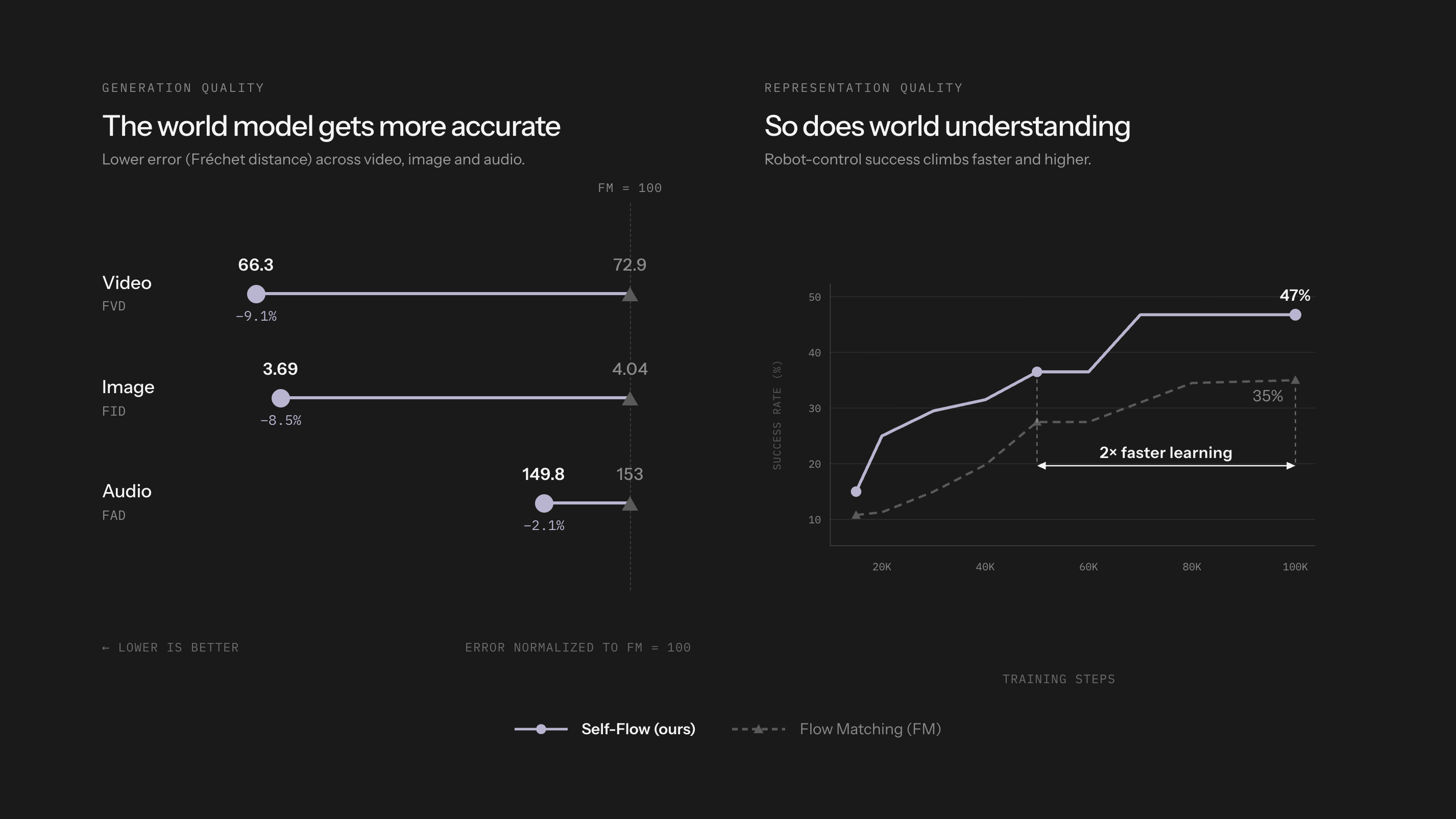
Invite vérifiée
Invite vérifiée
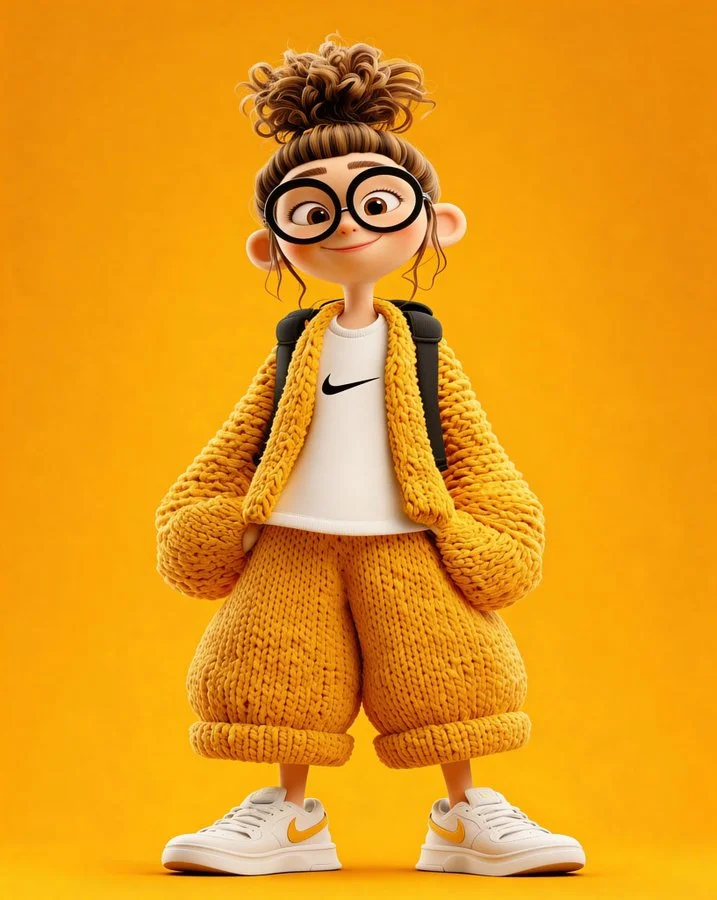
A cute 3D cartoon character of a young girl standing confidently, front view, wearing an oversized chunky knitted mustard-yellow cardigan and matching loose knitted pants, a white t-shirt with a small black swoosh logo, white sneakers with yellow accents, round oversized black glasses, hair in a messy high bun with loose curls, a small black backpack, soft smile, big expressive eyes, stylized Pixar/Disney-like proportions, smooth plastic-clay skin texture, ultra clean render, high detail knit fabric, studio lighting, centered composition, full body, minimal background, solid warm yellow backdrop, soft shadows, high resolution, modern character design, dribbble / behance style, octane render, 4k.
A cute 3D cartoon character of a young girl standing confidently, front view, wearing an oversized chunky knitted mustard-yellow cardigan and matching loose knitted pants, a white t-shirt with a small black swoosh logo, white sneakers with yellow accents, round oversized black glasses, hair in a messy high bun with loose curls, a small black backpack, soft smile, big expressive eyes, stylized Pixar/Disney-like proportions, smooth plastic-clay skin texture, ultra clean render, high detail knit fabric, studio lighting, centered composition, full body, minimal background, solid warm yellow backdrop, soft shadows, high resolution, modern character design, dribbble / behance style, octane render, 4k.
Invite vérifiée
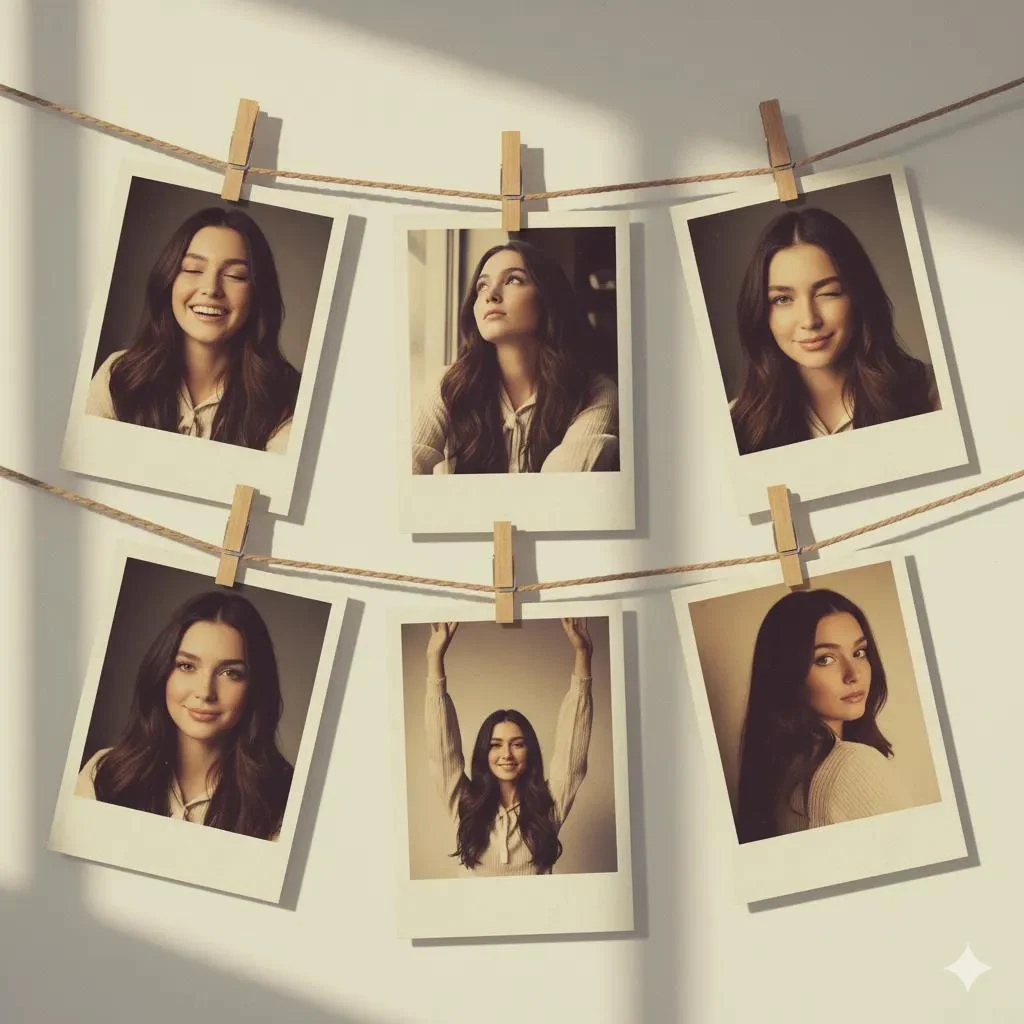
Create an artistic collage of 6 vintage Polaroid photos, attached with a decorative rope and mini clothespins, like a home photo gallery. Each Polaroid frame has a slight fading and an old paper effect. The background is a soft pastel wall with light shadows, creating a cozy and creatively chaotic atmosphere. Emotions and poses: * Light laughter — eyes closed, natural joy. * Dreamy gaze upwards, relaxed pose. * Playful wink. * Calm smile with a head tilted to the side.Dynamic gesture hands raised high, full of energy. * Romantic half-glance over the shoulder. The atmosphere is an art-retro style with elements of a '70s fashion magazine, soft diffused lighting, and muted warm and golden tones. Each photograph looks like a unique behind-the-scenes shot, with a touch of nostalgia and a sense of personal history.
Create an artistic collage of 6 vintage Polaroid photos, attached with a decorative rope and mini clothespins, like a home photo gallery. Each Polaroid frame has a slight fading and an old paper effect. The background is a soft pastel wall with light shadows, creating a cozy and creatively chaotic atmosphere. Emotions and poses: * Light laughter — eyes closed, natural joy. * Dreamy gaze upwards, relaxed pose. * Playful wink. * Calm smile with a head tilted to the side.Dynamic gesture hands raised high, full of energy. * Romantic half-glance over the shoulder. The atmosphere is an art-retro style with elements of a '70s fashion magazine, soft diffused lighting, and muted warm and golden tones. Each photograph looks like a unique behind-the-scenes shot, with a touch of nostalgia and a sense of personal history.
Invite vérifiée
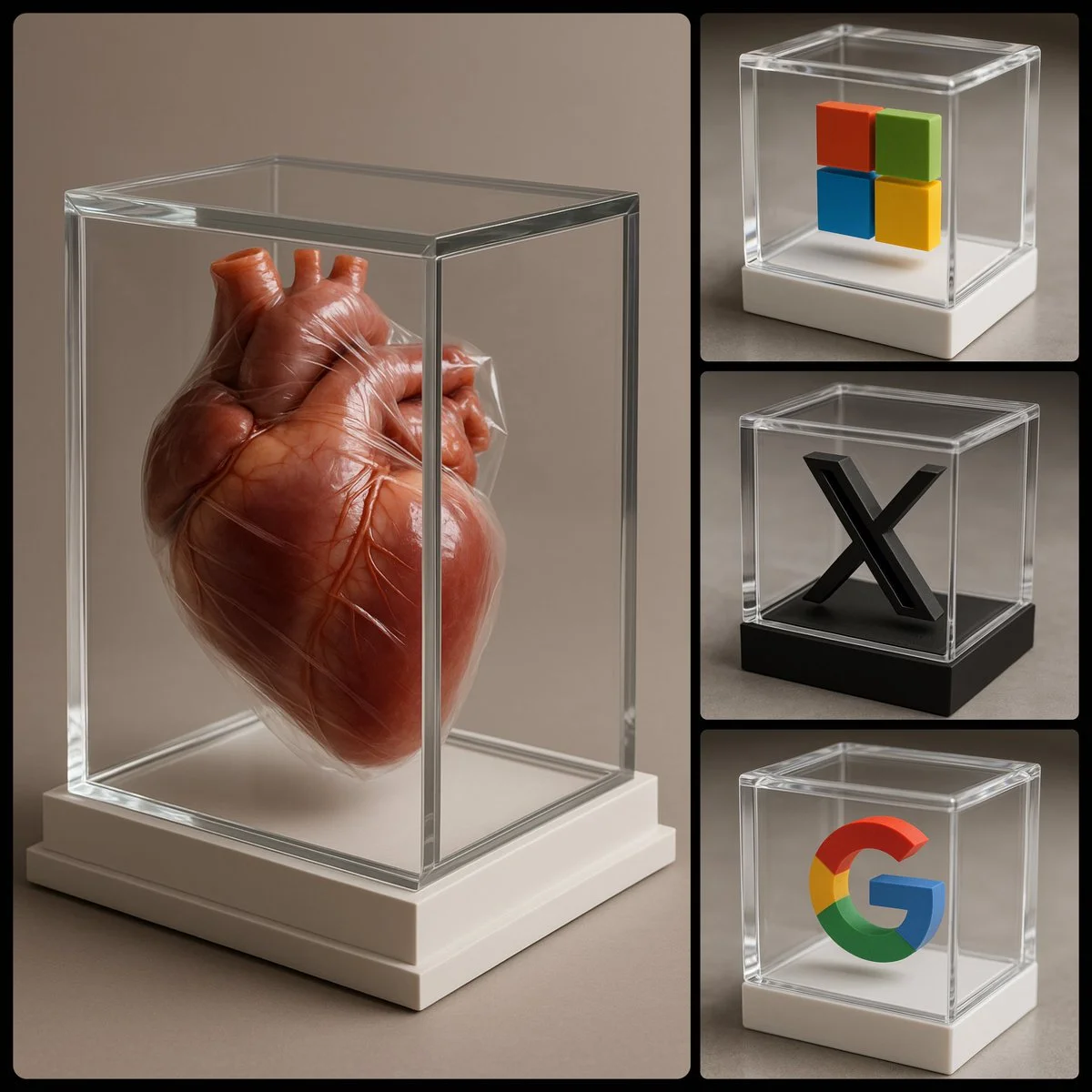
photorealistic image of a [COLOR] 3D [SUBJECT] encased in a luxurious transparent box, viewed from an enhanced side angle to better reveal the 3D shape of the [SUBJECT]. The box should be white, exquisitely designed, featuring crystal-clear glass with refined, sharp edges
photorealistic image of a [COLOR] 3D [SUBJECT] encased in a luxurious transparent box, viewed from an enhanced side angle to better reveal the 3D shape of the [SUBJECT]. The box should be white, exquisitely designed, featuring crystal-clear glass with refined, sharp edges
Explorez les flux de travail de création d’images
Commencez par un brief visuel, modifiez une image avec un modèle pris en charge, ou parcourez la Vitrine de prompts pour trouver des idées.

Un espace de travail d’images pour votre prochain brief créatif
Flux 3 Image réunit la génération d’images, l’édition d’images prise en charge et des exemples de prompts dans un seul espace créatif pour les designers, les équipes e-commerce et les marketeurs.
Décrivez le sujet, la composition, l’éclairage et le style. Choisissez un modèle disponible, consultez le coût en crédits et inspectez votre résultat dans l’historique.
Créer une imageQuatre façons de façonner une idée visuelle

Des visuels de campagne avec une composition claire
Étudiez l’affiche de festival pour son agencement d’image, de couleur et de typographie. Pour votre propre campagne, définissez le point focal et laissez de la place pour le texte final. Exemple source : Black Forest Labs ; cette image n’a pas été générée sur ce site.
Un flux de travail pratique pour la génération et l'édition d'images
Élaborez un brief d'image ciblé et utilisez les contrôles offerts par le modèle sélectionné. Comparez l'image terminée avec la composition souhaitée avant de décider quoi modifier.
Décrivez l'image que vous voulez
Commencez par un sujet, un décor, un éclairage, un point de vue de caméra et un style. Incluez des instructions de mise en page pour une scène produit, une affiche ou une image éditoriale lorsqu'elles importent.

Joignez une référence lorsque c'est pris en charge
Sélectionnez un modèle capable d'édition et téléversez une référence que vous avez le droit d'utiliser. Les types de fichiers acceptés, les limites de référence et les contrôles d'édition sont affichés dans le générateur.

Vérifiez les paramètres et le coût en crédits
Choisissez un rapport d'aspect et une résolution disponibles. Vérifiez les crédits requis avant de soumettre ; les paramètres pris en charge et les coûts varient selon le modèle.
Explorez des idées de prompts et des exemples publiés
Parcourez les cas publiés dans la Vitrine de prompts. Chaque cas indique son modèle et son prompt réels afin que vous puissiez étudier le résultat en contexte.
Décrire, générer, examiner et affiner
Passez d'un brief ciblé à un résultat examiné. Conservez les versions utiles dans l'Historique et ajustez une instruction à la fois.
Décrivez votre brief visuel
Rédigez le sujet, le décor, la composition, l'éclairage et le style. Pour les révisions, décrivez la modification et les détails que vous souhaitez conserver.
Choisissez un modèle et générez
Choisissez parmi les modèles d'image disponibles, sélectionnez les paramètres pris en charge et vérifiez les crédits requis. Ajoutez des références lorsque le modèle prend en charge l'édition d'images.
Examinez et téléchargez votre image
Inspectez l'image terminée dans l'Historique. Vérifiez les visages, le texte, les détails du produit et la composition globale avant de la télécharger ou de la publier.
Affinez la version suivante
Modifiez une partie de votre prompt ou utilisez l'édition d'images prise en charge. Comparez les versions pour voir quelle direction améliore votre brief.
Idées d'images pour les designers, les équipes e-commerce et les marketeurs
Transformez une idée visuelle précise en matière pour une campagne, un concept produit, une mise en page éditoriale ou une présentation créative. Examinez chaque résultat selon son usage prévu.
Scènes produit
Décrivez un produit, son environnement et son éclairage. Vérifiez la forme, les étiquettes et les matières générées par rapport à l'article réel avant de l'utiliser dans une fiche produit.
Visuels de campagne
Construisez un concept de campagne autour d'un message et d'un point focal clair. Laissez de l'espace pour la typographie finale et vérifiez les allégations publicitaires avant publication.
Mises en page éditoriales
Explorez des agencements d'images pour une couverture, un article ou une présentation. Précisez la composition et la hiérarchie visuelle ; vérifiez séparément tout texte généré.
Présentations créatives
Utilisez un concept visuel pour communiquer une direction à votre équipe. Comparez le cadrage, la palette et l'éclairage entre les versions.
Compositions de personnages
Décrivez un personnage, ses vêtements, son expression et son environnement. La gestion des références et la cohérence dépendent du modèle et des entrées prises en charge.
Révisions d'images
Utilisez un modèle d'édition pris en charge pour modifier la couleur, le décor ou les détails. Inspectez toute l'image pour voir si des éléments non voulus ont changé.
Notes créatives pour votre prochaine image
Donnez à l'image un sujet clair. Décrivez le décor et les détails qui rendent le brief reconnaissable.
Flux 3 Image : questions et réponses
Le menu du générateur affiche les modèles d'image actuellement disponibles sur ce site, y compris les modèles de la famille FLUX pris en charge. La marque Flux 3 Image et les exemples sources BFL présentés ne signifient pas que la génération FLUX.3 est proposée. Sélectionnez le modèle réel affiché dans le menu.
La génération utilise des crédits. Choisissez un modèle et des paramètres pris en charge pour voir les crédits requis avant de soumettre. Consultez la page Tarifs pour les options mensuelles, annuelles et ponctuelles.
Utilisez flux3 image dans un navigateur de bureau ou mobile pour rédiger des prompts, ajouter des références prises en charge, consulter l'Historique et télécharger les images terminées.
Décrivez le sujet, le décor, la composition, l'éclairage et le style. Ajoutez des détails précis pour les matières des produits, les vêtements ou la mise en page lorsqu'ils importent. Pour les modifications, décrivez ce qui doit changer.
Les prompts, les références et les résultats peuvent être stockés pour traiter les demandes et fournir l'Historique. Les liens vers des médias publics peuvent être consultés et partagés par d'autres. Lisez la Politique de confidentialité avant de téléverser du contenu sensible.
Le modèle sélectionné détermine les résolutions, les rapports d'aspect, les limites de référence et les contrôles d'édition proposés par le générateur. Utilisez ces contrôles ; les spécifications d'une image source présentée ne décrivent pas tous les modèles disponibles.
Choisissez un modèle capable d'édition, téléversez une image prise en charge que vous avez le droit d'utiliser et décrivez la révision. Inspectez le résultat pour vérifier à la fois la modification demandée et les détails environnants.
Consultez les conditions applicables de la plateforme et du modèle pour votre usage prévu. Vous êtes responsable des droits sur le contenu téléversé, les personnes identifiables, les logos et tout autre contenu tiers.
Le temps de traitement varie selon le modèle, les paramètres, la demande et la charge du service. Suivez l'état de la demande dans l'Historique.
Non. flux3 image est un espace de travail tiers indépendant. Les images présentées sur la page d'accueil sont créditées à Black Forest Labs et sont distinctes des résultats générés par les utilisateurs dans la Vitrine de prompts. Les prompts originaux ne sont inclus que lorsqu'ils sont vérifiés.
Plus d'articles
Guides de création d'images
Créez votre prochaine image
Décrivez votre idée, sélectionnez un modèle d'image disponible et vérifiez les crédits requis. Inspectez et téléchargez les résultats terminés depuis l'Historique.