
Flux 3 Image: Irányítson minden pixelt
Alakítsa az ötleteket gondosan komponált vizualizációkká.
Készítsen termékjeleneteket, szerkesztői elrendezéseket, kampányvizualizációkat és karakterkompozíciókat az elérhető képmodellekkel. Kiemelt forrásképek: Black Forest Labs.

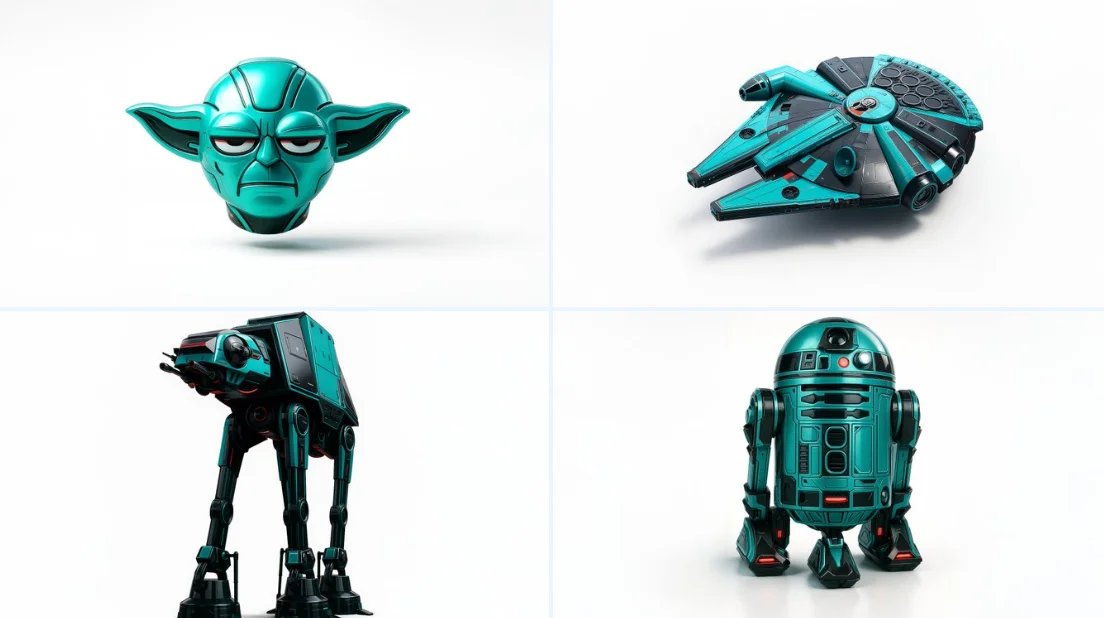
Ellenőrzött utasítás
Retexture the image attached based on the json below { "style": "C4D hyper-realistic 3D render", "object_form": "detailed mechanical design", "geometry": { "shape": "sharp edges with smooth curves", "scale": "real-world proportion", "detailing": "high-poly mesh with intricate mechanical features" }, "material": { "base": "polished plastic and carbon fiber", "texture": "fine surface variation with specular maps", "finish": "high gloss with realistic reflections" }, "design_elements": { "decals": "subtle branding and panel lines", "surface_effects": "anodized gradients, emissive lighting elements", "aero_parts": "spoilers, splitters, and aggressive styling cues" }, "color_scheme": { "primary": "#0ae2c0", "secondary": "#111111", "accents": ["#ffffff", "#e00000"], "reflections": "real-world HDRI light environment", "background": "#ffffff" }, "lighting": { "type": "studio 3-point with HDRI", "intensity": "balanced with key fill and rim lights", "shadows": "soft, subtle contact shadow under object", "highlights": "strong specular reflections on curves" }, "rendering": { "engine": "Cinema 4D Redshift or Octane", "resolution": "ultra high-definition (4K+)", "focus": "object-centered with floating illusion", "background_blur": "none" }, "composition": { "layout": "centered in frame", "object_count": 1, "orientation": "three-quarter front view", "camera": "35mm lens, slightly elevated", "grounding": "floating mid-air with realistic soft shadow cast on white background" } }
Retexture the image attached based on the json below { "style": "C4D hyper-realistic 3D render", "object_form": "detailed mechanical design", "geometry": { "shape": "sharp edges with smooth curves", "scale": "real-world proportion", "detailing": "high-poly mesh with intricate mechanical features" }, "material": { "base": "polished plastic and carbon fiber", "texture": "fine surface variation with specular maps", "finish": "high gloss with realistic reflections" }, "design_elements": { "decals": "subtle branding and panel lines", "surface_effects": "anodized gradients, emissive lighting elements", "aero_parts": "spoilers, splitters, and aggressive styling cues" }, "color_scheme": { "primary": "#0ae2c0", "secondary": "#111111", "accents": ["#ffffff", "#e00000"], "reflections": "real-world HDRI light environment", "background": "#ffffff" }, "lighting": { "type": "studio 3-point with HDRI", "intensity": "balanced with key fill and rim lights", "shadows": "soft, subtle contact shadow under object", "highlights": "strong specular reflections on curves" }, "rendering": { "engine": "Cinema 4D Redshift or Octane", "resolution": "ultra high-definition (4K+)", "focus": "object-centered with floating illusion", "background_blur": "none" }, "composition": { "layout": "centered in frame", "object_count": 1, "orientation": "three-quarter front view", "camera": "35mm lens, slightly elevated", "grounding": "floating mid-air with realistic soft shadow cast on white background" } }
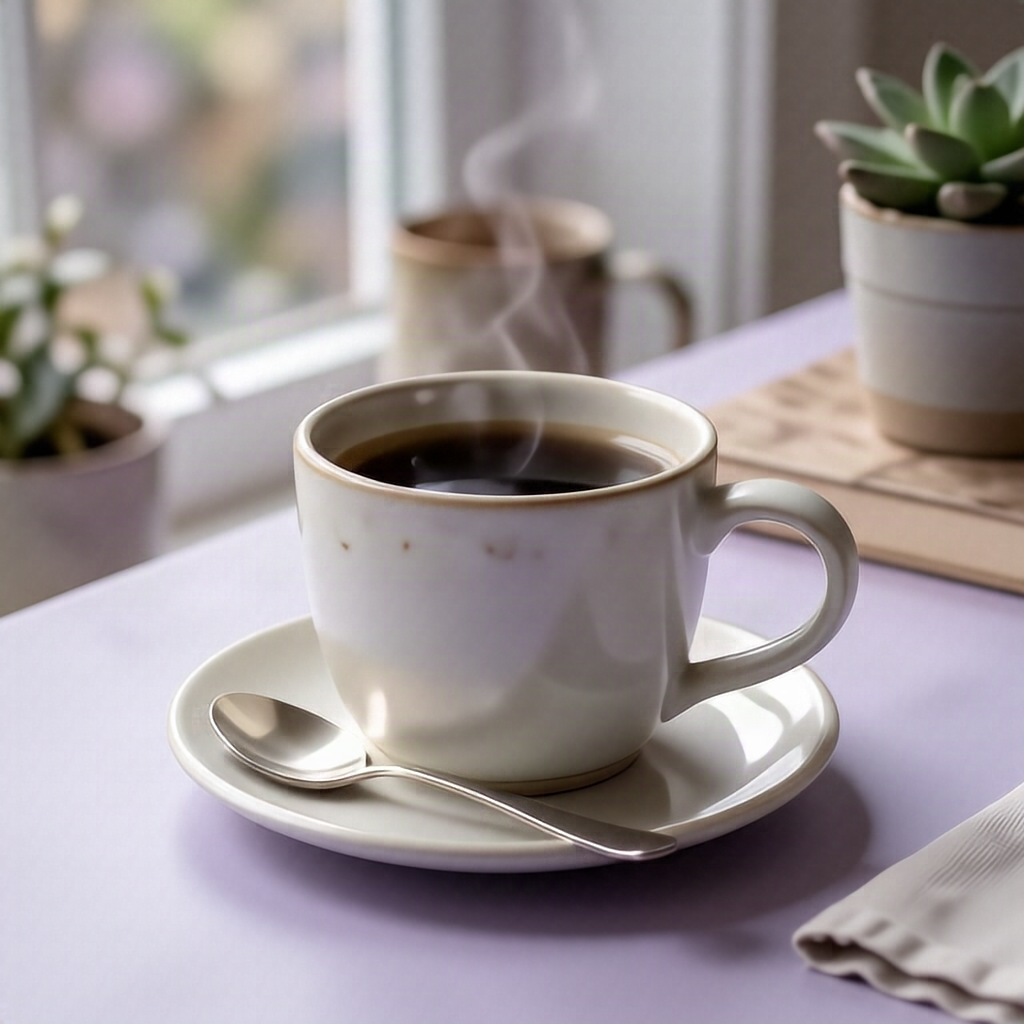
Ellenőrzött utasítás
A clean square social media post image of a ceramic coffee cup on a pale lavender desk, soft morning light, blue and violet color palette, generous negative space for a caption, premium editorial photography, no text, no logos.
A clean square social media post image of a ceramic coffee cup on a pale lavender desk, soft morning light, blue and violet color palette, generous negative space for a caption, premium editorial photography, no text, no logos.
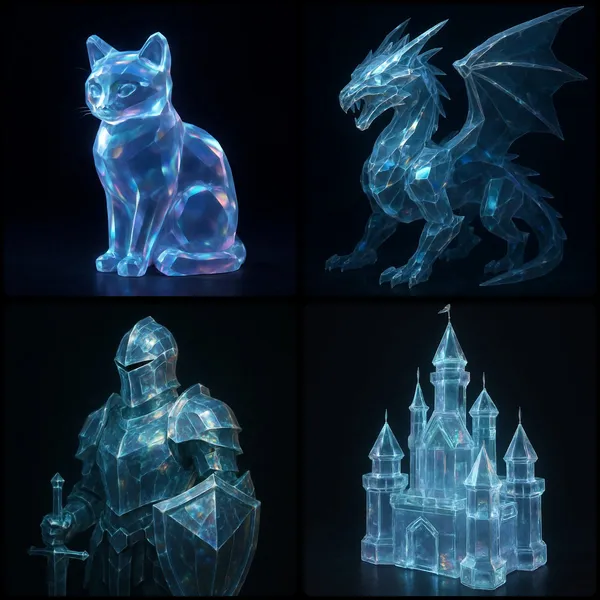
Ellenőrzött utasítás
UBJECT] rendered as a translucent crystalline form with beveled edges, subtly glowing from within. Surfaces catch and reflect ambient light, revealing faint iridescent hues across its contours in dark background
UBJECT] rendered as a translucent crystalline form with beveled edges, subtly glowing from within. Surfaces catch and reflect ambient light, revealing faint iridescent hues across its contours in dark background
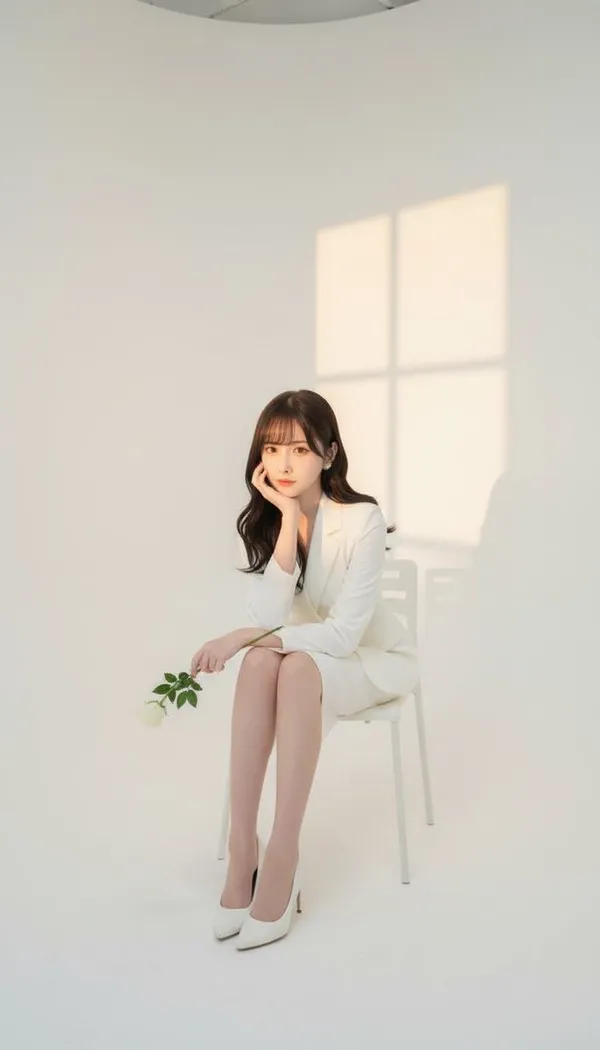
Ellenőrzött utasítás
se take a photo in a photography studio, using the female face from the attached photo. The shot is taken from a frontal angle, with a white studio background, and the woman is seated on a chair. She is wearing a full white outfit: a white blazer, a white skirt, and white high heels. Her pose is elegant, with one hand supporting her chin, holding a small white rose. Soft sunset window light is projected onto the studio wall.
se take a photo in a photography studio, using the female face from the attached photo. The shot is taken from a frontal angle, with a white studio background, and the woman is seated on a chair. She is wearing a full white outfit: a white blazer, a white skirt, and white high heels. Her pose is elegant, with one hand supporting her chin, holding a small white rose. Soft sunset window light is projected onto the studio wall.

Ellenőrzött utasítás
A social media image of a cheerful golden retriever labeled as a good girl, holding a banana gently in her mouth while sitting on a picnic blanket in a sunny park, vibrant greens and warm yellows, natural sunlight with dappled shadows, candid lifestyle photography style, low-angle shot at dog eye level, blurred background of trees, centered composition with room at the top for a caption overlay.
A social media image of a cheerful golden retriever labeled as a good girl, holding a banana gently in her mouth while sitting on a picnic blanket in a sunny park, vibrant greens and warm yellows, natural sunlight with dappled shadows, candid lifestyle photography style, low-angle shot at dog eye level, blurred background of trees, centered composition with room at the top for a caption overlay.
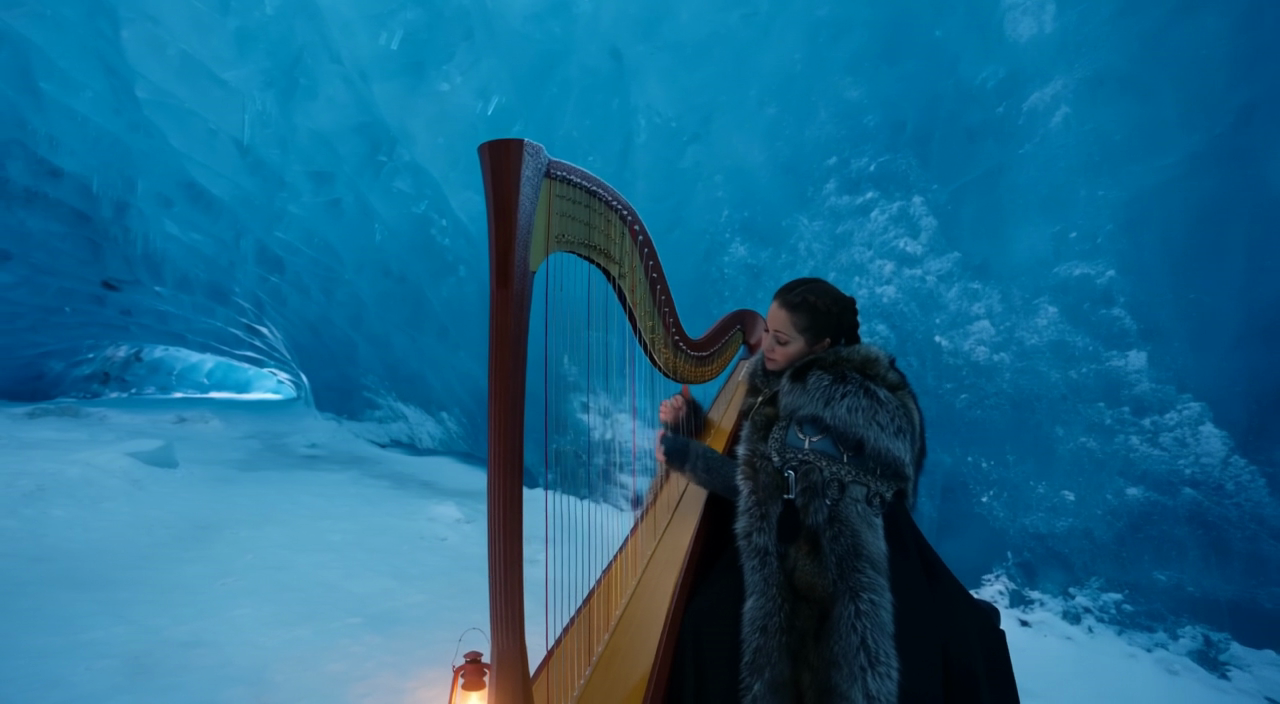
Ellenőrzött utasítás
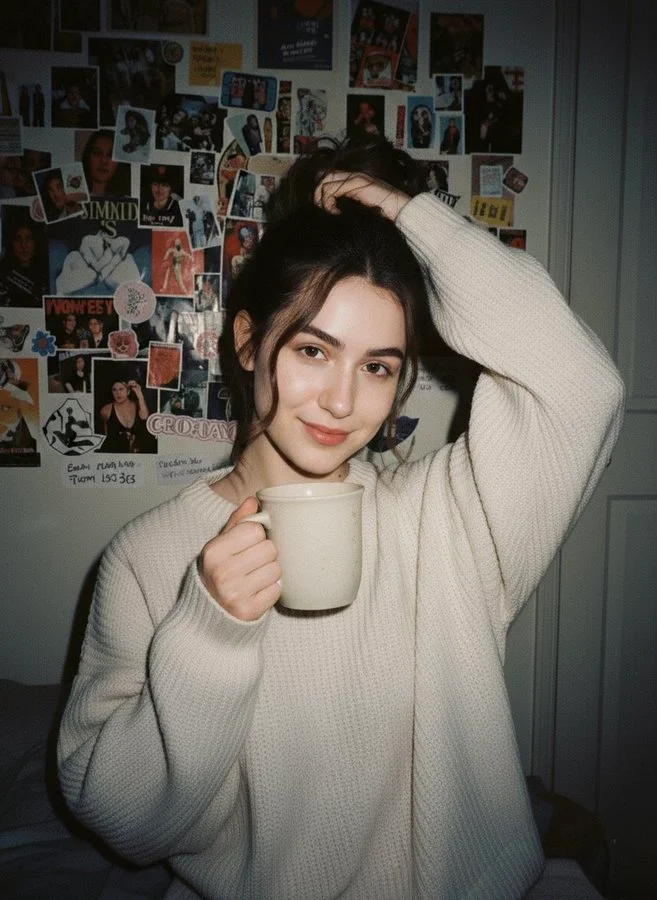
Ellenőrzött utasítás
Without changing her original face, create a portrait of a beautiful young woman with porcelain-white skin, captured with a 1990s-style camera using a direct front flash. Her messy dark brown hair is tied up, posing with a calm yet playful smile. She wears a modern oversized cream sweater. The background is a dark white wall covered with aesthetic magazine posters and stickers, evoking a cozy bedroom or personal room atmosphere under dim lighting.
Without changing her original face, create a portrait of a beautiful young woman with porcelain-white skin, captured with a 1990s-style camera using a direct front flash. Her messy dark brown hair is tied up, posing with a calm yet playful smile. She wears a modern oversized cream sweater. The background is a dark white wall covered with aesthetic magazine posters and stickers, evoking a cozy bedroom or personal room atmosphere under dim lighting.
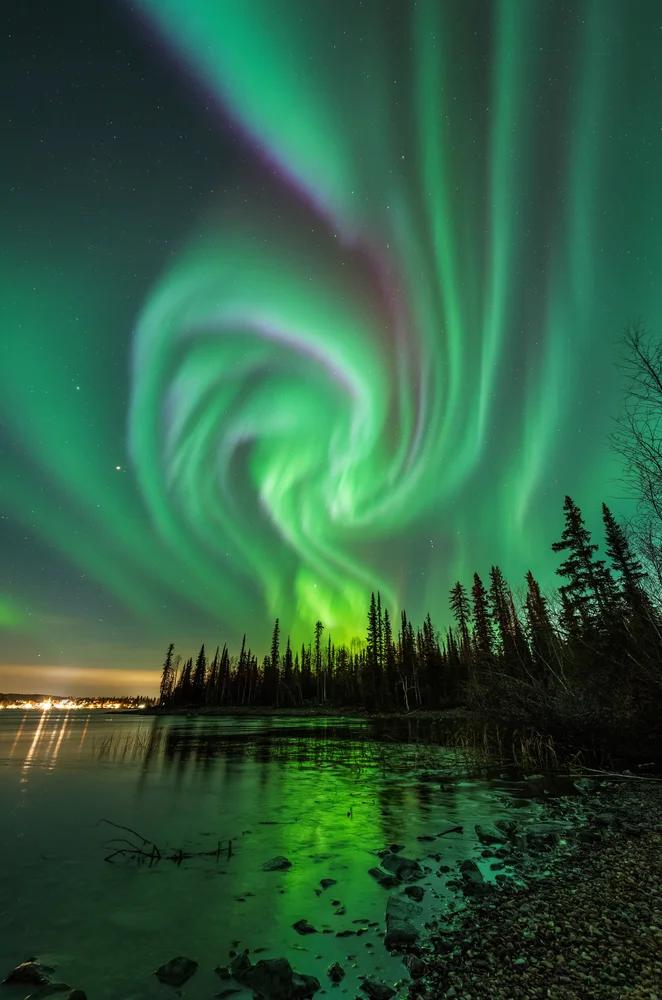
Ellenőrzött utasítás
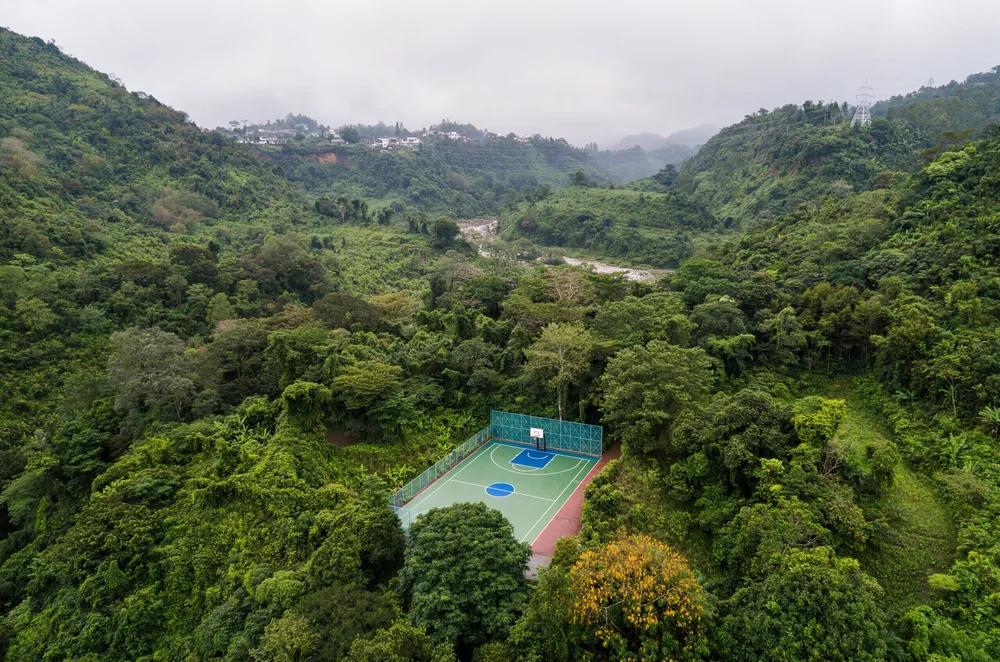
Ellenőrzött utasítás
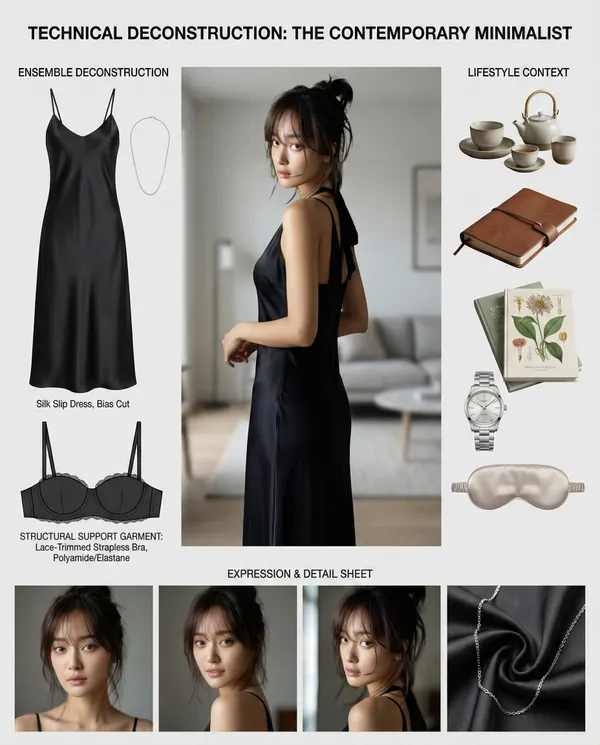
Ellenőrzött utasítás
sk: Create a comprehensive "Wardrobe Deconstruction and Style Profile" collage based on an uploaded image.** **Objective:** Act as a professional fashion archivist and technical designer. Given an uploaded image of a person, generate a visually compelling, high-resolution "Style Profile" collage that meticulously deconstructs their entire ensemble, from the outermost layer to the foundational structure. The final output must be a single, cohesive, photorealistic image. **Core Elements:** 1. **Central Subject Image:** * Place the subject from the uploaded image in a full-body pose as the central focus. * Maintain the subject's likeness (face, hair, clothing) while enhancing the image to a professional, high-fashion photographic standard. 2. **Complete Ensemble Deconstruction (Photorealistic Product Shots):** * Generate a visual breakdown of the subject's attire, presenting each item as a separate, high-quality product photograph. This breakdown must include: * **Outer and Mid-Layers:** All visible garments and accessories. * **Foundational Elements:** A technical illustration of the essential structural garments that provide shape and support to the silhouette (e.g., a bra, slip, or specific underlayer). These elements must be rendered as **objective, flat-lay design schematics** with a focus on material and construction, not on the human form. * Include detailed close-ups of key materials (e.g., fabric weave, leather texture, metal finish) to emphasize quality and design. 3. **Lifestyle & Contextual Items:** * Based on the subject's style, infer and generate a collection of 4-6 photorealistic items that suggest their likely environment, interests, or daily routine. 4. **Expression & Detail Sheet:** * Generate a series of 3-4 close-up portraits showing a range of natural, context-appropriate expressions. **Aesthetic and Layout Guidelines:** * **Overall Style:** Strictly **Hyper-realistic, photographic style**. Absolutely no illustration, anime, or hand-drawn elements. * **Layout:** Arrange all elements in a **clean, balanced, and modular collage** on a neutral background (white or light gray). The layout must be visually logical and professional, resembling a high-end fashion technical document. * **Annotations:** Use a clean, minimalist font for all text. * **Title:** Generate a professional, gender-neutral title (e.g., "Technical Deconstruction: The Urban Minimalist"). * **Labels:** Add brief, descriptive labels for all deconstructed items, including the "Foundational Elements," using technical terms (e.g., "Structural Support Garment," "Base Layer"). **Crucial Instruction:** The rendering of all "Foundational Elements" must be purely technical and objective, presented as a **design schematic or flat-lay product shot** to emphasize construction and material, completely detached from the central subject's body.
sk: Create a comprehensive "Wardrobe Deconstruction and Style Profile" collage based on an uploaded image.** **Objective:** Act as a professional fashion archivist and technical designer. Given an uploaded image of a person, generate a visually compelling, high-resolution "Style Profile" collage that meticulously deconstructs their entire ensemble, from the outermost layer to the foundational structure. The final output must be a single, cohesive, photorealistic image. **Core Elements:** 1. **Central Subject Image:** * Place the subject from the uploaded image in a full-body pose as the central focus. * Maintain the subject's likeness (face, hair, clothing) while enhancing the image to a professional, high-fashion photographic standard. 2. **Complete Ensemble Deconstruction (Photorealistic Product Shots):** * Generate a visual breakdown of the subject's attire, presenting each item as a separate, high-quality product photograph. This breakdown must include: * **Outer and Mid-Layers:** All visible garments and accessories. * **Foundational Elements:** A technical illustration of the essential structural garments that provide shape and support to the silhouette (e.g., a bra, slip, or specific underlayer). These elements must be rendered as **objective, flat-lay design schematics** with a focus on material and construction, not on the human form. * Include detailed close-ups of key materials (e.g., fabric weave, leather texture, metal finish) to emphasize quality and design. 3. **Lifestyle & Contextual Items:** * Based on the subject's style, infer and generate a collection of 4-6 photorealistic items that suggest their likely environment, interests, or daily routine. 4. **Expression & Detail Sheet:** * Generate a series of 3-4 close-up portraits showing a range of natural, context-appropriate expressions. **Aesthetic and Layout Guidelines:** * **Overall Style:** Strictly **Hyper-realistic, photographic style**. Absolutely no illustration, anime, or hand-drawn elements. * **Layout:** Arrange all elements in a **clean, balanced, and modular collage** on a neutral background (white or light gray). The layout must be visually logical and professional, resembling a high-end fashion technical document. * **Annotations:** Use a clean, minimalist font for all text. * **Title:** Generate a professional, gender-neutral title (e.g., "Technical Deconstruction: The Urban Minimalist"). * **Labels:** Add brief, descriptive labels for all deconstructed items, including the "Foundational Elements," using technical terms (e.g., "Structural Support Garment," "Base Layer"). **Crucial Instruction:** The rendering of all "Foundational Elements" must be purely technical and objective, presented as a **design schematic or flat-lay product shot** to emphasize construction and material, completely detached from the central subject's body.
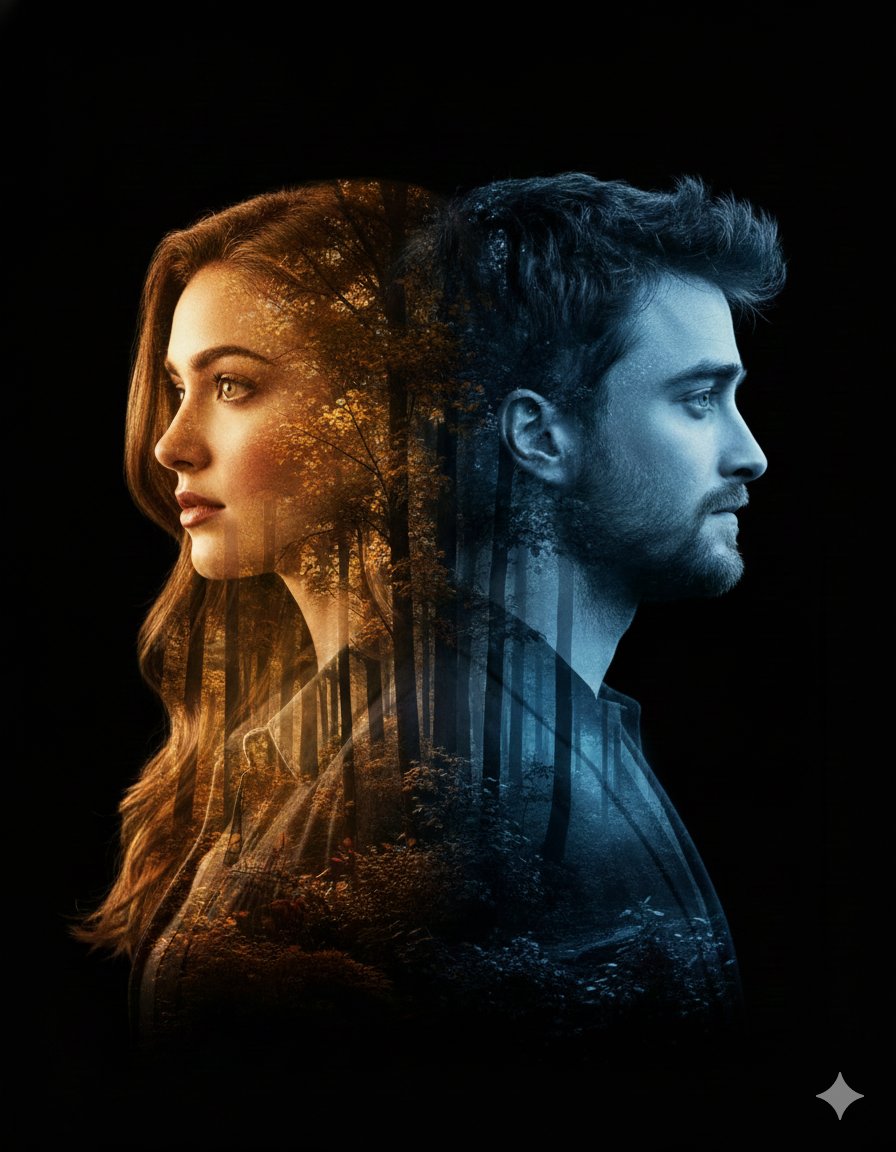
Ellenőrzött utasítás
nematic double-exposure portrait featuring a woman in profile on the left and a man in profile on the right, both turned away from each other. Their silhouettes, including detailed facial features and hair outlines, blend seamlessly into a dense forest landscape with an artistic, modern pattern. The woman's side glows with warm golden autumn hues, while the man's side is illuminated by cool, serene blue tones. Soft rays of sunlight filter through the trees, adding depth, contrast, and emotional atmosphere. Smooth, natural lighting transitions and a clean black backdrop. Modern, artistic, emotionally expressive poster aesthetic. Bold title text at the bottom: 'Ai Queen is Here…'. cinematic. double exposure. high-detail. artistic poster. emotional. clean black backdrop. soft sun rays, warm vs cool contrast. woman profile left, man profile right, both facing outward. smooth transitions between silhouettes and forest landscape. high contrast artistic glow. poster-quality finish. Ai Queen is Here…. 3:4
nematic double-exposure portrait featuring a woman in profile on the left and a man in profile on the right, both turned away from each other. Their silhouettes, including detailed facial features and hair outlines, blend seamlessly into a dense forest landscape with an artistic, modern pattern. The woman's side glows with warm golden autumn hues, while the man's side is illuminated by cool, serene blue tones. Soft rays of sunlight filter through the trees, adding depth, contrast, and emotional atmosphere. Smooth, natural lighting transitions and a clean black backdrop. Modern, artistic, emotionally expressive poster aesthetic. Bold title text at the bottom: 'Ai Queen is Here…'. cinematic. double exposure. high-detail. artistic poster. emotional. clean black backdrop. soft sun rays, warm vs cool contrast. woman profile left, man profile right, both facing outward. smooth transitions between silhouettes and forest landscape. high contrast artistic glow. poster-quality finish. Ai Queen is Here…. 3:4

Ellenőrzött utasítás
Create a high-resolution illustration of a [skull] icon in the style of a glossy, translucent sculpture. The icon should appear as if made of curved, flowing glass with reflective surfaces. Infuse the form with vivid, refracted rainbow gradients that shift smoothly across its contours. The shape should be abstract yet recognizable, with a sleek, high-gloss finish and soft reflections that mimic light bending through clear material. Center the icon on a solid black background. No shadows, textures, or extra elements. Square aspect ratio.
Create a high-resolution illustration of a [skull] icon in the style of a glossy, translucent sculpture. The icon should appear as if made of curved, flowing glass with reflective surfaces. Infuse the form with vivid, refracted rainbow gradients that shift smoothly across its contours. The shape should be abstract yet recognizable, with a sleek, high-gloss finish and soft reflections that mimic light bending through clear material. Center the icon on a solid black background. No shadows, textures, or extra elements. Square aspect ratio.
Fedezze fel a képalkotási folyamatokat
Kezdje vizuális brief-tel, szerkesszen egy képet támogatott modellel, vagy böngéssze a Prompt Showcase-t ötletekért.

Képmunkaterület a következő kreatív briefjéhez
A Flux 3 Image egy kreatív munkaterületbe hozza a képgenerálást, a támogatott képszerkesztést és a promptpéldákat tervezők, e-kereskedelmi csapatok és marketingszakemberek számára.
Írja le a témát, a kompozíciót, a világítást és a stílust. Válasszon elérhető modellt, tekintse át a kreditköltséget, és vizsgálja meg az eredményt az Előzményekben.
Kép létrehozásaNégy mód a vizuális ötlet formálására

Kampányvizualizációk világos kompozícióval
Tanulmányozza a fesztiválplakátot a kép, a szín és a tipográfia elrendezése szempontjából. Saját kampányához határozza meg a fókuszpontot, és hagyjon helyet a végleges szövegnek. Forráspélda: Black Forest Labs; ez a kép nem ezen az oldalon készült.
Gyakorlati munkafolyamat képgeneráláshoz és -szerkesztéshez
Készítsen fókuszált képbriefet, és használja a kiválasztott modell által kínált vezérlőket. Hasonlítsa össze a kész képet a szándékolt kompozícióval, mielőtt eldönti, mit változtasson.
Írja le a kívánt képet
Kezdje témával, környezettel, világítással, kameraállással és stílussal. Adjon elrendezési utasításokat termékjelenethez, plakáthoz vagy szerkesztői képhez, amikor számítanak.

Hozzon referenciát, amikor támogatott
Válasszon szerkesztésre képes modellt, és töltsön fel egy referenciát, amelynek használatára engedéllyel rendelkezik. Az elfogadott fájltípusok, a referencia korlátok és a szerkesztési vezérlők a generátorban láthatók.

Tekintse át a beállításokat és a kreditköltséget
Válasszon elérhető képarányt és felbontást. A beküldés előtt tekintse át a szükséges krediteket; a támogatott beállítások és költségek modellenként változnak.
Fedezzen fel promptötleteket és közzétett példákat
Böngéssze a közzétett eseteket a Prompt Showcase-ben. Minden eset megmutatja a tényleges modellt és promptot, így kontextusban tanulmányozhatja az eredményt.
Írja le, generálja, tekintse át és finomítsa
Lépjen a fókuszált brieftől az áttekintett eredményig. Tartsa meg a hasznos verziókat az Előzményekben, és egyszerre egy utasítást módosítson.
Írja le vizuális briefjét
Írja meg a témát, a környezetet, a kompozíciót, a világítást és a stílust. Módosításokhoz írja le a változtatást és a megtartani kívánt részleteket.
Válasszon modellt és generáljon
Válasszon az elérhető képmodellek közül, válassza ki a támogatott beállításokat, és tekintse át a szükséges krediteket. Adjon hozzá referenciákat, amikor a modell támogatja a képszerkesztést.
Tekintse át és töltse le képét
Vizsgálja meg a kész képet az Előzményekben. A letöltés vagy közzététel előtt ellenőrizze az arcokat, a szöveget, a termékrészleteket és a teljes kompozíciót.
Finomítsa a következő verziót
Módosítsa promptjának egy részét, vagy használjon támogatott képszerkesztést. Hasonlítsa össze a verziókat, hogy lássa, melyik irány javítja briefjét.
Képötletek tervezőknek, e-kereskedelmi csapatoknak és marketingszakembereknek
Alakítson egy konkrét vizuális ötletet kampányhoz, termékkoncepcióhoz, szerkesztői elrendezéshez vagy kreatív prezentációhoz szóló anyaggá. A tervezett felhasználás szempontjából tekintse át minden eredményt.
Termékjelenetek
Írjon le egy terméket, annak környezetét és a világítást. A lista összeállításában való felhasználás előtt hasonlítsa össze a generált formát, címkéket és anyagokat a valódi tárggyal.
Kampányvizualizációk
Építsen kampánykoncepciót egy üzenet és egy világos fókuszpont köré. Hagyjon helyet a végleges tipográfiának, és közzététel előtt ellenőrizze a reklámállításokat.
Szerkesztői elrendezések
Fedezze fel a képelrendezéseket borítóhoz, cikkhez vagy prezentációhoz. Adja meg a kompozíciót és a vizuális hierarchiát; az esetleges generált szöveget külön ellenőrizze.
Kreatív prezentációk
Használjon vizuális koncepciót egy irány közléséhez a csapatával. Hasonlítsa össze a kompozíciót, a színpalettát és a világítást a verziók között.
Karakterkompozíciók
Írjon le egy karaktert, ruházatot, arckifejezést és környezetet. A referencia kezelése és a következetesség a modelltől és a támogatott bemenetektől függ.
Képmódosítások
Használjon támogatott szerkesztőmodellt a szín, a környezet vagy a részletek megváltoztatásához. Vizsgálja meg a teljes képet, hogy lássa, változtak-e nem szándékolt elemek.
Kreatív jegyzetek a következő képéhez
Adjon a képnek egy világos témát. Írja le a környezetet és azokat a részleteket, amelyek felismerhetővé teszik a briefet.

Flux 3 Image: Kérdések és válaszok
A generátor menüje mutatja az oldalon jelenleg elérhető képmodelleket, beleértve a támogatott FLUX-családba tartozó modelleket. A Flux 3 Image márkanév és a kiemelt BFL forráspéldák nem jelentik azt, hogy FLUX.3 generálás elérhető. Válassza a menüben látható tényleges modellt.
A generálás krediteket használ. Válasszon modellt és támogatott beállításokat, hogy a beküldés előtt lássa a szükséges krediteket. A havi, éves és egyszeri lehetőségekért látogasson el az Árak oldalra.
Használja a flux3 image-et asztali vagy mobil böngészőben promptok írásához, támogatott referenciák hozzáadásához, az Előzmények áttekintéséhez és a kész képek letöltéséhez.
Írja le a témát, a környezetet, a kompozíciót, a világítást és a stílust. Adjon pontos részleteket a termékanyagokról, ruházatról vagy elrendezésről, amikor számítanak. Szerkesztéseknél írja le, minek kell megváltoznia.
A promptok, referenciák és eredmények tárolhatók a kérések feldolgozásához és az Előzmények biztosításához. A nyilvános médialinkeket mások megtekinthetik és megoszthatják. Érzékeny anyagok feltöltése előtt olvassa el az Adatvédelmi szabályzatot.
A kiválasztott modell határozza meg a generátor által kínált felbontásokat, képarányokat, referencia korlátokat és szerkesztési vezérlőket. Használja ezeket a vezérlőket; egy kiemelt forráskép specifikációi nem írják le az összes elérhető modellt.
Válasszon szerkesztésre képes modellt, töltsön fel egy támogatott képet, amelynek használatára engedéllyel rendelkezik, és írja le a módosítást. Vizsgálja meg az eredményt, hogy ellenőrizze mind a kért változtatást, mind a környező részleteket.
A tervezett felhasználáshoz tekintse át az alkalmazandó platform- és modellfeltételeket. Ön felelős a feltöltött anyagok, azonosítható személyek, logók és egyéb harmadik féltől származó tartalmak jogaiért.
A feldolgozási idő a modelltől, a beállításoktól, a kéréstől és a szolgáltatás terhelésétől függ. Kövesse a kérés állapotát az Előzményekben.
Nem. A flux3 image egy független harmadik féltől származó munkaterület. A kiemelt főoldali képek a Black Forest Labs jóváírását élvezik, és elkülönülnek a Prompt Showcase felhasználók által létrehozott eredményeitől. Az eredeti promptok csak ellenőrzés esetén szerepelnek.
További cikkek
Képkészítési útmutatók
Készítse el következő képét
Írja le az ötletét, válasszon egy elérhető képmodellelt, és tekintse át a szükséges krediteket. Tekintse meg és töltse le a befejezett eredményeket az Előzményekből.